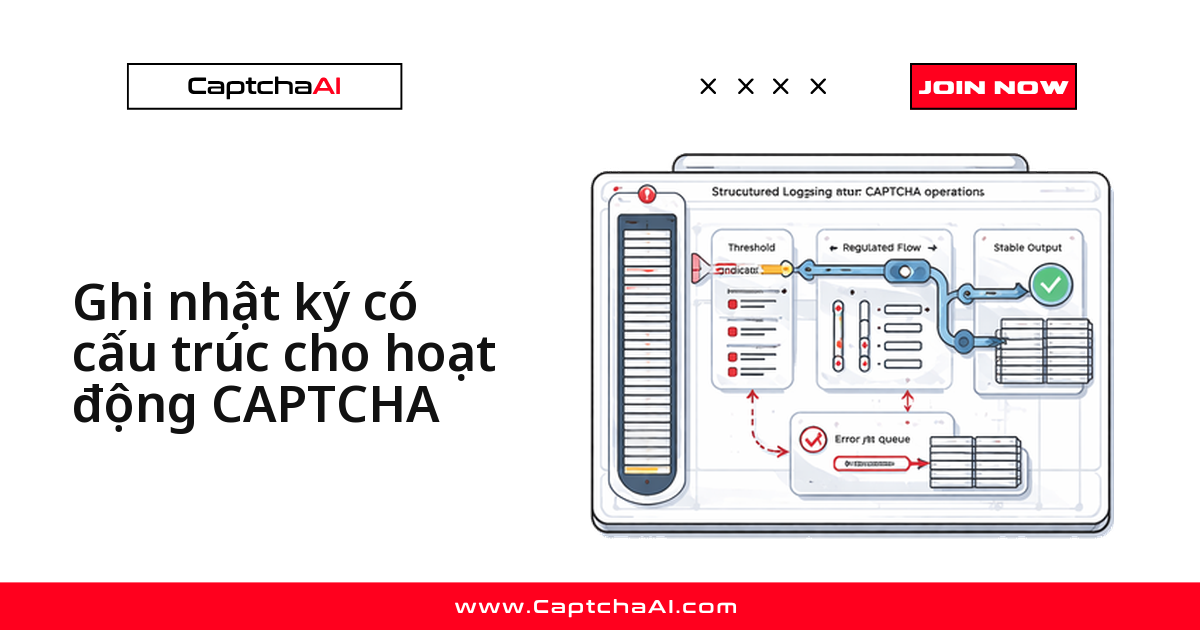
Câu hỏi "sáng nay job scraping hỏng ở đâu" chỉ mất vài giây để trả lời nếu mỗi lần giải CAPTCHA để lại một dòng JSON có task_id, captcha_type, solve_time_ms và error. Với log văn bản thuần, bạn phải grep mò giữa hàng nghìn dòng Error solving captcha giống hệt nhau.
Bài này dựng log có cấu trúc quanh vòng đời một task CaptchaAI: gửi task tới in.php → nhận ID task → polling res.php → dùng token. Mỗi bước phát ra một sự kiện có tên cố định, đủ trường để truy vấn bằng jq.
Vì sao log CAPTCHA phải ở dạng JSON
| Văn bản thuần | JSON có cấu trúc |
|---|---|
Captcha solved in 12.3s |
{"event":"captcha_solved","task_id":"abc123","type":"recaptcha_v2","solve_time_ms":12300} |
| Phải viết parser mới bóc được số liệu | Máy đọc được ngay, không cần parser |
| Chỉ tìm được bằng grep | Lọc theo bất kỳ trường nào |
| Không nối được các bước với nhau | task_id nối gửi task → polling → dùng token |
Cột bên phải cho phép truy vấn: bạn trả lời được "domain nào có thời gian giải reCAPTCHA v2 cao nhất tuần qua" mà không cần viết parser riêng.
Một tình huống quen thuộc với đội scraping ở Việt Nam
Một team ở TP.HCM chạy job theo dõi giá trên vài sàn thương mại điện tử, mỗi đêm vài nghìn request qua gói ADVANCE ($90/tháng, 50 thread). Sáng ra tỷ lệ giải thành công tụt còn hơn một nửa. Với log văn bản, cả buổi sáng trôi qua trong việc đọc file. Với log JSON, một câu jq gom theo error cho thấy ngay ERROR_WRONG_GOOGLEKEY chiếm phần lớn: sàn đã đổi sitekey.
Thêm một lý do: Nghị định 13/2023/NĐ-CP về bảo vệ dữ liệu cá nhân buộc nhiều đội phải rà soát xem log có chứa dữ liệu nhạy cảm không — log có cấu trúc cho bạn kiểm soát chính xác trường nào được ghi.
Python: cấu hình structlog
structlog biến mọi lời gọi log thành một dòng JSON, kèm timestamp ISO và log level:
import structlog
import time

structlog.configure(
    processors=[
        structlog.processors.TimeStamper(fmt="iso"),
        structlog.processors.add_log_level,
        structlog.processors.JSONRenderer(),
    ],
    logger_factory=structlog.PrintLoggerFactory(),
)

log = structlog.get_logger()
log.bind() gắn ngữ cảnh cố định cho một task; mọi sự kiện sau đó đều mang theo.
Ghi log toàn bộ vòng đời một task
Hàm dưới đây gửi task, polling kết quả và phát sự kiện riêng cho từng kết cục: gửi lỗi, giải xong, thất bại, timeout.
import requests

API_KEY = "YOUR_API_KEY"

def solve_captcha(captcha_type, sitekey, page_url, proxy=None):
    solve_log = log.bind(
        captcha_type=captcha_type,
        site_url=page_url,
        sitekey=sitekey[:12] + "...",
    )

    # Submit
    start = time.time()
    solve_log.info("captcha_submit_start")

    resp = requests.post("https://ocr.captchaai.com/in.php", data={
        "key": API_KEY,
        "method": "userrecaptcha",
        "googlekey": sitekey,
        "pageurl": page_url,
        "json": "1",
    }).json()

    if resp["status"] != 1:
        solve_log.error("captcha_submit_failed", error=resp["request"])
        return None

    task_id = resp["request"]
    submit_ms = int((time.time() - start) * 1000)
    solve_log = solve_log.bind(task_id=task_id)
    solve_log.info("captcha_submitted", submit_ms=submit_ms)

    # Poll
    for attempt in range(24):
        time.sleep(5)
        result = requests.get("https://ocr.captchaai.com/res.php", params={
            "key": API_KEY, "action": "get", "id": task_id, "json": "1"
        }).json()

        if result["status"] == 1:
            solve_ms = int((time.time() - start) * 1000)
            solve_log.info(
                "captcha_solved",
                solve_time_ms=solve_ms,
                poll_attempts=attempt + 1,
                token_length=len(result["request"]),
            )
            return result["request"]

        if result["request"] != "CAPCHA_NOT_READY":
            solve_log.error(
                "captcha_solve_failed",
                error=result["request"],
                poll_attempts=attempt + 1,
            )
            return None

    solve_log.warning("captcha_solve_timeout", poll_attempts=24)
    return None
Kết quả là ba dòng JSON chung task_id, đủ để dựng lại dòng thời gian:
{"event":"captcha_submit_start","captcha_type":"recaptcha_v2","site_url":"https://example.com","sitekey":"6Le-wvkSAAAA...","timestamp":"2025-07-15T10:30:00Z","level":"info"}
{"event":"captcha_submitted","task_id":"71845302","submit_ms":245,"timestamp":"2025-07-15T10:30:00Z","level":"info"}
{"event":"captcha_solved","task_id":"71845302","solve_time_ms":18230,"poll_attempts":4,"token_length":580,"timestamp":"2025-07-15T10:30:18Z","level":"info"}
Chú ý sitekey bị cắt còn 12 ký tự đầu, còn API key không xuất hiện trong log ở bất kỳ đâu — quy tắc không có ngoại lệ.
Node.js: cấu hình pino
pino là lựa chọn mặc định của hệ sinh thái Node cho log JSON. Cấu hình tối thiểu chỉ cần level và định dạng timestamp:
const pino = require('pino');

const log = pino({
  level: 'info',
  timestamp: pino.stdTimeFunctions.isoTime,
});
Ghi log vòng đời task bằng logger con
log.child() trong pino đóng vai trò như log.bind() bên Python.
const axios = require('axios');

const API_KEY = 'YOUR_API_KEY';

async function solveCaptcha(captchaType, sitekey, pageUrl) {
  const taskLog = log.child({
    captchaType,
    siteUrl: pageUrl,
    sitekey: sitekey.substring(0, 12) + '...',
  });

  const start = Date.now();
  taskLog.info('captcha_submit_start');

  const submit = await axios.post('https://ocr.captchaai.com/in.php', null, {
    params: {
      key: API_KEY, method: 'userrecaptcha',
      googlekey: sitekey, pageurl: pageUrl, json: 1,
    },
  });

  if (submit.data.status !== 1) {
    taskLog.error({ error: submit.data.request }, 'captcha_submit_failed');
    return null;
  }

  const taskId = submit.data.request;
  const boundLog = taskLog.child({ taskId });
  boundLog.info({ submitMs: Date.now() - start }, 'captcha_submitted');

  for (let attempt = 1; attempt <= 24; attempt++) {
    await new Promise(r => setTimeout(r, 5000));
    const poll = await axios.get('https://ocr.captchaai.com/res.php', {
      params: { key: API_KEY, action: 'get', id: taskId, json: 1 },
    });

    if (poll.data.status === 1) {
      boundLog.info({
        solveTimeMs: Date.now() - start,
        pollAttempts: attempt,
        tokenLength: poll.data.request.length,
      }, 'captcha_solved');
      return poll.data.request;
    }

    if (poll.data.request !== 'CAPCHA_NOT_READY') {
      boundLog.error({ error: poll.data.request, pollAttempts: attempt }, 'captcha_solve_failed');
      return null;
    }
  }

  boundLog.warn({ pollAttempts: 24 }, 'captcha_solve_timeout');
  return null;
}
Tên sự kiện giữ nguyên giữa Python và Node.js, nên một truy vấn duy nhất chạy được trên log của cả hai service.
Bảng trường log nên chuẩn hóa
Thống nhất tên trường ngay từ đầu — đổi tên sau vài tháng rất khó chịu.
| Trường | Kiểu | Mô tả |
|---|---|---|
event |
chuỗi | Tên sự kiện: captcha_submitted, captcha_solved… |
task_id |
chuỗi | ID task CaptchaAI, nối các sự kiện của cùng một lần giải |
captcha_type |
chuỗi | recaptcha_v2, turnstile, image… |
site_url |
chuỗi | URL trang chứa CAPTCHA |
solve_time_ms |
số nguyên | Thời gian từ lúc gửi task đến khi có token |
poll_attempts |
số nguyên | Số lần gọi res.php trước khi có kết quả |
error |
chuỗi | Mã lỗi CaptchaAI trả về |
token_length |
số nguyên | Độ dài token, ghi thay cho token đầy đủ |
Giữ nguyên tiếng Anh cho khóa JSON. Nếu đẩy log của cả hai service vào cùng một index, chuẩn hóa snake_case và camelCase về một dạng.
Truy vấn và cảnh báo
Lọc nhanh bằng jq
Khi log còn ở file trên máy, jq đủ trả lời hầu hết câu hỏi.
# With jq
cat captcha.log | jq 'select(.level == "error" and .event == "captcha_solve_failed")'
Đổi biểu thức là nhóm được theo error hoặc tính trung bình solve_time_ms.
Cảnh báo khi tỷ lệ lỗi tăng
Đừng cảnh báo trên từng lần giải hỏng — lỗi lẻ tẻ là bình thường. Theo dõi tỷ lệ lỗi trên một cửa sổ trượt và chỉ báo động khi vượt ngưỡng.
# Count errors vs successes in a rolling window
from collections import deque

class ErrorRateMonitor:
    def __init__(self, window_size=100, threshold=0.2):
        self.results = deque(maxlen=window_size)
        self.threshold = threshold

    def record(self, success):
        self.results.append(success)
        if len(self.results) >= 50:
            error_rate = 1 - sum(self.results) / len(self.results)
            if error_rate > self.threshold:
                log.warning(
                    "captcha_error_rate_high",
                    error_rate=round(error_rate, 3),
                    window=len(self.results),
                )
Ngưỡng 20% trên cửa sổ 100 lần giải là điểm khởi đầu hợp lý.
Xử lý các vấn đề thường gặp
| Vấn đề | Nguyên nhân | Cách xử lý |
|---|---|---|
| Log phình quá nhanh | Ghi cả mỗi lần polling | Chỉ ghi sự kiện gửi task, giải xong và thất bại |
| Không nối được các sự kiện | Chưa gắn task_id |
Gắn task_id ngay khi in.php trả về, bằng log.bind() hoặc log.child() |
| Không lọc được theo trường | Vẫn là log văn bản thuần | Chuyển sang JSON với structlog hoặc pino |
| Dữ liệu nhạy cảm lọt vào log | Ghi nguyên API key | Không bao giờ ghi API key; cắt bớt sitekey |
Câu hỏi thường gặp
Nên đặt log level nào cho từng sự kiện CAPTCHA?
info cho captcha_submitted và captcha_solved, error cho lỗi có mã trả về, warning cho timeout. CAPCHA_NOT_READY trong lúc polling thì không ghi — đó là trạng thái bình thường.
Log có cấu trúc có làm chậm vòng lặp polling không?
Không đáng kể. structlog và pino tuần tự hóa nhanh hơn nhiều so với thời gian chờ một request HTTP, còn thời gian giải CAPTCHA tính bằng giây.
Có nên ghi giá trị token vào log không?
Không. Chỉ ghi token_length. Token thường dài trên 500 ký tự, làm phình log mà không giúp gì khi debug.
Log này dùng được cho những loại CAPTCHA nào?
Cấu trúc sự kiện dùng chung cho mọi loại CaptchaAI hỗ trợ: reCAPTCHA v2/v3 (kể cả Enterprise), Cloudflare Turnstile, Cloudflare Challenge, GeeTest v3, CAPTCHA ảnh/OCR, grid-image, BLS CAPTCHA, cùng CaptchaFox, Friendly Captcha và Lemin (cả ba đang ở giai đoạn beta). Chỉ cần đổi trường captcha_type và tham số method.
Cần gói nào để số liệu log có ý nghĩa thống kê?
Gói BASIC ($15/tháng, 5 thread) đủ để dựng và kiểm thử pipeline log; production chạy song song nhiều crawler thường bắt đầu từ ADVANCE ($90/tháng, 50 thread). Giá tính theo thread chứ không theo lần giải, nên bật log chi tiết không làm tăng chi phí.
Bắt đầu với CaptchaAI
Lấy API key tại captchaai.com, dán vào YOUR_API_KEY và chạy hàm ở trên — dòng JSON đầu tiên xuất hiện ngay ở lần giải đầu.