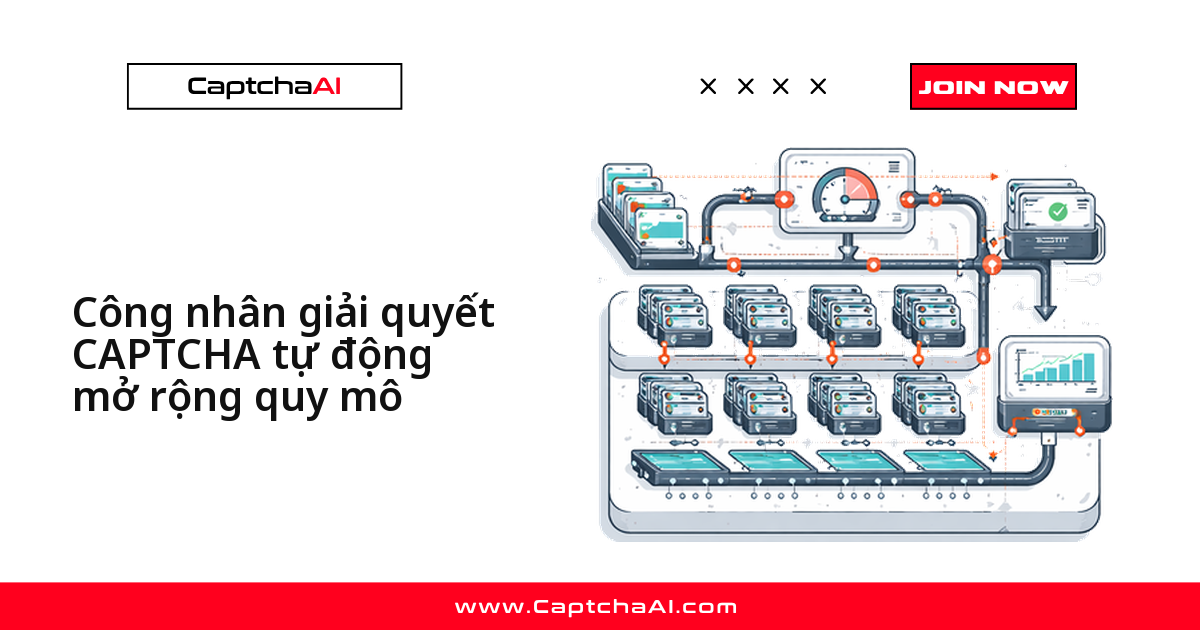
Giữ cố định 20 worker thì lãng phí lúc ít việc, giữ 5 worker thì nghẽn hàng đợi lúc cao điểm. Auto-scaling gắn số lượng worker với các tín hiệu đo được theo thời gian thực — độ sâu hàng đợi, tỷ lệ bận, độ trễ giải, số dư tài khoản — thay vì một con số cố định đoán mò.
Bài này đi thẳng vào ba việc: 5 tín hiệu quyết định khi nào scale, ba cách triển khai (thread, process, Kubernetes) phù hợp với từng loại workload, và cách tránh cháy số dư khi hàng đợi tăng đột biến vì lỗi phía gọi chứ không phải tải thật.
Tín hiệu quyết định khi nào scale worker giải CAPTCHA
5 tín hiệu sau là input cho mọi logic scale bên dưới, dù bạn dùng thread, process hay Kubernetes HPA.
| Tín hiệu | Scale lên khi | Scale xuống khi |
|---|---|---|
| Độ sâu hàng đợi | > 20 task đang chờ | < 5 task đang chờ |
| Tỷ lệ bận của worker | > 80% đang xử lý | < 20% đang xử lý |
| Độ trễ giải | P95 > 60 giây | P95 < 20 giây |
| Tỷ lệ lỗi | > 5% (cần worker mới) | Ổn định < 1% |
| Số dư tài khoản | N/A | Số dư < $1 (dừng scale) |
Hàng đợi tăng đột biến không phải lúc nào cũng do tải thật. Retry loop hoặc timeout sai ở phía gọi tạo hiệu ứng giống hệt traffic tăng, nhưng khiến auto-scaler bung thêm worker và đốt số dư nhanh hơn nhiều — kiểm tra log lỗi trước khi tin vào con số hàng đợi.
Chọn chiến lược scale worker giải CAPTCHA: thread, process hay Kubernetes?
Chỉ gọi API CaptchaAI (I/O-bound) thì thread pool là đủ; có xử lý ảnh hoặc tiền xử lý nặng CPU thì process pool tách CPU tốt hơn; đã chạy trên Kubernetes thì HPA hoặc KEDA loại bỏ nhu cầu tự viết scaler.
- Thread pool — phù hợp nhất với workload I/O-bound (chỉ gọi API); độ trễ thấp, độ phức tạp thấp.
- Process pool — phù hợp nhất khi có tiền xử lý nặng CPU trước khi gửi task; độ trễ trung bình, độ phức tạp trung bình.
- Kubernetes HPA — phù hợp nhất khi đã triển khai trên K8s; độ trễ cao hơn, độ phức tạp cao.
- KEDA — phù hợp nhất khi cần scale theo sự kiện (event-driven); độ trễ trung bình, độ phức tạp trung bình.
Ví dụ: đội QA outsourcing tại TP.HCM theo dõi giá Shopee/Lazada, traffic tăng 4-5 lần vào khung flash sale. Pool cố định 10 worker nghẽn ngay; auto-scaler theo thread bung lên 30-40 worker rồi thu về mức nền.
Auto-scaler chỉ quyết định dùng bao nhiêu trong số thread bạn đã mua, không mở thêm ngoài giới hạn plan. Với ADVANCE ($90/tháng, 50 thread) trở lên, đặt
max_workerssát trần thread thực tế và luôn theo dõi số dư song song.
Auto-scaler theo thread cho worker giải CAPTCHA
Chạy nhiều thread trong cùng một process là cách đơn giản nhất để scale — lệnh gọi tới CaptchaAI chủ yếu chờ network, không tốn CPU. Class dưới đây theo dõi độ sâu hàng đợi Redis và tự thêm/bớt thread mỗi 10 giây.
import os
import time
import threading
import requests
import json
import redis

class AutoScalingPool:
    """Dynamically scale CaptchaAI worker threads."""

    def __init__(self, api_key, redis_url="redis://localhost:6379"):
        self.api_key = api_key
        self.redis = redis.from_url(redis_url)
        self.base = "https://ocr.captchaai.com"
        self.queue_key = "captcha:tasks"
        self.results_key = "captcha:results"

        self.min_workers = 2
        self.max_workers = 20
        self.workers = []
        self.active_count = 0
        self.lock = threading.Lock()
        self.running = True

    def start(self):
        """Start the pool with minimum workers."""
        for _ in range(self.min_workers):
            self._add_worker()

        # Start scaler in background
        scaler = threading.Thread(target=self._scaling_loop, daemon=True)
        scaler.start()
        print(f"Pool started with {self.min_workers} workers")

    def _add_worker(self):
        """Add a worker thread."""
        if len(self.workers) >= self.max_workers:
            return
        t = threading.Thread(target=self._worker_loop, daemon=True)
        t.start()
        self.workers.append(t)

    def _remove_worker(self):
        """Signal one worker to stop (lazy removal)."""
        if len(self.workers) <= self.min_workers:
            return
        self.workers.pop()  # Thread will exit on next idle cycle

    def _worker_loop(self):
        """Worker loop: fetch and process tasks."""
        while self.running and threading.current_thread() in self.workers:
            result = self.redis.blpop(self.queue_key, timeout=10)
            if result is None:
                continue

            _, raw = result
            task = json.loads(raw)
            task_id = task["id"]

            with self.lock:
                self.active_count += 1

            try:
                token = self._solve(task["method"], task["params"])
                self.redis.hset(self.results_key, task_id, json.dumps({
                    "status": "success", "token": token,
                }))
            except Exception as e:
                self.redis.hset(self.results_key, task_id, json.dumps({
                    "status": "error", "error": str(e),
                }))
            finally:
                with self.lock:
                    self.active_count -= 1

    def _scaling_loop(self):
        """Periodically adjust worker count."""
        while self.running:
            time.sleep(10)

            queue_depth = self.redis.llen(self.queue_key)
            current = len(self.workers)
            utilization = (
                self.active_count / current * 100 if current > 0 else 0
            )

            # Scale up: queue growing and workers busy
            if queue_depth > 20 and utilization > 70:
                new_count = min(current + 2, self.max_workers)
                while len(self.workers) < new_count:
                    self._add_worker()
                print(f"Scaled up: {current} → {len(self.workers)} workers")

            # Scale down: queue empty and workers idle
            elif queue_depth < 5 and utilization < 20:
                target = max(current - 1, self.min_workers)
                while len(self.workers) > target:
                    self._remove_worker()
                if len(self.workers) < current:
                    print(f"Scaled down: {current} → {len(self.workers)} workers")

    def _solve(self, method, params, timeout=120):
        data = {"key": self.api_key, "method": method, "json": 1}
        data.update(params)

        resp = requests.post(
            f"{self.base}/in.php", data=data, timeout=30,
        )
        result = resp.json()

        if result.get("status") != 1:
            raise RuntimeError(result.get("request"))

        captcha_id = result["request"]
        start = time.time()

        while time.time() - start < timeout:
            time.sleep(5)
            resp = requests.get(f"{self.base}/res.php", params={
                "key": self.api_key,
                "action": "get",
                "id": captcha_id,
                "json": 1,
            }, timeout=15)
            data = resp.json()
            if data["request"] != "CAPCHA_NOT_READY":
                if data.get("status") == 1:
                    return data["request"]
                raise RuntimeError(data["request"])

        raise TimeoutError("Solve timeout")

    def stats(self):
        return {
            "workers": len(self.workers),
            "active": self.active_count,
            "queue": self.redis.llen(self.queue_key),
        }

# Usage
pool = AutoScalingPool(os.environ["CAPTCHAAI_KEY"])
pool.start()

# Monitor
while True:
    print(pool.stats())
    time.sleep(30)
Auto-scaler theo process để cách ly CPU
Nếu pipeline còn tiền xử lý ảnh, OCR cục bộ hay decode trước khi gửi task, thread không giúp nhiều vì GIL của Python chặn CPU-bound work chạy song song thật sự. Dùng multiprocessing để mỗi worker có CPU riêng.
import multiprocessing
import time
import redis
import os

class ProcessScaler:
    """Scale worker processes based on queue depth."""

    def __init__(self, worker_fn, redis_url="redis://localhost:6379"):
        self.worker_fn = worker_fn
        self.redis = redis.from_url(redis_url)
        self.processes = []
        self.min_workers = 2
        self.max_workers = 16

    def run(self, check_interval=15):
        """Run the scaler loop."""
        # Start minimum workers
        for _ in range(self.min_workers):
            self._spawn()

        while True:
            time.sleep(check_interval)
            self._cleanup_dead()

            queue_depth = self.redis.llen("captcha:tasks")
            current = len(self.processes)

            # Scale up
            if queue_depth > current * 5 and current < self.max_workers:
                to_add = min(
                    max(1, queue_depth // 10),
                    self.max_workers - current,
                )
                for _ in range(to_add):
                    self._spawn()
                print(f"Scaled up to {len(self.processes)} workers")

            # Scale down
            elif queue_depth < 3 and current > self.min_workers:
                to_remove = min(2, current - self.min_workers)
                for _ in range(to_remove):
                    p = self.processes.pop()
                    p.terminate()
                print(f"Scaled down to {len(self.processes)} workers")

    def _spawn(self):
        p = multiprocessing.Process(target=self.worker_fn)
        p.start()
        self.processes.append(p)

    def _cleanup_dead(self):
        self.processes = [p for p in self.processes if p.is_alive()]
        # Ensure minimum
        while len(self.processes) < self.min_workers:
            self._spawn()
Bảo vệ số dư khi scale worker giải CAPTCHA
Auto-scaler càng hung hăng thì số dư càng cháy nhanh nếu hàng đợi đột biến do lỗi phía gọi, không phải do tải thật.
Luôn kiểm tra số dư trước khi scale lên thêm.
def check_balance(api_key, min_balance=2.0):
    """Check if balance is sufficient for scaling."""
    resp = requests.get("https://ocr.captchaai.com/res.php", params={
        "key": api_key,
        "action": "getbalance",
        "json": 1,
    }, timeout=15)
    balance = float(resp.json()["request"])

    if balance < min_balance:
        print(f"Balance ${balance:.2f} below ${min_balance} — halting scale-up")
        return False
    return True
Gắn hàm này vào vòng lặp scale phía trên:
# In _scaling_loop:
if queue_depth > 20 and utilization > 70:
    if check_balance(self.api_key, min_balance=2.0):
        # Scale up
        ...
    else:
        print("Scaling paused — low balance")
Xử lý sự cố khi auto-scaling worker giải CAPTCHA
Worker liên tục scale lên — nguyên nhân thường là hàng đợi không bao giờ cạn; kiểm tra worker có thực sự đang xử lý task hay bị treo trước khi nghi ngờ ngưỡng scale.
Scale xuống quá nhanh — ngưỡng đặt quá thấp; tăng độ trễ trước khi scale xuống lên 30 giây trở lên.
Process zombie — process cũ chưa được dọn; gọi _cleanup_dead() thường xuyên thay vì chỉ khi phát hiện sự cố.
Số dư cạn nhanh bất thường — thường do scale lên quá nhiều worker cùng lúc; thêm bước kiểm tra số dư vào logic scale như phần trên.
Câu hỏi thường gặp
Tỷ lệ worker trên hàng đợi bao nhiêu là hợp lý?
Khoảng 1 worker cho mỗi 5-10 task đang chờ là điểm khởi đầu tốt, vì mỗi worker xử lý ~3-6 CAPTCHA/phút tùy loại.
Nên dùng thread hay process cho worker giải CAPTCHA?
Dùng thread nếu worker chỉ gọi API CaptchaAI (I/O-bound). Chuyển sang process khi có xử lý ảnh hoặc tính toán nặng CPU trước khi gửi task tới in.php.
Khi nào nên chuyển từ tự viết scaler sang Kubernetes HPA hoặc KEDA?
Khi bạn đã chạy worker trên Kubernetes và cần scale nhiều pipeline, không chỉ CAPTCHA. HPA/KEDA phức tạp hơn lúc cấu hình đầu nhưng loại bỏ toàn bộ code tự viết ở trên.
Làm sao tránh cạn số dư khi traffic tăng đột biến?
Gọi getbalance trước mỗi lần scale lên, đặt ngưỡng dừng dưới $1-2. Đột biến do lỗi phía gọi — retry loop, timeout sai — trông giống tải thật nhưng đốt số dư rất nhanh nếu scaler không kiểm tra bước này.
Auto-scaling worker có bị giới hạn bởi gói thread CaptchaAI không?
Có. Auto-scaler chỉ điều chỉnh worker đang dùng trong số thread bạn đã mua ở gói hiện tại — ví dụ ADVANCE có 50 thread — không tự mở rộng vượt giới hạn plan. Cần nhiều worker đồng thời hơn thì phải nâng gói hoặc mua thêm thread trước khi auto-scaler bung hết công suất.
Hướng dẫn liên quan
Xem thêm xếp hàng công việc CAPTCHA với Kubernetes Job Queues và giám sát tỷ lệ giải CAPTCHA với Prometheus/Grafana để mở rộng phần theo dõi ngoài phạm vi bài này.
Scale thông minh — lấy API key CaptchaAI và áp dụng ngay hôm nay.