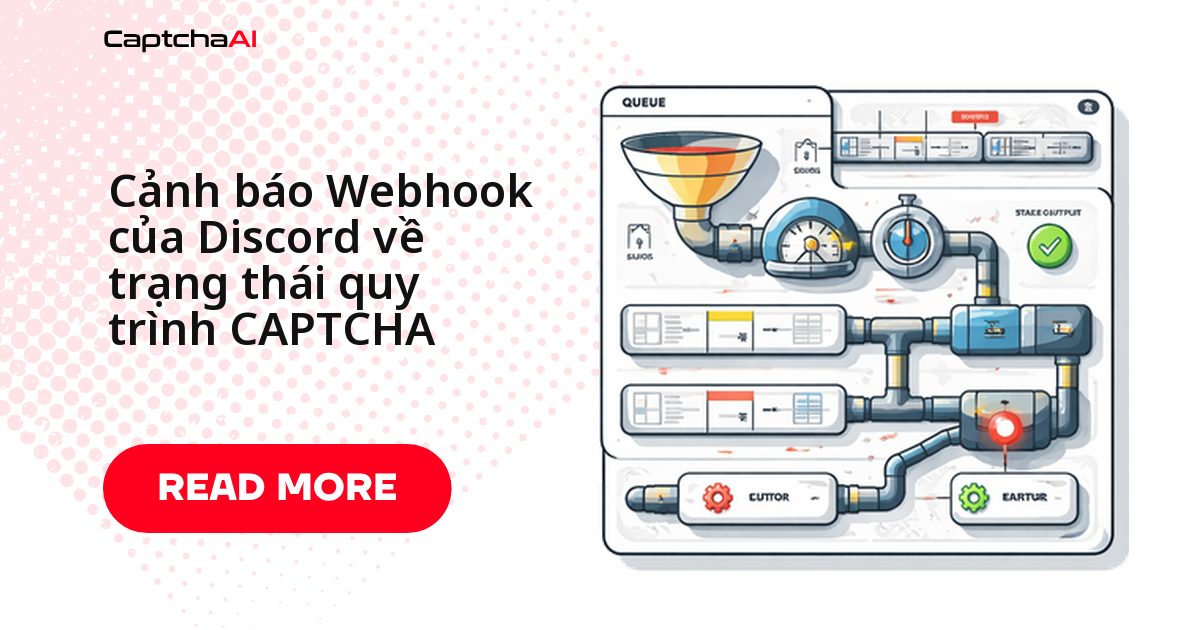
Chỉ mất khoảng 5 phút để nối webhook Discord với pipeline CAPTCHA: tạo webhook, lưu URL vào biến môi trường, rồi POST một embed mỗi khi số dư xuống thấp, tỷ lệ lỗi tăng đột biến hoặc đến giờ tổng kết ngày. Không cần dựng dashboard riêng — phần lớn team dev ở Việt Nam đã có sẵn server Discord để trao đổi hằng ngày, nên tận dụng luôn kênh đó để nhận cảnh báo real-time thay vì phải mở dashboard kiểm tra thủ công.
Tạo webhook Discord cho pipeline CAPTCHA trong 5 bước
- Mở Server Settings trên Discord server của team
- Vào mục Integrations → Webhooks
- Bấm New Webhook, đặt tên rõ ràng như "CaptchaAI Alerts" để phân biệt với các webhook khác trong cùng server
- Copy URL webhook — coi URL này như một API key, không dán vào repo public hay chat công khai
- Lưu vào biến môi trường
DISCORD_WEBHOOK_URLthay vì hardcode trong code
Code Python: hệ thống cảnh báo Discord cho CaptchaAI
Class DiscordCaptchaAlerts gói bốn loại cảnh báo — balance, error spike, queue, daily summary — thành các embed Discord có màu riêng biệt theo mức độ nghiêm trọng; PipelineMonitor bên dưới tự chạy kiểm tra định kỳ và có sẵn cooldown 5 phút để tránh spam kênh khi lỗi lặp lại liên tục.
import os
import time
import requests
from datetime import datetime

API_KEY = os.environ["CAPTCHAAI_API_KEY"]
DISCORD_WEBHOOK = os.environ["DISCORD_WEBHOOK_URL"]

session = requests.Session()

class DiscordCaptchaAlerts:
    COLORS = {
        "success": 0x2ECC71,   # Green
        "warning": 0xF39C12,   # Orange
        "error": 0xE74C3C,     # Red
        "info": 0x3498DB,      # Blue
    }

    def __init__(self, webhook_url):
        self.webhook_url = webhook_url

    def send_embed(self, title, description, color_key="info", fields=None):
        embed = {
            "title": title,
            "description": description,
            "color": self.COLORS.get(color_key, self.COLORS["info"]),
            "timestamp": datetime.utcnow().isoformat() + "Z",
            "footer": {"text": "CaptchaAI Pipeline Monitor"}
        }
        if fields:
            embed["fields"] = fields

        payload = {"embeds": [embed]}
        resp = requests.post(
            self.webhook_url, json=payload, timeout=10
        )
        resp.raise_for_status()

    def balance_alert(self, balance, threshold):
        severity = "error" if balance < 2 else "warning"
        self.send_embed(
            title="💰 Balance Alert",
            description=f"CaptchaAI balance is **${balance:.2f}**",
            color_key=severity,
            fields=[
                {"name": "Threshold", "value": f"${threshold:.2f}", "inline": True},
                {"name": "Severity", "value": severity.upper(), "inline": True},
                {"name": "Action", "value": "Top up your balance at captchaai.com", "inline": False}
            ]
        )

    def error_spike(self, error_rate, error_count, total_count, top_errors):
        error_list = "\n".join(
            f"• `{code}`: {count}" for code, count in top_errors.items()
        )
        self.send_embed(
            title="⚠️ Error Rate Spike",
            description=f"Error rate: **{error_rate:.1%}** ({error_count}/{total_count})",
            color_key="error",
            fields=[
                {"name": "Error Breakdown", "value": error_list or "No details", "inline": False},
                {"name": "Window", "value": "Last 5 minutes", "inline": True}
            ]
        )

    def queue_alert(self, depth, workers_active):
        self.send_embed(
            title="📊 Queue Backup",
            description=f"Queue depth: **{depth}** pending tasks",
            color_key="warning",
            fields=[
                {"name": "Active Workers", "value": str(workers_active), "inline": True},
                {"name": "Est. Drain Time", "value": f"{depth // max(workers_active, 1)} min", "inline": True}
            ]
        )

    def daily_summary(self, stats):
        self.send_embed(
            title="📈 Daily CAPTCHA Summary",
            description=f"**{stats['total']}** tasks processed",
            color_key="success" if stats["success_rate"] > 0.92 else "warning",
            fields=[
                {"name": "Success Rate", "value": f"{stats['success_rate']:.1%}", "inline": True},
                {"name": "Avg Latency", "value": f"{stats['avg_latency']:.1f}s", "inline": True},
                {"name": "Total Cost", "value": f"${stats['cost']:.2f}", "inline": True},
                {"name": "Errors", "value": str(stats["errors"]), "inline": True},
                {"name": "Balance", "value": f"${stats['balance']:.2f}", "inline": True},
                {"name": "Peak Queue", "value": str(stats["peak_queue"]), "inline": True},
            ]
        )

    def solve_recovered(self, previous_rate, current_rate):
        self.send_embed(
            title="✅ Pipeline Recovered",
            description=f"Solve rate recovered: {previous_rate:.1%} → {current_rate:.1%}",
            color_key="success"
        )

alerts = DiscordCaptchaAlerts(DISCORD_WEBHOOK)

class PipelineMonitor:
    def __init__(self, check_interval=60):
        self.check_interval = check_interval
        self.results = []  # (timestamp, success, error_code)
        self.last_balance_alert = 0
        self.last_error_alert = 0
        self.cooldown = 300  # 5 minutes between alerts

    def record(self, success, error_code=None):
        self.results.append((time.time(), success, error_code))
        # Keep last 5 min
        cutoff = time.time() - 300
        self.results = [r for r in self.results if r[0] > cutoff]

    def run_checks(self):
        now = time.time()

        # Balance check
        if now - self.last_balance_alert > self.cooldown:
            balance = self._check_balance()
            if balance is not None and balance < 10:
                alerts.balance_alert(balance, threshold=10)
                self.last_balance_alert = now

        # Error rate check
        if now - self.last_error_alert > self.cooldown and len(self.results) > 10:
            total = len(self.results)
            errors = [r for r in self.results if not r[1]]
            error_rate = len(errors) / total

            if error_rate > 0.15:
                error_breakdown = {}
                for _, _, code in errors:
                    if code:
                        error_breakdown[code] = error_breakdown.get(code, 0) + 1
                alerts.error_spike(error_rate, len(errors), total, error_breakdown)
                self.last_error_alert = now

    def _check_balance(self):
        try:
            resp = session.get("https://ocr.captchaai.com/res.php", params={
                "key": API_KEY, "action": "getbalance", "json": 1
            })
            data = resp.json()
            if data.get("status") == 1:
                return float(data["request"])
        except Exception:
            pass
        return None

monitor = PipelineMonitor()
Gọi monitor.record(...) sau mỗi lần giải trong vòng lặp chính của pipeline, rồi gọi monitor.run_checks() định kỳ — phần chống trùng cảnh báo (cooldown) đã xử lý sẵn nên không cần tự viết thêm logic debounce.
Code JavaScript: gửi cảnh báo qua webhook Discord
Bản JavaScript giữ nguyên bảng màu và cấu trúc embed như bản Python, dùng axios để POST và setInterval để tự kiểm tra số dư mỗi 5 phút — hợp với các pipeline scraping hoặc automation đang chạy trên Node.js.
const axios = require("axios");

const API_KEY = process.env.CAPTCHAAI_API_KEY;
const DISCORD_WEBHOOK = process.env.DISCORD_WEBHOOK_URL;

const COLORS = {
  success: 0x2ecc71,
  warning: 0xf39c12,
  error: 0xe74c3c,
  info: 0x3498db,
};

async function sendDiscordEmbed(title, description, colorKey = "info", fields = []) {
  await axios.post(DISCORD_WEBHOOK, {
    embeds: [
      {
        title,
        description,
        color: COLORS[colorKey] || COLORS.info,
        timestamp: new Date().toISOString(),
        footer: { text: "CaptchaAI Pipeline Monitor" },
        fields,
      },
    ],
  }, { timeout: 10000 });
}

async function alertBalance(balance, threshold = 10) {
  const severity = balance < 2 ? "error" : "warning";
  await sendDiscordEmbed(
    "💰 Balance Alert",
    `CaptchaAI balance is **$${balance.toFixed(2)}**`,
    severity,
    [
      { name: "Threshold", value: `$${threshold.toFixed(2)}`, inline: true },
      { name: "Severity", value: severity.toUpperCase(), inline: true },
    ]
  );
}

async function alertErrorSpike(errorRate, details = {}) {
  await sendDiscordEmbed(
    "⚠️ Error Rate Spike",
    `Error rate: **${(errorRate * 100).toFixed(1)}%**`,
    "error",
    [
      { name: "Total Tasks", value: String(details.total || 0), inline: true },
      { name: "Errors", value: String(details.errors || 0), inline: true },
    ]
  );
}

async function sendDailySummary(stats) {
  const color = stats.successRate > 0.92 ? "success" : "warning";
  await sendDiscordEmbed(
    "📈 Daily CAPTCHA Summary",
    `**${stats.total}** tasks processed`,
    color,
    [
      { name: "Success Rate", value: `${(stats.successRate * 100).toFixed(1)}%`, inline: true },
      { name: "Avg Latency", value: `${stats.avgLatency.toFixed(1)}s`, inline: true },
      { name: "Balance", value: `$${stats.balance.toFixed(2)}`, inline: true },
    ]
  );
}

// Balance monitoring loop
async function monitorBalance() {
  try {
    const resp = await axios.get("https://ocr.captchaai.com/res.php", {
      params: { key: API_KEY, action: "getbalance", json: 1 },
    });
    if (resp.data.status === 1) {
      const balance = parseFloat(resp.data.request);
      if (balance < 10) await alertBalance(balance);
    }
  } catch (err) {
    console.error("Balance check failed:", err.message);
  }
}

setInterval(monitorBalance, 300000); // Every 5 minutes

module.exports = { alertBalance, alertErrorSpike, sendDailySummary };
Import alertBalance, alertErrorSpike, sendDailySummary vào module xử lý pipeline chính của bạn — không cần thêm thư viện nào ngoài axios.
Ví dụ thực tế: team QA theo dõi pipeline CAPTCHA qua Discord
Một tình huống quen thuộc với team automation/QA tại các công ty outsourcing ở TP.HCM hay Hà Nội: pipeline crawl giá công khai trên Shopee và Lazada để phục vụ báo cáo nội bộ chạy suốt đêm, dùng CaptchaAI để giải reCAPTCHA v2 mỗi khi trang yêu cầu xác minh. Không ai trực dashboard lúc 2 giờ sáng, nhưng ai cũng để thông báo Discord mở trên điện thoại. Balance alert giúp top up trước khi hết credit giữa ca chạy; error-spike alert báo ngay khi trang đổi loại CAPTCHA hoặc site tạm chặn IP, thay vì để sáng hôm sau mới phát hiện cả đêm crawl thất bại. Cách làm tương tự cũng áp dụng tốt cho các luồng giải BLS CAPTCHA trên cổng đặt lịch visa, nơi một lần giải trễ có thể lỡ mất slot hẹn.
Mẫu tin nhắn cảnh báo Discord
Ba mẫu embed dưới đây là đúng những gì hiển thị trong kênh Discord khi chạy đoạn code Python ở trên — dùng để đối chiếu khi bạn tự test webhook lần đầu:
| Loại cảnh báo | Nội dung hiển thị trong Discord |
|---|---|
| 💰 Cảnh báo số dư | Số dư CaptchaAI là $8,42 · Ngưỡng: $10,00 · Mức độ nghiêm trọng: CẢNH BÁO |
| ⚠️ Lỗi tăng đột biến | Tỷ lệ lỗi: 22,5% (45/200) · ERROR_CAPTCHA_UNSOLVABLE: 30 · TIMEOUT: 15 |
| 📈 Tóm tắt hàng ngày | 12.450 nhiệm vụ được xử lý · Tỷ lệ thành công: 95,2% · Độ trễ trung bình: 22,4 giây · Số dư: $142,30 |
Lỗi thường gặp khi gửi cảnh báo qua webhook Discord
| Vấn đề | Nguyên nhân | Cách xử lý |
|---|---|---|
| 400 Bad Request | Cấu trúc embed không hợp lệ | Kiểm tra định dạng mảng fields; đảm bảo mọi giá trị đều là chuỗi |
| Rate limit (429) | Gửi quá nhiều tin nhắn mỗi phút | Thêm cooldown giữa các cảnh báo (tối thiểu 5 phút, giống PipelineMonitor ở trên) |
| Webhook bị xóa | Ai đó đã xóa webhook khỏi server | Tạo webhook mới, cập nhật lại biến môi trường |
| Embed không hiển thị | Thiếu mảng embeds trong payload |
Gói object embed trong {"embeds": [...]} |
Lỗi 429 là lỗi gặp nhiều nhất khi mới tích hợp — Discord giới hạn khá chặt số request mỗi phút trên một webhook, nên cooldown 5 phút trong code ở trên không phải con số tùy chọn ngẫu nhiên.
Câu hỏi thường gặp về cảnh báo CAPTCHA qua Discord
Discord webhook giới hạn bao nhiêu tin nhắn mỗi phút?
Discord không công bố con số cố định cho webhook, nhưng trong thực tế gửi quá dồn dập sẽ gặp lỗi 429 gần như ngay lập tức. Giữ cooldown tối thiểu 5 phút giữa các cảnh báo cùng loại (như trong PipelineMonitor) là đủ an toàn cho hầu hết pipeline.
Một kênh Discord dùng được tối đa bao nhiêu webhook?
15 webhook mỗi kênh. Chỉ cần tạo một webhook riêng cho CaptchaAI và tái sử dụng cho mọi loại cảnh báo — balance, error spike, queue, daily summary — thay vì tạo nhiều webhook trùng chức năng.
Có thể @mention thành viên khi có cảnh báo nghiêm trọng không?
Có. Thêm "content": "<@USER_ID>" hoặc "content": "<@&ROLE_ID>" vào payload webhook cho các cảnh báo cần phản ứng ngay, ví dụ balance xuống dưới $2 hoặc error rate vượt 15%.
Tin nhắn cảnh báo cũ có bị mất khi kênh Discord đầy không?
Không — lịch sử tin nhắn Discord không tự xóa theo dung lượng, chỉ mất khi ai đó xóa thủ công hoặc webhook bị gỡ. Nhưng để tra cứu lâu dài, nên ghi thêm log ra file hoặc hệ thống lưu trữ riêng thay vì chỉ dựa vào lịch sử kênh.
Nên tách webhook riêng cho môi trường staging và production không?
Nên. Dùng hai webhook (và hai kênh) khác nhau để cảnh báo staging không làm loãng kênh production — đặc biệt quan trọng khi test pipeline sinh ra nhiều lỗi giả trong lúc phát triển.
Bước tiếp theo
Đẩy cảnh báo CAPTCHA vào đúng kênh Discord mà team đã dùng sẵn hằng ngày — lấy API key CaptchaAI và nối webhook theo 5 bước ở trên.
Hướng dẫn liên quan:
- Thông báo qua Slack Bot
- Tích hợp cảnh báo PagerDuty
- Tra cứu mã lỗi CaptchaAI