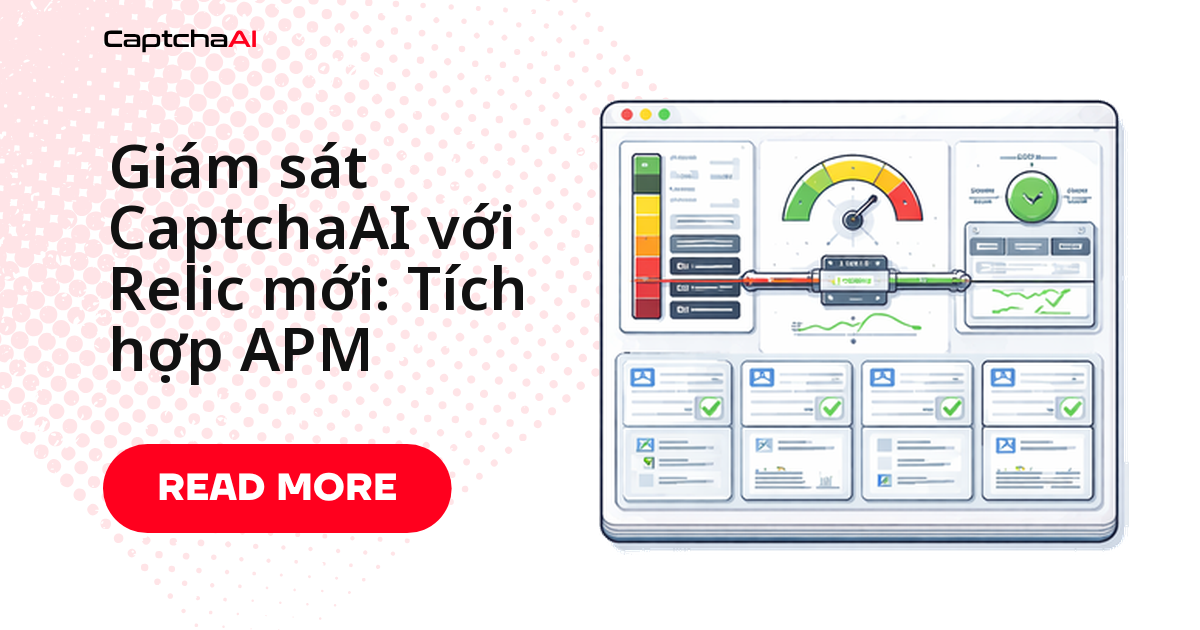
Pipeline giải CAPTCHA của bạn chạy ổn — cho đến khi tỷ lệ giải rớt xuống 60% giữa đêm và log chỉ cho biết "có lỗi", không nói lỗi ở đâu: submit sai tham số, poll timeout hay token đã hết hạn khi form được submit? New Relic APM trả lời câu hỏi đó bằng cách tách rõ độ trễ theo từng giai đoạn (gửi task → chờ kết quả → áp token), gắn custom event vào từng lần giải, và bắn cảnh báo trước khi người dùng report lỗi. Bài này hướng dẫn instrument CaptchaAI với New Relic bằng Python và Node.js, dựng dashboard NRQL, và đặt alert policy dùng được ngay trong production.
Bạn đang thiếu giám sát nếu:
- Chỉ biết tỷ lệ giải giảm khi khách hàng report lỗi
- Không phân biệt được lỗi xảy ra ở bước submit, poll hay lúc áp token
- Không có cảnh báo khi số dư API key gần hết
Vì sao pipeline CaptchaAI cần giám sát chủ động
Nhiều đội outsourcing tại TP.HCM và Hà Nội — từ các công ty như FPT Software, VNG đến các startup nhỏ hơn — vận hành pipeline scraping và QA tự động gọi CaptchaAI ở quy mô hàng chục nghìn request mỗi ngày, ví dụ theo dõi giá trên Shopee, Lazada, Tiki cho chính catalog nội bộ. Khi tỷ lệ giải giảm hoặc endpoint res.php timeout tăng đột biến, sự cố thường chỉ lộ ra sau khi job đêm chạy xong và dữ liệu bị thiếu — quá muộn để xử lý kịp trước giờ làm việc. Gắn New Relic vào pipeline giúp bạn nhận cảnh báo ngay lúc vấn đề xảy ra, thay vì phát hiện qua log buổi sáng hôm sau.
Những chỉ số cần theo dõi
Một lần giải CAPTCHA đi qua ba giai đoạn theo thứ tự, mỗi giai đoạn sinh ra một nhóm chỉ số riêng:
- Gửi task tới
in.php— đo submit latency và tỷ lệ lỗi API - Chờ kết quả qua polling
res.php— đo poll duration và tỷ lệ timeout - Áp token vào form — đo mức dùng token và tỷ lệ giải thành công
Sơ đồ dưới đây tóm tắt luồng đó:
[Submit Task] → [Wait for Solution] → [Apply Token]
     ↓                  ↓                   ↓
  Submit latency    Poll duration       Token usage
  API errors        Timeout rate        Success rate
Muốn liên kết một lần giải với giao dịch web đã kích hoạt nó, gắn captcha_id làm custom attribute cho cả background task lẫn transaction web tương ứng, rồi truy vấn NRQL với WHERE captchaId = '...' khi cần điều tra một lần lỗi cụ thể.
Python: instrument bằng custom event và background task
Đoạn code dưới đây bọc lần gọi CaptchaAI trong một background task của New Relic, gắn custom attribute theo loại CAPTCHA, và ghi lại sự kiện thành công/lỗi để bạn query sau trong NRQL.
import os
import time
import requests
import newrelic.agent

API_KEY = os.environ["CAPTCHAAI_API_KEY"]
session = requests.Session()

@newrelic.agent.background_task(name="captcha_solve", group="CaptchaAI")
def solve_captcha(sitekey, pageurl, captcha_type="recaptcha_v2"):
    """Solve a CAPTCHA with full New Relic instrumentation."""
    # Add custom attributes for filtering
    newrelic.agent.add_custom_attributes([
        ("captcha_type", captcha_type),
        ("target_url", pageurl),
    ])

    # Submit phase
    submit_result = _submit_task(sitekey, pageurl, captcha_type)
    if "error" in submit_result:
        newrelic.agent.record_custom_event("CaptchaSolveError", {
            "error": submit_result["error"],
            "phase": "submit",
            "captcha_type": captcha_type,
        })
        return submit_result

    # Poll phase
    captcha_id = submit_result["captcha_id"]
    poll_result = _poll_result(captcha_id, captcha_type)

    # Record solve event
    event_data = {
        "captcha_type": captcha_type,
        "captcha_id": captcha_id,
        "success": "solution" in poll_result,
    }
    if "solution" in poll_result:
        event_data["solve_time"] = poll_result.get("elapsed", 0)
        newrelic.agent.record_custom_event("CaptchaSolveSuccess", event_data)
    else:
        event_data["error"] = poll_result.get("error", "unknown")
        newrelic.agent.record_custom_event("CaptchaSolveError", event_data)

    return poll_result

@newrelic.agent.function_trace(name="captcha_submit")
def _submit_task(sitekey, pageurl, captcha_type):
    payload = {
        "key": API_KEY,
        "method": "userrecaptcha",
        "googlekey": sitekey,
        "pageurl": pageurl,
        "json": 1
    }
    resp = session.post("https://ocr.captchaai.com/in.php", data=payload)
    data = resp.json()

    newrelic.agent.add_custom_attributes([
        ("submit_status", data.get("status")),
    ])

    if data.get("status") != 1:
        return {"error": data.get("request")}
    return {"captcha_id": data["request"]}

@newrelic.agent.function_trace(name="captcha_poll")
def _poll_result(captcha_id, captcha_type):
    start = time.time()
    poll_count = 0

    for _ in range(60):
        time.sleep(5)
        poll_count += 1
        result = session.get("https://ocr.captchaai.com/res.php", params={
            "key": API_KEY, "action": "get", "id": captcha_id, "json": 1
        }).json()

        if result.get("status") == 1:
            elapsed = time.time() - start
            newrelic.agent.add_custom_attributes([
                ("poll_count", poll_count),
                ("solve_time_seconds", round(elapsed, 2)),
            ])
            return {"solution": result["request"], "elapsed": elapsed}

        if result.get("request") != "CAPCHA_NOT_READY":
            return {"error": result.get("request")}

    return {"error": "TIMEOUT"}

def report_balance():
    """Record balance as a custom event."""
    resp = session.get("https://ocr.captchaai.com/res.php", params={
        "key": API_KEY, "action": "getbalance", "json": 1
    })
    data = resp.json()
    if data.get("status") == 1:
        balance = float(data["request"])
        newrelic.agent.record_custom_event("CaptchaBalance", {
            "balance": balance,
            "low": balance < 10,
        })
        return balance
    return None
Cấu hình agent New Relic
File newrelic.ini bên dưới bật transaction tracing và custom event — cả hai đều không bật mặc định, nên nếu dashboard trống, đây là chỗ đầu tiên cần kiểm tra.
# newrelic.ini
[newrelic]
app_name = CaptchaAI Pipeline
license_key = YOUR_NEW_RELIC_LICENSE_KEY
monitor_mode = true
log_level = info
transaction_tracer.enabled = true
transaction_tracer.transaction_threshold = 5.0
custom_insights_events.enabled = true
custom_insights_events.max_samples_stored = 5000
Node.js: instrument với New Relic
Logic phía Node.js tương tự bản Python: mở background transaction, submit task, poll res.php, rồi ghi custom event khi có kết quả hoặc khi lỗi.
const newrelic = require("newrelic");
const axios = require("axios");

const API_KEY = process.env.CAPTCHAAI_API_KEY;

async function solveCaptchaWithNewRelic(sitekey, pageurl, captchaType = "recaptcha_v2") {
  return newrelic.startBackgroundTransaction(
    "CaptchaSolve",
    "CaptchaAI",
    async () => {
      const transaction = newrelic.getTransaction();
      newrelic.addCustomAttributes({
        captchaType,
        targetUrl: pageurl,
      });

      const startTime = Date.now();

      try {
        // Submit
        const submitResp = await axios.post(
          "https://ocr.captchaai.com/in.php",
          null,
          {
            params: {
              key: API_KEY,
              method: "userrecaptcha",
              googlekey: sitekey,
              pageurl: pageurl,
              json: 1,
            },
          }
        );

        if (submitResp.data.status !== 1) {
          newrelic.recordCustomEvent("CaptchaSolveError", {
            error: submitResp.data.request,
            phase: "submit",
            captchaType,
          });
          transaction.end();
          return { error: submitResp.data.request };
        }

        const captchaId = submitResp.data.request;
        newrelic.addCustomAttributes({ captchaId });

        // Poll
        let pollCount = 0;
        for (let i = 0; i < 60; i++) {
          await new Promise((r) => setTimeout(r, 5000));
          pollCount++;

          const pollResp = await axios.get(
            "https://ocr.captchaai.com/res.php",
            {
              params: {
                key: API_KEY, action: "get", id: captchaId, json: 1,
              },
            }
          );

          if (pollResp.data.status === 1) {
            const elapsed = (Date.now() - startTime) / 1000;
            newrelic.recordCustomEvent("CaptchaSolveSuccess", {
              captchaType,
              solveTime: elapsed,
              pollCount,
            });
            newrelic.addCustomAttributes({
              solveTime: elapsed,
              pollCount,
            });
            transaction.end();
            return { solution: pollResp.data.request, elapsed };
          }

          if (pollResp.data.request !== "CAPCHA_NOT_READY") {
            newrelic.recordCustomEvent("CaptchaSolveError", {
              error: pollResp.data.request,
              phase: "poll",
              captchaType,
            });
            transaction.end();
            return { error: pollResp.data.request };
          }
        }

        newrelic.recordCustomEvent("CaptchaSolveError", {
          error: "TIMEOUT",
          phase: "poll",
          captchaType,
          pollCount,
        });
        transaction.end();
        return { error: "TIMEOUT" };
      } catch (err) {
        newrelic.noticeError(err);
        transaction.end();
        throw err;
      }
    }
  );
}

// Balance monitoring
async function monitorBalance() {
  try {
    const resp = await axios.get("https://ocr.captchaai.com/res.php", {
      params: { key: API_KEY, action: "getbalance", json: 1 },
    });
    if (resp.data.status === 1) {
      const balance = parseFloat(resp.data.request);
      newrelic.recordCustomEvent("CaptchaBalance", { balance });
    }
  } catch (err) {
    newrelic.noticeError(err);
  }
}

setInterval(monitorBalance, 60000);

module.exports = { solveCaptchaWithNewRelic };
Dashboard NRQL để theo dõi theo thời gian thực
Dùng các truy vấn NRQL sau để dựng dashboard New Relic cho pipeline CaptchaAI — copy trực tiếp vào một dashboard mới:
-- Solve success rate (last hour)
SELECT percentage(count(*), WHERE success = true)
FROM CaptchaSolveSuccess, CaptchaSolveError
SINCE 1 hour ago

-- Average solve time by CAPTCHA type
SELECT average(solveTime)
FROM CaptchaSolveSuccess
FACET captchaType
SINCE 1 hour ago TIMESERIES

-- Error breakdown
SELECT count(*)
FROM CaptchaSolveError
FACET error
SINCE 1 hour ago

-- P95 solve latency
SELECT percentile(solveTime, 95)
FROM CaptchaSolveSuccess
SINCE 1 hour ago TIMESERIES

-- Balance over time
SELECT latest(balance)
FROM CaptchaBalance
SINCE 24 hours ago TIMESERIES 5 minutes

-- Tasks per minute
SELECT rate(count(*), 1 minute)
FROM CaptchaSolveSuccess, CaptchaSolveError
SINCE 1 hour ago TIMESERIES
Đặt ngưỡng cảnh báo hợp lý
Bốn cảnh báo dưới đây bắt được phần lớn sự cố thực tế — dùng làm điểm khởi đầu rồi tinh chỉnh theo traffic thật của bạn:
| Cảnh báo | Điều kiện NRQL | Ngưỡng |
|---|---|---|
| Tỷ lệ giải thấp | SELECT percentage(count(*), WHERE success = true) |
< 85% trong 5 phút |
| Độ trễ cao | SELECT percentile(solveTime, 95) FROM CaptchaSolveSuccess |
> 120 giây trong 10 phút |
| Số dư thấp | SELECT latest(balance) FROM CaptchaBalance |
< $10 |
| Lỗi tăng đột biến | SELECT count(*) FROM CaptchaSolveError |
> 50 trong 5 phút |
Nên tách cảnh báo theo captcha_type để một loại đang tụt tỷ lệ giải không bị pha loãng bởi các loại khác vẫn chạy bình thường.
Xử lý sự cố thường gặp
| Vấn đề | Nguyên nhân | Cách xử lý |
|---|---|---|
| Custom event không xuất hiện | custom_insights_events.enabled đang tắt |
Bật trong newrelic.ini |
| Transaction trace bị thiếu | Ngưỡng quá cao | Giảm transaction_threshold xuống 1,0 giây |
| Attribute bị cắt bớt | Giá trị quá dài | Giữ giá trị attribute dưới 255 ký tự |
| Không có dữ liệu sau khi deploy | License key sai hoặc agent không khởi động | Chạy newrelic-admin validate-config newrelic.ini để kiểm tra |
Câu hỏi thường gặp
Nên dùng chỉ số APM mặc định hay custom event?
Dùng cả hai cho hai việc khác nhau. APM tự động instrument các HTTP call và truy vấn database — cho bạn biết hạ tầng có khỏe không. Custom event cho dữ liệu đặc thù của CAPTCHA (thời gian giải, loại CAPTCHA, mã lỗi) — cho bạn biết chỉ số nghiệp vụ. Thiếu một trong hai, bạn chỉ nhìn thấy nửa bức tranh.
New Relic hay Datadog để giám sát CaptchaAI?
Cả hai đều dùng được tốt — ưu tiên công cụ team bạn đã có sẵn thay vì set up thêm hệ thống mới. Nếu ứng dụng chính đã chạy trên New Relic, gắn CaptchaAI vào cùng dashboard sẽ nhanh hơn nhiều so với vận hành song song hai công cụ giám sát.
Ngưỡng cảnh báo tỷ lệ giải nên đặt bao nhiêu?
Không có con số chung cho mọi pipeline. Bắt đầu ở 85% rồi theo dõi baseline thực tế 1–2 tuần trước khi siết chặt hơn — mix loại CAPTCHA khác nhau sẽ kéo tỷ lệ trung bình xuống nếu bạn không tách cảnh báo theo captcha_type.
New Relic APM có phát sinh phụ phí ngoài CaptchaAI không?
New Relic tính phí riêng theo hạn mức ingest dữ liệu, độc lập với CaptchaAI — kiểm tra gói hiện tại trên trang giá của New Relic. Phía CaptchaAI vẫn tính theo thread; thêm custom event không làm tăng chi phí CaptchaAI.
New Relic có làm chậm việc giải CAPTCHA không?
Không đáng kể. Agent chỉ thêm vài micro giây overhead cho mỗi lệnh gọi được instrument, trong khi thời gian giải CAPTCHA thực tế (5–120 giây) khiến mức chênh lệch này không thể đo được bằng mắt thường.
Bài viết liên quan
- Tích hợp CaptchaAI với Google Cloud Functions
- Tích hợp Crawlee với CaptchaAI cho scraping hiện đại
- Xây dựng hệ thống giám sát đánh giá cho CaptchaAI
Bước tiếp theo
Đừng đợi đến khi tỷ lệ giải sụt mới biết có sự cố — lấy API key CaptchaAI và bật instrument New Relic ngay trong lần deploy tới.
Hướng dẫn liên quan: