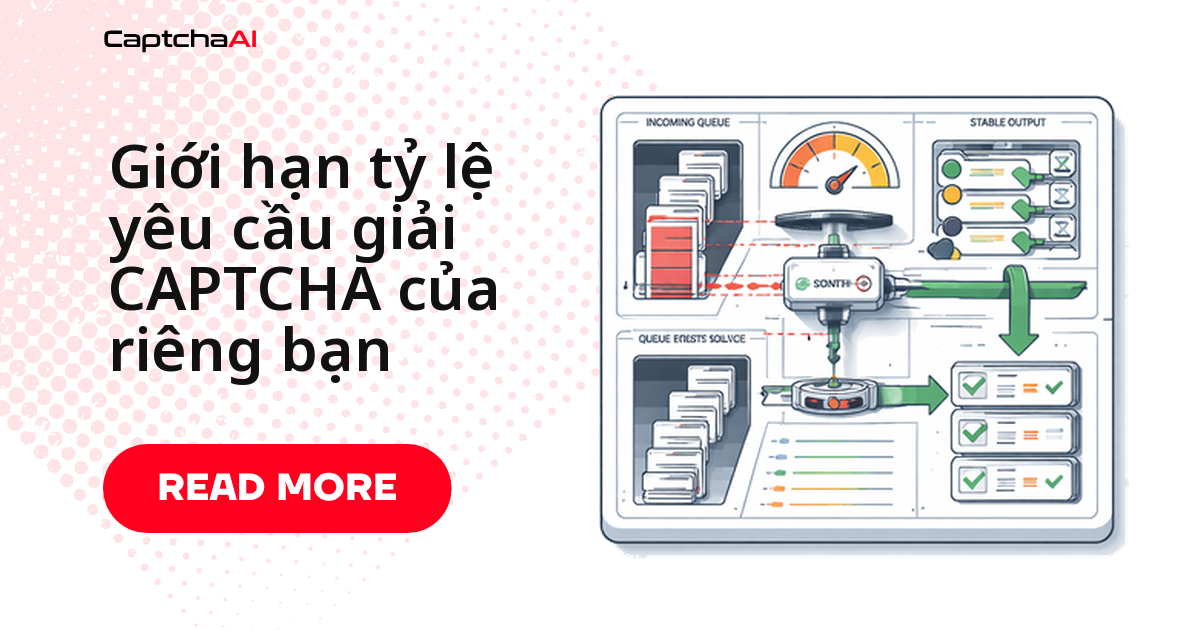
Log đầy ERROR_TOO_MUCH_REQUESTS trong khi thread vẫn còn rảnh nghĩa là bạn đang siết nhầm chỗ. ThreadPoolExecutor(max_workers=30) giới hạn số task cùng chạy, chứ không ngăn 30 worker bắn request vào in.php trong cùng một mili giây. Token bucket đặt trước bước gửi task cố định tần suất ở mức bạn chọn — ví dụ 10 request/giây — mà vẫn cho phép đợt dồn ngắn.
Token bucket hoạt động thế nào
Bucket giữ sẵn một lượng token; mỗi request lấy một token trước khi gửi, token nạp lại đều theo thời gian. Bucket cạn thì request chờ, không bị loại bỏ.
[Bucket] capacity=20, refill=10/sec

Time 0:  ████████████████████  20 tokens available
         → 15 requests consume 15 tokens
Time 0:  █████                 5 tokens remain

Time 1s: ███████████████       15 tokens (5 + 10 refilled)
         → 15 requests consume 15 tokens
Time 1s: (empty)               0 tokens

Time 2s: ██████████            10 tokens (0 + 10 refilled)
         → Request waits if bucket is empty
Ba tham số:
- Capacity — số token tối đa, tức độ lớn đợt dồn
- Refill rate — số request duy trì mỗi giây
- Khi cạn — request xếp hàng chờ, không nhận lỗi
Token bucket, leaky bucket hay cửa sổ trượt?
| Thuật toán | Hành vi | Phù hợp với |
|---|---|---|
| Token bucket | Tần suất mượt, cho phép đợt dồn ngắn | Gọi API CAPTCHA |
| Leaky bucket | Nhịp đầu ra cố định | Nhịp gửi nghiêm ngặt |
| Fixed window | Đếm theo khung thời gian, dồn ở mép | Bộ đếm đơn giản |
| Sliding window | Đếm trên khoảng trượt | Siết tần suất chính xác |
Với workload giải CAPTCHA, token bucket là lựa chọn mặc định: một trang danh sách có thể trả về hàng chục thử thách cùng lúc, mà leaky bucket lại nhả nhỏ giọt.
Chọn capacity và refill rate theo số thread
| Khối lượng công việc | Capacity (đợt dồn) | Refill rate (duy trì) |
|---|---|---|
| Scraping nhẹ | 5 | 2/giây |
| Automation tiêu chuẩn | 20 | 10/giây |
| Pipeline khối lượng lớn | 50 | 30/giây |
- Capacity ≈ 2× refill rate, đủ hấp thụ đợt dồn hai giây
- Bắt đầu thấp, tăng dần trong khi theo dõi tỷ lệ lỗi
- Chỉ giới hạn bước gửi task; polling
res.phpđã tự giãn nhịp bằngtime.sleep(5)
Refill rate chỉ có nghĩa khi đặt cạnh số thread trong gói. CaptchaAI tính phí theo thread — mỗi thread là một CAPTCHA đang giải — nên STANDARD ($30/tháng, 15 thread) chỉ giữ 15 task cùng lúc dù bucket cho phép 50 request/giây; cần dồn nhiều hơn thì nâng lên ADVANCE ($90/tháng, 50 thread).
Ví dụ: đội theo dõi giá ở TP.HCM
Một đội thương mại điện tử ở TP.HCM quét 12.000 trang mỗi đêm để đối chiếu giá danh mục của chính họ trên Shopee, Lazada và Tiki. Trước khi có rate limit, 30 worker gửi cùng lúc và log đầy ERROR_TOO_MUCH_REQUESTS. Với capacity=20, refill_rate=10, job vẫn xong trong khung giờ cũ mà không request nào bị từ chối; nhật ký của bucket cũng ghi lại tần suất truy cập cho đợt rà soát dữ liệu theo Nghị định 13/2023/NĐ-CP.
Triển khai bằng Python
Lớp TokenBucket an toàn với thread
threading.Lock giữ cho nhiều worker gọi acquire() cùng lúc vẫn an toàn; phép nạp lại dùng time.monotonic() nên không lệch khi đồng hồ đổi.
import time
import threading

class TokenBucket:
    def __init__(self, capacity, refill_rate):
        """
        Args:
            capacity: Maximum tokens (burst size)
            refill_rate: Tokens added per second
        """
        self.capacity = capacity
        self.refill_rate = refill_rate
        self.tokens = capacity
        self.last_refill = time.monotonic()
        self.lock = threading.Lock()

    def acquire(self, timeout=None):
        """Block until a token is available."""
        deadline = time.monotonic() + timeout if timeout else float("inf")

        while True:
            with self.lock:
                self._refill()
                if self.tokens >= 1:
                    self.tokens -= 1
                    return True

            # Check timeout
            if time.monotonic() >= deadline:
                return False

            # Wait before retrying (avoid busy loop)
            time.sleep(min(1.0 / self.refill_rate, 0.1))

    def _refill(self):
        now = time.monotonic()
        elapsed = now - self.last_refill
        new_tokens = elapsed * self.refill_rate
        self.tokens = min(self.capacity, self.tokens + new_tokens)
        self.last_refill = now
Gắn bucket vào hàm giải CAPTCHA
rate_limiter.acquire() chỉ xuất hiện một chỗ: ngay trước request tới in.php. Vòng polling res.php không đi qua bucket.
import os
import requests
from concurrent.futures import ThreadPoolExecutor, as_completed

API_KEY = os.environ["CAPTCHAAI_API_KEY"]

# Allow 10 submissions/sec with burst of 20
rate_limiter = TokenBucket(capacity=20, refill_rate=10)

def solve_captcha_rate_limited(sitekey, pageurl):
    """Solve with rate limiting on submission."""
    # Wait for token before submitting
    rate_limiter.acquire()

    resp = requests.post("https://ocr.captchaai.com/in.php", data={
        "key": API_KEY,
        "method": "userrecaptcha",
        "googlekey": sitekey,
        "pageurl": pageurl,
        "json": 1
    })
    data = resp.json()

    if data.get("status") != 1:
        raise RuntimeError(data.get("request"))

    captcha_id = data["request"]

    # Polling doesn't need rate limiting (separate concern)
    for _ in range(60):
        time.sleep(5)
        result = requests.get("https://ocr.captchaai.com/res.php", params={
            "key": API_KEY, "action": "get", "id": captcha_id, "json": 1
        }).json()

        if result.get("status") == 1:
            return result["request"]
        if result.get("request") != "CAPCHA_NOT_READY":
            raise RuntimeError(result.get("request"))

    raise TimeoutError("Solve timeout")

# Run 100 tasks through rate limiter
tasks = [
    {"sitekey": "6Le-wvkSAAAAAPBMRTvw0Q4Muexq9bi0DJwx_mJ-",
     "pageurl": f"https://example.com/p/{i}"}
    for i in range(100)
]

with ThreadPoolExecutor(max_workers=30) as executor:
    futures = {
        executor.submit(
            solve_captcha_rate_limited, t["sitekey"], t["pageurl"]
        ): t for t in tasks
    }

    for future in as_completed(futures):
        task = futures[future]
        try:
            solution = future.result()
            print(f"[OK] {task['pageurl']}")
        except Exception as e:
            print(f"[ERR] {task['pageurl']}: {e}")
Tần suất gửi giữ phẳng ở 10 request/giây dù có 30 worker.
Triển khai bằng Node.js
Bucket bất đồng bộ trên event loop
Bản Node.js không cần lock: event loop đơn luồng, acquire() chỉ tính thời gian chờ rồi await đúng bấy nhiêu ms.
class TokenBucket {
  constructor(capacity, refillRate) {
    this.capacity = capacity;
    this.refillRate = refillRate; // tokens per second
    this.tokens = capacity;
    this.lastRefill = Date.now();
    this.waitQueue = [];
  }

  _refill() {
    const now = Date.now();
    const elapsed = (now - this.lastRefill) / 1000;
    this.tokens = Math.min(this.capacity, this.tokens + elapsed * this.refillRate);
    this.lastRefill = now;
  }

  async acquire() {
    this._refill();

    if (this.tokens >= 1) {
      this.tokens -= 1;
      return;
    }

    // Wait until a token is available
    const waitTime = ((1 - this.tokens) / this.refillRate) * 1000;
    await new Promise((resolve) => setTimeout(resolve, waitTime));

    this._refill();
    this.tokens -= 1;
  }
}
Gửi lô 100 task qua bucket
Promise.allSettled khởi tạo cả 100 task cùng lúc, nhưng bucket quyết định chúng chạm in.php lúc nào.
const axios = require("axios");

const API_KEY = process.env.CAPTCHAAI_API_KEY;
const rateLimiter = new TokenBucket(20, 10); // 20 burst, 10/sec sustained

function sleep(ms) {
  return new Promise((resolve) => setTimeout(resolve, ms));
}

async function solveCaptchaLimited(sitekey, pageurl) {
  // Wait for rate limit token
  await rateLimiter.acquire();

  const submitResp = await axios.post(
    "https://ocr.captchaai.com/in.php",
    null,
    {
      params: {
        key: API_KEY,
        method: "userrecaptcha",
        googlekey: sitekey,
        pageurl: pageurl,
        json: 1,
      },
    }
  );

  if (submitResp.data.status !== 1) {
    throw new Error(submitResp.data.request);
  }

  const captchaId = submitResp.data.request;

  for (let i = 0; i < 60; i++) {
    await sleep(5000);
    const result = await axios.get("https://ocr.captchaai.com/res.php", {
      params: { key: API_KEY, action: "get", id: captchaId, json: 1 },
    });

    if (result.data.status === 1) return result.data.request;
    if (result.data.request !== "CAPCHA_NOT_READY") {
      throw new Error(result.data.request);
    }
  }

  throw new Error("TIMEOUT");
}

// Solve 100 tasks — rate limiter ensures max 10 submissions/sec
async function batchSolve(tasks) {
  const results = await Promise.allSettled(
    tasks.map((t) => solveCaptchaLimited(t.sitekey, t.pageurl))
  );

  const solved = results.filter((r) => r.status === "fulfilled").length;
  const failed = results.filter((r) => r.status === "rejected").length;
  console.log(`Solved: ${solved}, Failed: ${failed}`);
}
Đếm fulfilled và rejected để biết cấu hình có quá tay hay chưa.
Xử lý sự cố thường gặp
| Vấn đề | Nguyên nhân | Cách xử lý |
|---|---|---|
Vẫn dính ERROR_TOO_MUCH_REQUESTS |
Refill rate cao hơn mức API cho phép | Hạ refill rate cho khớp giới hạn CaptchaAI |
| Độ trễ từng request tăng vọt | Token đã cạn, request đang chờ | Tăng capacity để hấp thụ đợt dồn |
| Bộ nhớ tăng dần | Hàng đợi chờ tích lũy vô hạn | Đặt hàng đợi tối đa |
| Mỗi tiến trình một tần suất | Bucket chỉ nằm trong bộ nhớ | Chuyển bucket sang Redis |
Câu hỏi thường gặp
Token bucket khác gì giới hạn số worker?
max_workers giới hạn số task đang chạy; token bucket giới hạn tốc độ gửi task. Pipeline ổn định cần cả hai: worker pool khớp số thread, bucket khớp tần suất API chấp nhận.
Refill rate nên đặt bao nhiêu so với số thread?
Lấy số thread chia cho thời gian giải trung bình: 15 thread, nếu mỗi task mất khoảng 15 giây, chỉ tiêu thụ được 1 task/giây, nên refill rate 10/giây chỉ để hấp thụ đợt dồn.
Nhiều container dùng chung một API key thì sao?
Bucket trong bộ nhớ chỉ áp cho một tiến trình: chạy 4 container là gửi gấp 4 lần tần suất đã đặt. Chuyển trạng thái bucket sang Redis, hoặc chia refill rate cho số tiến trình.
Rate limit có làm chậm thời gian giải từng CAPTCHA không?
Không. Bucket chỉ giữ request ở bước gửi; sau khi vào in.php, thời gian giải phụ thuộc loại CAPTCHA — bạn đổi vài trăm mili giây chờ lấy việc không phải gửi lại.
Bài viết liên quan
Các bước tiếp theo
Đặt bucket trước lời gọi in.php đầu tiên, chỉnh tham số sau một ngày chạy thật — lấy API key CaptchaAI, bắt đầu từ capacity=20, refill_rate=10.
Hướng dẫn liên quan: