CaptchaAI không tự giới hạn tốc độ gửi task của bạn — nhưng chính bạn nên làm việc đó trước khi một bug, một đồng nghiệp, hay trang đích làm việc đó thay bạn theo cách khó chịu hơn.
Ba lý do phổ biến nhất: bug lặp vô hạn đốt hết số dư trong vài phút, nhiều người dùng chung một API key giẫm chân nhau, hoặc trang đích tự chặn IP khi thấy quá nhiều request/phút. Bài này triển khai ba cách giới hạn tốc độ phía client cho CaptchaAI: token bucket, sliding window và giới hạn theo ngân sách — kèm code Python và JavaScript.
Vì sao nên tự giới hạn tốc độ phía client
Không có rate limiter, một sự cố nhỏ có thể thành sự cố lớn trong vài phút:
- Bug lặp vô hạn — đốt hết số dư nếu không chặn ở ngưỡng đã cấu hình.
- Nhiều team dùng chung một API key — chi tiêu không kiểm soát nếu không chia công bằng.
- Trang đích chặn IP khi > 100 request/phút — bị chặn nếu không giữ dưới ngưỡng an toàn.
- Ngân sách $50/tháng — tiêu hết trong một buổi chiều nếu không có giới hạn cứng.
Ví dụ thực tế: một agency QA outsourcing chạy nhiều client song song trên gói ADVANCE ($90/tháng, 50 thread). Một job lỗi có thể chiếm gần hết 50 thread và làm chậm client còn lại. Gắn token bucket riêng cho từng client — 10 request/phút mỗi client — giữ chi phí và thread tách biệt mà không cần nâng gói.
Token bucket: cho phép bùng nổ, giữ tốc độ trung bình ổn định
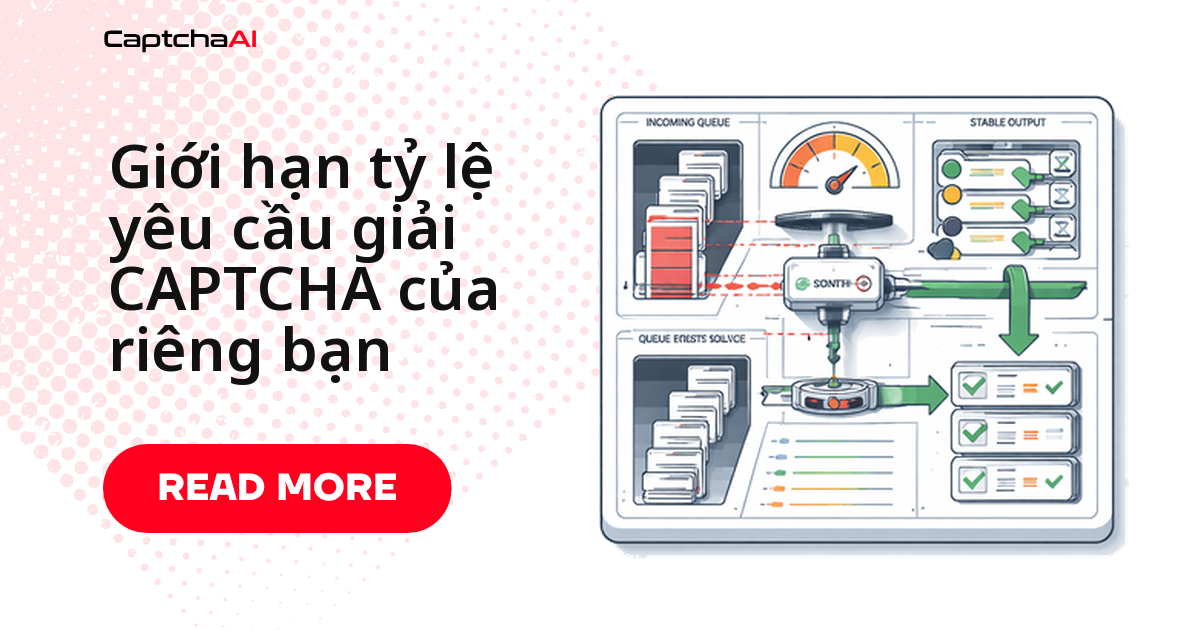
Token bucket phù hợp khi luồng xử lý thỉnh thoảng cần gửi dồn dập nhưng vẫn giữ tốc độ trung bình trong giới hạn. Token nạp vào bucket theo tốc độ cố định; mỗi request tiêu tốn một token.
Cách hoạt động
capacity— số token bùng nổ tối đa cho phép cùng lúc.rate— tốc độ nạp lại token (token/giây).- Hết token, request chờ bucket nạp đủ — không bị từ chối, chỉ bị trễ.
Token bucket bằng Python
# token_bucket_solver.py
import os
import time
import threading
import requests

API_KEY = os.environ.get("CAPTCHAAI_KEY", "YOUR_API_KEY")

class TokenBucket:
    """Token bucket rate limiter."""

    def __init__(self, rate, capacity):
        """
        rate: tokens added per second
        capacity: max tokens (burst size)
        """
        self.rate = rate
        self.capacity = capacity
        self.tokens = capacity
        self.last_refill = time.monotonic()
        self.lock = threading.Lock()

    def acquire(self, timeout=30):
        """Wait for a token. Returns True if acquired, False on timeout."""
        deadline = time.monotonic() + timeout
        while True:
            with self.lock:
                self._refill()
                if self.tokens >= 1:
                    self.tokens -= 1
                    return True

            if time.monotonic() >= deadline:
                return False
            time.sleep(0.1)

    def _refill(self):
        now = time.monotonic()
        elapsed = now - self.last_refill
        self.tokens = min(self.capacity, self.tokens + elapsed * self.rate)
        self.last_refill = now

# Allow 10 solves/minute with burst of 5
limiter = TokenBucket(rate=10/60, capacity=5)

def solve_rate_limited(sitekey, pageurl):
    """Solve with rate limiting."""
    if not limiter.acquire(timeout=60):
        raise Exception("Rate limit: could not acquire token within 60s")

    session = requests.Session()
    resp = session.get("https://ocr.captchaai.com/in.php", params={
        "key": API_KEY,
        "method": "userrecaptcha",
        "googlekey": sitekey,
        "pageurl": pageurl,
        "json": "1",
    })
    result = resp.json()

    if result.get("status") != 1:
        raise Exception(f"Submit failed: {result.get('request')}")

    task_id = result["request"]
    time.sleep(15)

    for _ in range(25):
        poll = session.get("https://ocr.captchaai.com/res.php", params={
            "key": API_KEY, "action": "get",
            "id": task_id, "json": "1",
        })
        poll_result = poll.json()
        if poll_result.get("status") == 1:
            return poll_result["request"]
        if poll_result.get("request") != "CAPCHA_NOT_READY":
            raise Exception(f"Error: {poll_result.get('request')}")
        time.sleep(5)

    raise Exception("Timeout")
Sliding window: đếm request trong một khung thời gian cố định
Sliding window đơn giản hơn: chỉ đếm số request trong một khung thời gian trượt, không cho phép bùng nổ. Phù hợp khi bạn chỉ cần đảm bảo không vượt quá N request mỗi X giây/phút.
Khi nào nên chọn sliding window
- Request đến khá đều đặn.
- Bạn cần logic dễ giải thích, dễ audit hơn token bucket.
- API bên thứ ba quy định cứng theo số request/phút, không quan tâm burst.
Sliding window bằng JavaScript
// sliding_window_solver.js
const axios = require('axios');

const API_KEY = process.env.CAPTCHAAI_KEY || 'YOUR_API_KEY';

class SlidingWindowLimiter {
  constructor(maxRequests, windowMs) {
    this.maxRequests = maxRequests;
    this.windowMs = windowMs;
    this.timestamps = [];
  }

  async acquire(timeoutMs = 60000) {
    const deadline = Date.now() + timeoutMs;

    while (Date.now() < deadline) {
      // Remove expired timestamps
      const cutoff = Date.now() - this.windowMs;
      this.timestamps = this.timestamps.filter(t => t > cutoff);

      if (this.timestamps.length < this.maxRequests) {
        this.timestamps.push(Date.now());
        return true;
      }

      // Wait until the oldest request exits the window
      const waitMs = Math.min(
        this.timestamps[0] + this.windowMs - Date.now() + 10,
        deadline - Date.now()
      );
      if (waitMs > 0) await new Promise(r => setTimeout(r, waitMs));
    }
    return false;
  }
}

// Allow 20 solves per 5 minutes
const limiter = new SlidingWindowLimiter(20, 5 * 60 * 1000);

async function solveRateLimited(sitekey, pageurl) {
  const acquired = await limiter.acquire(60000);
  if (!acquired) throw new Error('Rate limit exceeded');

  const submit = await axios.get('https://ocr.captchaai.com/in.php', {
    params: {
      key: API_KEY, method: 'userrecaptcha',
      googlekey: sitekey, pageurl, json: '1',
    },
  });

  if (submit.data.status !== 1) throw new Error(submit.data.request);
  await new Promise(r => setTimeout(r, 15000));

  for (let i = 0; i < 25; i++) {
    const poll = await axios.get('https://ocr.captchaai.com/res.php', {
      params: { key: API_KEY, action: 'get', id: submit.data.request, json: '1' },
    });
    if (poll.data.status === 1) return poll.data.request;
    if (poll.data.request !== 'CAPCHA_NOT_READY') throw new Error(poll.data.request);
    await new Promise(r => setTimeout(r, 5000));
  }
  throw new Error('Timeout');
}
Giới hạn theo ngân sách: dừng khi hết tiền mỗi ngày
Đặt một ngân sách chi tiêu hàng ngày và dừng gửi task mới ngay khi chạm ngưỡng:
Ngân sách chỉ đáng tin khi
daily_spendđược lưu bền vững (file/database) — giữ trong bộ nhớ sẽ mất khi service restart giữa ngày.
# budget_limiter.py
import os
import time
from datetime import date

class BudgetLimiter:
    """Limit daily CAPTCHA spending."""

    def __init__(self, daily_budget, cost_per_solve=0.003):
        self.daily_budget = daily_budget
        self.cost_per_solve = cost_per_solve
        self.daily_spend = 0.0
        self.current_date = date.today()

    def can_solve(self):
        """Check if budget allows another solve."""
        if date.today() != self.current_date:
            self.daily_spend = 0.0
            self.current_date = date.today()

        return self.daily_spend + self.cost_per_solve <= self.daily_budget

    def record_solve(self):
        """Record a successful solve against the budget."""
        self.daily_spend += self.cost_per_solve

    @property
    def remaining_budget(self):
        return max(0, self.daily_budget - self.daily_spend)

    @property
    def remaining_solves(self):
        return int(self.remaining_budget / self.cost_per_solve)

# $5/day budget
budget = BudgetLimiter(daily_budget=5.00, cost_per_solve=0.003)

def solve_with_budget(sitekey, pageurl):
    if not budget.can_solve():
        raise Exception(
            f"Daily budget exhausted. Remaining: ${budget.remaining_budget:.2f}"
        )

    # ... solve logic ...
    token = "..."  # actual solve
    budget.record_solve()
    return token
Chọn cách phù hợp với hệ thống của bạn
- Token bucket — tốc độ mượt, cho phép bùng nổ ngắn; phức tạp trung bình.
- Sliding window — đếm request đơn giản; phức tạp thấp.
- Giới hạn theo ngân sách — kiểm soát chi phí ngày/tuần/tháng; phức tạp thấp.
- Kết hợp cả hai — lựa chọn hợp lý cho production.
Lỗi thường gặp khi tự giới hạn tốc độ
- Không request nào chạy, tất cả xếp hàng —
ratequá thấp; tăng rate hoặc kích thước window. - Ngân sách tự reset giữa ngày — đồng hồ hệ thống đổi hoặc service restart; lưu
daily_spendvào file/database. - Token bucket cạn đột ngột —
capacityquá nhỏ so với thực tế; tăng thông số này. - Limiter chặn luôn cả polling — áp dụng nhầm cho polling; chỉ giới hạn
in.php, không giới hạnres.php.
Câu hỏi thường gặp
Bốn câu hỏi hay gặp khi tự viết rate limiter cho CaptchaAI.
Nên giới hạn request gửi hay request polling?
Chỉ giới hạn request gửi (in.php). Polling (res.php) nên chạy tự do vì nó không tạo task mới, không tốn chi phí — giới hạn nhầm polling chỉ khiến bạn đợi lâu hơn.
Nên chọn token bucket hay sliding window cho một dự án nhỏ?
Request đều đặn thì sliding window đủ dùng. Workload có lúc dồn dập (retry hàng loạt sau lỗi) thì token bucket kiểm soát tốt hơn.
Giới hạn tốc độ phía client có liên quan gì đến số thread trong gói CaptchaAI không?
Có, nhưng là hai lớp khác nhau. Gói CaptchaAI (BASIC $15/tháng, 5 thread) quyết định số request xử lý đồng thời; rate limiter bạn tự viết quyết định bạn gửi bao nhiêu request/giây. Đặt giới hạn client thấp hơn số thread trả tiền giúp tránh nghẽn hàng đợi.
Ngân sách hàng ngày bao nhiêu là hợp lý khi mới bắt đầu?
Không có con số cố định — tính từ khối lượng task thực tế và giá thread đang dùng, cộng thêm 20-30% dư để tránh dừng khi tăng đột biến hợp lệ.
Bài viết liên quan
Bước tiếp theo
Kiểm soát tốc độ và ngân sách giải CAPTCHA của bạn ngay hôm nay — lấy API key CaptchaAI.
Hướng dẫn liên quan: