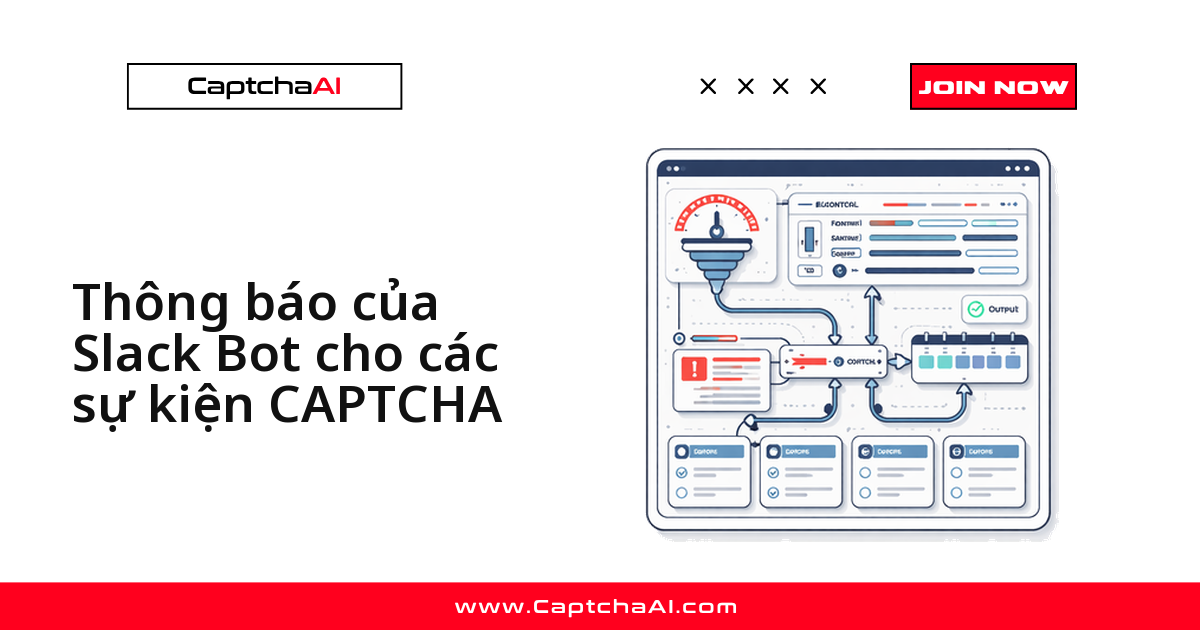
Pipeline giải CAPTCHA hỏng theo kiểu im lặng: không exception nào bật lên, chỉ có bảng dữ liệu sáng hôm sau thiếu vài nghìn dòng. Cách rẻ nhất để nó tự lên tiếng là một Incoming Webhook của Slack, gắn vào đúng ba điểm: task giải thất bại, số dư sắp cạn, tỷ lệ lỗi vượt ngưỡng.
Bài dành cho dev chạy CaptchaAI trong pipeline scraping hoặc QA. Code chính bằng Python, cuối bài có bản Node.js tương đương.
Ba loại sự kiện đáng gửi vào Slack
Lỗi thường gặp không phải là thiếu cảnh báo mà là gửi quá nhiều: kênh nhận vài trăm tin mỗi đêm sẽ bị mute ngay tuần đầu. Chỉ báo sự kiện xử lý được ngay.
| Sự kiện | Gửi khi | Nhịp gửi |
|---|---|---|
| Task giải thất bại | Lỗi cấu hình, ví dụ ERROR_WRONG_GOOGLEKEY |
Ngay, kèm ID task |
| Số dư thấp | Số dư dưới ngưỡng bạn đặt | Một lần mỗi giờ |
| Tỷ lệ lỗi cao | Vượt ngưỡng trên 50 task gần nhất | Cooldown 5 phút |
| Timeout lẻ | Không gửi — để cơ chế thử lại lo | Ghi log |
Bước 1: tạo Incoming Webhook trong Slack
- Mở api.slack.com/apps và tạo app mới trong workspace của bạn
- Chọn Incoming Webhooks rồi bật tính năng này
- Nhấn Add New Webhook to Workspace và chọn kênh nhận cảnh báo
- Sao chép URL webhook vừa sinh ra
URL webhook là thông tin bí mật: ai có nó cũng gửi được tin vào kênh của bạn. Khi triển khai thật, đọc URL từ biến môi trường và tạo webhook riêng cho staging.
Bước 2: hàm gửi cảnh báo dùng chung bằng Python
Cả bài dựa trên một hàm duy nhất, bọc nội dung theo định dạng attachments của Slack.
import requests
import json
from datetime import datetime

SLACK_WEBHOOK_URL = "https://hooks.slack.com/services/T00/B00/xxx"

def send_slack_alert(title, message, color="#ff0000", fields=None):
    """Send a formatted Slack alert."""
    attachment = {
        "color": color,
        "title": title,
        "text": message,
        "ts": int(datetime.now().timestamp()),
    }
    if fields:
        attachment["fields"] = [
            {"title": k, "value": str(v), "short": True}
            for k, v in fields.items()
        ]

    payload = {"attachments": [attachment]}
    resp = requests.post(SLACK_WEBHOOK_URL, json=payload, timeout=10)
    return resp.status_code == 200
Quy ước màu: đỏ cho lỗi cần xử lý, cam cho cảnh báo sớm, xanh cho báo cáo định kỳ.
Bước 3: cảnh báo khi một task giải thất bại
Cảnh báo lỗi chỉ hữu ích khi đủ thông tin để quyết định mà không cần mở dashboard: ID task, mã lỗi, loại CAPTCHA, trang gặp lỗi.
def notify_solve_failure(task_id, captcha_type, error_code, site_url):
    send_slack_alert(
        title="CAPTCHA Solve Failed",
        message=f"Task `{task_id}` failed with `{error_code}`",
        color="#ff0000",
        fields={
            "Type": captcha_type,
            "Error": error_code,
            "Site": site_url,
            "Time": datetime.now().strftime("%H:%M:%S"),
        },
    )

# Use after a failed solve
result = poll_for_result(task_id)
if result.get("error"):
    notify_solve_failure(task_id, "recaptcha_v2", result["error"], "https://example.com")
Mã lỗi trong phản hồi của API là tiếng Anh — giữ nguyên, đừng dịch. ERROR_WRONG_GOOGLEKEY là sitekey sai, cần sửa cấu hình; ERROR_ZERO_BALANCE là chuyện tài khoản. Đưa mã lỗi lên tiêu đề để phân luồng ngay trong kênh.
Bước 4: theo dõi số dư trước khi nó về 0
Sự cố khó chịu nhất là loại đoán trước được. Một job nền kiểm tra số dư mỗi 5 phút là đủ.
def check_balance_alert(api_key, threshold=5.0):
    """Alert when balance drops below threshold."""
    resp = requests.get("https://ocr.captchaai.com/res.php", params={
        "key": api_key, "action": "getbalance", "json": "1"
    }).json()

    balance = float(resp.get("request", 0))

    if balance < threshold:
        send_slack_alert(
            title="Low CaptchaAI Balance",
            message=f"Balance is ${balance:.2f} (threshold: ${threshold:.2f})",
            color="#ff9900",
            fields={
                "Current Balance": f"${balance:.2f}",
                "Threshold": f"${threshold:.2f}",
            },
        )
    return balance

# Run periodically
import threading

def balance_monitor(api_key, interval=300):
    """Check balance every 5 minutes."""
    check_balance_alert(api_key)
    timer = threading.Timer(interval, balance_monitor, args=[api_key, interval])
    timer.daemon = True
    timer.start()

balance_monitor("YOUR_API_KEY")
Đặt ngưỡng bằng mức tiêu thụ hai ngày. CaptchaAI tính tiền theo thread chứ không theo từng lần giải — gói BASIC ($15/tháng, 5 thread) trở lên không giới hạn số lần giải trong tháng — nên chỉ số cần theo dõi song song là số thread đang bận.
Bước 5: cảnh báo theo tỷ lệ lỗi, không theo từng lỗi lẻ
Một task hỏng là bình thường. Mười lăm task hỏng trên năm mươi task gần nhất là dấu hiệu trang đích đổi cấu hình CAPTCHA hoặc pipeline gửi sai tham số.
from collections import deque

class ErrorRateNotifier:
    def __init__(self, window=50, threshold=0.3, cooldown=300):
        self.results = deque(maxlen=window)
        self.threshold = threshold
        self.cooldown = cooldown
        self.last_alert = 0

    def record(self, success):
        self.results.append(success)

        if len(self.results) < 20:
            return

        error_rate = 1 - sum(self.results) / len(self.results)

        import time
        now = time.time()
        if error_rate > self.threshold and (now - self.last_alert) > self.cooldown:
            self.last_alert = now
            send_slack_alert(
                title="High CAPTCHA Error Rate",
                message=f"Error rate: {error_rate:.0%} over last {len(self.results)} tasks",
                color="#ff0000",
                fields={
                    "Error Rate": f"{error_rate:.1%}",
                    "Window": f"{len(self.results)} tasks",
                    "Threshold": f"{self.threshold:.0%}",
                },
            )

notifier = ErrorRateNotifier()

# After each solve attempt
notifier.record(success=True)   # solved
notifier.record(success=False)  # failed
Ba tham số nên chỉnh theo khối lượng thật: window, threshold và cooldown. Crawler vài nghìn task mỗi giờ hợp với cửa sổ 50 task; chạy ít hơn thì nới cửa sổ để tránh báo động giả.
Bản Node.js tương đương
Nếu pipeline viết bằng Node, ba lớp cảnh báo trên chuyển sang axios gần như một đổi một.
const axios = require('axios');

const SLACK_WEBHOOK = 'https://hooks.slack.com/services/T00/B00/xxx';

async function sendSlackAlert(title, message, color = '#ff0000', fields = {}) {
  const attachment = {
    color,
    title,
    text: message,
    ts: Math.floor(Date.now() / 1000),
    fields: Object.entries(fields).map(([k, v]) => ({
      title: k, value: String(v), short: true,
    })),
  };

  await axios.post(SLACK_WEBHOOK, { attachments: [attachment] });
}

// Failure alert
async function notifySolveFailure(taskId, type, error) {
  await sendSlackAlert(
    'CAPTCHA Solve Failed',
    `Task \`${taskId}\` failed: \`${error}\``,
    '#ff0000',
    { Type: type, Error: error }
  );
}

// Balance alert
async function checkBalance(apiKey, threshold = 5.0) {
  const resp = await axios.get('https://ocr.captchaai.com/res.php', {
    params: { key: apiKey, action: 'getbalance', json: 1 },
  });
  const balance = parseFloat(resp.data.request);

  if (balance < threshold) {
    await sendSlackAlert(
      'Low CaptchaAI Balance',
      `Balance: $${balance.toFixed(2)}`,
      '#ff9900',
      { Balance: `$${balance.toFixed(2)}`, Threshold: `$${threshold.toFixed(2)}` }
    );
  }
  return balance;
}

// Periodic check
setInterval(() => checkBalance('YOUR_API_KEY'), 5 * 60 * 1000);
setInterval ở cuối là bản Node của job kiểm tra số dư; trong container nhớ bọc lời gọi trong try/catch.
Bản tin tổng kết cuối ngày
Cảnh báo trả lời câu hỏi "có gì đang hỏng không"; bản tin tổng kết trả lời "hôm qua pipeline chạy thế nào". Gửi vào kênh riêng, mỗi ngày một lần.
def send_daily_summary(stats):
    """Send a daily digest to Slack."""
    send_slack_alert(
        title="Daily CAPTCHA Summary",
        message=f"{stats['total']} tasks processed",
        color="#36a64f",
        fields={
            "Solved": stats["solved"],
            "Failed": stats["failed"],
            "Avg Solve Time": f"{stats['avg_time_ms']}ms",
            "Total Cost": f"${stats['total_cost']:.2f}",
            "Success Rate": f"{stats['success_rate']:.1%}",
        },
    )
Đây cũng là dữ liệu để hiệu chỉnh ngưỡng: tỷ lệ giải thành công giảm khi khối lượng không đổi thường là vấn đề ở trang đích.
Ví dụ thực tế: đội QA outsourcing ở Đà Nẵng
Một công ty outsourcing ở Đà Nẵng chạy bộ test hồi quy trên staging của khách hàng, trong đó luồng đăng ký có reCAPTCHA v2 và được giải qua CaptchaAI. Khách đổi sitekey giữa sprint: các bước khác vẫn xanh, riêng bước xác minh trả về ERROR_WRONG_GOOGLEKEY hàng loạt cho tới khi có người mở log.
Họ tách hai kênh: #captcha-alerts cho lỗi cần xử lý ngay, #captcha-daily cho bản tin. Kênh thứ nhất trống nghĩa là lần chạy vừa rồi sạch lỗi.
Tin cảnh báo của họ chỉ chứa ID task, mã lỗi và tên miền — không URL kèm tham số, không dữ liệu người dùng. Kênh Slack nhiều người đọc được, còn Nghị định 13/2023/NĐ-CP về bảo vệ dữ liệu cá nhân là lý do đủ tốt để tối thiểu hóa dữ liệu trong tin giám sát.
Xử lý sự cố thường gặp
| Vấn đề | Nguyên nhân | Cách xử lý |
|---|---|---|
| Webhook trả về 403 | URL không còn hợp lệ | Tạo lại webhook trong app Slack |
| Kênh ngập cảnh báo | Thiếu cooldown | Thêm cooldown, gộp lỗi vào bản tin |
| Cảnh báo về muộn | Request bị treo | Luôn đặt timeout=10 |
| Kênh không nhận tin | Webhook sai kênh | Kiểm tra lại kênh đã chọn |
| Cảnh báo lặp | Nhiều worker cùng gửi | Chỉ một process được gửi |
Câu hỏi thường gặp
Nên đặt ngưỡng số dư ở mức nào?
Lấy mức tiêu thụ trung bình một ngày rồi nhân đôi. Ngưỡng phải đủ rộng để kịp nạp trong giờ hành chính, vì thanh toán quốc tế bằng thẻ đôi khi vài giờ mới ghi nhận.
Gửi cảnh báo Slack có làm chậm luồng giải CAPTCHA không?
Có, nếu gọi webhook đồng bộ trong vòng lặp giải. Mỗi lần gọi mất vài trăm mili giây (ms), nên đẩy cảnh báo sang hàng đợi hoặc thread nền.
Có thể để CaptchaAI gửi kết quả thẳng vào Slack không?
Không nên. Slack cần payload dạng attachments hoặc Block Kit, còn phản hồi của API có cấu trúc khác. Cho callback trỏ về endpoint của bạn, định dạng lại rồi chuyển tiếp.
Nên đưa những gì vào nội dung cảnh báo?
ID task, mã lỗi, loại CAPTCHA và tên miền. Đừng đưa API key, cookie phiên hay dữ liệu cá nhân vào kênh chat, vì lịch sử kênh lưu lâu hơn log.
Gắn cảnh báo Slack vào pipeline CaptchaAI của bạn
Lấy API key tại captchaai.com, dán hàm send_slack_alert() vào pipeline và nhận cảnh báo đầu tiên ngay chiều nay.