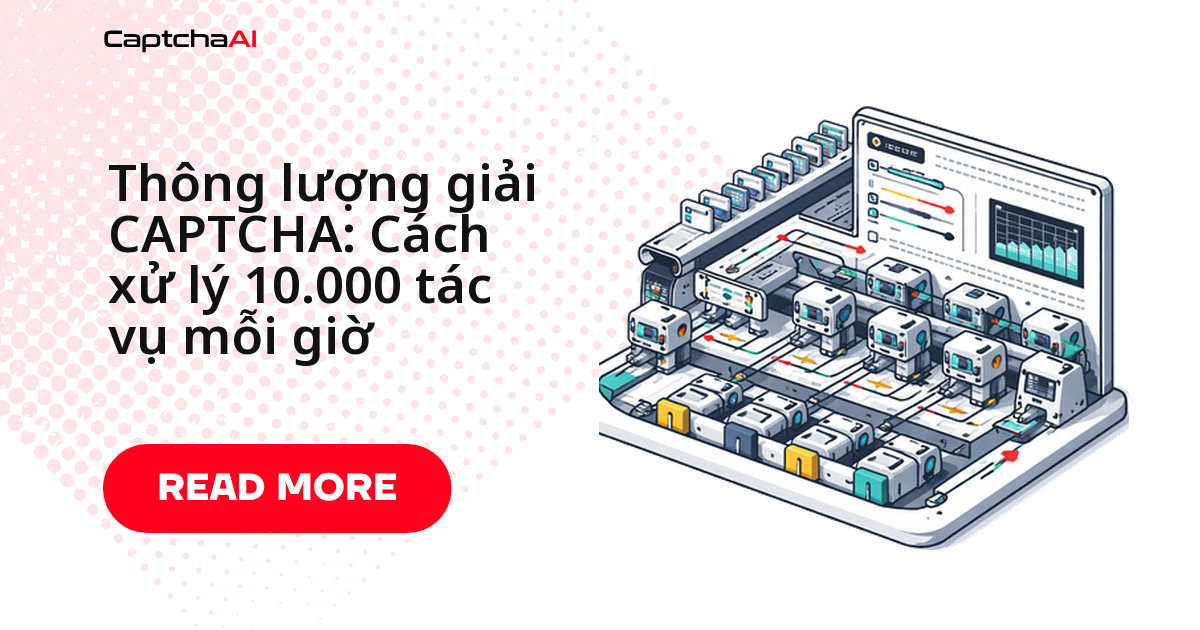
Gửi hàng nghìn task qua CaptchaAI mỗi ngày mà không lưu kết quả, bạn sẽ không biết chính xác lúc nào tỷ lệ lỗi tăng đột biến hay loại CAPTCHA nào đang chậm bất thường. Cách khắc phục: ghi mỗi lần gửi task vào MongoDB kèm sitekey, trạng thái, thời gian giải, rồi dùng aggregation pipeline để truy vấn theo thời gian, loại CAPTCHA và tỷ lệ lỗi. Bài này đi qua schema, index, code Python/Node.js và các truy vấn phân tích dùng ngay được.
Vì sao chọn MongoDB để lưu log giải CAPTCHA
Bản ghi giải CAPTCHA có các trường khác nhau tùy loại: reCAPTCHA cần googlekey, Turnstile cần sitekey, CAPTCHA hình ảnh cần body. Tài liệu không lược đồ cố định của MongoDB xử lý việc này tự nhiên — không cần migration mỗi khi thêm loại CAPTCHA mới hay field metadata mới. Đây cũng là lý do nhiều đội automation tại các công ty outsourcing ở TP.HCM, Hà Nội chọn MongoDB thay vì bảng SQL cứng nhắc.
Thiết kế schema cho mỗi bản ghi giải
Mỗi document lưu đủ thông tin để trả lời: request này giải ra sao, thuộc dự án nào.
{
  "_id": "ObjectId",
  "captcha_id": "12345678",
  "type": "recaptcha_v2",
  "method": "userrecaptcha",
  "sitekey": "6Le-wvkSAAAAAPBMRTvw0Q4Muexq9bi0DJwx_mJ-",
  "pageurl": "https://example.com/form",
  "status": "solved",
  "solution": "03AGdBq26...",
  "error": null,
  "submitted_at": "2026-04-04T10:15:30.000Z",
  "solved_at": "2026-04-04T10:15:45.000Z",
  "elapsed_ms": 15000,
  "polls": 3,
  "proxy_used": true,
  "cost": 0.00299,
  "metadata": {
    "project": "price-monitor",
    "worker_id": "worker-3",
    "target_domain": "example.com"
  }
}
Trường metadata.project dùng để gắn nhãn theo chiến dịch — ví dụ đội QA theo dõi giá trên Shopee và Lazada có thể đặt "project": "price-monitor" như ví dụ trên để lọc log theo từng dự án.
Triển khai bằng Python
Kết nối MongoDB và đọc API key
Khởi tạo client MongoDB và lấy API key CaptchaAI từ biến môi trường:
import os
import time
from datetime import datetime, timezone
from pymongo import MongoClient, ASCENDING, DESCENDING
import requests

MONGO_URI = os.environ.get("MONGO_URI", "mongodb://localhost:27017")
API_KEY = os.environ["CAPTCHAAI_API_KEY"]

client = MongoClient(MONGO_URI)
db = client["captcha_tracking"]
solves = db["solves"]
Tạo index cho truy vấn nhanh
Không có index, truy vấn aggregation trên hàng triệu bản ghi sẽ quét toàn bộ collection. Bốn index dưới đây phủ các truy vấn phổ biến nhất, cộng một index TTL tự dọn dữ liệu cũ:
def setup_indexes():
    solves.create_index([("submitted_at", DESCENDING)])
    solves.create_index([("type", ASCENDING), ("status", ASCENDING)])
    solves.create_index([("metadata.project", ASCENDING)])
    solves.create_index([("metadata.target_domain", ASCENDING)])
    solves.create_index(
        [("submitted_at", ASCENDING)],
        expireAfterSeconds=90 * 24 * 3600,  # Auto-delete after 90 days
        name="ttl_cleanup"
    )

setup_indexes()
Gửi task và lưu kết quả giải
Hàm dưới đây ghi bản ghi khi gửi task, cập nhật trạng thái theo từng bước polling, rồi lưu thời gian giải khi có kết quả:
def solve_and_store(sitekey, pageurl, captcha_type="recaptcha_v2", metadata=None):
    record = {
        "type": captcha_type,
        "method": "userrecaptcha",
        "sitekey": sitekey,
        "pageurl": pageurl,
        "status": "submitted",
        "submitted_at": datetime.now(timezone.utc),
        "metadata": metadata or {}
    }

    result = solves.insert_one(record)
    doc_id = result.inserted_id

    # Submit to CaptchaAI
    resp = requests.post("https://ocr.captchaai.com/in.php", data={
        "key": API_KEY,
        "method": "userrecaptcha",
        "googlekey": sitekey,
        "pageurl": pageurl,
        "json": 1
    })
    data = resp.json()

    if data.get("status") != 1:
        solves.update_one(
            {"_id": doc_id},
            {"$set": {"status": "error", "error": data.get("request")}}
        )
        return None

    captcha_id = data["request"]
    solves.update_one(
        {"_id": doc_id},
        {"$set": {"captcha_id": captcha_id, "status": "polling"}}
    )

    # Poll for result
    polls = 0
    for _ in range(60):
        time.sleep(5)
        polls += 1
        poll_resp = requests.get("https://ocr.captchaai.com/res.php", params={
            "key": API_KEY, "action": "get",
            "id": captcha_id, "json": 1
        }).json()

        if poll_resp.get("status") == 1:
            solved_at = datetime.now(timezone.utc)
            elapsed_ms = int(
                (solved_at - record["submitted_at"]).total_seconds() * 1000
            )
            solves.update_one({"_id": doc_id}, {"$set": {
                "status": "solved",
                "solution": poll_resp["request"],
                "solved_at": solved_at,
                "elapsed_ms": elapsed_ms,
                "polls": polls
            }})
            return poll_resp["request"]

        if poll_resp.get("request") != "CAPCHA_NOT_READY":
            solves.update_one({"_id": doc_id}, {"$set": {
                "status": "error",
                "error": poll_resp.get("request"),
                "polls": polls
            }})
            return None

    solves.update_one({"_id": doc_id}, {"$set": {
        "status": "timeout", "polls": polls
    }})
    return None
Viết truy vấn phân tích bằng aggregation pipeline
Bốn hàm dưới đây trả lời các câu hỏi vận hành thường gặp: tỷ lệ giải thành công, thời gian giải trung bình theo loại, khối lượng theo giờ và phân bố lỗi:
def get_success_rate(hours=24):
    """Success rate for the last N hours."""
    from datetime import timedelta
    cutoff = datetime.now(timezone.utc) - timedelta(hours=hours)

    pipeline = [
        {"$match": {"submitted_at": {"$gte": cutoff}}},
        {"$group": {
            "_id": "$status",
            "count": {"$sum": 1}
        }}
    ]
    results = {r["_id"]: r["count"] for r in solves.aggregate(pipeline)}
    total = sum(results.values())
    solved = results.get("solved", 0)
    return (solved / total * 100) if total else 0

def get_avg_solve_time_by_type():
    """Average solve time grouped by CAPTCHA type."""
    pipeline = [
        {"$match": {"status": "solved"}},
        {"$group": {
            "_id": "$type",
            "avg_time_ms": {"$avg": "$elapsed_ms"},
            "min_time_ms": {"$min": "$elapsed_ms"},
            "max_time_ms": {"$max": "$elapsed_ms"},
            "count": {"$sum": 1}
        }},
        {"$sort": {"count": -1}}
    ]
    return list(solves.aggregate(pipeline))

def get_hourly_solve_volume(days=7):
    """Hourly solve volume for charting."""
    from datetime import timedelta
    cutoff = datetime.now(timezone.utc) - timedelta(days=days)

    pipeline = [
        {"$match": {"submitted_at": {"$gte": cutoff}}},
        {"$group": {
            "_id": {
                "date": {"$dateToString": {"format": "%Y-%m-%d", "date": "$submitted_at"}},
                "hour": {"$hour": "$submitted_at"}
            },
            "total": {"$sum": 1},
            "solved": {"$sum": {"$cond": [{"$eq": ["$status", "solved"]}, 1, 0]}}
        }},
        {"$sort": {"_id.date": 1, "_id.hour": 1}}
    ]
    return list(solves.aggregate(pipeline))

def get_error_breakdown(hours=24):
    """Error frequency by error code."""
    from datetime import timedelta
    cutoff = datetime.now(timezone.utc) - timedelta(hours=hours)

    pipeline = [
        {"$match": {"submitted_at": {"$gte": cutoff}, "status": "error"}},
        {"$group": {"_id": "$error", "count": {"$sum": 1}}},
        {"$sort": {"count": -1}}
    ]
    return list(solves.aggregate(pipeline))
Triển khai bằng Node.js
Cùng logic gửi task, polling, lưu kết quả — viết lại bằng Node.js với driver mongodb chính thức:
const { MongoClient } = require("mongodb");
const axios = require("axios");

const MONGO_URI = process.env.MONGO_URI || "mongodb://localhost:27017";
const API_KEY = process.env.CAPTCHAAI_API_KEY;

let db, solves;

async function connect() {
  const client = await MongoClient.connect(MONGO_URI);
  db = client.db("captcha_tracking");
  solves = db.collection("solves");

  await solves.createIndex({ submitted_at: -1 });
  await solves.createIndex({ type: 1, status: 1 });
  await solves.createIndex({ "metadata.project": 1 });
  await solves.createIndex(
    { submitted_at: 1 },
    { expireAfterSeconds: 90 * 24 * 3600 }
  );
}

async function solveAndStore(sitekey, pageurl, type = "recaptcha_v2", metadata = {}) {
  const submittedAt = new Date();
  const { insertedId } = await solves.insertOne({
    type, method: "userrecaptcha", sitekey, pageurl,
    status: "submitted", submitted_at: submittedAt, metadata,
  });

  const submit = await axios.post("https://ocr.captchaai.com/in.php", null, {
    params: { key: API_KEY, method: "userrecaptcha", googlekey: sitekey, pageurl, json: 1 },
  });

  if (submit.data.status !== 1) {
    await solves.updateOne({ _id: insertedId }, { $set: { status: "error", error: submit.data.request } });
    return null;
  }

  const captchaId = submit.data.request;
  await solves.updateOne({ _id: insertedId }, { $set: { captcha_id: captchaId, status: "polling" } });

  let polls = 0;
  for (let i = 0; i < 60; i++) {
    await new Promise((r) => setTimeout(r, 5000));
    polls++;
    const poll = await axios.get("https://ocr.captchaai.com/res.php", {
      params: { key: API_KEY, action: "get", id: captchaId, json: 1 },
    });

    if (poll.data.status === 1) {
      const solvedAt = new Date();
      await solves.updateOne({ _id: insertedId }, { $set: {
        status: "solved", solution: poll.data.request,
        solved_at: solvedAt, elapsed_ms: solvedAt - submittedAt, polls,
      }});
      return poll.data.request;
    }
    if (poll.data.request !== "CAPCHA_NOT_READY") {
      await solves.updateOne({ _id: insertedId }, { $set: { status: "error", error: poll.data.request, polls } });
      return null;
    }
  }

  await solves.updateOne({ _id: insertedId }, { $set: { status: "timeout", polls } });
  return null;
}

async function getSuccessRate(hours = 24) {
  const cutoff = new Date(Date.now() - hours * 3600 * 1000);
  const pipeline = [
    { $match: { submitted_at: { $gte: cutoff } } },
    { $group: { _id: "$status", count: { $sum: 1 } } },
  ];
  const results = await solves.aggregate(pipeline).toArray();
  const total = results.reduce((s, r) => s + r.count, 0);
  const solved = results.find((r) => r._id === "solved")?.count || 0;
  return total ? ((solved / total) * 100).toFixed(1) : 0;
}
Chính sách lưu giữ dữ liệu (data retention)
| Chiến lược | Chỉ số TTL | Trường hợp dùng |
|---|---|---|
| Giữ 30 ngày | expireAfterSeconds: 2592000 |
Dev/test |
| Giữ 90 ngày | expireAfterSeconds: 7776000 |
Phân tích production |
| Vĩnh viễn (có archival) | Không đặt TTL; dùng capped collection/cold storage | Audit/tuân thủ |
Xử lý dữ liệu người dùng Việt Nam? Đặt TTL rõ ràng cho log giải cũng hỗ trợ nguyên tắc lưu trữ tối thiểu theo Nghị định 13/2023/NĐ-CP — không phải tư vấn pháp lý, chỉ là lý do thực tế để chọn TTL 90 ngày thay vì giữ log vô thời hạn.
Xử lý các lỗi thường gặp
| Vấn đề | Nguyên nhân | Cách xử lý |
|---|---|---|
| Truy vấn aggregation chậm | Thiếu index trên submitted_at, type |
Chạy setup_indexes() ở trên |
| Document phình to | Lưu toàn bộ solution mỗi bản ghi | Lưu hash solution hoặc cắt bớt sau khi dùng |
| TTL không xóa bản ghi cũ | TTL monitor chạy mỗi 60 giây; backlog lớn cần thời gian | Đợi dọn nền xong; kiểm tra bằng db.solves.getIndexes() |
| Connection pool cạn kiệt | Quá nhiều thao tác giải đồng thời | Đặt maxPoolSize trong connection string |
Câu hỏi thường gặp
MongoDB có phù hợp hơn PostgreSQL hoặc MySQL để log giải CAPTCHA không?
Có, khi số trường thay đổi theo từng loại CAPTCHA — đúng trường hợp ở đây. MongoDB tránh việc sửa cấu trúc bảng mỗi khi thêm loại CAPTCHA hay field metadata mới. Nếu schema cố định và cần join phức tạp với dữ liệu quan hệ khác, PostgreSQL với cột JSONB vẫn hợp lý.
Có nên lưu toàn bộ token giải trong bản ghi không?
Chỉ nên lưu 24–48 giờ để phục vụ debug, sau đó để index TTL tự dọn. Với phân tích dài hạn, chỉ cần giữ metadata — loại, thời gian, trạng thái, lỗi — vì token hết hạn sau vài phút nên vô dụng.
TTL index xử lý thế nào khi lượng giải tăng đột biến, ví dụ đợt sale trên Shopee hoặc Lazada?
TTL monitor chạy nền mỗi 60 giây và xóa dần, không chặn việc ghi bản ghi mới nên không ảnh hưởng tốc độ gửi task. Nếu backlog lớn sau một đợt spike, việc dọn có thể trễ vài phút — không phải lỗi, chỉ cần đợi.
Dùng MongoDB Atlas (cloud) cho production có được không?
Được. Atlas hỗ trợ đầy đủ index TTL và aggregation pipeline như bản self-hosted. Lấy connection string từ dashboard Atlas, gán vào biến MONGO_URI — không cần đổi code.
Bước tiếp theo
Theo dõi từng lần giải CAPTCHA, phát hiện bất thường trước khi ảnh hưởng pipeline — lấy API key CaptchaAI.
Hướng dẫn liên quan:
- Cache CAPTCHA cục bộ bằng SQLite
- Quản lý TTL token trong Redis
- Xu hướng hiệu năng giải CAPTCHA theo chuỗi thời gian