Theo dõi giá đối thủ bằng cách mở tab trình duyệt mỗi sáng thì chậm và không để lại dữ liệu lịch sử. Cách bền vững hơn là một pipeline tự động: cào dữ liệu, lưu vào cơ sở dữ liệu, rồi sinh báo cáo chỉ bằng một lệnh chạy hàng ngày. Bài này dựng đúng pipeline đó bằng Python — kể cả với trang chặn bằng reCAPTCHA v2 — theo kiến trúc mà nhiều đội tăng trưởng và outsourcing QA tại TP.HCM hay Hà Nội dùng để theo dõi giá seller cạnh tranh trên Shopee, Lazada mỗi ngày, chỉ cần đổi selector cho từng trang.
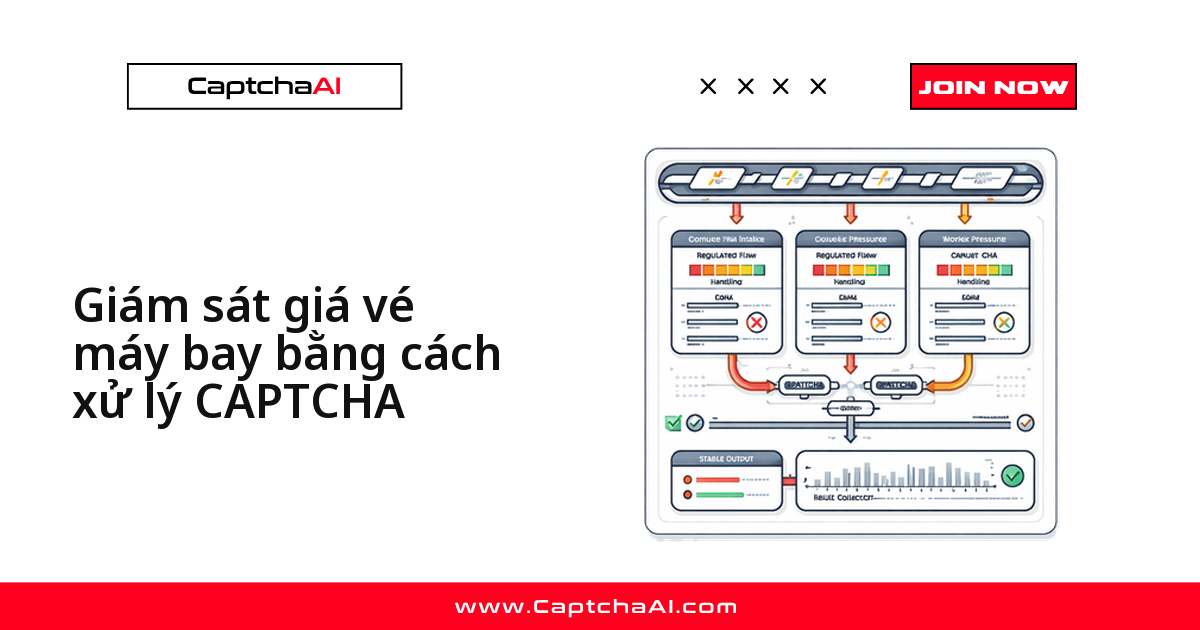
Bốn khối ghép thành pipeline: mô hình dữ liệu lưu lịch sử, solver gọi CaptchaAI API khi trang có CAPTCHA, scraper trích xuất giá/tính năng, report generator so sánh đối thủ theo chỉ số mới nhất.
Kiến trúc hệ thống
Nhìn toàn cảnh trước khi đọc từng file bên dưới — mỗi khối tương ứng với đúng một module Python sẽ triển khai ở các phần sau:
Competitor Sites ──> CAPTCHA Solver ──> Data Extractors
                                             │
                                        SQLite Store
                                             │
                                      Dashboard Report
Chọn gói CaptchaAI theo tần suất theo dõi
Số trang cần giải CAPTCHA mỗi lần chạy quyết định gói phù hợp: theo dõi vài đối thủ mỗi ngày như ví dụ Shopee/Lazada vừa với BASIC ($15/tháng, 5 thread); danh sách lớn hơn thì chuyển sang STANDARD ($30/tháng, 15 thread) hoặc ADVANCE ($90/tháng, 50 thread).
| Gói | Giá/tháng | Thread |
|---|---|---|
| BASIC | $15 | 5 |
| STANDARD | $30 | 15 |
| ADVANCE | $90 | 50 |
Cảnh báo khi giá đối thủ thay đổi
Dashboard tự nó chỉ lưu và so sánh; muốn biết ngay khi giá đổi thì so numeric_value của lần cào hôm nay với bản ghi mới nhất trong get_history, rồi bắn thông báo khi chênh lệch vượt ngưỡng bạn đặt. Vài kênh phù hợp để nối vào bước này:
- Webhook Slack nội bộ — phù hợp đội nhỏ, cần thấy ngay trong kênh làm việc.
- Email tổng hợp cuối ngày — phù hợp báo cáo định kỳ cho quản lý.
- Ghi log ra file/DB riêng để dựng biểu đồ cảnh báo sau này.
Thiết kế mô hình dữ liệu (SQLite)
File models.py định nghĩa bảng metrics trong SQLite và hai hàm cốt lõi: save ghi một điểm dữ liệu mỗi lần cào, get_history lấy lại lịch sử theo đối thủ và chỉ số — đây là nền cho mọi báo cáo xu hướng ở phần sau.
# models.py
import sqlite3
from datetime import datetime
from dataclasses import dataclass
from typing import Optional

@dataclass
class CompetitorData:
    competitor: str
    metric: str
    value: str
    numeric_value: Optional[float] = None
    url: str = ""
    scraped_at: str = ""

    def __post_init__(self):
        if not self.scraped_at:
            self.scraped_at = datetime.now().isoformat()

class CompetitorDB:
    def __init__(self, path="competitor_data.db"):
        self.conn = sqlite3.connect(path)
        self._init()

    def _init(self):
        self.conn.execute("""
            CREATE TABLE IF NOT EXISTS metrics (
                id INTEGER PRIMARY KEY AUTOINCREMENT,
                competitor TEXT,
                metric TEXT,
                value TEXT,
                numeric_value REAL,
                url TEXT,
                scraped_at TEXT
            )
        """)
        self.conn.commit()

    def save(self, data: CompetitorData):
        self.conn.execute(
            """INSERT INTO metrics
               (competitor, metric, value, numeric_value, url, scraped_at)
               VALUES (?, ?, ?, ?, ?, ?)""",
            (data.competitor, data.metric, data.value,
             data.numeric_value, data.url, data.scraped_at),
        )
        self.conn.commit()

    def get_history(self, competitor, metric, limit=30):
        cursor = self.conn.execute(
            """SELECT value, numeric_value, scraped_at
               FROM metrics
               WHERE competitor = ? AND metric = ?
               ORDER BY scraped_at DESC LIMIT ?""",
            (competitor, metric, limit),
        )
        return cursor.fetchall()

    def latest_comparison(self, metric):
        cursor = self.conn.execute(
            """SELECT competitor, value, numeric_value, MAX(scraped_at) as latest
               FROM metrics WHERE metric = ?
               GROUP BY competitor ORDER BY numeric_value""",
            (metric,),
        )
        return cursor.fetchall()
Module giải CAPTCHA qua CaptchaAI API
File solver.py chỉ can thiệp khi HTML trả về chứa data-sitekey: gửi task tới in.php, polling res.php mỗi 5 giây, rồi submit g-recaptcha-response vào đúng session đang cào để trang không bắt xác thực lại.
# solver.py
import requests
import time
import re
import os

class CaptchaSolver:
    def __init__(self):
        self.api_key = os.environ["CAPTCHAAI_API_KEY"]

    def solve_if_needed(self, session, url, html):
        if "data-sitekey" not in html:
            return html

        match = re.search(r'data-sitekey="([^"]+)"', html)
        if not match:
            return html

        sitekey = match.group(1)
        resp = requests.post("https://ocr.captchaai.com/in.php", data={
            "key": self.api_key,
            "method": "userrecaptcha",
            "googlekey": sitekey,
            "pageurl": url,
            "json": 1,
        }, timeout=30)
        task_id = resp.json()["request"]

        time.sleep(15)
        for _ in range(24):
            resp = requests.get("https://ocr.captchaai.com/res.php", params={
                "key": self.api_key, "action": "get",
                "id": task_id, "json": 1,
            }, timeout=15)
            data = resp.json()
            if data.get("status") == 1:
                post_resp = session.post(url, data={
                    "g-recaptcha-response": data["request"],
                }, timeout=30)
                return post_resp.text
            if data["request"] != "CAPCHA_NOT_READY":
                raise RuntimeError(data["request"])
            time.sleep(5)

        raise TimeoutError("CAPTCHA solve timeout")
Bộ thu thập dữ liệu đối thủ (scraper)
File scraper.py gọi solver.py trước khi parse HTML bằng BeautifulSoup, rồi tách riêng ba luồng dữ liệu: giá theo gói, danh sách tính năng và số lượng sản phẩm — mỗi hàm nhận một selector CSS bạn tự khai báo theo cấu trúc trang từng đối thủ.
# scraper.py
import requests
import re
from bs4 import BeautifulSoup
from solver import CaptchaSolver
from models import CompetitorData

class CompetitorScraper:
    def __init__(self):
        self.solver = CaptchaSolver()
        self.session = requests.Session()
        self.session.headers["User-Agent"] = (
            "Mozilla/5.0 (Windows NT 10.0; Win64; x64) "
            "AppleWebKit/537.36 Chrome/125.0.0.0 Safari/537.36"
        )

    def scrape_pricing(self, competitor_name, url, plan_selector, price_selector):
        html = self._fetch(url)
        soup = BeautifulSoup(html, "html.parser")
        plans = soup.select(plan_selector)
        data = []

        for plan in plans:
            name_el = plan.select_one("h3, h2, .plan-name")
            price_el = plan.select_one(price_selector)

            if not name_el or not price_el:
                continue

            price_text = price_el.get_text(strip=True)
            match = re.search(r'[\d,.]+', price_text)
            numeric = float(match.group().replace(",", "")) if match else None

            data.append(CompetitorData(
                competitor=competitor_name,
                metric=f"price_{name_el.get_text(strip=True).lower().replace(' ', '_')}",
                value=price_text,
                numeric_value=numeric,
                url=url,
            ))

        return data

    def scrape_features(self, competitor_name, url, feature_list_selector):
        html = self._fetch(url)
        soup = BeautifulSoup(html, "html.parser")
        features = soup.select(f"{feature_list_selector} li")

        return [
            CompetitorData(
                competitor=competitor_name,
                metric="feature",
                value=f.get_text(strip=True),
                url=url,
            )
            for f in features if f.get_text(strip=True)
        ]

    def scrape_product_count(self, competitor_name, url, count_selector):
        html = self._fetch(url)
        soup = BeautifulSoup(html, "html.parser")
        el = soup.select_one(count_selector)

        if el:
            text = el.get_text(strip=True)
            match = re.search(r'[\d,]+', text)
            if match:
                count = int(match.group().replace(",", ""))
                return CompetitorData(
                    competitor=competitor_name,
                    metric="product_count",
                    value=text,
                    numeric_value=count,
                    url=url,
                )
        return None

    def _fetch(self, url):
        resp = self.session.get(url, timeout=20)
        return self.solver.solve_if_needed(self.session, url, resp.text)
Sinh báo cáo so sánh
File report.py đọc bản ghi mới nhất của từng đối thủ theo từng chỉ số, xếp cạnh nhau để so sánh nhanh — phù hợp dán thẳng vào kênh Slack nội bộ hoặc đính kèm email báo cáo hàng ngày.
# report.py
from models import CompetitorDB

def generate_report(db: CompetitorDB, metrics):
    lines = ["=" * 60, "Competitor Analysis Report", "=" * 60, ""]

    for metric in metrics:
        results = db.latest_comparison(metric)
        if not results:
            continue

        lines.append(f"--- {metric.replace('_', ' ').title()} ---")
        for comp, value, numeric, ts in results:
            marker = ""
            if numeric is not None:
                marker = f" (${numeric:,.2f})" if "price" in metric else f" ({numeric:,.0f})"
            lines.append(f"  {comp}: {value}{marker}")
        lines.append("")

    return "\n".join(lines)

def generate_trend(db: CompetitorDB, competitor, metric, periods=10):
    history = db.get_history(competitor, metric, limit=periods)
    if not history:
        return f"No data for {competitor} — {metric}"

    lines = [f"Trend: {competitor} — {metric}", "-" * 40]
    for value, numeric, ts in reversed(history):
        date = ts[:10]
        lines.append(f"  {date}: {value}")

    return "\n".join(lines)
Script điều phối chính (main.py)
File main.py là điểm chạy duy nhất: lặp qua danh sách COMPETITORS, gọi scraper.py cho từng đối thủ, lưu kết quả qua models.py rồi gọi report.py để in và ghi báo cáo ra file — thêm đối thủ mới chỉ cần thêm một dict vào danh sách.
# main.py
import time
from models import CompetitorDB
from scraper import CompetitorScraper
from report import generate_report

COMPETITORS = [
    {
        "name": "Competitor A",
        "pricing_url": "https://competitor-a.example.com/pricing",
        "plan_selector": ".pricing-plan",
        "price_selector": ".price",
    },
    {
        "name": "Competitor B",
        "pricing_url": "https://competitor-b.example.com/pricing",
        "plan_selector": ".plan-card",
        "price_selector": ".plan-price",
    },
]

def main():
    db = CompetitorDB()
    scraper = CompetitorScraper()

    for comp in COMPETITORS:
        print(f"Scraping {comp['name']}...")

        try:
            pricing = scraper.scrape_pricing(
                comp["name"], comp["pricing_url"],
                comp["plan_selector"], comp["price_selector"],
            )
            for p in pricing:
                db.save(p)
                print(f"  {p.metric}: {p.value}")
        except Exception as e:
            print(f"  Error: {e}")

        time.sleep(5)

    # Generate report
    metrics = ["price_basic", "price_pro", "price_enterprise", "product_count"]
    report = generate_report(db, metrics)
    print(report)

    with open("competitor_report.txt", "w") as f:
        f.write(report)

if __name__ == "__main__":
    main()
Xử lý sự cố thường gặp
Vài lỗi thường gặp khi chạy dashboard này trên môi trường thật, cùng cách xử lý nhanh — hữu ích khi bàn giao script cho một đội outsourcing QA khác vận hành:
| Vấn đề | Nguyên nhân | Cách xử lý |
|---|---|---|
| Không trích xuất được giá | Selector không khớp cấu trúc trang | Kiểm tra HTML thực tế, cập nhật plan_selector/price_selector |
| Chưa có dữ liệu lịch sử | Mới chạy lần đầu | Dữ liệu tích lũy dần; chạy hàng ngày để thấy xu hướng |
| Gặp CAPTCHA ở trang giá | Trang bật cơ chế chống bot | Thêm độ trễ giữa các request, tái sử dụng cookie phiên |
| Báo cáo hiển thị dữ liệu cũ | Bản ghi trùng chưa lọc | Dùng latest_comparison để nhóm theo MAX(scraped_at) |
Hướng dẫn liên quan
Câu hỏi thường gặp
Dashboard này có vi phạm gì khi theo dõi đối thủ không?
Không, nếu chỉ thu thập dữ liệu công khai — giá, tính năng hiển thị sẵn trên trang — mà không đăng nhập tài khoản người khác. Nên ghi log thời điểm cào và cân nhắc Nghị định 13/2023/NĐ-CP khi dữ liệu liên quan đến thông tin cá nhân.
Nên chọn gói CaptchaAI nào để chạy dashboard này?
Với vài đối thủ mỗi ngày, BASIC ($15/tháng, 5 thread) là đủ; tăng lên STANDARD hoặc ADVANCE khi tần suất chạy tăng.
Làm cách nào để trực quan hóa xu hướng giá theo thời gian?
Xuất dữ liệu từ SQLite bằng get_history rồi vẽ bằng matplotlib, hoặc đẩy CSV vào Google Trang tính.
Có thể theo dõi các chỉ số ngoài giá, ví dụ số lượng sản phẩm không?
Có. Dùng scrape_features cho danh sách tính năng hoặc scrape_product_count cho quy mô danh mục.
Nên chạy script này với tần suất bao nhiêu?
Chạy hàng ngày là hợp lý cho phần lớn trường hợp theo dõi giá bán lẻ — đủ để phát hiện thay đổi mà không dồn quá nhiều request vào cùng trang.
Theo dõi đối thủ cạnh tranh ở quy mô lớn — bắt đầu dùng CaptchaAI.