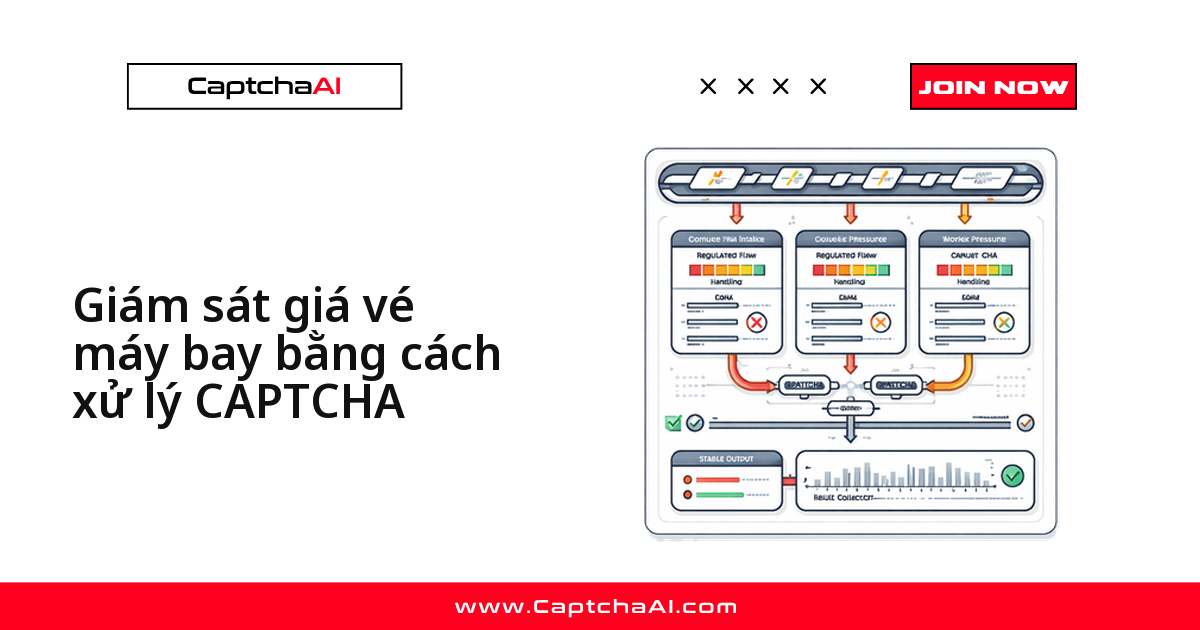
Kiểm tra giá vé nhiều lần trong ngày trên cùng một tuyến bay là nguyên nhân phổ biến nhất khiến hệ thống theo dõi giá gặp reCAPTCHA hoặc Cloudflare Turnstile — các trang hàng không và OTA coi tần suất request bất thường từ cùng một nguồn là dấu hiệu bot, và khi script không có bước xử lý CAPTCHA thì pipeline thu thập giá dừng lại giữa chừng. Bài viết này dựng một luồng giám sát giá vé bằng Python theo bốn bước: phát hiện CAPTCHA trong response, giải qua CaptchaAI, gửi lại token, rồi tiếp tục thu thập dữ liệu giá.
Luồng xử lý khi phát hiện CAPTCHA
Schedule check → Request fare page → CAPTCHA detected?
                                         ↓ Yes
                                    Solve via CaptchaAI → Inject token → Retry request
                                         ↓ No
                                    Parse fare data → Store → Alert on price change
Chuẩn bị trước khi triển khai
- Khóa API CaptchaAI — lấy tại captchaai.com
- Python 3.8+ cùng thư viện
requests - Đa dạng nguồn yêu cầu khi gọi các trang hàng không/OTA
pip install requests
Hàm giải CAPTCHA cho CaptchaAI
import requests
import time

API_KEY = "YOUR_API_KEY"

def solve_recaptcha_v2(sitekey, pageurl):
    """Solve reCAPTCHA v2 and return the token."""
    submit = requests.post("https://ocr.captchaai.com/in.php", data={
        "key": API_KEY, "method": "userrecaptcha",
        "googlekey": sitekey, "pageurl": pageurl, "json": 1
    }).json()

    if submit.get("status") != 1:
        raise RuntimeError(f"Submit error: {submit.get('request')}")

    task_id = submit["request"]
    time.sleep(20)

    for _ in range(30):
        result = requests.get("https://ocr.captchaai.com/res.php", params={
            "key": API_KEY, "action": "get", "id": task_id, "json": 1
        }).json()
        if result.get("status") == 1:
            return result["request"]
        if result.get("request") != "CAPCHA_NOT_READY":
            raise RuntimeError(f"Solve error: {result['request']}")
        time.sleep(5)
    raise TimeoutError("Solve timed out")

def solve_turnstile(sitekey, pageurl):
    """Solve Cloudflare Turnstile and return the token."""
    submit = requests.post("https://ocr.captchaai.com/in.php", data={
        "key": API_KEY, "method": "turnstile",
        "sitekey": sitekey, "pageurl": pageurl, "json": 1
    }).json()

    if submit.get("status") != 1:
        raise RuntimeError(f"Submit error: {submit.get('request')}")

    task_id = submit["request"]
    time.sleep(10)

    for _ in range(30):
        result = requests.get("https://ocr.captchaai.com/res.php", params={
            "key": API_KEY, "action": "get", "id": task_id, "json": 1
        }).json()
        if result.get("status") == 1:
            return result["request"]
        if result.get("request") != "CAPCHA_NOT_READY":
            raise RuntimeError(f"Solve error: {result['request']}")
        time.sleep(5)
    raise TimeoutError("Solve timed out")
Xử lý các lỗi thường gặp
| Vấn đề | Nguyên nhân | Cách xử lý |
|---|---|---|
| Gặp CAPTCHA liên tục | Cùng một IP gửi quá nhiều request | Đa dạng nguồn yêu cầu, giãn cách giữa các lần kiểm tra |
| Giá không cập nhật | Trang trả về bản cache | Thêm header chặn cache hoặc đổi tham số request mỗi lần gọi |
| IP bị chặn | Vượt rate limit của trang | Tăng độ trễ, luân phiên nguồn IP khi kiểm tra |
| Giải CAPTCHA báo lỗi | Sitekey lấy sai vị trí trong HTML | Đối chiếu sitekey với widget CAPTCHA thực tế trên trang |
Class FareMonitor: gắn bước giải CAPTCHA vào luồng kiểm tra giá
Cách class hoạt động
check_fare gửi request tới trang tuyến bay, nhận diện reCAPTCHA hoặc Turnstile trong HTML trả về, giải qua CaptchaAI rồi gửi lại token trước khi phân tích dữ liệu giá.
import json
from datetime import datetime

class FareMonitor:
    def __init__(self, proxy=None):
        self.session = requests.Session()
        if proxy:
            self.session.proxies = {
                "http": f"http://{proxy}",
                "https": f"http://{proxy}"
            }
        self.fare_history = {}

    def check_fare(self, route):
        """Check fare for a route, solving CAPTCHAs if needed."""
        url = route["url"]

        response = self.session.get(url)

        # Detect CAPTCHA in response
        if self._has_recaptcha(response.text):
            sitekey = self._extract_sitekey(response.text)
            token = solve_recaptcha_v2(sitekey, url)
            response = self.session.post(url, data={
                "g-recaptcha-response": token,
                **route.get("params", {})
            })

        elif self._has_turnstile(response.text):
            sitekey = self._extract_turnstile_key(response.text)
            token = solve_turnstile(sitekey, url)
            response = self.session.post(url, data={
                "cf-turnstile-response": token,
                **route.get("params", {})
            })

        return self._parse_fare(response.text, route)

    def _has_recaptcha(self, html):
        return "g-recaptcha" in html or "recaptcha/api" in html

    def _has_turnstile(self, html):
        return "cf-turnstile" in html or "turnstile" in html

    def _extract_sitekey(self, html):
        # Extract data-sitekey from reCAPTCHA div
        if 'data-sitekey="' in html:
            start = html.index('data-sitekey="') + 14
            end = html.index('"', start)
            return html[start:end]
        return None

    def _extract_turnstile_key(self, html):
        if 'data-sitekey="' in html:
            idx = html.index("cf-turnstile")
            start = html.index('data-sitekey="', idx) + 14
            end = html.index('"', start)
            return html[start:end]
        return None

    def _parse_fare(self, html, route):
        """Parse fare data from the response. Customize per target site."""
        # Placeholder — implement per site
        return {
            "route": route["name"],
            "timestamp": datetime.now().isoformat(),
            "raw_length": len(html)
        }

    def monitor_routes(self, routes):
        """Check all routes and report price changes."""
        results = []
        for route in routes:
            try:
                fare = self.check_fare(route)
                results.append(fare)
                print(f"[OK] {route['name']}: checked")
            except Exception as e:
                print(f"[ERROR] {route['name']}: {e}")
        return results

# Usage
routes = [
    {
        "name": "NYC-LAX",
        "url": "https://example-airline.com/search?from=JFK&to=LAX&date=2025-08-15",
        "params": {"adults": 1}
    },
    {
        "name": "SFO-ORD",
        "url": "https://example-airline.com/search?from=SFO&to=ORD&date=2025-08-20",
        "params": {"adults": 1}
    }
]

monitor = FareMonitor(proxy="user:[email protected]:8080")
results = monitor.monitor_routes(routes)

for r in results:
    print(json.dumps(r, indent=2))
Mở rộng cho nhiều hãng bay hoặc OTA
Muốn theo dõi song song Traveloka, Agoda, Booking.com…: tùy chỉnh _parse_fare theo từng site, thêm route vào routes — phần phát hiện và giải CAPTCHA dùng chung không đổi.
Checklist khi thu thập dữ liệu giá vé
- Ghi giá vé cơ sở, thuế, đơn vị tiền tệ và nhóm giá vé trong cùng một payload để so sánh được về sau.
- Giữ ít nhất hai bộ chọn dự phòng, lưu snapshot HTML thô khi parser lỗi.
- Ghi lộ trình, ngày khởi hành, thời điểm thu thập và độ trễ giải CAPTCHA cho mỗi request.
Lên lịch chạy tự động bằng cron
# Check fares every 6 hours
0 */6 * * * cd /path/to/project && python fare_monitor.py >> /var/log/fares.log 2>&1
6 giờ một lần là tần suất phổ biến để cân bằng độ mới của giá và số lần gặp CAPTCHA:
- Chạy dày hơn (ví dụ mỗi giờ) → nhiều lần giải CAPTCHA hơn, tốn nhiều thread hơn trên tài khoản CaptchaAI.
- Chạy thưa hơn (12–24 giờ) → tiết kiệm thread nhưng có thể bỏ lỡ biến động giá ngắn hạn.
Câu hỏi thường gặp
Theo dõi giá vé máy bay hàng ngày tốn bao nhiêu chi phí CaptchaAI?
Phụ thuộc vào số lần request gặp CAPTCHA, không phải tổng số lần kiểm tra. Với vài tuyến bay kiểm tra mỗi 6 giờ, phần lớn workload nằm gọn trong gói BASIC ($15/tháng, 5 thread) hoặc STANDARD ($30/tháng, 15 thread) nếu bạn cần chạy nhiều route song song hơn — CaptchaAI tính phí theo thread đang chạy, không theo từng lần giải.
Nên kiểm tra giá vé bao lâu một lần để không bị chặn?
Thông thường 4–8 giờ một lần. Kiểm tra dày hơn làm tăng tần suất gặp CAPTCHA và chi phí cho việc đa dạng nguồn yêu cầu, mà độ chính xác giá thu được lại không cải thiện tương xứng.
Có thể chạy hệ thống này trên server đặt tại Việt Nam không?
Có. Script không phụ thuộc vị trí máy chủ — điều quan trọng là request tới trang hàng không/OTA không đến từ dải IP datacenter bị đánh dấu, nên vẫn cần đa dạng nguồn yêu cầu dù server đặt trong nước hay ở nước ngoài.
Cookie trả về sau khi giải Cloudflare Challenge dùng để làm gì?
Dùng method=cloudflare_challenge cùng proxy khi trang trả về interstitial thay vì Turnstile. Cookie qa_session_cookie nhận được sẽ cấp quyền truy cập trang cho các request tiếp theo trong cùng phiên. Xem hướng dẫn giải Cloudflare Challenge.
Nhận khóa API CaptchaAI của bạn
Bắt đầu theo dõi giá vé máy bay tại captchaai.com. Tự động xử lý CAPTCHA trong quy trình theo dõi giá của bạn.