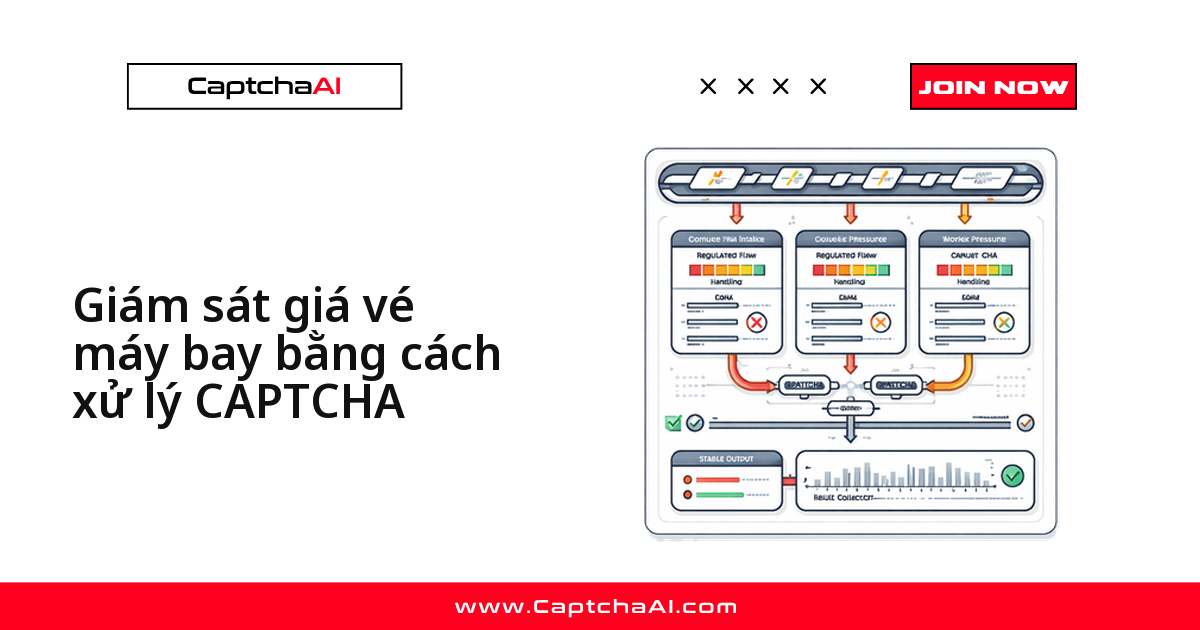
Đội mua hộ và các nhóm theo dõi giá tại Việt Nam thường chạy script quét eBay, Yahoo! Auction Nhật Bản hoặc các sàn đấu giá nội địa để bắt kịp giá thầu theo từng phút. Vấn đề không nằm ở crawler — mà ở chỗ tần suất truy vấn tăng lên là các sàn bật reCAPTCHA v2 hoặc Cloudflare Turnstile chặn traffic bất thường. Quy trình dưới đây giữ pipeline chạy liên tục thay vì dừng lại mỗi khi gặp CAPTCHA.
CAPTCHA xuất hiện ở đâu khi theo dõi đấu giá
Trên hầu hết các sàn, CAPTCHA gắn với một hành vi cụ thể chứ không xuất hiện ngẫu nhiên:
| Hành động | Loại CAPTCHA | Mẫu kích hoạt |
|---|---|---|
| Search/browse danh sách | reCAPTCHA v2 | Tìm kiếm tuần tự nhanh |
| Xem chi tiết danh sách | reCAPTCHA v2 | Lượng truy cập lớn từ cùng một IP |
| Kiểm tra lịch sử giá thầu | reCAPTCHA v2 | Tải trang chi tiết lặp lại |
| Duyệt danh mục | Cloudflare Turnstile | Tốc độ điều hướng giống bot |
| Trang thông báo giá | reCAPTCHA v2 | Làm mới quá thường xuyên |
Giảm tần suất gặp CAPTCHA trước khi cần giải nó
Cách rẻ nhất để giữ pipeline nhanh là tránh kích hoạt CAPTCHA ngay từ đầu:
| Kỹ thuật | Tác động |
|---|---|
| Tái sử dụng cookie phiên | Duy trì trạng thái đã xác thực |
| Đa dạng nguồn yêu cầu | Phân phối request trên nhiều IP |
| Ngẫu nhiên hóa khoảng thời gian request | Tránh mẫu phát hiện định kỳ |
| Dùng tài khoản đã xác thực | Ngưỡng kích hoạt CAPTCHA thấp hơn |
Chọn tần suất kiểm tra theo mục tiêu theo dõi
Poll càng dày, CAPTCHA càng dày:
| Tần suất kiểm tra | Trường hợp dùng | Tỷ lệ CAPTCHA dự kiến |
|---|---|---|
| Mỗi 30 giây | Đấu giá phút chót | Cao — cần đa dạng nguồn request |
| Mỗi 5 phút | Theo dõi đấu giá đang diễn ra | Trung bình |
| Mỗi 15 phút | Giám sát watchlist | Thấp |
| Mỗi giờ | Nghiên cứu giá dài hạn | Tối thiểu |
Code mẫu: tự động giải CAPTCHA khi theo dõi đấu giá (Python)
Class AuctionMonitor gói cả ba việc — tìm listing, lấy chi tiết item, theo dõi giá thầu theo chu kỳ — mỗi bước tự giải CAPTCHA khi cần.
import requests
import time
import re
from datetime import datetime

class AuctionMonitor:
    def __init__(self, api_key):
        self.api_key = api_key
        self.session = requests.Session()
        self.session.headers.update({
            "User-Agent": "Mozilla/5.0 (Windows NT 10.0; Win64; x64) AppleWebKit/537.36"
        })

    def search_listings(self, auction_url, query, category=None):
        """Search auction listings, solving CAPTCHAs when triggered."""
        params = {"q": query}
        if category:
            params["category"] = category

        response = self.session.get(
            f"{auction_url}/search", params=params
        )

        if self._has_captcha(response.text):
            site_key = self._extract_site_key(response.text)
            token = self._solve_recaptcha(site_key, f"{auction_url}/search")
            response = self.session.post(
                f"{auction_url}/search",
                data={**params, "g-recaptcha-response": token}
            )

        return self._parse_listings(response.text)

    def monitor_listing(self, auction_url, listing_id):
        """Get current bid and listing details."""
        url = f"{auction_url}/item/{listing_id}"
        response = self.session.get(url)

        if self._has_captcha(response.text):
            site_key = self._extract_site_key(response.text)
            token = self._solve_recaptcha(site_key, url)
            response = self.session.post(url, data={
                "g-recaptcha-response": token
            })

        return self._parse_listing_detail(response.text)

    def track_bids(self, auction_url, listing_ids, interval=60):
        """Track bid changes across multiple listings."""
        history = {lid: [] for lid in listing_ids}

        while True:
            for listing_id in listing_ids:
                try:
                    detail = self.monitor_listing(auction_url, listing_id)
                    previous = history[listing_id]

                    if previous and detail["current_bid"] != previous[-1]["current_bid"]:
                        print(f"Bid change on {listing_id}: "
                              f"${previous[-1]['current_bid']} → ${detail['current_bid']}")

                    history[listing_id].append(detail)
                except Exception as e:
                    print(f"Error checking {listing_id}: {e}")

            time.sleep(interval)

    def _has_captcha(self, html):
        return "g-recaptcha" in html or "recaptcha" in html.lower()

    def _extract_site_key(self, html):
        match = re.search(r'data-sitekey="([^"]+)"', html)
        if match:
            return match.group(1)
        match = re.search(r"sitekey['\"]?\s*[:=]\s*['\"]([^'\"]+)", html)
        if match:
            return match.group(1)
        raise ValueError("Could not find reCAPTCHA site key")

    def _solve_recaptcha(self, site_key, page_url):
        resp = requests.post("https://ocr.captchaai.com/in.php", data={
            "key": self.api_key,
            "method": "userrecaptcha",
            "googlekey": site_key,
            "pageurl": page_url,
            "json": 1
        })
        task_id = resp.json()["request"]

        for _ in range(60):
            time.sleep(3)
            result = requests.get("https://ocr.captchaai.com/res.php", params={
                "key": self.api_key,
                "action": "get",
                "id": task_id,
                "json": 1
            })
            data = result.json()
            if data["status"] == 1:
                return data["request"]

        raise TimeoutError("reCAPTCHA solve timed out")

    def _parse_listings(self, html):
        from bs4 import BeautifulSoup
        soup = BeautifulSoup(html, "html.parser")

        def text_or_none(node):
            return node.text.strip() if node and node.text else None

        def attr_or_none(node, attr):
            return node.get(attr) if node else None

        listings = []
        for item in soup.select(".listing-item, .auction-item"):
            listings.append({
                "title": text_or_none(item.select_one(".title")),
                "current_bid": text_or_none(item.select_one(".price, .bid")),
                "time_left": text_or_none(item.select_one(".time-left")),
                "url": attr_or_none(item.select_one("a"), "href")
            })
        return listings

    def _parse_listing_detail(self, html):
        from bs4 import BeautifulSoup
        soup = BeautifulSoup(html, "html.parser")

        def text_or_none(node):
            return node.text.strip() if node and node.text else None

        return {
            "title": text_or_none(soup.select_one("h1, .item-title")),
            "current_bid": text_or_none(soup.select_one(".current-bid, .price")),
            "bid_count": text_or_none(soup.select_one(".bid-count")),
            "time_left": text_or_none(soup.select_one(".time-remaining")),
            "checked_at": datetime.now().isoformat()
        }

# Usage
monitor = AuctionMonitor("YOUR_API_KEY")
listings = monitor.search_listings(
    "https://auctions.example.com",
    "vintage electronics",
    category="collectibles"
)
Cảnh báo giá tự động bằng JavaScript
Bản JavaScript này khác: đăng ký watchlist kèm ngưỡng giá, checkAll() tự bắn cảnh báo khi giá thầu tiến gần mức đặt.
class AuctionTracker {
  constructor(apiKey) {
    this.apiKey = apiKey;
    this.watchList = new Map();
  }

  addWatch(listingId, url, maxPrice) {
    this.watchList.set(listingId, { url, maxPrice, history: [] });
  }

  async checkAll() {
    const alerts = [];

    for (const [id, watch] of this.watchList) {
      try {
        const detail = await this.fetchListing(watch.url);
        watch.history.push(detail);

        const price = parseFloat(detail.currentBid.replace(/[^0-9.]/g, ''));
        if (price >= watch.maxPrice * 0.9) {
          alerts.push({
            listing: id,
            price,
            threshold: watch.maxPrice,
            message: `Price approaching limit: $${price} / $${watch.maxPrice}`
          });
        }
      } catch (error) {
        alerts.push({ listing: id, error: error.message });
      }
    }

    return alerts;
  }

  async fetchListing(url) {
    const response = await fetch(url);
    const html = await response.text();

    if (html.includes('g-recaptcha')) {
      return this.solveAndFetch(url, html);
    }

    return this.parseDetail(html);
  }

  async solveAndFetch(url, html) {
    const siteKeyMatch = html.match(/data-sitekey="([^"]+)"/);
    if (!siteKeyMatch) throw new Error('No reCAPTCHA site key found');

    const submitResp = await fetch('https://ocr.captchaai.com/in.php', {
      method: 'POST',
      body: new URLSearchParams({
        key: this.apiKey,
        method: 'userrecaptcha',
        googlekey: siteKeyMatch[1],
        pageurl: url,
        json: '1'
      })
    });

    const { request: taskId } = await submitResp.json();

    for (let i = 0; i < 60; i++) {
      await new Promise(r => setTimeout(r, 3000));
      const result = await fetch(
        `https://ocr.captchaai.com/res.php?key=${this.apiKey}&action=get&id=${taskId}&json=1`
      );
      const data = await result.json();
      if (data.status === 1) {
        // Resubmit with token
        const response = await fetch(url, {
          method: 'POST',
          body: new URLSearchParams({ 'g-recaptcha-response': data.request })
        });
        return this.parseDetail(await response.text());
      }
    }

    throw new Error('reCAPTCHA solve timed out');
  }

  parseDetail(html) {
    // Parse auction listing details from HTML
    return {
      currentBid: html.match(/current.?bid[^>]*>([^<]+)/i)?.[1]?.trim(),
      bidCount: html.match(/(\d+)\s*bids?/i)?.[1],
      timeLeft: html.match(/time.?(?:left|remaining)[^>]*>([^<]+)/i)?.[1]?.trim(),
      checkedAt: new Date().toISOString()
    };
  }
}

// Usage
const tracker = new AuctionTracker('YOUR_API_KEY');
tracker.addWatch('item-123', 'https://auctions.example.com/item/123', 500);
tracker.addWatch('item-456', 'https://auctions.example.com/item/456', 200);
const alerts = await tracker.checkAll();
Khắc phục các lỗi thường gặp
| Vấn đề | Nguyên nhân | Cách xử lý |
|---|---|---|
| CAPTCHA xuất hiện ở mọi request | Không duy trì phiên | Tái sử dụng requests.Session() |
| Token reCAPTCHA bị từ chối | Token hết hạn (sống 2 phút) | Giải ngay trước khi submit |
| Trang danh sách trả về 0 kết quả | CAPTCHA chưa giải lọc âm thầm kết quả | Kiểm tra phần tử CAPTCHA ẩn trước khi parse |
| IP bị chặn sau nhiều CAPTCHA | Vượt rate limit của site | Đa dạng nguồn request, tăng khoảng poll |
Câu hỏi thường gặp
Nên chọn gói CaptchaAI nào để theo dõi hàng chục phiên đấu giá cùng lúc?
Tùy số request đồng thời, không phải tổng số listing. Vài item lẻ tẻ thì BASIC ($15/tháng, 5 thread) đủ dùng. Watchlist lớn hoặc nhiều worker song song thì cân nhắc STANDARD ($30/tháng, 15 thread) hoặc ADVANCE ($90/tháng, 50 thread) — thread càng nhiều, request càng ít phải xếp hàng chờ giải.
CaptchaAI giải CAPTCHA trên eBay, Yahoo! Auction hay các sàn đấu giá quốc tế khác được không?
Được, miễn site dùng loại CAPTCHA CaptchaAI hỗ trợ — phổ biến nhất là reCAPTCHA v2 và Cloudflare Turnstile. Quy trình y hệt ví dụ trong bài: trích sitekey, gửi task tới in.php, polling res.php, dùng token. Tự kiểm tra loại CAPTCHA thực tế từng site trước khi tích hợp.
Theo dõi đấu giá liên tục có bị site phát hiện là bot không?
Việc bị phát hiện phụ thuộc vào mẫu request, không phải việc giải CAPTCHA. Dùng khoảng poll không cố định tuyệt đối, luân phiên user agent, tránh thu thập dồn dập vào giờ thấp điểm.
Có theo dõi được phút chót của một phiên đấu giá theo thời gian thực không?
Được, nhưng nên chuẩn bị phiên đã xác thực trước. reCAPTCHA v2 thường được CaptchaAI giải trong dưới 60 giây — đủ nhanh cho CAPTCHA phát sinh ở giây cuối, dù tránh CAPTCHA trước vẫn đáng tin cậy hơn.
Bài viết liên quan
- Giải callback reCAPTCHA v2 bằng API
- Xử lý reCAPTCHA v2 và Turnstile trên cùng một site
- Cơ chế callback của reCAPTCHA v2
Bước tiếp theo
Lấy API key CaptchaAI và ghép vào pipeline giám sát đấu giá hiện có — hai class mẫu ở trên là điểm bắt đầu.