Crawler dữ liệu chứng khoán hiếm khi chết vì code sai; nó chết vì đến mã thứ ba mươi, cổng tài chính trả về trang Cloudflare Turnstile thay cho HTML báo giá.
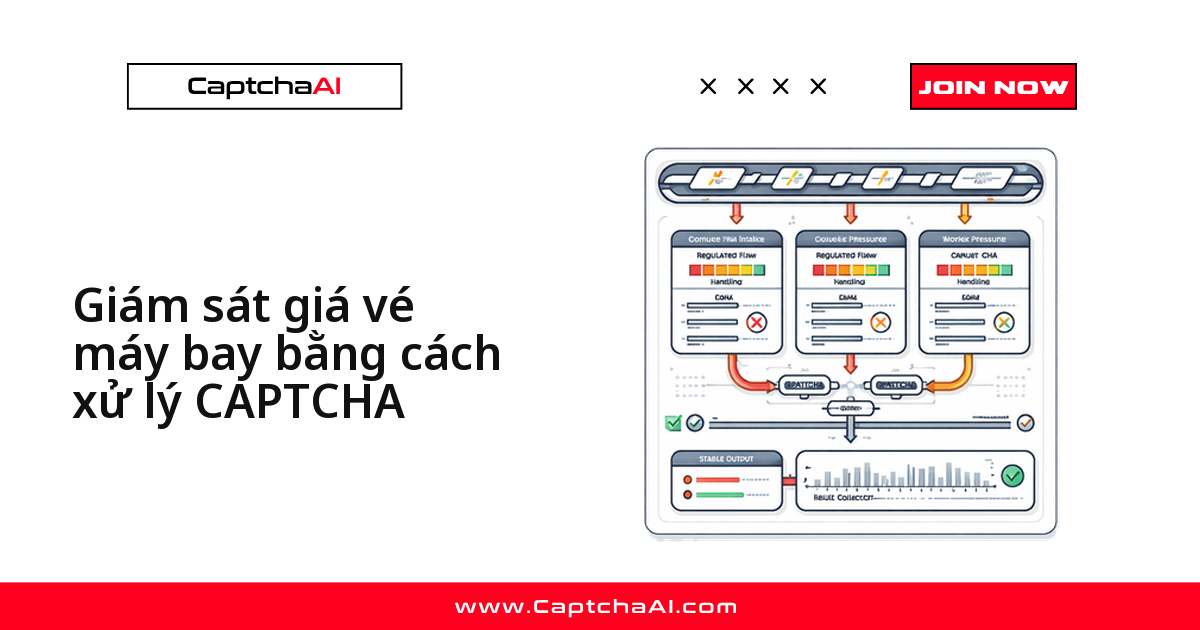
Cách xử lý gọn nhất có bốn bước: phát hiện challenge, đọc sitekey, gửi task tới in.php của CaptchaAI, rồi polling res.php và gửi lại request kèm cf-turnstile-response.
Biến CAPTCHA thành một bước trong pipeline
Không cần viết lại crawler, chỉ chèn một nhánh vào chỗ request hỏng:
- Phát hiện: status 403 hoặc HTML có
cf-turnstile. - Trích tham số:
data-sitekeythànhsitekey, URL đang gọi thànhpageurl. - Gửi task: POST tới
in.phpvớimethod=turnstile(hoặcmethod=userrecaptcha). - Dùng token: polling
res.phprồi gửi lại request kèm token.
Turnstile thường xong dưới 10 giây, reCAPTCHA v2 dưới 60 giây; đặt timeout theo ngưỡng đó.
Loại dữ liệu, loại CAPTCHA và nhịp thu thập
Phần lớn CAPTCHA ở đây là hệ quả của tần suất, nên đặt lịch trước khi tính số thread:
| Loại dữ liệu | Loại CAPTCHA | Kích hoạt khi | Nhịp đề xuất |
|---|---|---|---|
| Báo giá thời gian thực | Cloudflare Turnstile | Tra cứu nhiều mã liên tục | 1–5 phút/lần |
| Giá lịch sử | reCAPTCHA v2 | Tải CSV theo lô | Sau khi đóng cửa |
| Báo cáo tài chính | CAPTCHA hình ảnh | Truy vấn lặp lại | Theo quý |
| Kết quả bộ lọc | Cloudflare Challenge | Bộ tiêu chí phức tạp | Hàng ngày |
| Khuyến nghị phân tích | reCAPTCHA v3 | Xem nhiều trang liền nhau | Hàng tuần |
Cả năm loại trên đều nằm trong nhóm CaptchaAI hỗ trợ; cổng nào dùng hCaptcha thì phải đổi nguồn dữ liệu.
Crawler báo giá và dữ liệu lịch sử bằng Python
Lớp dưới đây gọi báo giá, tải dữ liệu lịch sử và tự chuyển sang nhánh giải khi gặp challenge:
import requests
import time
import re
from datetime import datetime, timedelta

class StockDataCollector:
    def __init__(self, api_key):
        self.api_key = api_key
        self.session = requests.Session()
        self.session.headers.update({
            "User-Agent": "Mozilla/5.0 (Windows NT 10.0; Win64; x64) AppleWebKit/537.36"
        })

    def get_quote(self, portal_url, symbol):
        """Get current stock quote, solving CAPTCHAs if needed."""
        url = f"{portal_url}/quote/{symbol}"
        response = self.session.get(url)

        if self._is_captcha_page(response):
            response = self._solve_and_retry(response, url)

        return self._parse_quote(response.text, symbol)

    def get_historical(self, portal_url, symbol, days=365):
        """Download historical price data."""
        url = f"{portal_url}/history/{symbol}"
        params = {
            "period": f"{days}d",
            "interval": "1d"
        }
        response = self.session.get(url, params=params)

        if self._is_captcha_page(response):
            response = self._solve_and_retry(response, url)

        return self._parse_historical(response.text)

    def scan_symbols(self, portal_url, symbols, delay=2):
        """Collect quotes for multiple symbols."""
        results = {}

        for symbol in symbols:
            try:
                results[symbol] = self.get_quote(portal_url, symbol)
                time.sleep(delay)
            except Exception as e:
                results[symbol] = {"error": str(e)}

        return results

    def _is_captcha_page(self, response):
        return (
            response.status_code == 403 or
            "cf-turnstile" in response.text or
            "challenges.cloudflare.com" in response.text
        )

    def _solve_and_retry(self, response, url):
        match = re.search(r'data-sitekey="(0x[^"]+)"', response.text)
        if not match:
            # Fall back to reCAPTCHA detection
            match = re.search(r'data-sitekey="([^"]+)"', response.text)
            if match:
                return self._solve_recaptcha_and_retry(match.group(1), url)
            raise ValueError("No CAPTCHA sitekey found")

        resp = requests.post("https://ocr.captchaai.com/in.php", data={
            "key": self.api_key,
            "method": "turnstile",
            "sitekey": match.group(1),
            "pageurl": url,
            "json": 1
        })
        task_id = resp.json()["request"]

        for _ in range(60):
            time.sleep(3)
            result = requests.get("https://ocr.captchaai.com/res.php", params={
                "key": self.api_key,
                "action": "get",
                "id": task_id,
                "json": 1
            })
            data = result.json()
            if data["status"] == 1:
                return self.session.post(url, data={
                    "cf-turnstile-response": data["request"]
                })

        raise TimeoutError("CAPTCHA solve timed out")

    def _solve_recaptcha_and_retry(self, site_key, url):
        resp = requests.post("https://ocr.captchaai.com/in.php", data={
            "key": self.api_key,
            "method": "userrecaptcha",
            "googlekey": site_key,
            "pageurl": url,
            "json": 1
        })
        task_id = resp.json()["request"]

        for _ in range(60):
            time.sleep(3)
            result = requests.get("https://ocr.captchaai.com/res.php", params={
                "key": self.api_key,
                "action": "get",
                "id": task_id,
                "json": 1
            })
            data = result.json()
            if data["status"] == 1:
                return self.session.post(url, data={
                    "g-recaptcha-response": data["request"]
                })

        raise TimeoutError("reCAPTCHA solve timed out")

    def _parse_quote(self, html, symbol):
        from bs4 import BeautifulSoup
        soup = BeautifulSoup(html, "html.parser")

        def text_or_none(node):
            return node.text.strip() if node and node.text else None

        return {
            "symbol": symbol,
            "price": text_or_none(soup.select_one("[data-field='regularMarketPrice'], .price")),
            "change": text_or_none(soup.select_one("[data-field='regularMarketChange'], .change")),
            "volume": text_or_none(soup.select_one("[data-field='regularMarketVolume'], .volume")),
            "market_cap": text_or_none(soup.select_one("[data-field='marketCap'], .market-cap")),
            "timestamp": datetime.now().isoformat()
        }

    def _parse_historical(self, html):
        from bs4 import BeautifulSoup
        soup = BeautifulSoup(html, "html.parser")
        rows = []

        for row in soup.select("table tr")[1:]:  # Skip header
            cells = [td.text.strip() for td in row.select("td")]
            if len(cells) >= 6:
                rows.append({
                    "date": cells[0],
                    "open": cells[1],
                    "high": cells[2],
                    "low": cells[3],
                    "close": cells[4],
                    "volume": cells[5]
                })

        return rows

# Usage
collector = StockDataCollector("YOUR_API_KEY")

# Single quote
quote = collector.get_quote("https://finance.example.com", "AAPL")
print(f"AAPL: ${quote['price']} ({quote['change']})")

# Scan multiple symbols
portfolio = collector.scan_symbols(
    "https://finance.example.com",
    ["AAPL", "GOOGL", "MSFT", "AMZN", "TSLA"]
)
scan_symbols trả về dict theo mã; mã nào lỗi thì thông điệp nằm ở khóa error, chạy lại đúng phần thiếu.
Lọc cổ phiếu theo bộ tiêu chí bằng JavaScript
Bộ lọc là nơi CAPTCHA dày nhất vì mỗi lần đổi tiêu chí là một truy vấn nặng. Bản JavaScript giữ nguyên luồng bốn bước:
class MarketScreener {
  constructor(apiKey) {
    this.apiKey = apiKey;
  }

  async screenStocks(portalUrl, filters) {
    const params = new URLSearchParams(filters);
    const response = await fetch(`${portalUrl}/screener?${params}`);
    const html = await response.text();

    if (html.includes('cf-turnstile') || response.status === 403) {
      return this.solveAndScreen(portalUrl, filters, html);
    }

    return this.parseScreenerResults(html);
  }

  async solveAndScreen(portalUrl, filters, html) {
    const match = html.match(/data-sitekey="(0x[^"]+)"/);
    if (!match) throw new Error('Turnstile sitekey not found');

    const submitResp = await fetch('https://ocr.captchaai.com/in.php', {
      method: 'POST',
      body: new URLSearchParams({
        key: this.apiKey,
        method: 'turnstile',
        sitekey: match[1],
        pageurl: portalUrl,
        json: '1'
      })
    });
    const { request: taskId } = await submitResp.json();

    for (let i = 0; i < 60; i++) {
      await new Promise(r => setTimeout(r, 3000));
      const result = await fetch(
        `https://ocr.captchaai.com/res.php?key=${this.apiKey}&action=get&id=${taskId}&json=1`
      );
      const data = await result.json();
      if (data.status === 1) {
        const response = await fetch(`${portalUrl}/screener`, {
          method: 'POST',
          body: new URLSearchParams({
            ...filters,
            'cf-turnstile-response': data.request
          })
        });
        return this.parseScreenerResults(await response.text());
      }
    }
    throw new Error('Turnstile solve timed out');
  }

  parseScreenerResults(html) {
    const rows = [];
    const tableMatch = html.match(/<table[^>]*>[\s\S]*?<\/table>/i);
    if (!tableMatch) return rows;

    const rowMatches = tableMatch[0].matchAll(/<tr[^>]*>([\s\S]*?)<\/tr>/gi);
    for (const row of rowMatches) {
      const cells = [...row[1].matchAll(/<td[^>]*>([\s\S]*?)<\/td>/gi)]
        .map(m => m[1].replace(/<[^>]+>/g, '').trim());
      if (cells.length >= 4) {
        rows.push({
          symbol: cells[0],
          price: cells[1],
          change: cells[2],
          volume: cells[3]
        });
      }
    }
    return rows;
  }
}

// Usage
const screener = new MarketScreener('YOUR_API_KEY');
const results = await screener.screenStocks('https://finance.example.com', {
  sector: 'technology',
  marketCap: 'large',
  peRatio: '<25'
});
Lỗi hay gặp khi chạy dài ngày
| Vấn đề | Nguyên nhân | Cách xử lý |
|---|---|---|
| Request nào cũng dính Turnstile | Mỗi lần gọi tạo phiên mới | Dùng chung một Session |
| Dữ liệu lịch sử thiếu đoạn | Phân trang nằm sau challenge | Giải trên từng trang |
| Giá cũ hơn bảng giá | Phản hồi lấy từ cache | Thêm tham số chống cache |
| Lỗi 429 | Vượt giới hạn tần suất request | Giãn thời gian thử lại (backoff) |
ERROR_WRONG_GOOGLEKEY |
Nhầm sitekey của widget khác | In HTML challenge ra log |
Ví dụ: nhóm dữ liệu ở TP.HCM theo dõi 400 mã
Một nhóm phân tích tại TP.HCM lấy cổ phiếu trong nước qua API công ty chứng khoán, còn rổ ADR nước ngoài phải đọc từ cổng có Turnstile, chạy đêm theo giờ Việt Nam.
Số lần giải mỗi đêm chỉ vài trăm nhưng dồn vào đầu phiên, nên thứ quyết định là số thread song song, không phải tổng lượt: CaptchaAI tính tiền theo thread (luồng giải đồng thời), số lượt giải không giới hạn, và STANDARD ($30/tháng, 15 thread) đủ cho hai job. Giá tính bằng USD.
Nhớ ghi log ID task, thời điểm giải và URL đã gọi: với dữ liệu kèm thông tin cá nhân, Nghị định 13/2023/NĐ-CP biến nhật ký truy cập và tối thiểu hóa dữ liệu thành việc bắt buộc.
Câu hỏi thường gặp
Cần bao nhiêu thread cho crawler dữ liệu thị trường?
Đếm số request có thể dính CAPTCHA cùng lúc, không phải tổng số mã. Job quét tuần tự hiếm khi cần quá 5 thread, nên BASIC ($15/tháng, 5 thread) là đủ để bắt đầu.
CaptchaAI có giải được hCaptcha trên cổng tài chính không?
Không. CaptchaAI chưa hỗ trợ hCaptcha và FunCaptcha; GeeTest v4 sắp ra mắt. Dùng được ở đây là Turnstile, Cloudflare Challenge, reCAPTCHA v2/v3, GeeTest v3 và CAPTCHA hình ảnh.
Nên dùng polling hay callback cho job chạy nền?
Polling hợp với crawler đồng bộ như ví dụ trong bài vì bạn cần token ngay. Callback hợp hơn với hàng đợi lớn.
Tỷ lệ giải thành công rớt giữa phiên thì kiểm tra gì trước?
Kiểm tra pageurl: gửi URL sau redirect thay vì URL có widget thì token bị từ chối. Sau đó xem số dư và độ trễ trước lúc gửi lại request.
Bài viết liên quan
- Thu thập dữ liệu cho nghiên cứu thị trường
- So sánh GeeTest và Cloudflare Turnstile
- Xử lý lỗi 403 sau khi đã có token Turnstile
Bước tiếp theo
Đừng để một trang challenge làm thủng bảng giá — lấy API key CaptchaAI và gắn nhánh giải vào crawler.