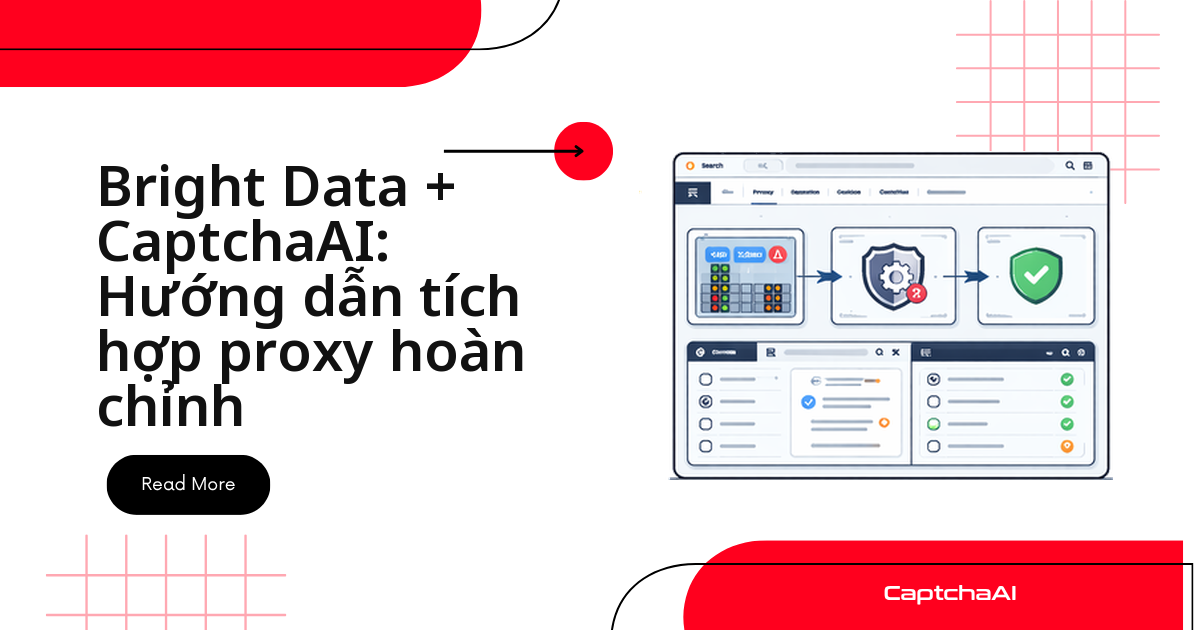
Bright Data lo phần proxy, CaptchaAI lo phần giải CAPTCHA — script của bạn là cầu nối. Bright Data (trước đây là Luminati) định tuyến request qua hơn 72 triệu IP trên 195 quốc gia. Nhiều team scraping ở TP.HCM, Hà Nội theo dõi giá Shopee, Lazada, Tiki chạy đúng mô hình này với hàng trăm luồng song song.
Bốn bước lặp cho mọi request bị chặn:
- Request qua proxy Bright Data
- Trang đích trả về CAPTCHA
- Gửi
pageurl+sitekeysang CaptchaAI, pollingres.php - Đưa token vào form, tiếp tục qua đúng proxy cũ
Vì sao proxy và CaptchaAI tách biệt
Your Script ──▶ Bright Data Proxy ──▶ Target Site
                                          │
                                    CAPTCHA appears
                                          │
                                    CaptchaAI API ──▶ Solved token
                                          │
                            Inject token ◀─┘
CaptchaAI không đi qua proxy Bright Data của bạn — nó giải CAPTCHA phía máy chủ bằng hạ tầng riêng.
- Proxy Bright Data: quyết định IP, quốc gia trang web "nhìn thấy".
- CaptchaAI: nhận
pageurl+sitekey, trả về token hợp lệ.
Loại proxy Bright Data nào ít gặp CAPTCHA nhất
IP trung tâm dữ liệu bị hệ thống chống bot đánh dấu nhiều hơn hẳn IP dân dụng thật:
| Loại | Số IP | Tốc độ | Chi phí | Tỷ lệ gặp CAPTCHA |
|---|---|---|---|---|
| Trung tâm dữ liệu | 770K+ | Nhanh | Thấp | Cao |
| Dân dụng (residential) | 72 triệu+ | Trung bình | Trung bình | Thấp hơn |
| ISP | 700K+ | Nhanh | Cao | Thấp nhất |
| Di động | 7 triệu+ | Chậm | Cao | Rất thấp |
Mẹo: job theo dõi giá Shopee/Lazada/Tiki quy mô lớn nên dùng ISP hoặc dân dụng — giảm số lần gọi CaptchaAI, tốc độ ổn hơn trung tâm dữ liệu.
Tích hợp Python: gửi task, polling, dùng token
Hai cách đưa token vào form: gọi API bằng requests, hoặc dùng Selenium.
Request qua Bright Data, giải CAPTCHA bằng CaptchaAI
import requests
import time

CAPTCHAAI_KEY = "YOUR_API_KEY"
CAPTCHAAI_URL = "https://ocr.captchaai.com"

# Bright Data proxy credentials
BRIGHT_DATA_PROXY = {
    "http": "http://brd-customer-CUSTOMER_ID-zone-ZONE:[email protected]:22225",
    "https": "http://brd-customer-CUSTOMER_ID-zone-ZONE:[email protected]:22225",
}

def fetch_with_proxy(url):
    """Fetch a page through Bright Data proxy."""
    resp = requests.get(
        url,
        proxies=BRIGHT_DATA_PROXY,
        headers={
            "User-Agent": "Mozilla/5.0 (Windows NT 10.0; Win64; x64) "
            "AppleWebKit/537.36 (KHTML, like Gecko) "
            "Chrome/126.0.0.0 Safari/537.36"
        },
        timeout=30,
    )
    return resp

def solve_recaptcha(site_url, sitekey):
    """Solve reCAPTCHA v2 via CaptchaAI."""
    resp = requests.post(f"{CAPTCHAAI_URL}/in.php", data={
        "key": CAPTCHAAI_KEY,
        "method": "userrecaptcha",
        "googlekey": sitekey,
        "pageurl": site_url,
        "json": 1,
    })
    data = resp.json()
    if data["status"] != 1:
        raise Exception(f"Submit: {data['request']}")

    task_id = data["request"]

    for _ in range(60):
        time.sleep(5)
        resp = requests.get(f"{CAPTCHAAI_URL}/res.php", params={
            "key": CAPTCHAAI_KEY,
            "action": "get",
            "id": task_id,
            "json": 1,
        })
        data = resp.json()
        if data["request"] == "CAPCHA_NOT_READY":
            continue
        if data["status"] == 1:
            return data["request"]
        raise Exception(f"Solve: {data['request']}")

    raise TimeoutError("Solve timeout")

def solve_turnstile(site_url, sitekey):
    """Solve Cloudflare Turnstile via CaptchaAI."""
    resp = requests.post(f"{CAPTCHAAI_URL}/in.php", data={
        "key": CAPTCHAAI_KEY,
        "method": "turnstile",
        "sitekey": sitekey,
        "pageurl": site_url,
        "json": 1,
    })
    data = resp.json()
    task_id = data["request"]

    for _ in range(60):
        time.sleep(5)
        resp = requests.get(f"{CAPTCHAAI_URL}/res.php", params={
            "key": CAPTCHAAI_KEY,
            "action": "get",
            "id": task_id,
            "json": 1,
        })
        data = resp.json()
        if data["request"] != "CAPCHA_NOT_READY":
            return data["request"]

    raise TimeoutError("Solve timeout")
Selenium: điền token tự động sau khi giải
from selenium import webdriver
from selenium.webdriver.common.by import By
import time

BRIGHT_DATA_HOST = "brd.superproxy.io"
BRIGHT_DATA_PORT = 22225
BRIGHT_DATA_USER = "brd-customer-CUSTOMER_ID-zone-residential"
BRIGHT_DATA_PASS = "PASSWORD"

def create_driver_with_proxy():
    options = webdriver.ChromeOptions()
    options.add_argument(
        f"--proxy-server=http://{BRIGHT_DATA_HOST}:{BRIGHT_DATA_PORT}"
    )
    options.add_argument("")
    options.add_argument("--window-size=1920,1080")

    driver = webdriver.Chrome(options=options)
    return driver

def scrape_with_captcha_solving(url, sitekey=None):
    driver = create_driver_with_proxy()

    try:
        driver.get(url)
        time.sleep(3)

        # Auto-detect sitekey if not provided
        if not sitekey:
            sitekey = driver.execute_script(
                "return document.querySelector('[data-sitekey]')"
                "?.getAttribute('data-sitekey')"
            )

        if sitekey:
            token = solve_recaptcha(url, sitekey)

            driver.execute_script(f"""
                document.querySelector('#g-recaptcha-response').value = '{token}';
                document.querySelectorAll('[name="g-recaptcha-response"]')
                    .forEach(el => {{ el.value = '{token}'; }});
            """)

            # Trigger callback
            driver.execute_script("""
                if (typeof ___grecaptcha_cfg !== 'undefined') {
                    const clients = ___grecaptcha_cfg.clients;
                    for (const key in clients) {
                        for (const prop in clients[key]) {
                            const val = clients[key][prop];
                            if (val && typeof val === 'object') {
                                for (const p in val) {
                                    if (typeof val[p]?.callback === 'function') {
                                        val[p].callback(arguments[0]);
                                    }
                                }
                            }
                        }
                    }
                }
            """)

        return driver.page_source

    finally:
        driver.quit()
Nhắm proxy theo quốc gia
IP cùng khu vực với trang đích thường kéo tỷ lệ CAPTCHA xuống.
Hai trường hợp nên dùng:
- Site chặn IP nước ngoài
- Giá hiển thị khác nhau theo vùng
# Country targeting
proxy_us = "http://brd-customer-ID-zone-residential-country-us:[email protected]:22225"
proxy_uk = "http://brd-customer-ID-zone-residential-country-gb:[email protected]:22225"
proxy_de = "http://brd-customer-ID-zone-residential-country-de:[email protected]:22225"

# City targeting
proxy_nyc = "http://brd-customer-ID-zone-residential-country-us-city-newyork:[email protected]:22225"

# Use the geo-matched proxy for lower CAPTCHA rates
def scrape_localized(url, country="us"):
    proxy = f"http://brd-customer-ID-zone-residential-country-{country}:[email protected]:22225"
    resp = requests.get(url, proxies={"http": proxy, "https": proxy}, timeout=30)
    return resp
Phiên cố định hay xoay vòng?
# Sticky session (same IP for entire session)
proxy_sticky = (
    "http://brd-customer-ID-zone-residential"
    "-session-abc123:[email protected]:22225"
)

# Rotating (new IP each request)
proxy_rotating = (
    "http://brd-customer-ID-zone-residential:[email protected]:22225"
)
Chọn phiên cố định (sticky) khi giải CAPTCHA. Token bị gắn với IP đã tải trang — gửi form từ IP khác sẽ bị từ chối dù token còn hợp lệ. Chỉ dùng phiên xoay vòng cho request không liên quan CAPTCHA.
Tích hợp Node.js
Cùng luồng gửi task/polling, viết lại bằng Node.js:
const axios = require("axios");
const https = require("https");

const CAPTCHAAI_KEY = "YOUR_API_KEY";
const CAPTCHAAI_URL = "https://ocr.captchaai.com";

const proxyAgent = new (require("https-proxy-agent"))(
  "http://brd-customer-ID-zone-residential:[email protected]:22225"
);

async function fetchWithProxy(url) {
  return axios.get(url, {
    httpsAgent: proxyAgent,
    headers: {
      "User-Agent":
        "Mozilla/5.0 (Windows NT 10.0; Win64; x64) Chrome/126.0.0.0",
    },
  });
}

async function solveCaptcha(siteUrl, sitekey) {
  const submit = await axios.post(`${CAPTCHAAI_URL}/in.php`, null, {
    params: {
      key: CAPTCHAAI_KEY,
      method: "userrecaptcha",
      googlekey: sitekey,
      pageurl: siteUrl,
      json: 1,
    },
  });

  const taskId = submit.data.request;

  for (let i = 0; i < 60; i++) {
    await new Promise((r) => setTimeout(r, 5000));

    const result = await axios.get(`${CAPTCHAAI_URL}/res.php`, {
      params: {
        key: CAPTCHAAI_KEY,
        action: "get",
        id: taskId,
        json: 1,
      },
    });

    if (result.data.request === "CAPCHA_NOT_READY") continue;
    if (result.data.status === 1) return result.data.request;
  }

  throw new Error("Timeout");
}
Cấu hình zone khuyên dùng cho CAPTCHA
Áp năm cài đặt này khi tạo zone mới cho job có CAPTCHA.
| Cài đặt zone | Giá trị khuyên dùng | Vì sao |
|---|---|---|
| Loại proxy | Dân dụng (residential) | Tỷ lệ kích hoạt CAPTCHA thấp nhất |
| Nhắm mục tiêu quốc gia | Trùng vị trí trang web mục tiêu | IP và nội dung trang đồng nhất |
| Loại phiên | Cố định (sticky) | Token phải khớp với IP đã tải trang |
| Bộ lọc chất lượng IP | Chất lượng cao | Tránh IP đã bị gắn cờ trước đó |
| Số luồng đồng thời | 100+ | Chạy song song nhiều tác vụ giải CAPTCHA |
Lỗi thường gặp khi ghép hai dịch vụ
Năm lỗi hay gặp nhất khi ghép hai dịch vụ:
| Vấn đề | Nguyên nhân | Cách xử lý |
|---|---|---|
| Lỗi 407 từ proxy | Sai thông tin xác thực | Kiểm tra lại customer ID, zone và mật khẩu |
| CAPTCHA xuất hiện ở mọi request | Trang đích nhận diện IP trung tâm dữ liệu | Chuyển sang zone dân dụng |
| Token bị từ chối | IP đổi giữa lúc giải và lúc gửi form | Chuyển qua phiên cố định (sticky) |
| Phản hồi chậm | Exit node đang quá tải | Nhắm sang quốc gia/thành phố ít phổ biến hơn |
| Kết nối bị từ chối | Đã chạm giới hạn băng thông | Kiểm tra dashboard Bright Data |
Câu hỏi thường gặp
CaptchaAI có dùng proxy của tôi để giải CAPTCHA không?
Không. CaptchaAI giải bằng hạ tầng riêng, tách biệt khỏi proxy duyệt trang. Bạn chỉ gửi pageurl và sitekey tới API.
Gói CaptchaAI nào hợp với scraping hàng trăm luồng?
Chọn theo số thread, không phải số proxy. BASIC ($15/tháng, 5 thread) đủ để test; batch lớn hợp ADVANCE ($90/tháng, 50 thread) hoặc PREMIUM ($170/tháng, 100 thread).
Tôi có thể chuyển proxy của mình cho CaptchaAI dùng khi giải không?
Có. API nhận tham số proxy, giúp CaptchaAI giải từ đúng IP đã tải trang — hữu ích với thử thách bị khoá theo IP.
reCAPTCHA v3 vẫn báo score thấp dù đã đổi proxy dân dụng?
Proxy chỉ là một phần của điểm số. Kiểm tra thêm user-agent, độ ổn định cookie/session, và thao tác click/scroll có tự nhiên không.
Thu thập dữ liệu qua proxy có vi phạm gì không?
Lấy dữ liệu công khai trên trang bạn có quyền truy cập là bình thường. Với dữ liệu cá nhân, đối chiếu Nghị định 13/2023/NĐ-CP.
Hướng dẫn liên quan
- Xoay vòng proxy dân dụng khi giải CAPTCHA
- Chất lượng proxy ảnh hưởng thế nào đến tỷ lệ giải CAPTCHA
- So sánh proxy ISP và trung tâm dữ liệu cho CAPTCHA
Ghép mạng proxy Bright Data với khả năng giải CAPTCHA tự động của CaptchaAI — lấy API key tại đây và scale luồng scraping của bạn.