Trong code, reCAPTCHA v2 Standard và reCAPTCHA v2 Enterprise chỉ khác nhau một tham số: enterprise=1. Phần khó nằm trước đó — gắn cờ sai thì CaptchaAI vẫn trả token, nhưng backend của trang từ chối và lỗi hiện ra ở form đăng nhập chứ không phải ở solver.
Thứ tự bên dưới bám theo lúc tích hợp thật: nhận biết phiên bản, đối chiếu khác biệt, code cho cả hai, rồi xử lý lỗi.
Nhận biết trang dùng Standard hay Enterprise v2
Giao diện không giúp được gì: cùng hộp kiểm "I'm not a robot", cùng lưới hình ảnh. Dấu hiệu đáng tin là file JavaScript mà trang tải.
Nhìn vào thẻ script
<!-- Standard v2 -->
<script src="https://www.google.com/recaptcha/api.js"></script>

<!-- Enterprise v2 -->
<script src="https://www.google.com/recaptcha/enterprise.js"></script>
Thấy enterprise.js là Enterprise v2. Đừng đoán theo quy mô site: nhiều trang nhỏ vẫn bật Enterprise vì đã có sẵn dự án Google Cloud.
Nhận biết tự động bằng Python
import requests
from bs4 import BeautifulSoup

def detect_recaptcha_version(url):
    resp = requests.get(url)
    soup = BeautifulSoup(resp.text, "html.parser")

    enterprise_script = soup.find("script", src=lambda s: s and "enterprise.js" in s)
    standard_script = soup.find("script", src=lambda s: s and "recaptcha/api.js" in s)

    widget = soup.find(class_="g-recaptcha")
    sitekey = widget["data-sitekey"] if widget else None

    if enterprise_script:
        return {"version": "enterprise_v2", "sitekey": sitekey}
    elif standard_script:
        return {"version": "standard_v2", "sitekey": sitekey}
    return None

info = detect_recaptcha_version("https://staging.example.com/qa-login")
print(info)
Nhận biết tự động bằng Node.js
const axios = require("axios");
const cheerio = require("cheerio");

async function detectRecaptchaVersion(url) {
  const { data } = await axios.get(url);
  const $ = cheerio.load(data);

  const hasEnterprise = $('script[src*="enterprise.js"]').length > 0;
  const hasStandard = $('script[src*="recaptcha/api.js"]').length > 0;
  const sitekey = $(".g-recaptcha").attr("data-sitekey");

  if (hasEnterprise) return { version: "enterprise_v2", sitekey };
  if (hasStandard) return { version: "standard_v2", sitekey };
  return null;
}
Kiểm tra nhanh trong DevTools
// Quick check in DevTools
if (document.querySelector('script[src*="enterprise.js"]')) {
  console.log("Enterprise v2");
} else if (document.querySelector('script[src*="recaptcha/api.js"]')) {
  console.log("Standard v2");
}
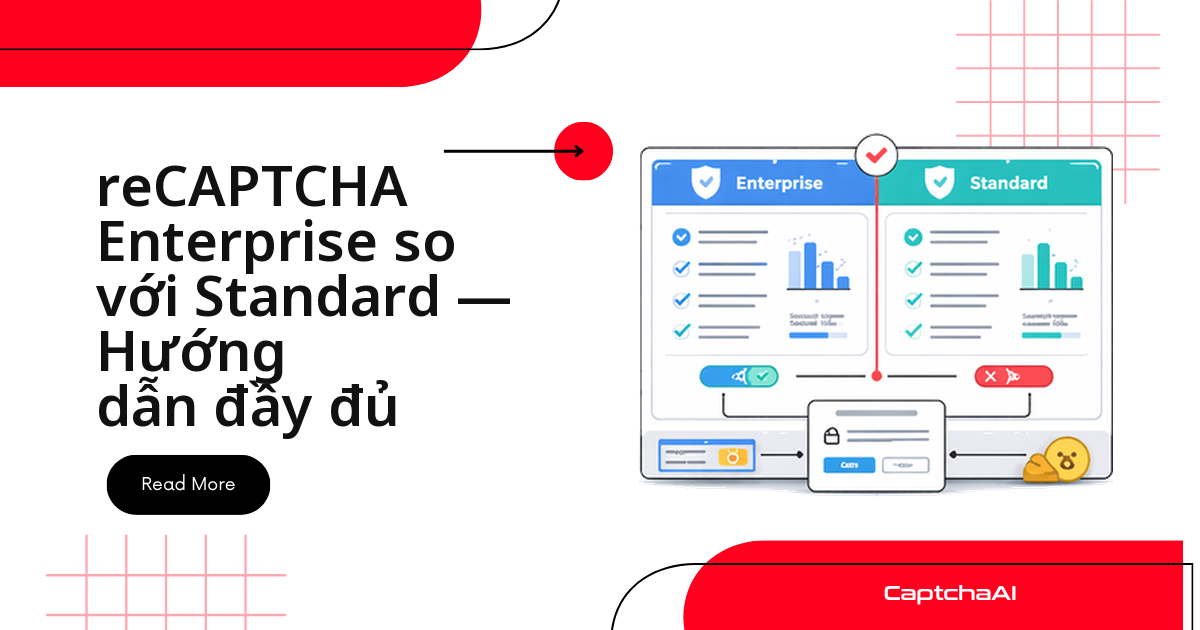
Standard v2 và Enterprise v2 khác nhau ở đâu
| Tiêu chí | Standard v2 | Enterprise v2 |
|---|---|---|
| Hộp kiểm | Giống hệt nhau | Giống hệt nhau |
| Thử thách hình ảnh | Lưới 3×3 hoặc 4×4 | Lưới 3×3 hoặc 4×4 |
| File JS | api.js |
enterprise.js |
| Hàm thực thi | grecaptcha.execute() |
grecaptcha.enterprise.execute() |
| API xác minh | siteverify (miễn phí) |
recaptchaenterprise.googleapis.com (trả phí) |
| Reason code | Không | Có (AUTOMATION, TOO_MUCH_TRAFFIC…) |
| Quy tắc tùy chỉnh | Không | Có, theo từng action |
| Google Cloud Console | Không | Có, quản lý theo project |
| Phát hiện rò rỉ mật khẩu | Không | Có |
| Cấu trúc token | Giống nhau | Giống nhau |
| Tham số CaptchaAI | — | enterprise=1 |
| Thời gian giải (CaptchaAI) | <60 giây | <60 giây |
Khác biệt của Enterprise nằm ở backend: reason code, ngưỡng theo action, hóa đơn Google Cloud. Thử thách gửi tới solver vẫn y hệt nên độ khó không đổi.
Giải bằng CaptchaAI: cùng luồng, khác một tham số
Luồng giống nhau ở cả hai phiên bản: gửi task tới in.php, nhận ID task, polling res.php tới khi có token, rồi đặt token vào form.
Standard v2
import requests
import time

# Submit task
resp = requests.get("https://ocr.captchaai.com/in.php", params={
    "key": "YOUR_API_KEY",
    "method": "userrecaptcha",
    "googlekey": sitekey,
    "pageurl": page_url
})
task_id = resp.text.split("|")[1]

# Poll for token
for _ in range(60):
    time.sleep(5)
    result = requests.get("https://ocr.captchaai.com/res.php", params={
        "key": "YOUR_API_KEY", "action": "get", "id": task_id
    })
    if result.text.startswith("OK|"):
        token = result.text.split("|")[1]
        break
Enterprise v2: thêm enterprise=1
import requests
import time

# Submit task — only difference is enterprise=1
resp = requests.get("https://ocr.captchaai.com/in.php", params={
    "key": "YOUR_API_KEY",
    "method": "userrecaptcha",
    "googlekey": sitekey,
    "pageurl": page_url,
    "enterprise": 1  # Required for Enterprise
})
task_id = resp.text.split("|")[1]

# Polling is identical
for _ in range(60):
    time.sleep(5)
    result = requests.get("https://ocr.captchaai.com/res.php", params={
        "key": "YOUR_API_KEY", "action": "get", "id": task_id
    })
    if result.text.startswith("OK|"):
        token = result.text.split("|")[1]
        break
Solver tự nhận biết cả hai
Khi bạn bảo trì hàng chục job crawl, hiếm khi biết trước site nào dùng phiên bản nào. Gộp bước nhận biết và bước giải vào một class:
import requests
import time
from bs4 import BeautifulSoup

class RecaptchaV2Solver:
    def __init__(self, api_key):
        self.api_key = api_key

    def detect_and_solve(self, page_url, page_html=None):
        if not page_html:
            page_html = requests.get(page_url).text

        soup = BeautifulSoup(page_html, "html.parser")
        is_enterprise = bool(soup.find("script", src=lambda s: s and "enterprise.js" in s))
        widget = soup.find(class_="g-recaptcha")
        sitekey = widget["data-sitekey"] if widget else None

        if not sitekey:
            raise Exception("No reCAPTCHA sitekey found on page")

        params = {
            "key": self.api_key,
            "method": "userrecaptcha",
            "googlekey": sitekey,
            "pageurl": page_url
        }
        if is_enterprise:
            params["enterprise"] = 1

        resp = requests.get("https://ocr.captchaai.com/in.php", params=params)
        if not resp.text.startswith("OK|"):
            raise Exception(f"Submit failed: {resp.text}")

        task_id = resp.text.split("|")[1]

        for _ in range(60):
            time.sleep(5)
            result = requests.get("https://ocr.captchaai.com/res.php", params={
                "key": self.api_key, "action": "get", "id": task_id
            })
            if result.text.startswith("OK|"):
                return {
                    "token": result.text.split("|")[1],
                    "is_enterprise": is_enterprise,
                    "sitekey": sitekey
                }
            if result.text != "CAPCHA_NOT_READY":
                raise Exception(f"Solve failed: {result.text}")

        raise Exception("Solve timed out")

solver = RecaptchaV2Solver("YOUR_API_KEY")
result = solver.detect_and_solve("https://staging.example.com/qa-login")
print(f"Enterprise: {result['is_enterprise']}, Token: {result['token'][:40]}...")
Đặt token vào form
Ghi token vào g-recaptcha-response, rồi gọi callback nếu widget khai báo.
# Selenium injection — works for both standard and enterprise
driver.execute_script(
    f'document.getElementById("g-recaptcha-response").value = "{token}";'
)

# If the page uses a callback function
callback = driver.find_element("css selector", ".g-recaptcha").get_attribute("data-callback")
if callback:
    driver.execute_script(f'{callback}("{token}");')
// Puppeteer injection — works for both
await page.evaluate((token) => {
  document.getElementById("g-recaptcha-response").value = token;
  // Find and call callback if present
  const widget = document.querySelector(".g-recaptcha");
  const cb = widget?.getAttribute("data-callback");
  if (cb && typeof window[cb] === "function") {
    window[cb](token);
  }
}, token);
Token reCAPTCHA sống 120 giây và chỉ dùng một lần, nên hãy giải ngay trước khi submit.
Lỗi thường gặp khi nhận biết phiên bản
| Lỗi | Hậu quả | Cách xử lý |
|---|---|---|
Bật enterprise=1 trên trang Standard |
Token có thể không hợp lệ | Kiểm tra enterprise.js trước |
Quên enterprise=1 trên trang Enterprise |
Backend của trang từ chối token | Bật cờ khi thấy enterprise.js |
| Lấy sai sitekey | ERROR_WRONG_GOOGLEKEY |
Đọc data-sitekey trên .g-recaptcha |
| Nhầm v2 Enterprise với v3 Enterprise | Sai tham số khi gửi task | v2 có hộp kiểm; v3 chạy ngầm, trả score |
| Nhận biết trên HTML tĩnh của trang SPA | Không thấy thẻ script nào | Kiểm tra DOM trong DevTools |
Hãy ghi phiên bản nhận biết được kèm timestamp vào log. Site có thể chuyển sang enterprise.js mà không báo trước, và log là thứ duy nhất cho bạn biết lỗi bắt đầu tăng từ lúc nào.
Chi phí: Enterprise có đắt hơn không
Với CaptchaAI thì không: giá tính theo thread, không tính theo lượt giải, không phụ phí theo loại CAPTCHA. BASIC ($15/tháng, 5 thread) hoặc STANDARD ($30/tháng, 15 thread) đủ cho pipeline QA nhỏ; ADVANCE ($90/tháng, 50 thread) hợp với đội chạy nhiều job song song. Thread là số CAPTCHA giải đồng thời, nên hãy ước lượng mức cao điểm thay vì tổng lượt cả tháng.
Ví dụ trong nước: một agency ở TP.HCM vừa chạy crawler theo dõi giá trên Shopee và Lazada, vừa chạy regression test đăng nhập cho khách mỗi đêm. Hai nhóm job lệch giờ nên chỉ mức đồng thời cao nhất quyết định gói; một site bật Enterprise v2 giữa chừng không làm hóa đơn đổi, chỉ làm hỏng job nếu code không nhận biết phiên bản. Giá niêm yết bằng USD, đừng quy đổi cứng sang VND khi lập dự toán.
Câu hỏi thường gặp
reCAPTCHA v2 Enterprise và reCAPTCHA v3 Enterprise khác nhau ở đâu?
Khác ở cách người dùng tương tác. v2 Enterprise vẫn có hộp kiểm và có thể bung lưới hình ảnh; v3 Enterprise chạy ngầm, trả score về backend. Trang có phần tử .g-recaptcha là v2.
Mỗi ngày giải vài nghìn reCAPTCHA v2 thì nên chọn gói nào?
Tính theo mức đồng thời, không theo tổng lượt. Trần thời gian giải reCAPTCHA v2 là <60 giây, nên mỗi thread chạy được vài chục lượt mỗi giờ. Job dàn đều trong ngày thì STANDARD ($30/tháng, 15 thread) là điểm khởi đầu; job dồn vào giờ cao điểm thì cân nhắc ADVANCE ($90/tháng, 50 thread).
CaptchaAI có giải hCaptcha khi khách hàng chuyển khỏi reCAPTCHA không?
Không. CaptchaAI không hỗ trợ hCaptcha và FunCaptcha (Arkose Labs); GeeTest v4 mới ở trạng thái sắp ra mắt. Danh sách hỗ trợ gồm reCAPTCHA v2/v3 (cả Enterprise), Cloudflare Turnstile và Challenge, GeeTest v3, image/OCR, grid-image, BLS; CaptchaFox, Friendly Captcha và Lemin ở giai đoạn beta.
Giải Enterprise v2 có cần tài khoản Google Cloud không?
Không. Dự án Google Cloud thuộc về bên vận hành trang, không phải bên gửi task. Bạn chỉ cần API key CaptchaAI, sitekey và pageurl, thêm enterprise=1 là đủ.
Bài viết liên quan
- reCAPTCHA Enterprise và Standard: so sánh toàn bộ phiên bản
- Giải reCAPTCHA v2 bằng API — hướng dẫn cho bản Standard
- Giải reCAPTCHA v2 Enterprise bằng API — hướng dẫn cho bản Enterprise
- Cách xác định một trang có dùng reCAPTCHA Enterprise