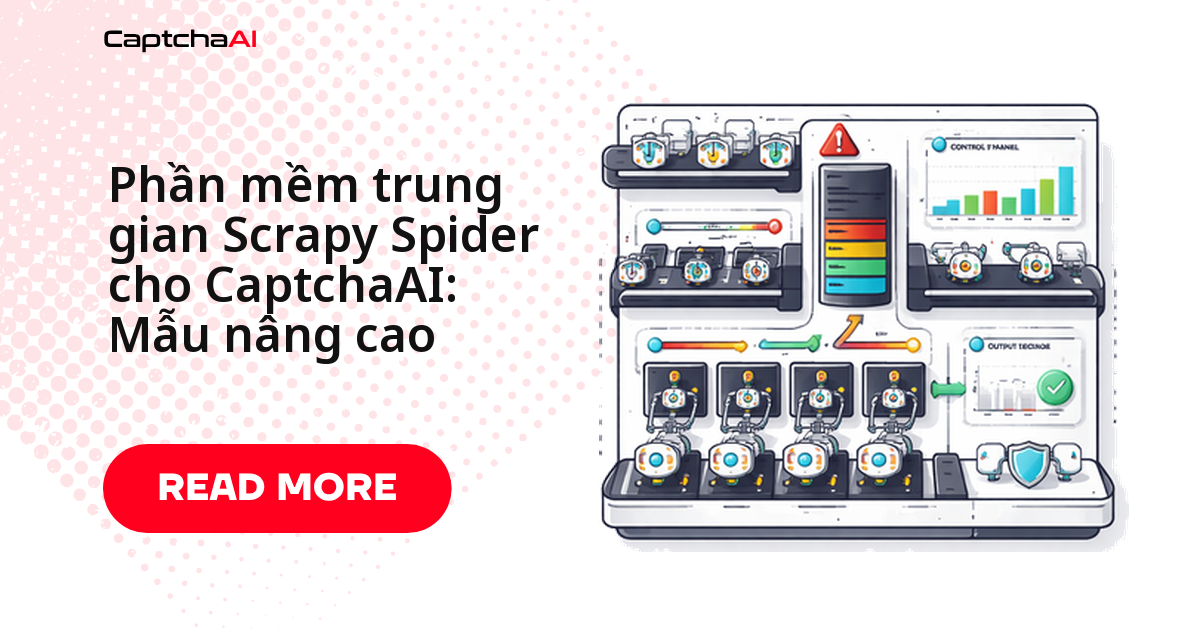
Spider chạy bốn mươi phút, log toàn 200 OK, nhưng item xuất ra rỗng vì response nào cũng là trang xác minh người dùng. Chỗ sửa đúng không nằm trong hàm parse mà ở tầng downloader middleware: chặn response, bắt sitekey, gọi CaptchaAI lấy token rồi phát lại request — spider không cần biết chuyện đó vừa xảy ra.
Bài này dựng một CaptchaAIMiddleware cho reCAPTCHA v2 và Cloudflare Turnstile, kèm settings, spider mẫu và một spider middleware phụ đưa token xuống callback. Luồng gọn trong bốn bước: bắt sitekey, gửi task tới in.php, polling (chủ động hỏi kết quả định kỳ) res.php, tạo lại request với token.
Vì sao nên giải CAPTCHA ở tầng middleware thay vì trong spider
Trong dự án nhiều spider, nhét đoạn gọi API giải CAPTCHA vào từng hàm parse là cách nhanh nhất để có bốn bản sao cùng một logic thử lại, không bản nào giống bản nào. Đẩy xuống downloader middleware, bạn được ba thứ:
- Spider quay lại đúng vai trò parse dữ liệu; phần giải CAPTCHA nằm ngoài tầm nhìn của nó.
- Logic thử lại, timeout và thống kê nằm ở một chỗ, áp dụng cho mọi domain.
- Khi trang mục tiêu đổi từ reCAPTCHA v2 sang Turnstile, bạn sửa một dictionary, không sửa từng spider.
Downloader middleware bắt sitekey và gọi CaptchaAI
Middleware bên dưới hook vào process_response, so response với hai pattern sitekey, gọi CaptchaAI rồi phát lại request kèm token, và dùng signal spider_closed để in thống kê.
# middlewares.py
import re
import time
import logging
import requests as http_requests
from scrapy import signals
from scrapy.http import HtmlResponse

logger = logging.getLogger(__name__)

class CaptchaAIMiddleware:
    """Scrapy downloader middleware for automatic CAPTCHA solving."""

    CAPTCHA_PATTERNS = [
        (r'data-sitekey="([^"]+)"', "recaptcha"),
        (r"cf-turnstile.*?data-sitekey=\"([^\"]+)\"", "turnstile"),
    ]

    def __init__(self, api_key, max_retries=2):
        self.api_key = api_key
        self.max_retries = max_retries
        self.stats = {"detected": 0, "solved": 0, "failed": 0}

    @classmethod
    def from_crawler(cls, crawler):
        api_key = crawler.settings.get("CAPTCHAAI_API_KEY")
        if not api_key:
            raise ValueError("CAPTCHAAI_API_KEY setting is required")

        middleware = cls(
            api_key=api_key,
            max_retries=crawler.settings.getint("CAPTCHAAI_MAX_RETRIES", 2),
        )

        crawler.signals.connect(middleware.spider_closed, signal=signals.spider_closed)
        return middleware

    def process_response(self, request, response, spider):
        """Check response for CAPTCHA and solve if found."""
        if not isinstance(response, HtmlResponse):
            return response

        body = response.text

        for pattern, captcha_type in self.CAPTCHA_PATTERNS:
            match = re.search(pattern, body)
            if match:
                sitekey = match.group(1)
                self.stats["detected"] += 1
                logger.info(
                    f"CAPTCHA ({captcha_type}) on {response.url}, solving..."
                )

                retries = request.meta.get("captcha_retries", 0)
                if retries >= self.max_retries:
                    self.stats["failed"] += 1
                    logger.error(f"Max CAPTCHA retries on {response.url}")
                    return response

                token = self._solve(captcha_type, sitekey, response.url)
                if token:
                    self.stats["solved"] += 1
                    # Re-request with token
                    new_request = request.copy()
                    new_request.meta["captcha_retries"] = retries + 1
                    new_request.meta["captcha_token"] = token
                    new_request.method = "POST"
                    new_request.body = f"g-recaptcha-response={token}"
                    new_request.headers[b"Content-Type"] = b"application/x-www-form-urlencoded"
                    new_request.dont_filter = True
                    return new_request
                else:
                    self.stats["failed"] += 1

        return response

    def _solve(self, captcha_type, sitekey, pageurl):
        """Solve CAPTCHA via CaptchaAI."""
        method_map = {
            "recaptcha": {"method": "userrecaptcha", "googlekey": sitekey},
            "turnstile": {"method": "turnstile", "sitekey": sitekey},
        }

        params = method_map.get(captcha_type)
        if not params:
            return None

        try:
            resp = http_requests.post("https://ocr.captchaai.com/in.php", data={
                "key": self.api_key,
                "pageurl": pageurl,
                "json": 1,
                **params,
            }, timeout=30)
            result = resp.json()

            if result.get("status") != 1:
                logger.error(f"Submit error: {result.get('request')}")
                return None

            task_id = result["request"]
            time.sleep(10)

            for _ in range(24):
                resp = http_requests.get("https://ocr.captchaai.com/res.php", params={
                    "key": self.api_key, "action": "get",
                    "id": task_id, "json": 1,
                }, timeout=15)
                data = resp.json()

                if data.get("status") == 1:
                    return data["request"]
                if data["request"] != "CAPCHA_NOT_READY":
                    return None
                time.sleep(5)

        except Exception as e:
            logger.error(f"Solve exception: {e}")

        return None

    def spider_closed(self, spider):
        """Log CAPTCHA statistics on spider close."""
        logger.info(
            f"CAPTCHA Stats — Detected: {self.stats['detected']}, "
            f"Solved: {self.stats['solved']}, "
            f"Failed: {self.stats['failed']}"
        )
Ba chi tiết đáng đọc kỹ. from_crawler bắt buộc phải thấy CAPTCHAAI_API_KEY — thiếu key thì spider dừng ngay thay vì chạy nửa đêm rồi mới hỏng. captcha_retries nằm trong request.meta nên số lần thử đếm theo từng request. Và Request phát lại phải có dont_filter = True, nếu không Scrapy coi URL đã thăm rồi bỏ qua.
Hàm _solve đi đúng luồng chuẩn của CaptchaAI: POST tới in.php với method tương ứng (userrecaptcha hoặc turnstile), nhận id task, chờ 10 giây rồi hỏi res.php mỗi 5 giây. Hai mươi bốn vòng là dư: theo số liệu công bố, Turnstile thường xong dưới 10 giây và reCAPTCHA v2 dưới 60 giây, với tỷ lệ giải thành công cao trên các loại được hỗ trợ.
Cấu hình settings.py cho spider hay gặp CAPTCHA
Middleware chỉ chạy khi được khai báo trong DOWNLOADER_MIDDLEWARES, và timeout mặc định của Scrapy quá ngắn cho một vòng giải CAPTCHA.
# settings.py

# CaptchaAI configuration
CAPTCHAAI_API_KEY = "YOUR_API_KEY"  # Better: use env variable
CAPTCHAAI_MAX_RETRIES = 2

# Enable the middleware
DOWNLOADER_MIDDLEWARES = {
    "myproject.middlewares.CaptchaAIMiddleware": 600,
}

# Increase timeouts for CAPTCHA solving
DOWNLOAD_TIMEOUT = 180

# Rate limiting
DOWNLOAD_DELAY = 3
RANDOMIZE_DOWNLOAD_DELAY = True
CONCURRENT_REQUESTS = 4
CONCURRENT_REQUESTS_PER_DOMAIN = 2
DOWNLOAD_TIMEOUT = 180 là mức an toàn vì một request có thể phải chờ hết vòng polling. Nếu bạn còn middleware tự viết khác, chạy spider với -L DEBUG và đọc dòng log Enabled downloader middlewares để xác nhận thứ tự thực tế của priority 600.
Chọn số thread khớp với CONCURRENT_REQUESTS
CaptchaAI tính tiền theo thread (luồng giải đồng thời), không theo từng lượt giải: mỗi gói cho một số thread cố định và số lượt giải không giới hạn. Với CONCURRENT_REQUESTS = 4, nhiều nhất bốn request chạm CAPTCHA cùng lúc, nên BASIC ($15/tháng, 5 thread) đủ cho một spider đơn lẻ. Chạy song song nhiều job thì cộng CONCURRENT_REQUESTS rồi chọn theo tổng — quanh mức 30–40 request đồng thời, ADVANCE ($90/tháng, 50 thread) là vừa tay. Giá và hóa đơn đều bằng USD, đừng quy đổi sang VND.
Spider chỉ còn lo việc parse dữ liệu
Khi middleware đã gánh phần CAPTCHA, spider gọn lại như bình thường: chọn selector, sinh item, đi tiếp.
# spiders/product_spider.py
import scrapy

class ProductSpider(scrapy.Spider):
    name = "products"
    start_urls = ["https://example.com/products"]

    def parse(self, response):
        """Parse product listing page."""
        # The middleware handles CAPTCHAs automatically
        # This method only deals with parsing

        for product in response.css("div.product-card"):
            yield {
                "name": product.css(".name::text").get("").strip(),
                "price": product.css(".price::text").get("").strip(),
                "url": response.urljoin(product.css("a::attr(href)").get("")),
            }

        # Follow pagination
        next_page = response.css("a.next-page::attr(href)").get()
        if next_page:
            yield scrapy.Request(response.urljoin(next_page))

    def parse_product(self, response):
        """Parse individual product page."""
        # Access CAPTCHA token if middleware solved one
        token = response.meta.get("captcha_token")
        if token:
            self.logger.info(f"Page accessed after CAPTCHA solve: {response.url}")

        yield {
            "title": response.css("h1::text").get("").strip(),
            "description": response.css(".description::text").get("").strip(),
            "price": response.css(".price::text").get("").strip(),
        }
parse_product vẫn đọc được captcha_token từ response.meta — chỗ hữu ích để ghi log những URL nào phải giải CAPTCHA, từ đó biết chi phí rơi vào domain nào.
Đưa token xuống các callback sinh ra sau đó
Downloader middleware giải CAPTCHA cho đúng một request. Nếu callback sinh tiếp request con dùng lại cùng phiên, thêm một spider middleware nhỏ để token đi theo.
class CaptchaTokenSpiderMiddleware:
    """Pass CAPTCHA tokens to spider callbacks."""

    def process_spider_input(self, response, spider):
        """Add CAPTCHA token to response meta if available."""
        token = response.meta.get("captcha_token")
        if token:
            spider.logger.debug(f"CAPTCHA token available for {response.url}")
        return None

    def process_spider_output(self, response, result, spider):
        """Forward token to new requests from this response."""
        token = response.meta.get("captcha_token")

        for item_or_request in result:
            if isinstance(item_or_request, scrapy.Request) and token:
                item_or_request.meta.setdefault("parent_captcha_token", token)
            yield item_or_request
process_spider_output gắn parent_captcha_token vào mọi Request sinh ra từ response đã giải. Nhớ đăng ký lớp này trong SPIDER_MIDDLEWARES, không phải DOWNLOADER_MIDDLEWARES — đây là lỗi hay gặp nhất khi ghép hai lớp.
Ví dụ vận hành: pipeline theo dõi giá chạy ban đêm
Một đội data ba người ở TP.HCM chạy Scrapy mỗi đêm để đối chiếu giá niêm yết công khai của chính danh mục sản phẩm công ty đang bán trên Shopee, Lazada và Tiki. Một tỷ lệ nhỏ response trả về trang xác minh, nên sáng hôm sau bảng dữ liệu thủng lỗ chỗ và ai đó phải chạy lại bằng tay.
Sau khi bật CaptchaAIMiddleware, dòng CAPTCHA Stats — Detected / Solved / Failed cuối mỗi lần chạy trở thành chỉ số vận hành: Detected tăng đều theo tuần nghĩa là trang mục tiêu siết kiểm tra, Failed bật lên đột ngột thường là sitekey đã đổi. Nếu dữ liệu có chạm tới thông tin cá nhân, Nghị định 13/2023/NĐ-CP là lý do thực tế để log tối thiểu: thời điểm, URL, loại CAPTCHA và trạng thái giải.
Xử lý sự cố thường gặp
| Triệu chứng | Nguyên nhân | Cách xử lý |
|---|---|---|
ValueError khi spider khởi động |
Thiếu CAPTCHAAI_API_KEY |
Nạp key từ biến môi trường |
Max CAPTCHA retries lặp lại |
Form cần field khác ngoài token | Đối chiếu request thật trong DevTools |
ERROR_WRONG_GOOGLEKEY |
Regex bắt nhầm data-sitekey |
Thu hẹp pattern về khối chứa CAPTCHA |
| Thông lượng tụt khi CAPTCHA dày | Request đồng thời vượt số thread | Giảm CONCURRENT_REQUESTS hoặc nâng gói |
Câu hỏi thường gặp
Downloader middleware và spider middleware khác nhau ở đâu?
Downloader middleware nằm giữa engine và mạng nên thấy response thô và có quyền phát lại request — đúng chỗ để giải CAPTCHA. Spider middleware nằm giữa engine và spider, chỉ hợp để chuyển token xuống callback.
Spider chạy 4 request đồng thời thì cần gói nào?
BASIC ($15/tháng, 5 thread) là đủ, vì thread chỉ bị chiếm trong lúc CaptchaAI đang giải. Chạy nhiều spider song song thì cộng CONCURRENT_REQUESTS của mọi job rồi chọn theo tổng.
Chờ token có làm nghẽn Scrapy không?
Có. Các lệnh gọi HTTP trong _solve là đồng bộ nên chúng chặn luồng khi polling. Với crawl lớn, giữ CONCURRENT_REQUESTS vừa phải hoặc tách phần giải sang worker bất đồng bộ.
CaptchaAI giải được những loại CAPTCHA nào?
reCAPTCHA v2 và v3 (kể cả Enterprise), Cloudflare Turnstile, Cloudflare Challenge, GeeTest v3, CAPTCHA ảnh/OCR, grid-image, BLS; CaptchaFox, Friendly Captcha, Lemin ở giai đoạn beta. CaptchaAI không hỗ trợ hCaptcha và FunCaptcha, còn GeeTest v4 mới ở trạng thái sắp ra mắt.
Vì sao request thử lại vẫn nhận về trang CAPTCHA?
Token đúng nhưng gửi sai chỗ là nguyên nhân phổ biến nhất: form có thể cần thêm trường ẩn, đúng header Referer, hoặc token phải đi trong request AJAX. Ghi lại một request thành công làm bằng tay rồi khớp từng field.
Hướng dẫn liên quan
Bắt đầu với Scrapy và CaptchaAI — lấy API key của bạn.