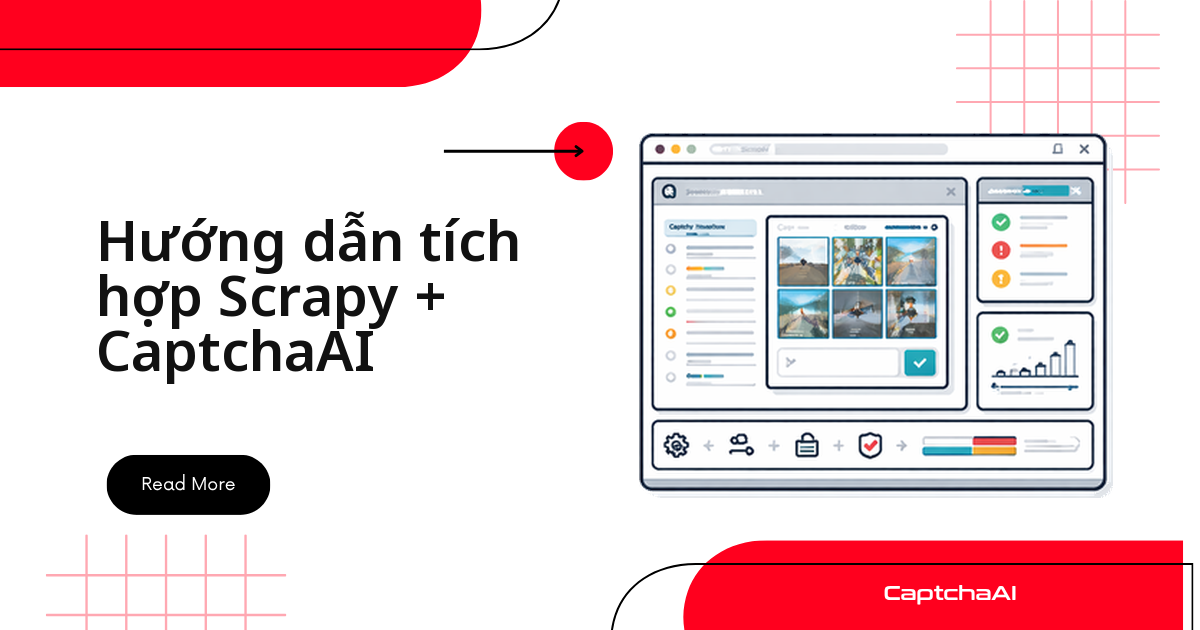
Spider chạy sạch trên máy local nhưng lên production lại xuất ra file rỗng: vài route trong luồng crawl bật reCAPTCHA v2, và Scrapy chỉ nhận về trang chặn. Chỗ xử lý gọn nhất là một downloader middleware: nó đọc HTML trả về, bắt data-sitekey, gửi task tới in.php của CaptchaAI, polling res.php đến khi có token, rồi đặt token vào request.meta để spider gửi lại form. Code dưới đây chạy với Python 3.8+ và Scrapy 2.5+; bạn chỉ cần thêm một API key.
Vì sao nên giải CAPTCHA ở downloader middleware của Scrapy
Scrapy đẩy mọi response qua chuỗi downloader middleware trước khi spider thấy chúng, nên đó là chỗ tự nhiên để phát hiện CAPTCHA. Nhét logic giải vào từng callback nghĩa là copy-paste cùng đoạn code qua chục spider, rồi sửa cả chục chỗ mỗi lần trang đích đổi markup.
Priority 560 cũng có lý do: process_response chạy theo thứ tự số giảm dần, nên ở mức 560 bạn nhận được HTML mà HttpCompressionMiddleware (590) đã giải nén.
Chuẩn bị: phiên bản, thư viện và API key
| Thành phần | Yêu cầu |
|---|---|
| Python | 3.8+ |
| Scrapy | 2.5+ |
| requests | Dùng để gọi API CaptchaAI |
| API key CaptchaAI | Đăng ký tại captchaai.com |
pip install scrapy requests
Bước 1: tách module giải dùng chung cho cả project
Đặt phần gọi API vào file riêng để middleware và job khác dùng lại. Tạo captcha_solver.py ở gốc dự án Scrapy:
import requests
import time

class CaptchaAISolver:
    def __init__(self, api_key):
        self.api_key = api_key
        self.base_url = "https://ocr.captchaai.com"

    def solve_recaptcha(self, site_key, page_url, timeout=300):
        resp = requests.get(f"{self.base_url}/in.php", params={
            "key": self.api_key,
            "method": "userrecaptcha",
            "googlekey": site_key,
            "pageurl": page_url,
        })

        if not resp.text.startswith("OK|"):
            raise Exception(f"Submit failed: {resp.text}")

        task_id = resp.text.split("|")[1]
        deadline = time.time() + timeout

        while time.time() < deadline:
            time.sleep(5)
            result = requests.get(f"{self.base_url}/res.php", params={
                "key": self.api_key,
                "action": "get",
                "id": task_id,
            })

            if result.text == "CAPCHA_NOT_READY":
                continue
            if result.text.startswith("OK|"):
                return result.text.split("|", 1)[1]
            raise Exception(f"Solve failed: {result.text}")

        raise TimeoutError(f"Task {task_id} timed out")

    def solve_image(self, image_base64, timeout=120):
        resp = requests.get(f"{self.base_url}/in.php", params={
            "key": self.api_key,
            "method": "base64",
            "body": image_base64,
        })

        if not resp.text.startswith("OK|"):
            raise Exception(f"Submit failed: {resp.text}")

        task_id = resp.text.split("|")[1]
        deadline = time.time() + timeout

        while time.time() < deadline:
            time.sleep(5)
            result = requests.get(f"{self.base_url}/res.php", params={
                "key": self.api_key,
                "action": "get",
                "id": task_id,
            })

            if result.text == "CAPCHA_NOT_READY":
                continue
            if result.text.startswith("OK|"):
                return result.text.split("|", 1)[1]
            raise Exception(f"Solve failed: {result.text}")

        raise TimeoutError(f"Task {task_id} timed out")
Hai method đi cùng một luồng: gửi task tới in.php, nhận OK|<ID task>, rồi hỏi res.php mỗi 5 giây tới khi có kết quả. Chuỗi CAPCHA_NOT_READY thiếu chữ "T" đúng như API trả về — đừng "sửa chính tả" trong điều kiện so sánh. Timeout mặc định khá rộng: reCAPTCHA v2 xong trong dưới 60 giây, nên hạ timeout xuống 90 giây để spider báo lỗi sớm thay vì treo ba phút.
Bước 2: middleware phát hiện và giải CAPTCHA
Tạo middlewares.py:
import base64
import re
from scrapy import signals
from scrapy.http import HtmlResponse
from captcha_solver import CaptchaAISolver

class CaptchaAIMiddleware:
    """Scrapy downloader middleware that detects and solves CAPTCHAs."""

    def __init__(self, api_key):
        self.solver = CaptchaAISolver(api_key)

    @classmethod
    def from_crawler(cls, crawler):
        api_key = crawler.settings.get("CAPTCHAAI_API_KEY")
        if not api_key:
            raise ValueError("CAPTCHAAI_API_KEY setting is required")
        return cls(api_key)

    def process_response(self, request, response, spider):
        # Check for reCAPTCHA on the page
        site_key = self._find_recaptcha_key(response.text)
        if site_key:
            spider.logger.info(f"reCAPTCHA detected on {response.url}")
            token = self.solver.solve_recaptcha(site_key, response.url)
            request.meta["captcha_token"] = token
            spider.logger.info("CAPTCHA solved successfully")

        # Check for image CAPTCHA
        captcha_img = self._find_image_captcha(response)
        if captcha_img:
            spider.logger.info(f"Image CAPTCHA detected on {response.url}")
            text = self.solver.solve_image(captcha_img)
            request.meta["captcha_text"] = text
            spider.logger.info(f"Image CAPTCHA solved: {text}")

        return response

    def _find_recaptcha_key(self, html):
        match = re.search(
            r'data-sitekey=["\']([A-Za-z0-9_-]+)["\']', html
        )
        return match.group(1) if match else None

    def _find_image_captcha(self, response):
        img = response.css("img#captcha-image::attr(src)").get()
        if img and img.startswith("data:image"):
            return img.split(",", 1)[1]
        return None
Middleware chỉ làm hai việc: nhận diện và giải. Nó không tự gửi lại request — token nằm ở request.meta để spider quyết định bước tiếp theo, nên bạn test middleware độc lập.
_find_recaptcha_key bám vào thuộc tính data-sitekey. Nếu sitekey được render bằng JavaScript, hãy lấy giá trị từ tham số k= trong URL iframe reCAPTCHA.
Bước 3: khai báo middleware trong settings.py
import os

CAPTCHAAI_API_KEY = os.environ.get("CAPTCHAAI_API_KEY")

DOWNLOADER_MIDDLEWARES = {
    "myproject.middlewares.CaptchaAIMiddleware": 560,
}
API key đọc từ biến môi trường, không hardcode trong repo. Thiếu biến này, from_crawler ném lỗi ngay lúc khởi động thay vì để job hỏng giữa chừng.
Bước 4: spider gửi lại form kèm token
import scrapy

class ProductSpider(scrapy.Spider):
    name = "products"
    start_urls = ["https://example.com/products"]

    def parse(self, response):
        # If CAPTCHA was solved, the token is in meta
        token = response.meta.get("captcha_token")
        if token:
            # Resubmit the page with the token
            yield scrapy.FormRequest(
                url=response.url,
                formdata={"g-recaptcha-response": token},
                callback=self.parse_products,
            )
        else:
            yield from self.parse_products(response)

    def parse_products(self, response):
        for product in response.css(".product-item"):
            yield {
                "name": product.css("h2::text").get(),
                "price": product.css(".price::text").get(),
                "url": response.urljoin(
                    product.css("a::attr(href)").get()
                ),
            }

        next_page = response.css("a.next-page::attr(href)").get()
        if next_page:
            yield scrapy.Request(response.urljoin(next_page))
Token đi vào field g-recaptcha-response. Token sống ngắn, khoảng 120 giây, nên gửi lại form ngay thay vì xếp vào hàng đợi.
Thử lại khi crawl rơi vào trang chặn
Có lúc trang trả về HTML chặn thay vì nội dung. Middleware dưới đây nhận ra dấu hiệu đó và đưa request về lại hàng đợi, tối đa ba lần:
class CaptchaRetryMiddleware:
    """Retry requests that return CAPTCHA challenge pages."""

    max_retries = 3

    def process_response(self, request, response, spider):
        if self._is_captcha_page(response):
            retries = request.meta.get("captcha_retries", 0)
            if retries < self.max_retries:
                request.meta["captcha_retries"] = retries + 1
                spider.logger.info(
                    f"CAPTCHA page detected, retry {retries + 1}"
                )
                return request.copy()

        return response

    def _is_captcha_page(self, response):
        indicators = [
            "g-recaptcha",
            "cf-turnstile",
            "captcha-image",
            "Please verify you are human",
        ]
        return any(ind in response.text for ind in indicators)
Đăng ký CaptchaRetryMiddleware ở số priority lớn hơn CaptchaAIMiddleware (ví dụ 570) để nó chặn trước, khỏi tốn một lượt giải.
Chạy spider Scrapy và đọc log
export CAPTCHAAI_API_KEY="YOUR_API_KEY"
scrapy crawl products -o products.json
Đếm dòng log reCAPTCHA detected on ... để biết bao nhiêu trang thực sự cần giải — con số này quyết định gói bạn cần.
Tính số thread cần cho khối lượng crawl
CaptchaAI tính tiền theo thread — số lượt giải chạy song song — chứ không theo từng lần giải. Mỗi task đang chờ chiếm một thread và được trả lại ngay khi có kết quả; số lượt giải trong tháng không giới hạn.
Lấy trần dưới 60 giây của reCAPTCHA v2 làm kịch bản xấu nhất: BASIC ($15/tháng, 5 thread) cho khoảng 300 lượt giải mỗi giờ, STANDARD ($30/tháng, 15 thread) khoảng 900 lượt, ADVANCE ($90/tháng, 50 thread) đủ cho vài spider song song. Giá niêm yết bằng USD, không có phụ phí theo loại CAPTCHA.
Ví dụ thực tế: job theo dõi giá ở TP.HCM
Một team bốn người tại TP.HCM chạy job đêm theo dõi giá công khai của chính danh mục họ đang bán trên Shopee, Tiki và Lazada: khoảng 30.000 trang mỗi đêm, chừng 3% bật CAPTCHA — gần 900 lượt giải dồn trong ba tiếng.
STANDARD thừa sức gánh mức đó. Họ giữ CONCURRENT_REQUESTS = 16 và bật AUTOTHROTTLE_ENABLED. Khi số lượt giải tăng đột biến, đó là tín hiệu trang đích đổi cấu hình chứ không phải spider hỏng.
Mỗi lượt giải nên log ba trường: URL, ID task và thời điểm nhận token — đủ để phân biệt "trang đổi HTML" với "task giải chậm". Nếu dữ liệu crawl chứa thông tin cá nhân, Nghị định 13/2023/NĐ-CP là lý do thực tế để chỉ lưu trường cần thiết và đặt hạn xoá log.
Lỗi thường gặp và cách xử lý
| Vấn đề | Nguyên nhân | Cách xử lý |
|---|---|---|
ValueError: CAPTCHAAI_API_KEY setting is required |
Thiếu biến môi trường | Đặt biến trước khi crawl |
| Không phát hiện được CAPTCHA | HTML khác mẫu regex | Cập nhật _find_recaptcha_key theo markup thật |
TimeoutError khi giải |
Task chậm hoặc mạng chập chờn | Đặt timeout 90 giây và để middleware thử lại |
ERROR_WRONG_GOOGLEKEY |
Lấy nhầm sitekey | Đối chiếu với giá trị trong iframe reCAPTCHA |
| Spider vẫn bị chặn dù có token | Tần suất request quá cao | Giảm CONCURRENT_REQUESTS, bật AUTOTHROTTLE_ENABLED |
Câu hỏi thường gặp
CaptchaAI có giải hCaptcha không?
Không. CaptchaAI hiện không hỗ trợ hCaptcha và FunCaptcha (Arkose Labs). Các loại dùng được cho spider Scrapy gồm reCAPTCHA v2 và v3 (kể cả Enterprise), Cloudflare Turnstile và Challenge, GeeTest v3, CAPTCHA ảnh/OCR, grid-image và BLS; GeeTest v4 thì sắp ra mắt.
Chi phí có tính theo từng CAPTCHA đã giải không?
Không. Giá tính theo thread và theo tháng, mỗi thread giải không giới hạn số lượt. Chi phí vì thế phụ thuộc mức độ song song bạn cần, không phụ thuộc tổng số trang crawl.
Token nhận về có dùng lại cho request khác được không?
Không. Mỗi token gắn với một cặp sitekey và pageurl, chỉ dùng một lần và hết hạn sau khoảng hai phút, nên đừng cache token giữa các lần chạy.
Middleware này chạy được với Scrapy-Playwright hay Scrapy-Splash không?
Được. Middleware chỉ đọc HTML cuối cùng của response nên trang render bằng JavaScript vẫn đi đúng luồng. Lưu ý sitekey chỉ xuất hiện sau khi JS chạy xong — hãy kiểm tra regex trên HTML đã render, không phải source gốc.
Nên đặt CONCURRENT_REQUESTS bằng bao nhiêu so với số thread?
Xấp xỉ bằng, hoặc nhỉnh hơn. Trong lúc một request chờ token, Scrapy vẫn tải các URL khác, nên job chỉ dài thêm theo tỷ lệ trang có CAPTCHA. Đặt cao gấp nhiều lần số thread chỉ kéo dài hàng đợi.