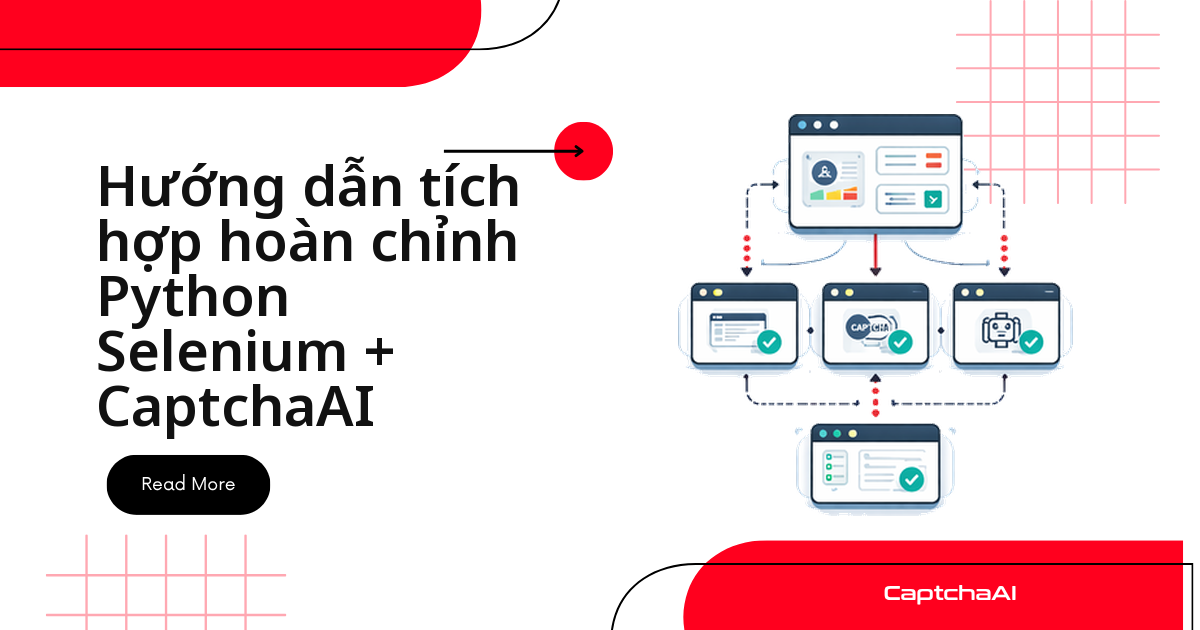
Selenium click nút, điền form và chờ trang tải — nhưng gặp reCAPTCHA hay Cloudflare Turnstile thì driver đứng im vì không có thao tác chuột nào "giải" được widget đó. Ghép Selenium với CaptchaAI xử lý đúng bốn bước: nhận diện loại CAPTCHA từ mã nguồn trang, gửi sitekey tới CaptchaAI, polling lấy token, rồi chèn token vào form bằng JavaScript trước khi submit.
Bài viết dành cho dev cần một class Python chạy được ngay trong pipeline QA hoặc regression test — không phải bài tổng quan lý thuyết — với mẫu đầy đủ cho reCAPTCHA v2/v3, Cloudflare Turnstile và CAPTCHA hình ảnh. Nhiều đội automation tại các công ty outsourcing ở TP.HCM và Hà Nội dùng đúng pattern này để test luồng đăng nhập hoặc checkout có CAPTCHA trên hệ thống nội bộ trước khi release.
Bài viết này giúp bạn:
- Nhận diện tự động loại CAPTCHA (reCAPTCHA v2/v3, Turnstile, hình ảnh) từ mã nguồn trang, không cần biết trước loại nào sẽ xuất hiện.
- Gửi sitekey/pageurl tới CaptchaAI và polling lấy token bằng đúng một hàm dùng chung,
solve_captcha(). - Chèn token vào DOM đúng cách, kích hoạt callback nếu trang cần, rồi submit form như người dùng thật.
Cài đặt các gói cần thiết
Cài ba gói này trước khi chạy các ví dụ bên dưới — webdriver-manager tự tải đúng phiên bản ChromeDriver khớp với Chrome đang cài trên máy.
pip install selenium requests webdriver-manager
Khởi tạo Selenium với cấu hình QA chuẩn
Hàm create_driver() bên dưới khởi tạo Chrome với cấu hình QA chuẩn và loại bỏ cờ navigator.webdriver, để trình duyệt tự động hoá hoạt động giống một phiên trình duyệt thông thường trong môi trường kiểm thử.
from selenium import webdriver
from selenium.webdriver.chrome.service import Service
from webdriver_manager.chrome import ChromeDriverManager

def create_driver():
    """Create a Selenium driver with stealth-configuredion settings."""
    options = webdriver.ChromeOptions()
    options.add_argument("")
    options.add_experimental_option("excludeSwitches", ["enable-automation"])
    options.add_experimental_option("useAutomationExtension", False)

    driver = webdriver.Chrome(
        service=Service(ChromeDriverManager().install()),
        options=options,
    )

    # Remove webdriver flag
    driver.execute_cdp_cmd("Page.addScriptToEvaluateOnNewDocument", {
        "source": "Object.defineProperty(navigator, 'webdriver', {get: () => undefined})"
    })

    return driver
Hàm dùng chung: gửi task và nhận token từ CaptchaAI
Toàn bộ các hàm giải CAPTCHA trong bài đều gọi lại solve_captcha() bên dưới — gửi task tới in.php, polling res.php mỗi 5 giây, và trả về token hoặc báo lỗi khi hết thời gian chờ.
import time
import requests

API_KEY = "YOUR_API_KEY"

def solve_captcha(method, **params):
    """Generic CaptchaAI solver — works for all supported CAPTCHA types."""
    submit_data = {
        "key": API_KEY,
        "method": method,
        "json": 1,
        **params,
    }

    submit = requests.post("https://ocr.captchaai.com/in.php", data=submit_data, timeout=30)
    data = submit.json()

    if data.get("status") != 1:
        raise Exception(f"Submit error: {data.get('request')}")

    task_id = data["request"]

    for _ in range(30):
        time.sleep(5)
        result = requests.get("https://ocr.captchaai.com/res.php", params={
            "key": API_KEY,
            "action": "get",
            "id": task_id,
            "json": 1,
        }, timeout=30).json()

        if result.get("status") == 1:
            return result["request"]
        if result.get("request") == "ERROR_CAPTCHA_UNSOLVABLE":
            raise Exception("CAPTCHA unsolvable")

    raise TimeoutError("Solve timed out")
Giải từng loại CAPTCHA cụ thể trong Selenium
Bốn hàm dưới đây dùng chung logic nhận diện sitekey và gọi solve_captcha(), chỉ khác tham số method và cách chèn token vào DOM cho từng loại CAPTCHA.
reCAPTCHA v2
Luồng đầy đủ bên dưới nhận sitekey từ mã nguồn trang, gửi sang CaptchaAI, chèn token vào ô ẩn g-recaptcha-response, kích hoạt callback nếu có, rồi submit form.
from selenium.webdriver.common.by import By
from selenium.webdriver.support.ui import WebDriverWait
from selenium.webdriver.support import expected_conditions as EC
import re

def solve_recaptcha_v2_selenium(driver, url):
    """Complete reCAPTCHA v2 solve in Selenium."""
    driver.get(url)

    # Wait for page to load
    WebDriverWait(driver, 10).until(
        EC.presence_of_element_located((By.TAG_NAME, "body"))
    )

    # Extract sitekey
    page_source = driver.page_source
    match = re.search(r'data-sitekey=["\']([A-Za-z0-9_-]{40})["\']', page_source)
    if not match:
        raise ValueError("reCAPTCHA sitekey not found")
    sitekey = match.group(1)
    print(f"Sitekey: {sitekey}")

    # Solve via CaptchaAI
    token = solve_captcha(
        "userrecaptcha",
        googlekey=sitekey,
        pageurl=url,
    )
    print(f"Token received: {token[:50]}...")

    # Inject token into the page
    driver.execute_script(f"""
        document.getElementById('g-recaptcha-response').value = '{token}';
        document.getElementById('g-recaptcha-response').style.display = 'block';
    """)

    # If there's a callback function, call it
    driver.execute_script(f"""
        if (typeof ___grecaptcha_cfg !== 'undefined') {{
            var clients = ___grecaptcha_cfg.clients;
            for (var key in clients) {{
                var client = clients[key];
                if (client.rr && client.rr.l) {{
                    client.rr.l.callback('{token}');
                }}
            }}
        }}
    """)

    # Submit the form
    submit_button = driver.find_element(By.CSS_SELECTOR, "button[type='submit'], input[type='submit']")
    submit_button.click()

    return token

# Usage
driver = create_driver()
try:
    solve_recaptcha_v2_selenium(driver, "https://staging.example.com/qa-login")
    print(f"Current URL: {driver.current_url}")
finally:
    driver.quit()
Cloudflare Turnstile
Turnstile dùng tham số sitekey (không phải googlekey như reCAPTCHA) và token được chèn vào field cf-turnstile-response thay vì g-recaptcha-response.
def solve_turnstile_selenium(driver, url):
    """Complete Turnstile solve in Selenium."""
    driver.get(url)

    WebDriverWait(driver, 10).until(
        EC.presence_of_element_located((By.TAG_NAME, "body"))
    )

    # Extract sitekey
    page_source = driver.page_source
    match = re.search(r'data-sitekey=["\']([0-9x][A-Za-z0-9_-]+)["\']', page_source)
    if not match:
        # Try JavaScript API pattern
        match = re.search(r"sitekey\s*:\s*['\"]([0-9x][A-Za-z0-9_-]+)['\"]", page_source)
    if not match:
        raise ValueError("Turnstile sitekey not found")

    sitekey = match.group(1)
    print(f"Turnstile sitekey: {sitekey}")

    # Solve via CaptchaAI
    token = solve_captcha(
        "turnstile",
        sitekey=sitekey,
        pageurl=url,
    )
    print(f"Turnstile token: {token[:50]}...")

    # Inject token
    driver.execute_script(f"""
        // Set the hidden input value
        var inputs = document.querySelectorAll('[name="cf-turnstile-response"]');
        inputs.forEach(function(input) {{ input.value = '{token}'; }});

        // Also try the callback approach
        if (typeof turnstile !== 'undefined' && turnstile.getResponse) {{
            // Widget already rendered
        }}
    """)

    # Submit form
    submit_button = driver.find_element(By.CSS_SELECTOR, "button[type='submit'], input[type='submit']")
    submit_button.click()

    return token
CAPTCHA hình ảnh
Với CAPTCHA hình ảnh/văn bản truyền thống (nhập lại các ký tự nhìn thấy trong ảnh):
import base64

def solve_image_captcha_selenium(driver, captcha_selector):
    """Solve image CAPTCHA visible in the browser."""
    # Find the CAPTCHA image element
    captcha_img = driver.find_element(By.CSS_SELECTOR, captcha_selector)

    # Get image as base64
    img_base64 = captcha_img.screenshot_as_base64

    # Solve via CaptchaAI
    answer = solve_captcha("base64", body=img_base64)
    print(f"CAPTCHA answer: {answer}")

    # Type the answer into the input field
    captcha_input = driver.find_element(
        By.CSS_SELECTOR, "input[name='captcha'], input[name='code'], input.captcha-input"
    )
    captcha_input.clear()
    captcha_input.send_keys(answer)

    return answer
reCAPTCHA v3
reCAPTCHA v3 không có widget để click — chỉ cần gửi sitekey, pageurl, version=v3 và action đúng với action mà trang khai báo, sau đó chèn token vào ô ẩn tương ứng.
def solve_recaptcha_v3_selenium(driver, url, sitekey, action="verify"):
    """Solve reCAPTCHA v3 in Selenium."""
    driver.get(url)

    # Solve via CaptchaAI
    token = solve_captcha(
        "userrecaptcha",
        googlekey=sitekey,
        pageurl=url,
        version="v3",
        action=action,
    )

    # Inject token
    driver.execute_script(f"""
        // Set reCAPTCHA response
        var textarea = document.getElementById('g-recaptcha-response');
        if (textarea) {{
            textarea.value = '{token}';
            textarea.style.display = 'block';
        }}

        // Set any hidden input fields
        var inputs = document.querySelectorAll('input[name="g-recaptcha-response"]');
        inputs.forEach(function(input) {{ input.value = '{token}'; }});
    """)

    return token
Class hoàn chỉnh: nhận diện, giải và submit tự động
SeleniumCaptchaSolver gói toàn bộ bốn hàm ở trên vào một class: detect_captcha() tự nhận diện loại CAPTCHA trên trang, sau đó gọi đúng hàm giải tương ứng trước khi điền form và submit.
from selenium import webdriver
from selenium.webdriver.common.by import By
from selenium.webdriver.support.ui import WebDriverWait
from selenium.webdriver.support import expected_conditions as EC
import re
import time
import requests

API_KEY = "YOUR_API_KEY"

class SeleniumCaptchaSolver:
    """Complete Selenium + CaptchaAI automation class."""

    def __init__(self, api_key):
        self.api_key = api_key
        self.driver = None

    def start(self):
        """Initialize the browser."""
        options = webdriver.ChromeOptions()
        options.add_argument("")
        options.add_experimental_option("excludeSwitches", ["enable-automation"])
        self.driver = webdriver.Chrome(options=options)
        self.driver.execute_cdp_cmd("Page.addScriptToEvaluateOnNewDocument", {
            "source": "Object.defineProperty(navigator, 'webdriver', {get: () => undefined})"
        })

    def stop(self):
        """Close the browser."""
        if self.driver:
            self.driver.quit()

    def navigate(self, url):
        """Navigate to URL and wait for load."""
        self.driver.get(url)
        WebDriverWait(self.driver, 15).until(
            lambda d: d.execute_script("return document.readyState") == "complete"
        )

    def detect_captcha(self):
        """Detect which CAPTCHA type is on the page."""
        source = self.driver.page_source

        if re.search(r'data-sitekey=["\'][A-Za-z0-9_-]{40}["\']', source):
            if "recaptcha/api.js" in source or "grecaptcha" in source:
                return "recaptcha_v2"

        if "cf-turnstile" in source or "challenges.cloudflare.com/turnstile" in source:
            return "turnstile"

        if re.search(r'recaptcha.*v3|render=[A-Za-z0-9_-]{40}', source):
            return "recaptcha_v3"

        captcha_imgs = self.driver.find_elements(
            By.CSS_SELECTOR, "img.captcha, img[alt*='captcha'], img[src*='captcha']"
        )
        if captcha_imgs:
            return "image"

        return None

    def solve_and_submit(self, url, form_data=None):
        """Navigate, solve CAPTCHA, fill form, and submit."""
        self.navigate(url)
        captcha_type = self.detect_captcha()

        if not captcha_type:
            print("No CAPTCHA detected")
            return self._fill_and_submit(form_data)

        print(f"Detected: {captcha_type}")

        if captcha_type == "recaptcha_v2":
            self._solve_recaptcha_v2()
        elif captcha_type == "turnstile":
            self._solve_turnstile()
        elif captcha_type == "image":
            self._solve_image()

        return self._fill_and_submit(form_data)

    def _solve_recaptcha_v2(self):
        source = self.driver.page_source
        match = re.search(r'data-sitekey=["\']([A-Za-z0-9_-]{40})["\']', source)
        sitekey = match.group(1)

        token = self._api_solve("userrecaptcha", googlekey=sitekey, pageurl=self.driver.current_url)

        self.driver.execute_script(f"""
            document.getElementById('g-recaptcha-response').value = '{token}';
        """)

    def _solve_turnstile(self):
        source = self.driver.page_source
        match = re.search(r'data-sitekey=["\']([0-9x][A-Za-z0-9_-]+)["\']', source)
        sitekey = match.group(1)

        token = self._api_solve("turnstile", sitekey=sitekey, pageurl=self.driver.current_url)

        self.driver.execute_script(f"""
            document.querySelectorAll('[name="cf-turnstile-response"]')
                .forEach(function(el) {{ el.value = '{token}'; }});
        """)

    def _solve_image(self):
        img = self.driver.find_element(
            By.CSS_SELECTOR, "img.captcha, img[alt*='captcha'], img[src*='captcha']"
        )
        answer = self._api_solve("base64", body=img.screenshot_as_base64)

        captcha_input = self.driver.find_element(
            By.CSS_SELECTOR, "input[name='captcha'], input[name='code']"
        )
        captcha_input.clear()
        captcha_input.send_keys(answer)

    def _fill_and_submit(self, form_data):
        if form_data:
            for name, value in form_data.items():
                try:
                    field = self.driver.find_element(By.NAME, name)
                    field.clear()
                    field.send_keys(value)
                except Exception:
                    pass

        submit = self.driver.find_element(
            By.CSS_SELECTOR, "button[type='submit'], input[type='submit']"
        )
        submit.click()
        time.sleep(3)
        return self.driver.current_url

    def _api_solve(self, method, **params):
        submit = requests.post("https://ocr.captchaai.com/in.php", data={
            "key": self.api_key, "method": method, "json": 1, **params,
        }, timeout=30)
        data = submit.json()
        if data.get("status") != 1:
            raise Exception(f"Submit error: {data.get('request')}")

        task_id = data["request"]
        for _ in range(30):
            time.sleep(5)
            result = requests.get("https://ocr.captchaai.com/res.php", params={
                "key": self.api_key, "action": "get", "id": task_id, "json": 1,
            }, timeout=30).json()
            if result.get("status") == 1:
                return result["request"]
        raise TimeoutError("Solve timed out")

# Usage
solver = SeleniumCaptchaSolver(API_KEY)
solver.start()
try:
    result_url = solver.solve_and_submit(
        "https://staging.example.com/qa-login",
        form_data={"username": "[email protected]", "password": "pass123"},
    )
    print(f"Result: {result_url}")
finally:
    solver.stop()
Các lỗi thường gặp và cách xử lý
Các lỗi dưới đây gặp thường xuyên nhất khi ghép Selenium với CaptchaAI trong pipeline QA thực tế:
| Triệu chứng | Nguyên nhân | Cách xử lý |
|---|---|---|
| Phát hiện CAPTCHA nhưng chèn token thất bại | Không tìm thấy phần tử g-recaptcha-response |
Kiểm tra iframe — reCAPTCHA thường nằm trong iframe riêng |
| Token đã chèn nhưng form không submit | Callback của reCAPTCHA chưa được kích hoạt | Gọi trực tiếp hàm callback của reCAPTCHA sau khi chèn token |
Site báo phát hiện webdriver |
Cấu hình QA chuẩn chưa được áp dụng đầy đủ | Thêm lệnh CDP để xoá cờ navigator.webdriver như trong create_driver() |
| Ảnh chụp CAPTCHA hình ảnh trống | Phần tử chưa hiển thị trong viewport | Cuộn phần tử vào vùng nhìn thấy trước khi chụp |
| Token Turnstile bị từ chối | Sitekey lấy sai (do trang render lại) | Trích xuất lại sitekey trực tiếp từ nguồn trang tại thời điểm submit |
Câu hỏi thường gặp
CaptchaAI hỗ trợ những loại CAPTCHA nào khi dùng với Selenium?
Đầy đủ cho reCAPTCHA v2/v3, Cloudflare Turnstile, GeeTest v3, CAPTCHA hình ảnh/OCR và BLS CAPTCHA — tất cả dùng chung hàm solve_captcha(), chỉ đổi tham số method. CaptchaAI không hỗ trợ hCaptcha và FunCaptcha (Arkose Labs); CaptchaFox, Friendly Captcha và Lemin đang ở bản beta.
Nên dùng Selenium hay gọi thẳng requests?
Dùng Selenium khi trang cần thực thi JavaScript, tải nội dung động hoặc đi qua nhiều bước trước khi tới form đích. Nếu chỉ cần gửi token tới một endpoint đã biết trước, requests nhẹ và nhanh hơn nhiều — chỉ bật Selenium khi thực sự cần render trình duyệt.
Chạy Selenium ở chế độ headless có ảnh hưởng đến việc giải CAPTCHA không?
Không. CaptchaAI giải token bằng worker phía server, độc lập hoàn toàn với trình duyệt của bạn — chạy --headless=new hay có giao diện thì thời gian giải như nhau. Một số site tự chặn truy cập khi phát hiện headless, nhưng đó là việc của cấu hình trình duyệt, không liên quan tới bước gọi CaptchaAI.
Chạy nhiều phiên Selenium song song thì cần bao nhiêu thread CaptchaAI?
Mỗi phiên Selenium đang chờ giải chiếm một thread trong gói của bạn. Gói BASIC ($15/tháng, 5 thread) chạy được 5 phiên song song, ADVANCE ($90/tháng, 50 thread) chạy được 50 phiên. Vì mỗi thread giải không giới hạn số lần trong tháng, mở rộng quy mô chỉ cần nâng gói chứ không phát sinh phí theo từng CAPTCHA.
Token CaptchaAI cần chèn ngay hay có thể để driver xử lý việc khác trước?
Chèn token càng sớm càng tốt ngay sau khi solve_captcha() trả về — token reCAPTCHA và Turnstile chỉ có hiệu lực trong thời gian ngắn, và trang có thể render lại sitekey nếu driver rảnh quá lâu trước khi gửi request tiếp theo. Nếu form submit qua AJAX thay vì submit thường, chỉ cần gán token vào field ẩn tương ứng rồi gọi hàm submit bằng JavaScript — cách tiếp cận giống hệt các ví dụ trong bài, không cần đổi logic.
Tổng kết
Python Selenium + CaptchaAI xử lý bất kỳ CAPTCHA nào trong tự động hóa trình duyệt: nhận diện loại CAPTCHA từ mã nguồn trang, giải qua API của CaptchaAI, chèn token bằng JavaScript và submit form. Class SeleniumCaptchaSolver gói toàn bộ luồng nhận diện → giải → submit vào một lệnh gọi duy nhất, sẵn sàng cắm vào pipeline QA hoặc automation hiện có.