CAPTCHA là trở ngại lớn nhất khi dùng Playwright để test hoặc thu thập dữ liệu tự động — auto-wait của Playwright rất mạnh nhưng chỉ đợi phần tử render, không giải được reCAPTCHA hay Turnstile. Cách xử lý thực tế: Playwright điều khiển trình duyệt (Chromium, Firefox, WebKit), còn CaptchaAI giải CAPTCHA phía server qua API — trích xuất site key, gửi task, polling kết quả rồi chèn token trước khi submit. Bài viết có code Python, Node.js chạy được ngay, cộng bảng so sánh với Selenium và Puppeteer.
Nhiều đội QA outsourcing tại TP.HCM, Hà Nội chạy Playwright song song trên cả ba engine để test hồi quy trên staging — CaptchaAI cắm đúng vào chỗ Turnstile hoặc reCAPTCHA chặn luồng đăng nhập.
Playwright, Selenium hay Puppeteer: chọn công cụ nào để tự động hóa CAPTCHA?
| Tính năng | Playwright | Selenium | Puppeteer |
|---|---|---|---|
| Ngôn ngữ | Python, Node.js, C#, Java | Python, Java, C#, Ruby, JS | Node.js |
| Trình duyệt | Chromium, Firefox, WebKit | Chrome, Firefox, Edge, Safari | Chromium |
| Tự động chờ (auto-wait) | ✅ Tích hợp sẵn | ❌ Chờ thủ công | ⚠️ Một phần |
| Chặn mạng (network interception) | ✅ | ⚠️ Có giới hạn | ✅ |
| Tích hợp CaptchaAI | ✅ Cùng một API | ✅ Cùng một API | ✅ Cùng một API |
CaptchaAI hoạt động giống hệt trên cả ba: trích xuất site key, gửi request, chèn token. Khác biệt nằm ở auto-wait và số trình duyệt hỗ trợ.
Khi nào nên chọn Playwright thay vì Selenium hoặc Puppeteer
Chọn Playwright khi đội của bạn cần chạy cùng một bộ test trên Chromium, Firefox và WebKit mà không đổi code — tình huống điển hình của đội QA outsourcing kiểm thử checkout hoặc đăng nhập đa trình duyệt trước khi bàn giao cho khách hàng nước ngoài. Nếu dự án chỉ chạy Chrome headless và codebase hiện có đã viết bằng Puppeteer, không cần đổi công cụ chỉ vì gặp CAPTCHA — CaptchaAI tích hợp giống hệt ở cả hai. Selenium vẫn hợp lý khi hạ tầng CI cũ chỉ hỗ trợ WebDriver chuẩn hoặc team đã quen Java/C#.
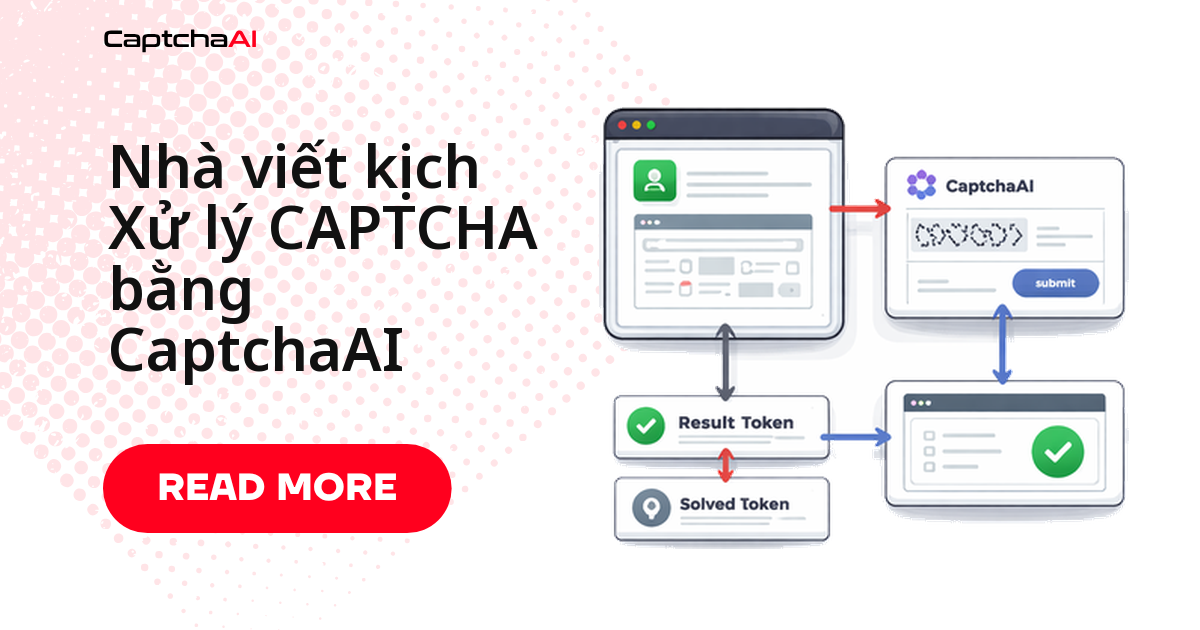
Dù chọn công cụ nào, luồng xử lý CAPTCHA không đổi: trích xuất site key từ DOM, gửi task tới in.php, polling res.php tới khi có token, rồi chèn token vào form trước khi submit.
Yêu cầu trước khi bắt đầu
| Yêu cầu | Chi tiết |
|---|---|
| Python | pip install playwright requests rồi playwright install |
| Node.js | npm install playwright axios |
| API key CaptchaAI | Lấy tại captchaai.com |
Giải CAPTCHA bằng Playwright + CaptchaAI (Python)
Thiết lập hàm giải reCAPTCHA
Hàm solve_recaptcha() gửi task tới in.php rồi polling res.php mỗi 5 giây cho đến khi có token.
from playwright.sync_api import sync_playwright
import requests
import time

API_KEY = "YOUR_API_KEY"

def solve_recaptcha(site_key, page_url):
    resp = requests.get("https://ocr.captchaai.com/in.php", params={
        "key": API_KEY,
        "method": "userrecaptcha",
        "googlekey": site_key,
        "pageurl": page_url
    })
    if not resp.text.startswith("OK|"):
        raise Exception(resp.text)
    task_id = resp.text.split("|")[1]

    for _ in range(60):
        time.sleep(5)
        result = requests.get("https://ocr.captchaai.com/res.php", params={
            "key": API_KEY, "action": "get", "id": task_id
        })
        if result.text == "CAPCHA_NOT_READY": continue
        if result.text.startswith("OK|"): return result.text.split("|")[1]
        raise Exception(result.text)
    raise TimeoutError()
Ví dụ đầy đủ: đăng nhập tự động
Script dưới điền form, phát hiện reCAPTCHA qua .g-recaptcha, giải qua CaptchaAI rồi chèn token trước khi submit.
def login_with_captcha(url, username, password):
    with sync_playwright() as p:
        browser = p.chromium.launch(headless=True)
        context = browser.new_context(
            user_agent="Mozilla/5.0 (Windows NT 10.0; Win64; x64) AppleWebKit/537.36"
        )
        page = context.new_page()
        page.goto(url)

        # Fill login form
        page.fill("#username", username)
        page.fill("#password", password)

        # Check for reCAPTCHA
        recaptcha = page.query_selector(".g-recaptcha")
        if recaptcha:
            site_key = recaptcha.get_attribute("data-sitekey")
            print(f"Solving reCAPTCHA: {site_key}")

            token = solve_recaptcha(site_key, page.url)

            # Inject token
            page.evaluate(f"""
                document.getElementById('g-recaptcha-response').innerHTML = '{token}';
                document.getElementById('g-recaptcha-response').style.display = '';
            """)

        # Submit
        page.click('button[type="submit"]')
        page.wait_for_load_state("networkidle")

        print(f"Current URL: {page.url}")
        content = page.content()

        browser.close()
        return content

result = login_with_captcha(
    "https://staging.example.com/qa-login",
    "[email protected]",
    "password123"
)
Kết quả trả về là HTML sau khi đăng nhập.
Phiên bản bất đồng bộ (async)
Chạy nhiều phiên song song thì dùng bản async với aiohttp thay cho requests để tận dụng hết số thread trong gói CaptchaAI.
from playwright.async_api import async_playwright
import aiohttp
import asyncio

async def solve_recaptcha_async(site_key, page_url):
    async with aiohttp.ClientSession() as session:
        params = {
            "key": API_KEY, "method": "userrecaptcha",
            "googlekey": site_key, "pageurl": page_url
        }
        async with session.get("https://ocr.captchaai.com/in.php", params=params) as resp:
            text = await resp.text()
            task_id = text.split("|")[1]

        for _ in range(60):
            await asyncio.sleep(5)
            params = {"key": API_KEY, "action": "get", "id": task_id}
            async with session.get("https://ocr.captchaai.com/res.php", params=params) as resp:
                text = await resp.text()
                if text == "CAPCHA_NOT_READY": continue
                if text.startswith("OK|"): return text.split("|")[1]
                raise Exception(text)
        raise TimeoutError()

async def main():
    async with async_playwright() as p:
        browser = await p.chromium.launch(headless=True)
        page = await browser.new_page()
        await page.goto("https://example.com/form")

        site_key = await page.get_attribute(".g-recaptcha", "data-sitekey")
        token = await solve_recaptcha_async(site_key, page.url)

        await page.evaluate(f"document.getElementById('g-recaptcha-response').innerHTML = '{token}'")
        await page.click('button[type="submit"]')
        await browser.close()

asyncio.run(main())
Giải CAPTCHA bằng Playwright + CaptchaAI (Node.js)
Logic Node.js giống hệt bản Python — chỉ đổi axios cho request và while (true) cho polling.
const { chromium } = require("playwright");
const axios = require("axios");

const API_KEY = "YOUR_API_KEY";

async function solveRecaptcha(siteKey, pageUrl) {
  const submit = await axios.get("https://ocr.captchaai.com/in.php", {
    params: {
      key: API_KEY,
      method: "userrecaptcha",
      googlekey: siteKey,
      pageurl: pageUrl,
    },
  });
  const taskId = submit.data.split("|")[1];

  while (true) {
    await new Promise((r) => setTimeout(r, 5000));
    const result = await axios.get("https://ocr.captchaai.com/res.php", {
      params: { key: API_KEY, action: "get", id: taskId },
    });
    if (result.data === "CAPCHA_NOT_READY") continue;
    if (result.data.startsWith("OK|")) return result.data.split("|")[1];
    throw new Error(result.data);
  }
}

(async () => {
  const browser = await chromium.launch({ headless: true });
  const page = await browser.newPage();
  await page.goto("https://staging.example.com/qa-login");

  // Fill form
  await page.fill("#username", "[email protected]");
  await page.fill("#password", "password123");

  // Solve CAPTCHA
  const siteKey = await page.getAttribute(".g-recaptcha", "data-sitekey");
  if (siteKey) {
    const token = await solveRecaptcha(siteKey, page.url());
    await page.evaluate(
      (t) => (document.getElementById("g-recaptcha-response").innerHTML = t),
      token
    );
  }

  // Submit
  await page.click('button[type="submit"]');
  await page.waitForLoadState("networkidle");

  console.log("Logged in:", page.url());
  await browser.close();
})();
Xử lý Cloudflare Turnstile trong Playwright
Turnstile dùng method=turnstile thay vì userrecaptcha; phần còn lại — gửi task, polling, chèn token — giữ nguyên.
# Detect Turnstile
turnstile = page.query_selector(".cf-turnstile")
if turnstile:
    site_key = turnstile.get_attribute("data-sitekey")

    resp = requests.get("https://ocr.captchaai.com/in.php", params={
        "key": API_KEY, "method": "turnstile",
        "sitekey": site_key, "pageurl": page.url
    })
    task_id = resp.text.split("|")[1]

    # Poll and inject...
Khắc phục sự cố thường gặp
| Vấn đề | Cách xử lý |
|---|---|
page.query_selector trả về giá trị rỗng |
CAPTCHA tải động (lazy-load); dùng page.wait_for_selector() |
| Chèn token không có tác dụng | Kiểm tra xem textarea phản hồi có ID khác không |
| Playwright gặp sự cố trong Docker | Cài dependency trình duyệt: playwright install-deps |
| CAPTCHA xuất hiện lại sau khi giải | Trang có thể yêu cầu chạy lại callback; kích hoạt qua page.evaluate() |
Câu hỏi thường gặp
Auto-wait của Playwright có giúp giải CAPTCHA không?
Không. Auto-wait chỉ đảm bảo phần tử đã render trước khi tương tác — nó không tự giải CAPTCHA. Bạn vẫn cần gọi CaptchaAI qua API để lấy token.
CaptchaAI hỗ trợ những loại CAPTCHA nào khi dùng với Playwright?
CaptchaAI giải reCAPTCHA v2/v3, Cloudflare Turnstile và Challenge, GeeTest v3, CAPTCHA ảnh/OCR, grid image và BLS captcha — cộng CaptchaFox, Friendly Captcha, Lemin (beta). hCaptcha và FunCaptcha chưa hỗ trợ; GeeTest v4 sắp ra mắt.
Playwright giải được bao nhiêu CAPTCHA cùng lúc?
Con số này phụ thuộc gói CaptchaAI, không phải Playwright. BASIC ($15/tháng, 5 thread) cho 5 CAPTCHA song song; nâng lên STANDARD ($30/tháng, 15 thread) nếu chạy nhiều context cùng lúc.
Có cần chạy Playwright ở chế độ headed (có giao diện) để giải CAPTCHA không?
Không. CaptchaAI giải CAPTCHA phía server, Playwright vẫn chạy headless — chỉ cần trích xuất site key và chèn token.
Nên chọn Playwright hay Puppeteer để tự động hóa CAPTCHA?
Playwright chạy cả Chromium, Firefox, WebKit trong một script; Puppeteer chỉ chạy Chromium. Tích hợp CaptchaAI giống hệt nhau ở cả hai.
Hướng dẫn liên quan
- Xử lý CAPTCHA bằng Selenium trong Python
- Giải CAPTCHA bằng Puppeteer trong Node.js
- Tự động hóa đăng nhập có CAPTCHA