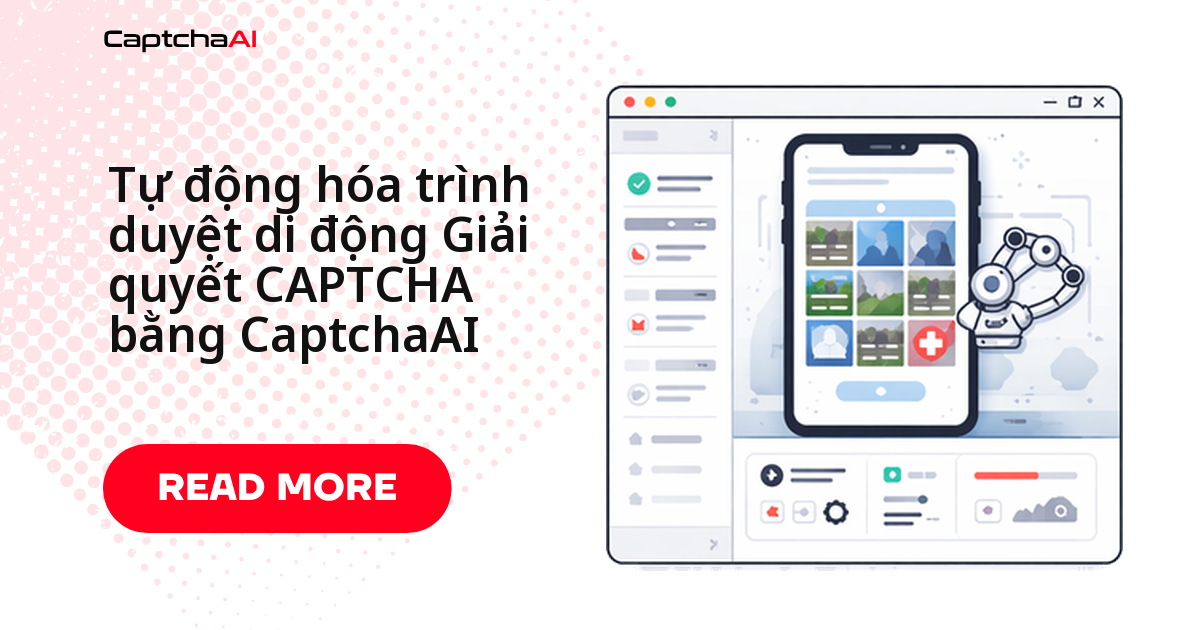
Tự động hóa trình duyệt trên di động không cần quy trình giải CAPTCHA riêng — reCAPTCHA v2 vẫn nhận đúng sitekey và pageurl như trên desktop, CaptchaAI giải y hệt dù bạn chạy Chrome desktop hay giả lập iPhone. Khác biệt nằm ở cách trang phát hiện thiết bị: User-Agent, viewport và sự kiện chạm thay vì chuột, khiến widget CAPTCHA render khác đi.
Nhóm QA tại một công ty outsource ở TP.HCM từng gặp đúng tình huống này khi test luồng đăng ký trên web di động của ứng dụng nội bộ — giao diện tương tự trải nghiệm quen thuộc trên Shopee hay Tiki. CaptchaAI lo phần giải, bạn chỉ trích sitekey và inject token đúng chỗ.
Bài này gồm:
- Giả lập di động bằng Playwright hoặc Selenium, không cần máy thật
- Trích sitekey, gửi task và inject token qua CaptchaAI
- Bảng so sánh di động/desktop và các lỗi hay gặp khi debug
So sánh CAPTCHA trên di động và desktop
Bốn yếu tố quyết định CAPTCHA hiển thị khác nhau thế nào giữa hai môi trường:
| Yếu tố | Desktop | Di động | Ảnh hưởng tới CAPTCHA |
|---|---|---|---|
| User-Agent | Chrome/Firefox desktop | Safari/Chrome di động | Một số trang đổi cấu hình CAPTCHA theo thiết bị |
| Viewport | 1920×1080 trở lên | 390×844 | Widget có thể render khác |
| Tương tác | Sự kiện chuột | Sự kiện chạm | Một số CAPTCHA kiểm tra loại tương tác |
| Mạng | Băng thông rộng | 4G/5G | Có thể cần timeout dài hơn |
Tình huống thực tế
Bạn tự động hóa việc gửi form trên một trang tối ưu cho di động có reCAPTCHA v2:
- Trang phát hiện User-Agent di động và đổi sang bố cục CAPTCHA riêng cho điện thoại
- Nút reCAPTCHA nằm ở vị trí khác, widget nhỏ hơn so với desktop
- Một số theme còn ẩn checkbox cho tới khi cuộn tới đúng vùng
- Bạn cần giải CAPTCHA và submit form ngay trong ngữ cảnh di động
Cách 1: Giả lập thiết bị di động bằng Playwright (Python)
Cách nhanh nhất để tự động hóa trình duyệt di động — không cần máy thật — là dùng device emulation dựng sẵn của Playwright. Đoạn code dưới đây giả lập iPhone 13, trích sitekey từ DOM, gửi task tới CaptchaAI, polling lấy token rồi inject vào form:
# playwright_mobile_captcha.py
import asyncio
import httpx
from playwright.async_api import async_playwright

API_KEY = "YOUR_API_KEY"

async def solve_recaptcha(sitekey: str, pageurl: str) -> str:
    """Submit reCAPTCHA v2 to CaptchaAI and poll for result."""
    async with httpx.AsyncClient(timeout=180) as client:
        # Submit task
        resp = await client.get(
            "https://ocr.captchaai.com/in.php",
            params={
                "key": API_KEY,
                "method": "userrecaptcha",
                "googlekey": sitekey,
                "pageurl": pageurl,
                "json": "1",
            },
        )
        result = resp.json()
        if result["status"] != 1:
            raise Exception(f"Submit failed: {result['request']}")

        task_id = result["request"]

        # Poll for result
        for _ in range(30):
            await asyncio.sleep(5)
            poll = await client.get(
                "https://ocr.captchaai.com/res.php",
                params={
                    "key": API_KEY,
                    "action": "get",
                    "id": task_id,
                    "json": "1",
                },
            )
            poll_result = poll.json()
            if poll_result["status"] == 1:
                return poll_result["request"]
            if poll_result["request"] != "CAPCHA_NOT_READY":
                raise Exception(f"Solve failed: {poll_result['request']}")

        raise Exception("Polling timeout")

async def main():
    async with async_playwright() as p:
        # Launch with iPhone 13 emulation
        iphone = p.devices["iPhone 13"]
        browser = await p.chromium.launch(headless=False)
        context = await browser.new_context(**iphone)
        page = await context.new_page()

        await page.goto("https://example.com/mobile-form")
        await page.wait_for_selector(".g-recaptcha", timeout=10000)

        # Extract sitekey
        sitekey = await page.get_attribute(".g-recaptcha", "data-sitekey")
        pageurl = page.url
        print(f"Found sitekey: {sitekey}")

        # Solve via CaptchaAI
        token = await solve_recaptcha(sitekey, pageurl)
        print(f"Token received: {token[:50]}...")

        # Inject token
        await page.evaluate(f"""
            document.getElementById('g-recaptcha-response').value = '{token}';
            document.getElementById('g-recaptcha-response').style.display = '';
        """)

        # Trigger callback if it exists
        await page.evaluate(f"""
            try {{
                const clients = ___grecaptcha_cfg.clients;
                Object.keys(clients).forEach(k => {{
                    Object.keys(clients[k]).forEach(j => {{
                        if (clients[k][j] && clients[k][j].callback) {{
                            clients[k][j].callback('{token}');
                        }}
                    }});
                }});
            }} catch(e) {{}}
        """)

        # Submit form
        await page.click('button[type="submit"]')
        await page.wait_for_load_state("networkidle")
        print("Form submitted successfully")

        await browser.close()

asyncio.run(main())
Nếu callback JavaScript của reCAPTCHA không tự chạy, đoạn duyệt ___grecaptcha_cfg.clients ở cuối script trên chính là bước hay bị bỏ sót — nhiều site chỉ submit được sau khi callback này chạy.
Cách 2: Giả lập di động bằng Selenium và Chrome DevTools (JavaScript)
Với pipeline CI/CD dùng Node.js, Selenium kết hợp Chrome DevTools Protocol cho phép cấu hình mobile emulation mà không cần Playwright. Luồng giải giống hệt Cách 1: lấy sitekey, gửi task tới in.php, polling res.php tới khi có token, rồi inject vào textarea trước khi submit:
// selenium_mobile_captcha.js
const { Builder, By, until } = require('selenium-webdriver');
const chrome = require('selenium-webdriver/chrome');
const axios = require('axios');

const API_KEY = 'YOUR_API_KEY';

async function solveCaptcha(sitekey, pageurl) {
  // Submit task
  const submitResp = await axios.get('https://ocr.captchaai.com/in.php', {
    params: {
      key: API_KEY,
      method: 'userrecaptcha',
      googlekey: sitekey,
      pageurl: pageurl,
      json: '1',
    },
  });

  if (submitResp.data.status !== 1) {
    throw new Error(`Submit failed: ${submitResp.data.request}`);
  }

  const taskId = submitResp.data.request;

  // Poll for result
  for (let i = 0; i < 30; i++) {
    await new Promise((r) => setTimeout(r, 5000));
    const pollResp = await axios.get('https://ocr.captchaai.com/res.php', {
      params: { key: API_KEY, action: 'get', id: taskId, json: '1' },
    });

    if (pollResp.data.status === 1) return pollResp.data.request;
    if (pollResp.data.request !== 'CAPCHA_NOT_READY') {
      throw new Error(`Solve failed: ${pollResp.data.request}`);
    }
  }
  throw new Error('Polling timeout');
}

async function main() {
  // Configure mobile emulation
  const mobileEmulation = {
    deviceMetrics: { width: 390, height: 844, pixelRatio: 3.0 },
    userAgent:
      'Mozilla/5.0 (iPhone; CPU iPhone OS 16_0 like Mac OS X) ' +
      'AppleWebKit/605.1.15 (KHTML, like Gecko) Version/16.0 Mobile/15E148 Safari/604.1',
  };

  const options = new chrome.Options();
  options.setMobileEmulation(mobileEmulation);

  const driver = await new Builder()
    .forBrowser('chrome')
    .setChromeOptions(options)
    .build();

  try {
    await driver.get('https://example.com/mobile-form');
    await driver.wait(until.elementLocated(By.css('.g-recaptcha')), 10000);

    // Extract sitekey
    const captchaEl = await driver.findElement(By.css('.g-recaptcha'));
    const sitekey = await captchaEl.getAttribute('data-sitekey');
    const pageurl = await driver.getCurrentUrl();

    console.log(`Sitekey: ${sitekey}`);

    // Solve CAPTCHA
    const token = await solveCaptcha(sitekey, pageurl);
    console.log(`Token: ${token.substring(0, 50)}...`);

    // Inject token
    await driver.executeScript(`
      document.getElementById('g-recaptcha-response').value = arguments[0];
    `, token);

    // Submit form
    await driver.findElement(By.css('button[type="submit"]')).click();
    console.log('Form submitted');
  } finally {
    await driver.quit();
  }
}

main().catch(console.error);
Khác với Playwright, bạn tự khai báo deviceMetrics và userAgent thay vì dùng profile dựng sẵn — cần đối chiếu đúng thông số máy thật nếu trang đích kiểm tra User-Agent nhất quán giữa lúc giải và lúc submit.
Xử lý lỗi thường gặp
| Vấn đề | Nguyên nhân | Cách xử lý |
|---|---|---|
| CAPTCHA không hiển thị khi giả lập | Trang phát hiện giả lập qua navigator.platform |
Đặt platform override trong DevTools Protocol |
Không tìm thấy textarea g-recaptcha-response |
Layout di động render CAPTCHA khác desktop | Tìm textarea theo name thay vì id |
| Đã inject token nhưng submit vẫn lỗi | Server kiểm tra User-Agent khớp giữa lúc giải và lúc submit | Dùng chung một User-Agent cho cả hai bước |
| Trang load chậm khi giả lập | Trang nặng tài nguyên (ảnh, font) | Thêm cờ --disable-images để tải nhanh hơn |
Câu hỏi thường gặp
Nên test bằng thiết bị thật hay giả lập di động?
Giả lập đủ cho phần lớn công việc phát triển và CI/CD vì nhanh, không cần phần cứng. Thiết bị thật qua Appium/ADB chỉ cần khi trang đích kiểm tra fingerprint chặt mà giả lập không tái tạo được.
Playwright hay Selenium phù hợp hơn để tự động hóa di động?
Playwright có device profile dựng sẵn như iPhone 13 nên setup nhanh, ít lỗi User-Agent. Selenium linh hoạt hơn khi cần custom chính xác từng thông số thiết bị hoặc đã có pipeline sẵn.
CaptchaAI có cần biết đây là CAPTCHA trên di động không?
Không. CaptchaAI giải dựa trên sitekey và pageurl — giống nhau dù lấy từ desktop hay di động.
Vì sao reCAPTCHA không hiển thị đúng trong chế độ giả lập?
Thường do trang phát hiện giả lập qua navigator.platform hoặc thiếu API cảm biến chỉ có trên thiết bị thật, nên fallback sang layout khác hoặc chặn render CAPTCHA.
Có thể chạy song song nhiều phiên giả lập để tăng tốc test không?
Có. CaptchaAI tính phí theo thread, không theo lần giải, nên chạy song song nhiều phiên Playwright/Selenium không phát sinh phụ phí — gói BASIC ($15/tháng, 5 thread) cho phép năm phiên cùng lúc, mỗi phiên dùng đúng cặp sitekey/pageurl của chính nó.
Tài liệu tham khảo thêm
Bắt đầu tự động hóa các luồng CAPTCHA trên di động — lấy API key CaptchaAI và tích hợp vào stack automation di động hiện có của bạn.
- Giải callback reCAPTCHA v2 bằng API
- Tự động hóa không code với Zapier và CaptchaAI
- Xử lý reCAPTCHA v2 và Turnstile trên cùng một trang
Hướng dẫn liên quan: