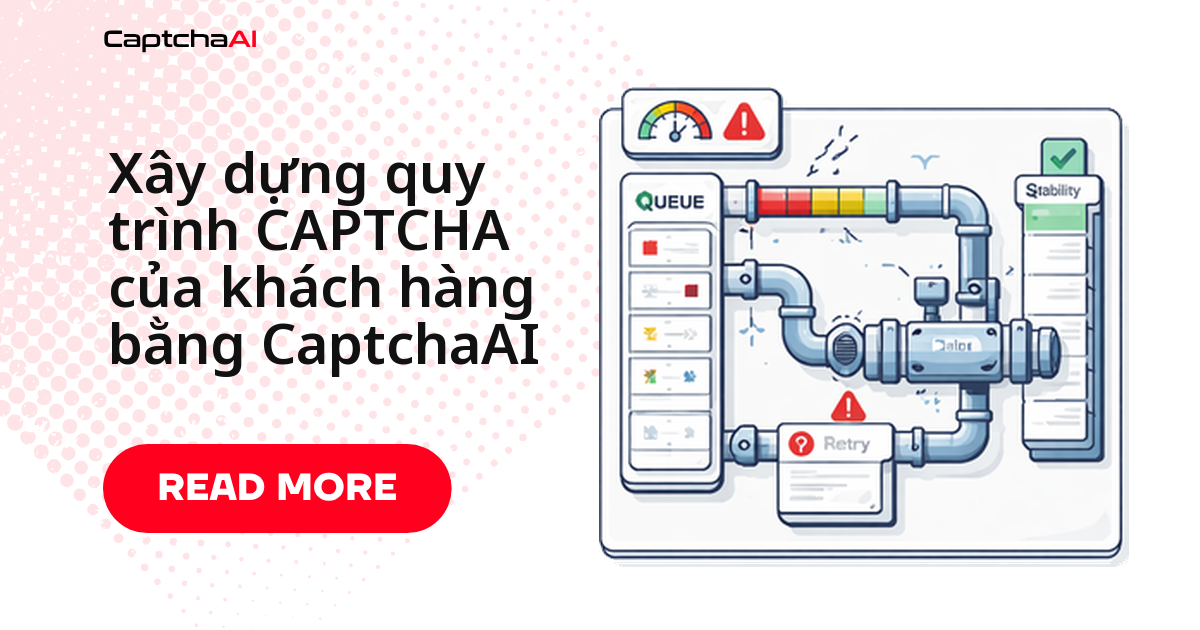
Một agency chạy scraping hoặc automation cho 5–10 client sẽ sớm nhận ra: viết lại logic giải CAPTCHA riêng cho từng dự án là phí thời gian và khó bảo trì. Câu trả lời là dựng một pipeline dùng chung — một hàng đợi, một nhóm solver worker, một kho kết quả — nhận task từ nhiều client, gửi tới CaptchaAI, rồi trả token đúng người cần. Bài này đi qua kiến trúc đó, kèm code Python và Node.js chạy được ngay, cộng với cách xử lý lỗi khi một client bị timeout mà không kéo sập các client còn lại.
Kiến trúc pipeline cho nhiều client
┌──────────────┐    ┌───────────────┐    ┌──────────────┐
│  Client A    │──▶ │               │    │              │
│  Client B    │──▶ │  Task Queue   │──▶ │  CaptchaAI   │
│  Client C    │──▶ │               │    │  API         │
└──────────────┘    └───────────────┘    └──────────────┘
                           │                    │
                           ▼                    ▼
                    ┌───────────────┐    ┌──────────────┐
                    │  Result Store │◀── │  Polling      │
                    │  (Redis/DB)   │    │  Workers      │
                    └───────────────┘    └──────────────┘
| Thành phần | Vai trò |
|---|---|
| Task intake | Nhận yêu cầu giải CAPTCHA từ scraper của từng client |
| Queue (hàng đợi) | Đệm task lại, giới hạn số task đồng thời cho mỗi client |
| Solver worker | Gửi task tới CaptchaAI và polling kết quả |
| Result store | Lưu token đã giải, để phía tiêu thụ (consumer) lấy ra đúng lúc cần |
Ví dụ thực tế: một agency ở TP.HCM chạy theo dõi giá cho 3 khách hàng thương mại điện tử — một client theo dõi Shopee, một client theo dõi Tiki, một client dùng Cloudflare Turnstile để chặn bot — trên cùng một gói ADVANCE ($90/tháng, 50 thread). Pipeline dùng chung giúp agency không phải mở 3 tài khoản CaptchaAI riêng; chỉ cần chia thread cho từng client qua max_concurrent trong CLIENT_CONFIG bên dưới.
Pipeline chỉ nên nhận task cho các loại CaptchaAI thực sự hỗ trợ — reCAPTCHA v2/v3, Cloudflare Turnstile/Challenge, GeeTest v3, ảnh/OCR, grid image, BLS. Với hCaptcha hoặc FunCaptcha, CaptchaAI chưa hỗ trợ nên lọc ngay ở tầng task intake thay vì để submit lỗi giữa hàng đợi.
Bản Python
Lớp CaptchaPipeline dưới đây gánh toàn bộ vòng đời một task: nhận vào hàng đợi, gửi tới CaptchaAI, polling kết quả, rồi trả token về đúng client qua callback. Đây là phần lõi bạn tái sử dụng cho mọi dự án client mới, không phải viết lại mỗi lần:
import requests
import time
from dataclasses import dataclass
from typing import Optional
from collections import deque
from threading import Lock

SUBMIT_URL = "https://ocr.captchaai.com/in.php"
RESULT_URL = "https://ocr.captchaai.com/res.php"

@dataclass
class SolveRequest:
    client_id: str
    method: str
    params: dict
    callback: Optional[callable] = None

@dataclass
class SolveResult:
    client_id: str
    task_id: str
    token: Optional[str] = None
    error: Optional[str] = None

class CaptchaPipeline:
    def __init__(self, api_key: str, max_concurrent: int = 10):
        self.api_key = api_key
        self.max_concurrent = max_concurrent
        self.queue = deque()
        self.active = {}
        self.lock = Lock()

    def enqueue(self, request: SolveRequest):
        with self.lock:
            self.queue.append(request)

    def submit_task(self, request: SolveRequest) -> Optional[str]:
        data = {
            "key": self.api_key,
            "method": request.method,
            "json": 1,
            **request.params
        }

        try:
            resp = requests.post(SUBMIT_URL, data=data, timeout=15)
            result = resp.json()

            if result.get("status") == 1:
                return result["request"]
            else:
                print(f"[{request.client_id}] Submit error: {result.get('error_text', result.get('request'))}")
                return None
        except requests.RequestException as e:
            print(f"[{request.client_id}] Network error: {e}")
            return None

    def poll_result(self, task_id: str, max_wait: int = 120) -> Optional[str]:
        elapsed = 0
        interval = 5
        while elapsed < max_wait:
            time.sleep(interval)
            elapsed += interval

            try:
                resp = requests.get(RESULT_URL, params={
                    "key": self.api_key,
                    "action": "get",
                    "id": task_id,
                    "json": 1
                }, timeout=10)
                result = resp.json()

                if result.get("status") == 1:
                    return result["request"]
                elif result.get("request") == "CAPCHA_NOT_READY":
                    continue
                else:
                    print(f"Poll error for {task_id}: {result.get('error_text', result.get('request'))}")
                    return None
            except requests.RequestException:
                continue

        return None

    def process_queue(self):
        while self.queue or self.active:
            # Fill active slots
            with self.lock:
                while self.queue and len(self.active) < self.max_concurrent:
                    request = self.queue.popleft()
                    task_id = self.submit_task(request)
                    if task_id:
                        self.active[task_id] = request

            # Poll active tasks
            completed = []
            for task_id, request in list(self.active.items()):
                token = self.poll_result(task_id, max_wait=10)
                if token:
                    result = SolveResult(
                        client_id=request.client_id,
                        task_id=task_id,
                        token=token
                    )
                    if request.callback:
                        request.callback(result)
                    completed.append(task_id)

            with self.lock:
                for task_id in completed:
                    del self.active[task_id]
Cách gọi trong thực tế trông như sau — hai client, hai loại CAPTCHA khác nhau, cùng chạy qua một pipeline:
pipeline = CaptchaPipeline(api_key="YOUR_API_KEY", max_concurrent=15)

# Client A — reCAPTCHA v2
pipeline.enqueue(SolveRequest(
    client_id="client_a",
    method="userrecaptcha",
    params={
        "googlekey": "6Le-SITEKEY-A",
        "pageurl": "https://client-a-staging.example.com/qa-form"
    },
    callback=lambda r: print(f"[{r.client_id}] Solved: {r.token[:40]}...")
))

# Client B — Turnstile
pipeline.enqueue(SolveRequest(
    client_id="client_b",
    method="turnstile",
    params={
        "sitekey": "0x4AAAA-SITEKEY-B",
        "pageurl": "https://client-b-target.com/login"
    },
    callback=lambda r: print(f"[{r.client_id}] Solved: {r.token[:40]}...")
))

pipeline.process_queue()
Bản Node.js
Cùng logic đó, viết bằng Node.js cho team đã có sẵn stack JavaScript — vẫn một queue, một giới hạn maxConcurrent, và cùng hai endpoint in.php / res.php:
const axios = require("axios");

const SUBMIT_URL = "https://ocr.captchaai.com/in.php";
const RESULT_URL = "https://ocr.captchaai.com/res.php";

class CaptchaPipeline {
  constructor(apiKey, maxConcurrent = 10) {
    this.apiKey = apiKey;
    this.maxConcurrent = maxConcurrent;
    this.queue = [];
    this.activeCount = 0;
  }

  enqueue(clientId, method, params) {
    return new Promise((resolve, reject) => {
      this.queue.push({ clientId, method, params, resolve, reject });
      this._processNext();
    });
  }

  async _processNext() {
    if (this.activeCount >= this.maxConcurrent || this.queue.length === 0) return;

    this.activeCount++;
    const task = this.queue.shift();

    try {
      const token = await this._solve(task);
      task.resolve({ clientId: task.clientId, token });
    } catch (err) {
      task.reject(err);
    } finally {
      this.activeCount--;
      this._processNext();
    }
  }

  async _solve(task) {
    const submitResp = await axios.post(SUBMIT_URL, null, {
      params: {
        key: this.apiKey,
        method: task.method,
        json: 1,
        ...task.params,
      },
      timeout: 15000,
    });

    if (submitResp.data.status !== 1) {
      throw new Error(submitResp.data.error_text || submitResp.data.request);
    }

    const taskId = submitResp.data.request;
    return this._poll(taskId);
  }

  async _poll(taskId, maxWait = 120000) {
    const interval = 5000;
    let elapsed = 0;

    while (elapsed < maxWait) {
      await new Promise((r) => setTimeout(r, interval));
      elapsed += interval;

      try {
        const resp = await axios.get(RESULT_URL, {
          params: {
            key: this.apiKey,
            action: "get",
            id: taskId,
            json: 1,
          },
          timeout: 10000,
        });

        if (resp.data.status === 1) return resp.data.request;
        if (resp.data.request !== "CAPCHA_NOT_READY") {
          throw new Error(resp.data.error_text || resp.data.request);
        }
      } catch (err) {
        if (err.response) throw err;
      }
    }

    throw new Error(`Timeout waiting for task ${taskId}`);
  }
}

// Usage
(async () => {
  const pipeline = new CaptchaPipeline("YOUR_API_KEY", 15);

  const results = await Promise.allSettled([
    pipeline.enqueue("client_a", "userrecaptcha", {
      googlekey: "6Le-SITEKEY-A",
      pageurl: "https://client-a-staging.example.com/qa-form",
    }),
    pipeline.enqueue("client_b", "turnstile", {
      sitekey: "0x4AAAA-SITEKEY-B",
      pageurl: "https://client-b-target.com/login",
    }),
  ]);

  results.forEach((r) => {
    if (r.status === "fulfilled") {
      console.log(`[${r.value.clientId}] Token: ${r.value.token.slice(0, 40)}...`);
    } else {
      console.error(`Failed: ${r.reason.message}`);
    }
  });
})();
Cấu hình riêng cho từng client
Lưu cài đặt riêng của mỗi client — proxy, solver mặc định, giới hạn đồng thời — vào một dict tra cứu, thay vì hardcode rải rác trong code:
CLIENT_CONFIG = {
    "client_a": {
        "proxy": "host:port:user:pass",
        "proxytype": "HTTP",
        "max_concurrent": 5,
        "default_method": "userrecaptcha"
    },
    "client_b": {
        "proxy": None,
        "proxytype": None,
        "max_concurrent": 10,
        "default_method": "turnstile"
    }
}

def build_params(client_id, params):
    config = CLIENT_CONFIG.get(client_id, {})
    if config.get("proxy"):
        params["proxy"] = config["proxy"]
        params["proxytype"] = config["proxytype"]
    return params
Khi nhận thêm client mới, chỉ cần thêm một entry vào CLIENT_CONFIG — không đụng vào logic CaptchaPipeline.
Theo dõi pipeline khi chạy nhiều client
Một pipeline dùng chung chỉ an toàn khi bạn nhìn được nó đang làm gì cho từng client:
- Log riêng theo
client_idđể biết ngay client nào đang chiếm nhiều thread nhất trong giờ cao điểm. - Đặt cảnh báo riêng cho
ERROR_ZERO_BALANCE— đây là lỗi duy nhất chặn cả pipeline thay vì chỉ một client. - Theo dõi thời gian giải trung bình theo từng loại CAPTCHA; thời gian tăng đột biến thường là dấu hiệu trang đích của một client vừa đổi loại thử thách.
- Chạy health check định kỳ cho endpoint CaptchaAI và proxy pool của từng client (xem hướng dẫn liên quan bên dưới) để phát hiện sự cố trước khi hàng đợi bị nghẽn.
Các lỗi thường gặp khi vận hành
- Hàng đợi tăng không giới hạn — nguyên nhân thường là slot đang chạy đã đầy; tăng
max_concurrenthoặc thêm worker. - Callback không được gọi — task đã lỗi âm thầm; kiểm tra error return ngay trong vòng polling thay vì chỉ tin vào callback.
- Token bị lẫn giữa các client — result store đang dùng chung một namespace; đặt key kết quả theo
client_id+task_id. - Lỗi rate limit (429) — pipeline đang gửi quá nhiều task đồng thời; giảm concurrency và thêm delay giữa các lần gửi.
Bảng tra lỗi API và cách xử lý
| Lỗi | Cách xử lý |
|---|---|
ERROR_ZERO_BALANCE |
Dừng hàng đợi ngay, báo cho tất cả client |
ERROR_NO_SLOT_AVAILABLE |
Đưa task trở lại hàng đợi kèm độ trễ |
ERROR_WRONG_CAPTCHA_ID |
Hủy task, ghi log lỗi |
ERROR_CAPTCHA_UNSOLVABLE |
Thử lại một lần, sau đó báo lỗi về client |
| Hết thời gian chờ mạng | Thử lại với backoff (tối đa 3 lần) |
Câu hỏi thường gặp
Nên chạy bao nhiêu task đồng thời cho mỗi client?
Bắt đầu ở mức 5–10 task đồng thời mỗi client, theo dõi thời gian giải và tỷ lệ lỗi trong vài ngày rồi tăng dần. CaptchaAI xử lý được concurrency cao; nút thắt thường nằm ở proxy pool của bạn, không phải ở API.
Một API key CaptchaAI có dùng chung được cho nhiều client không?
Được, và nó đơn giản hóa việc thanh toán — mọi task tính vào cùng gói thread. Nếu cần tách báo cáo theo từng client để đối soát công nợ, gắn tham số soft_id cho từng task thay vì mở nhiều key.
Ba câu hỏi còn lại agency hay hỏi trước khi triển khai:
- Pipeline có tự động thử lại khi gặp
ERROR_CAPTCHA_UNSOLVABLEkhông? Không tự động lặp vô hạn. Bảng lỗi ở trên quy định thử lại đúng một lần rồi báo lỗi về client — tránh vòng lặp tốn thread khi trang đích liên tục đổi CAPTCHA. - Pipeline này giải được cả reCAPTCHA v2, Turnstile lẫn GeeTest v3 cho các client khác nhau không? Được — chỉ cần đổi
methodkhi gửi task (userrecaptcha,turnstile,geetest…), phần hàng đợi và polling dùng chung một logic. Với hCaptcha hoặc FunCaptcha — hai loại CaptchaAI chưa hỗ trợ — bước submit sẽ trả lỗi ngay, nên lọc các loại này ở tầng task intake trước khi đưa vào hàng đợi. - Chi phí CaptchaAI tính theo từng client hay theo tổng thread đang dùng? Theo tổng thread của gói, không theo số lượng client. Gói BASIC ($15/tháng, 5 thread) đủ cho một agency nhỏ với 2–3 client ít task; khi số client tăng lên, nâng gói (ví dụ ADVANCE $90/tháng, 50 thread) thay vì mở thêm tài khoản CaptchaAI.
Xây pipeline CAPTCHA của bạn với CaptchaAI
Lấy API key tại captchaai.com và ghép pipeline này vào dự án client đầu tiên.
Không cần đổi kiến trúc khi nhận thêm client mới — chỉ thêm một entry trong CLIENT_CONFIG và một dòng pipeline.enqueue(...).