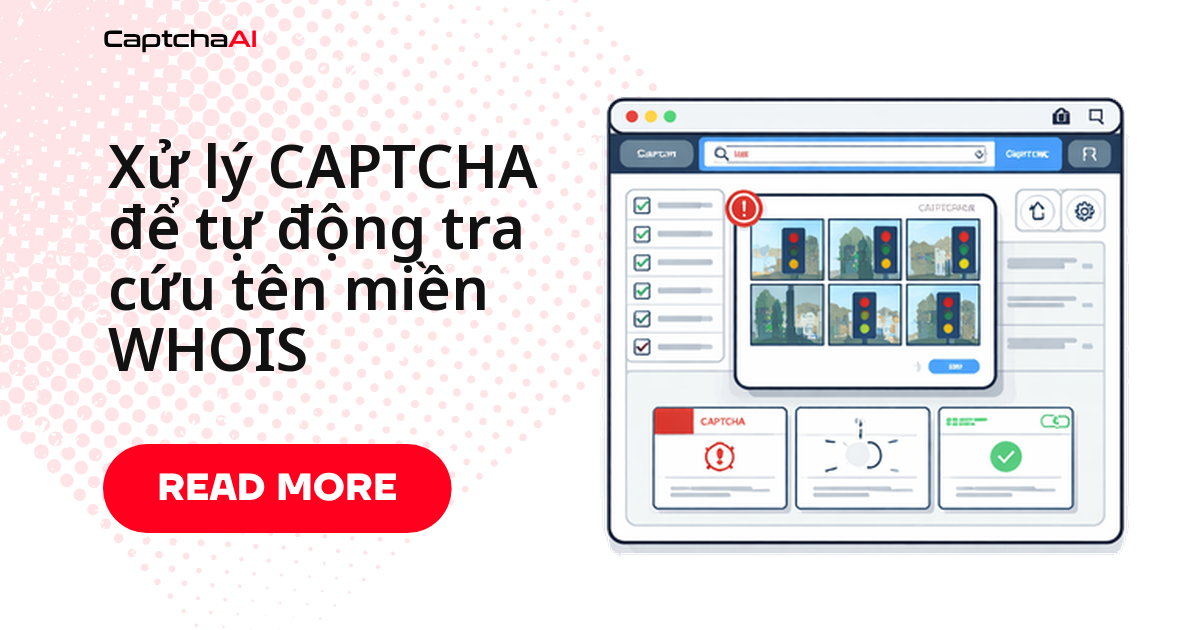
Muốn tra hàng loạt tên miền qua WHOIS mà không bị chặn sau vài request? Vấn đề thường không nằm ở logic script — mà ở chỗ hầu hết cổng WHOIS (ICANN, trang của nhà đăng ký, các NIR khu vực) bật reCAPTCHA v2, CAPTCHA hình ảnh hoặc Cloudflare Turnstile ngay khi phát hiện truy vấn liên tục, thường chỉ sau 3–5 lần gọi. Bài này đi thẳng vào cách nhận diện từng loại CAPTCHA, gọi CaptchaAI để lấy token, rồi ghép vào script tra cứu WHOIS bằng Python và JavaScript — kèm cách giảm tần suất bị chặn khi chạy hàng loạt.
CAPTCHA xuất hiện ở đâu khi tra cứu WHOIS?
Mỗi loại cổng WHOIS có ngưỡng kích hoạt CAPTCHA khác nhau — nắm được ngưỡng này giúp bạn đặt delay hợp lý ngay từ đầu thay vì dò lỗi ngược:
| Loại cổng thông tin | CAPTCHA | Ngưỡng kích hoạt |
|---|---|---|
| ICANN WHOIS | reCAPTCHA v2 | 3–5 truy vấn mỗi phiên |
| Trang tra cứu nhà đăng ký | reCAPTCHA v2/v3 | 5–10 truy vấn mỗi phút |
| NIR khu vực (APNIC, RIPE) | CAPTCHA hình ảnh | 10–20 truy vấn |
| Đấu giá tên miền WHOIS | Cloudflare Turnstile | Kiểm tra tên miền nhanh chóng |
| Công cụ WHOIS hàng loạt | CAPTCHA tùy chỉnh | Sau giới hạn bậc miễn phí |
Logic này áp dụng cho bất kỳ cổng WHOIS nào dùng reCAPTCHA hoặc Turnstile — kể cả cổng tra cứu tên miền .vn hay trang của nhà đăng ký trong nước, miễn selector site key và luồng submit tương tự. Agency quản lý hàng chục tới hàng trăm domain cho khách hàng ở TP.HCM hay Hà Nội thường ghép script này vào một cron job kiểm tra cả danh mục, thay vì tra thủ công từng tên miền một.
Viết script Python tra cứu WHOIS và tự động giải CAPTCHA
Class dưới đây gửi request tới cổng WHOIS, kiểm tra trang có nhúng reCAPTCHA hay không, lấy site key, gửi task tới CaptchaAI, polling kết quả rồi submit lại token để lấy dữ liệu WHOIS thật:
import requests
import time
import re

class WhoisLookup:
    def __init__(self, api_key):
        self.api_key = api_key
        self.session = requests.Session()
        self.session.headers.update({
            "User-Agent": "Mozilla/5.0 (Windows NT 10.0; Win64; x64) AppleWebKit/537.36"
        })

    def lookup(self, domain, whois_url):
        """Look up WHOIS data for a domain, solving CAPTCHAs as needed."""
        response = self.session.get(whois_url, params={"domain": domain})

        if self._has_recaptcha(response.text):
            site_key = self._extract_site_key(response.text)
            token = self._solve_recaptcha(site_key, whois_url)
            response = self.session.post(whois_url, data={
                "domain": domain,
                "g-recaptcha-response": token
            })

        return self._parse_whois(response.text)

    def bulk_lookup(self, domains, whois_url, delay=3):
        """Look up WHOIS for multiple domains."""
        results = {}
        for domain in domains:
            try:
                results[domain] = self.lookup(domain, whois_url)
            except Exception as e:
                results[domain] = {"error": str(e)}
            time.sleep(delay)
        return results

    def check_availability(self, domains, whois_url):
        """Check which domains are available for registration."""
        results = self.bulk_lookup(domains, whois_url)
        available = []
        taken = []

        for domain, data in results.items():
            if data.get("error") or data.get("status") == "available":
                available.append(domain)
            else:
                taken.append(domain)

        return {"available": available, "taken": taken}

    def _has_recaptcha(self, html):
        return "g-recaptcha" in html or "recaptcha" in html.lower()

    def _extract_site_key(self, html):
        match = re.search(r'data-sitekey="([^"]+)"', html)
        if match:
            return match.group(1)
        raise ValueError("reCAPTCHA site key not found")

    def _solve_recaptcha(self, site_key, page_url):
        resp = requests.post("https://ocr.captchaai.com/in.php", data={
            "key": self.api_key,
            "method": "userrecaptcha",
            "googlekey": site_key,
            "pageurl": page_url,
            "json": 1
        })
        task_id = resp.json()["request"]

        for _ in range(60):
            time.sleep(3)
            result = requests.get("https://ocr.captchaai.com/res.php", params={
                "key": self.api_key,
                "action": "get",
                "id": task_id,
                "json": 1
            })
            data = result.json()
            if data["status"] == 1:
                return data["request"]

        raise TimeoutError("reCAPTCHA solve timed out")

    def _parse_whois(self, html):
        from bs4 import BeautifulSoup
        soup = BeautifulSoup(html, "html.parser")

        # Look for WHOIS data in pre-formatted blocks or tables
        raw_whois = soup.select_one("pre, .whois-data, #whois-result")
        if raw_whois:
            text = raw_whois.get_text()
            return self._extract_fields(text)

        return {"raw": soup.get_text()[:2000]}

    def _extract_fields(self, text):
        fields = {}
        patterns = {
            "registrar": r"Registrar:\s*(.+)",
            "created": r"Creat(?:ed|ion) Date:\s*(.+)",
            "expires": r"(?:Expir(?:y|ation)|Registry Expiry) Date:\s*(.+)",
            "updated": r"Updated Date:\s*(.+)",
            "status": r"(?:Domain )?Status:\s*(.+)",
            "nameservers": r"Name Server:\s*(.+)",
            "registrant": r"Registrant (?:Name|Organization):\s*(.+)"
        }

        for field, pattern in patterns.items():
            matches = re.findall(pattern, text, re.IGNORECASE)
            if matches:
                fields[field] = matches if len(matches) > 1 else matches[0].strip()

        return fields

# Usage
whois = WhoisLookup("YOUR_API_KEY")

# Single lookup
result = whois.lookup("example.com", "https://whois.example.com/lookup")
print(f"Registrar: {result.get('registrar')}")
print(f"Expires: {result.get('expires')}")

# Bulk availability check
domains = ["startup-name.com", "my-project.io", "cool-app.dev"]
availability = whois.check_availability(domains, "https://whois.example.com/lookup")
print(f"Available: {availability['available']}")
Kết quả trả về là dict domain nào available, domain nào đã bị đăng ký — sẵn sàng ghi vào CSV hoặc đẩy vào Google Sheet để đội content/marketing dùng lại.
Giám sát danh mục tên miền bằng JavaScript
Nếu bạn theo dõi ngày hết hạn cho nhiều domain cùng lúc — ví dụ cả portfolio brand-protection của một agency — DomainMonitor dưới đây lưu lịch sử mỗi lần check và tự cảnh báo khi domain còn dưới 30 ngày:
class DomainMonitor {
  constructor(apiKey) {
    this.apiKey = apiKey;
    this.watchList = new Map();
  }

  addDomain(domain, whoisUrl) {
    this.watchList.set(domain, { url: whoisUrl, history: [] });
  }

  async checkExpirations() {
    const expiring = [];

    for (const [domain, config] of this.watchList) {
      try {
        const data = await this.lookup(domain, config.url);
        config.history.push({ ...data, checkedAt: new Date().toISOString() });

        if (data.expires) {
          const daysLeft = Math.ceil(
            (new Date(data.expires) - new Date()) / (1000 * 60 * 60 * 24)
          );
          if (daysLeft <= 30) {
            expiring.push({ domain, daysLeft, expires: data.expires });
          }
        }
      } catch (error) {
        console.error(`Failed to check ${domain}: ${error.message}`);
      }
    }

    return expiring;
  }

  async lookup(domain, whoisUrl) {
    const response = await fetch(`${whoisUrl}?domain=${domain}`);
    const html = await response.text();

    if (html.includes('g-recaptcha')) {
      return this.solveAndLookup(domain, whoisUrl, html);
    }

    return this.parseWhois(html);
  }

  async solveAndLookup(domain, whoisUrl, html) {
    const match = html.match(/data-sitekey="([^"]+)"/);
    if (!match) throw new Error('No reCAPTCHA site key found');

    const submitResp = await fetch('https://ocr.captchaai.com/in.php', {
      method: 'POST',
      body: new URLSearchParams({
        key: this.apiKey,
        method: 'userrecaptcha',
        googlekey: match[1],
        pageurl: whoisUrl,
        json: '1'
      })
    });
    const { request: taskId } = await submitResp.json();

    for (let i = 0; i < 60; i++) {
      await new Promise(r => setTimeout(r, 3000));
      const result = await fetch(
        `https://ocr.captchaai.com/res.php?key=${this.apiKey}&action=get&id=${taskId}&json=1`
      );
      const data = await result.json();
      if (data.status === 1) {
        const response = await fetch(whoisUrl, {
          method: 'POST',
          body: new URLSearchParams({
            domain,
            'g-recaptcha-response': data.request
          })
        });
        return this.parseWhois(await response.text());
      }
    }
    throw new Error('reCAPTCHA solve timed out');
  }

  parseWhois(html) {
    const extract = (pattern) => {
      const match = html.match(pattern);
      return match ? match[1].trim() : null;
    };

    return {
      registrar: extract(/Registrar:\s*([^\n<]+)/i),
      created: extract(/Creat(?:ed|ion) Date:\s*([^\n<]+)/i),
      expires: extract(/(?:Expir(?:y|ation)|Registry Expiry) Date:\s*([^\n<]+)/i),
      status: extract(/(?:Domain )?Status:\s*([^\n<]+)/i)
    };
  }
}

// Usage
const monitor = new DomainMonitor('YOUR_API_KEY');
monitor.addDomain('example.com', 'https://whois.example.com/lookup');
monitor.addDomain('mysite.io', 'https://whois.example.com/lookup');

const expiring = await monitor.checkExpirations();
expiring.forEach(d => console.log(`${d.domain} expires in ${d.daysLeft} days`));
Gắn checkExpirations vào cron hàng ngày là đủ để không bỏ sót domain nào sắp hết hạn, kể cả khi danh mục lên tới vài trăm tên miền.
Giảm tần suất bị CAPTCHA khi tra cứu hàng loạt
Vài điều chỉnh đơn giản giảm đáng kể số lần CaptchaAI phải can thiệp, tiết kiệm cả thời gian lẫn số thread cần dùng:
| Chiến lược | Lợi ích |
|---|---|
| Cache kết quả cục bộ | Tránh tra lại cùng một domain nhiều lần |
| Delay 3–5 giây giữa các request | Giảm tỷ lệ bị CAPTCHA kích hoạt |
| Xoay vòng giữa nhiều cổng WHOIS | Phân tán tải, tránh dồn hết vào một nhà cung cấp |
| Giữ session/cookie giữa các lần gọi | Duy trì trạng thái đã qua CAPTCHA lâu hơn |
Lỗi thường gặp khi tra cứu WHOIS và cách xử lý
Bốn tình huống dưới đây chiếm phần lớn lỗi thực tế khi chạy script tra cứu WHOIS ở quy mô lớn:
| Vấn đề | Nguyên nhân | Cách xử lý |
|---|---|---|
| CAPTCHA xuất hiện sau 3 truy vấn | Cổng WHOIS giới hạn tần suất chặt | Tăng delay, đa dạng nguồn request |
| WHOIS trả về "No match" | Dữ liệu bị redact do quyền riêng tư/RDAP | Thử cổng WHOIS thay thế |
| Token reCAPTCHA bị từ chối | Token hết hạn trước khi submit | Giải và gửi trong vòng 2 phút |
| IP bị chặn | Vượt giới hạn truy vấn hàng ngày | Đa dạng nguồn request, giãn lịch chạy |
Câu hỏi thường gặp
Giải CAPTCHA cho hàng nghìn lượt tra cứu WHOIS mỗi tháng tốn bao nhiêu?
Tuỳ số thread bạn cần chạy song song, không phải tuỳ số domain tra trong tháng. Gói BASIC ($15/tháng, 5 thread) đủ cho vài trăm tra cứu mỗi ngày chạy tuần tự; cần scale lên hàng nghìn domain/ngày với nhiều worker song song thì ADVANCE ($90/tháng, 50 thread) hoặc PREMIUM ($170/tháng, 100 thread) phù hợp hơn. CaptchaAI tính theo thread với số lần giải không giới hạn trên mỗi thread, nên tra càng nhiều domain trong tháng không tự động phát sinh phí thêm.
Một IP tra cứu được bao nhiêu domain mỗi ngày trước khi bị CAPTCHA chặn?
Thường 50–200 truy vấn mỗi IP mỗi ngày tuỳ cổng WHOIS, trước khi rate limit siết chặt. Kết hợp đa dạng nguồn request với CaptchaAI xử lý CAPTCHA phát sinh, bạn scale lên được hàng nghìn tra cứu mỗi ngày mà không phải tự viết logic né chặn.
Dùng WHOIS protocol (port 43) có tránh CAPTCHA hoàn toàn không?
Có — port 43 không hiện CAPTCHA, nhưng đổi lại rate limit chặt hơn và dữ liệu bị redact nhiều do RDAP/GDPR. Cổng web thường trả nhiều trường dữ liệu hơn, đánh đổi bằng việc phải qua CAPTCHA như trong hai ví dụ ở trên.
Cách xử lý này có áp dụng cho cổng tra cứu tên miền .vn không?
Có, miễn cổng đó dùng reCAPTCHA v2/v3, CAPTCHA hình ảnh hoặc Turnstile — script chỉ cần đổi site key và URL. Với cổng WHOIS trong nước, kiểm tra DOM trước để xác nhận đúng loại CAPTCHA đang dùng rồi mới ghép vào pipeline, vì cơ chế bảo vệ của từng nhà đăng ký có thể thay đổi theo thời gian.
Nên polling hay dùng webhook khi tích hợp vào script tra cứu WHOIS?
Với batch job chạy định kỳ như hai ví dụ Python và JavaScript ở trên, polling res.php đơn giản hơn và không cần expose endpoint public. Webhook đáng cân nhắc hơn khi bạn tra cứu theo yêu cầu real-time từ người dùng cuối và cần trả kết quả ngay khi có, thay vì giữ connection chờ.
Bài viết liên quan
- Xử lý callback reCAPTCHA v2 qua API
- Kết hợp reCAPTCHA v2 và Turnstile trên cùng một site
- Cơ chế callback của reCAPTCHA v2
Bắt đầu ngay
Tự động hoá tra cứu tên miền — lấy API key CaptchaAI và ghép vào script ở trên để xử lý CAPTCHA của bất kỳ cổng WHOIS nào.