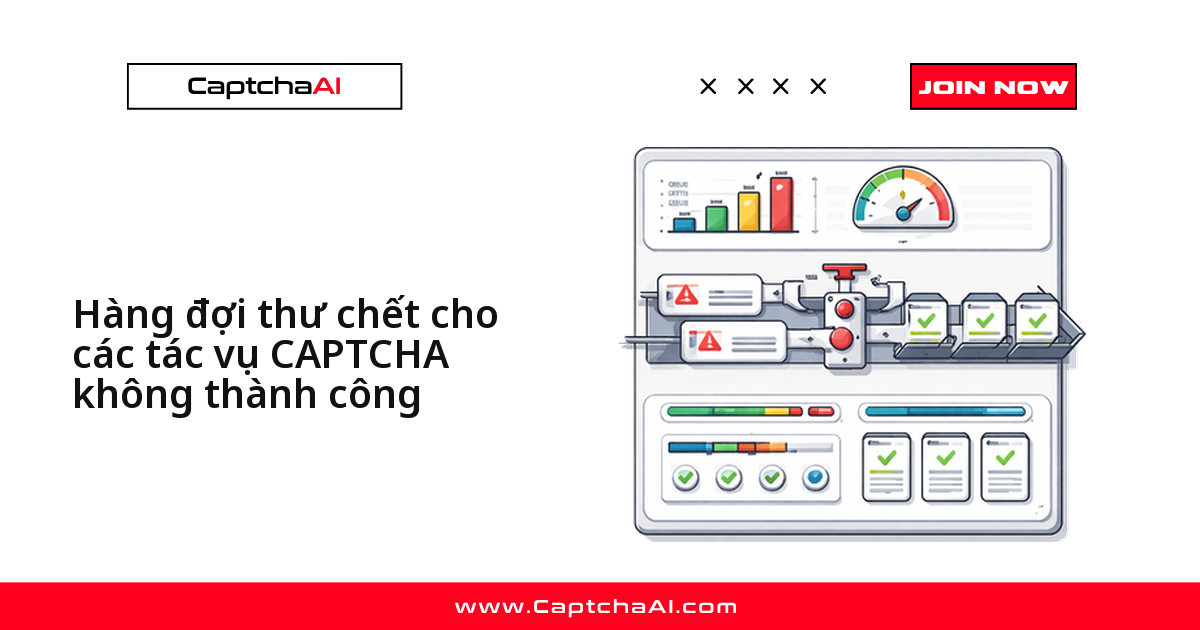
Một pipeline giải reCAPTCHA v2 chạy vài nghìn task mỗi đêm mà không có dead-letter queue (DLQ) sẽ mất dấu đúng lúc bạn cần nhất — khi API trả lỗi hàng loạt. DLQ giữ lại tác vụ thất bại để bạn phát lại, phân tích hoặc bật cảnh báo, thay vì để nó biến mất trong log.
Vì sao tác vụ CAPTCHA rơi vào DLQ
Bốn nguyên nhân phổ biến nhất:
| Nguyên nhân | Ý nghĩa |
|---|---|
ERROR_CAPTCHA_UNSOLVABLE |
Worker không giải được thử thách |
ERROR_NO_SLOT_AVAILABLE |
Hết worker rảnh, retry đều thất bại |
| Timeout | Solver không trả kết quả trước hạn polling |
| Lỗi mạng | Kết nối rớt giữa lúc polling |
Không có DLQ, các lỗi này chỉ để lại dòng log rồi biến mất — không cách nào phát lại hay truy nguyên nhân gốc.
Python: dựng DLQ trong bộ nhớ kèm cơ chế thử lại
Class DeadLetterQueue dưới đây giữ tác vụ thất bại trong bộ nhớ, tự thử lại theo backoff trước khi đẩy vào hàng đợi:
import time
import json
import requests
from collections import deque
from dataclasses import dataclass, asdict
from typing import Optional

API_KEY = "YOUR_API_KEY"
SUBMIT_URL = "https://ocr.captchaai.com/in.php"
RESULT_URL = "https://ocr.captchaai.com/res.php"

@dataclass
class FailedTask:
    sitekey: str
    page_url: str
    error: str
    attempts: int
    timestamp: float
    task_id: Optional[str] = None

class DeadLetterQueue:
    def __init__(self, max_size=1000, max_retries=3):
        self._queue = deque(maxlen=max_size)
        self.max_retries = max_retries

    def push(self, task: FailedTask):
        self._queue.append(task)
        print(f"[dlq] Added: {task.error} (attempts: {task.attempts})")

    def pop(self) -> Optional[FailedTask]:
        return self._queue.popleft() if self._queue else None

    def size(self) -> int:
        return len(self._queue)

    def peek_all(self) -> list:
        return [asdict(t) for t in self._queue]

    def export_json(self, path: str):
        with open(path, "w") as f:
            json.dump(self.peek_all(), f, indent=2)
        print(f"[dlq] Exported {self.size()} tasks to {path}")

dlq = DeadLetterQueue(max_retries=3)

def solve_captcha(sitekey, page_url, max_retries=3):
    for attempt in range(max_retries + 1):
        try:
            resp = requests.post(SUBMIT_URL, data={
                "key": API_KEY,
                "method": "userrecaptcha",
                "googlekey": sitekey,
                "pageurl": page_url,
                "json": "1",
            }, timeout=15)
            data = resp.json()
            if data["status"] != 1:
                raise Exception(data["request"])

            task_id = data["request"]
            for _ in range(24):
                time.sleep(5)
                poll = requests.get(RESULT_URL, params={
                    "key": API_KEY, "action": "get",
                    "id": task_id, "json": "1",
                }, timeout=15).json()

                if poll["status"] == 1:
                    return poll["request"]
                if poll["request"] != "CAPCHA_NOT_READY":
                    raise Exception(poll["request"])

            raise TimeoutError(f"Task {task_id} timed out")

        except Exception as e:
            if attempt == max_retries:
                dlq.push(FailedTask(
                    sitekey=sitekey,
                    page_url=page_url,
                    error=str(e),
                    attempts=attempt + 1,
                    timestamp=time.time(),
                ))
                return None
            time.sleep(2 ** attempt)

    return None

# Process a batch
urls = [f"https://example.com/page/{i}" for i in range(5)]
for url in urls:
    token = solve_captcha("6Le-SITEKEY", url)
    if token:
        print(f"Solved: {token[:40]}...")

print(f"\nDLQ size: {dlq.size()}")
Kết quả in ra console:
Solved: 03AGdBq26ZfPxL...
Solved: 03AGdBq27AbCdE...
[dlq] Added: ERROR_CAPTCHA_UNSOLVABLE (attempts: 4)
Solved: 03AGdBq28FgHiJ...
[dlq] Added: Task 71823460 timed out (attempts: 4)

DLQ size: 2
Thử lại tác vụ từ DLQ
Sau batch chính, gọi retry_dlq() để phát lại tác vụ trong DLQ với giới hạn thử lại thấp hơn, tránh vòng lặp vô tận:
def retry_dlq(dlq: DeadLetterQueue, max_retries=2):
    retried = 0
    recovered = 0

    while dlq.size() > 0:
        task = dlq.pop()
        if task.attempts >= dlq.max_retries + max_retries:
            print(f"[dlq] Permanently failed: {task.sitekey} — {task.error}")
            continue

        retried += 1
        token = solve_captcha(
            task.sitekey, task.page_url, max_retries=max_retries
        )
        if token:
            recovered += 1
            print(f"[dlq-retry] Recovered: {token[:40]}...")

    print(f"[dlq] Retried: {retried}, Recovered: {recovered}")

# Run DLQ retry after main batch
retry_dlq(dlq)
Mẹo: log riêng số
recoveredmỗi lần chạy, thay vì chỉ nhìn tổngsize().
JavaScript: DLQ lưu trạng thái ra file
Bản Node.js ghi DLQ ra file JSON sau mỗi thay đổi — tác vụ không mất khi process khởi động lại:
const fs = require('fs');
const axios = require('axios');

const API_KEY = 'YOUR_API_KEY';
const DLQ_FILE = './captcha-dlq.json';

class DeadLetterQueue {
  constructor(maxRetries = 3) {
    this.maxRetries = maxRetries;
    this.queue = this._load();
  }

  push(task) {
    this.queue.push({
      ...task,
      timestamp: Date.now(),
    });
    this._save();
    console.log(`[dlq] Added: ${task.error} (attempts: ${task.attempts})`);
  }

  pop() {
    const task = this.queue.shift();
    if (task) this._save();
    return task || null;
  }

  size() {
    return this.queue.length;
  }

  _load() {
    try {
      return JSON.parse(fs.readFileSync(DLQ_FILE, 'utf8'));
    } catch {
      return [];
    }
  }

  _save() {
    fs.writeFileSync(DLQ_FILE, JSON.stringify(this.queue, null, 2));
  }
}

const dlq = new DeadLetterQueue(3);

async function solveCaptcha(sitekey, pageurl, maxRetries = 3) {
  for (let attempt = 0; attempt <= maxRetries; attempt++) {
    try {
      const submit = await axios.post('https://ocr.captchaai.com/in.php', null, {
        params: { key: API_KEY, method: 'userrecaptcha', googlekey: sitekey, pageurl, json: 1 }
      });
      if (submit.data.status !== 1) throw new Error(submit.data.request);

      const taskId = submit.data.request;
      for (let i = 0; i < 24; i++) {
        await new Promise(r => setTimeout(r, 5000));
        const poll = await axios.get('https://ocr.captchaai.com/res.php', {
          params: { key: API_KEY, action: 'get', id: taskId, json: 1 }
        });
        if (poll.data.status === 1) return poll.data.request;
        if (poll.data.request !== 'CAPCHA_NOT_READY') throw new Error(poll.data.request);
      }
      throw new Error(`Task ${taskId} timed out`);
    } catch (err) {
      if (attempt === maxRetries) {
        dlq.push({ sitekey, pageurl, error: err.message, attempts: attempt + 1 });
        return null;
      }
      await new Promise(r => setTimeout(r, 2 ** attempt * 1000));
    }
  }
}

// Process tasks
(async () => {
  for (let i = 0; i < 5; i++) {
    const token = await solveCaptcha('6Le-SITEKEY', `https://example.com/page/${i}`);
    if (token) console.log(`Solved: ${token.substring(0, 40)}...`);
  }
  console.log(`DLQ size: ${dlq.size()}`);
})();
Phân tích dữ liệu trong DLQ
Xuất DLQ ra file và gom nhóm lỗi để tìm ra mẫu lặp lại:
# Export DLQ for analysis
dlq.export_json("failed-tasks.json")

# Analyze error distribution
from collections import Counter
errors = Counter(t["error"] for t in dlq.peek_all())
for error, count in errors.most_common():
    print(f"  {error}: {count}")
Dùng dữ liệu này để:
- Sitekey nào liên tục lỗi → kiểm tra lại tham số
sitekey/pageurl - Timeout tập trung vào một khung giờ cụ thể → đối chiếu với tải của API tại thời điểm đó
- Nhiều lỗi mạng cùng lúc → kiểm tra tình trạng proxy hoặc kết nối
Ví dụ thực tế: một team QA outsource tại TP.HCM chạy ~20.000 tác vụ reCAPTCHA v2/đêm cho dự án theo dõi giá sàn thương mại điện tử. Export DLQ mỗi sáng, gom theo
sitekey, phát hiện ngay khi một trang đổi tham số CAPTCHA.
Nguyên tắc thiết kế chính sách phát lại
- Giữ context request, lý do lỗi và số lần đã thử cùng nhau — để phát lại sau an toàn, dễ debug.
- Phân loại lỗi nào tự động phát lại được, lỗi nào cần người vận hành xem qua.
- Theo dõi throughput phát lại, tuổi trung bình của item và tỷ lệ lỗi lặp lại như chỉ số vận hành chính.
Khắc phục sự cố
| Vấn đề | Nguyên nhân | Cách xử lý |
|---|---|---|
| DLQ phình to không ngừng | Không xử lý phát lại | Lên lịch retry_dlq() định kỳ qua cron hoặc worker riêng |
| Một task bị thử lại vô hạn | Không giới hạn số lần thử | Kiểm tra task.attempts trước khi đẩy lại vào hàng đợi |
| File DLQ bị hỏng dữ liệu | Nhiều process ghi cùng lúc | Dùng file locking, hoặc chuyển sang Redis/database |
| Mất tác vụ khi service crash | Chỉ dùng DLQ trong bộ nhớ | Chuyển sang DLQ ghi file hoặc dùng Redis |
Câu hỏi thường gặp
DLQ có làm chậm tốc độ xử lý batch không?
Không, nếu làm đúng cách. Đẩy một task vào DLQ chỉ tốn vài mili giây — phần tốn thời gian là chuỗi retry trước đó.
Nhiều worker chạy song song có dùng chung một DLQ được không?
Được, nhưng DLQ trong bộ nhớ (ví dụ Python ở trên) không chia sẻ giữa các process. Với nhiều worker, chuyển sang Redis hoặc database chung.
Khi nào nên bỏ hẳn một task thay vì thử lại tiếp?
Sau 2-3 lần phát lại từ DLQ, cộng số lần thử ban đầu. Trên 6 lần thất bại thường do tham số sai — ghi log và bỏ qua.
Có thể kết hợp DLQ với mẫu ngắt mạch (circuit breaker) không?
Có. Circuit breaker chặn request mới khi API gặp sự cố, còn DLQ ghi lại tác vụ đã lỗi trước khi mạch bị ngắt — hai cơ chế bổ trợ nhau. Xem thêm mẫu ngắt mạch cho lệnh gọi API CAPTCHA.
DLQ có cần gắn cảnh báo (alerting) không?
Nên có — gắn cảnh báo khi dlq.size() vượt ngưỡng, hoặc lỗi gom theo sitekey tăng đột biến trong một khung giờ.
Không mất dấu tác vụ CAPTCHA lỗi nào nữa với CaptchaAI
Lấy API key của bạn tại captchaai.com.