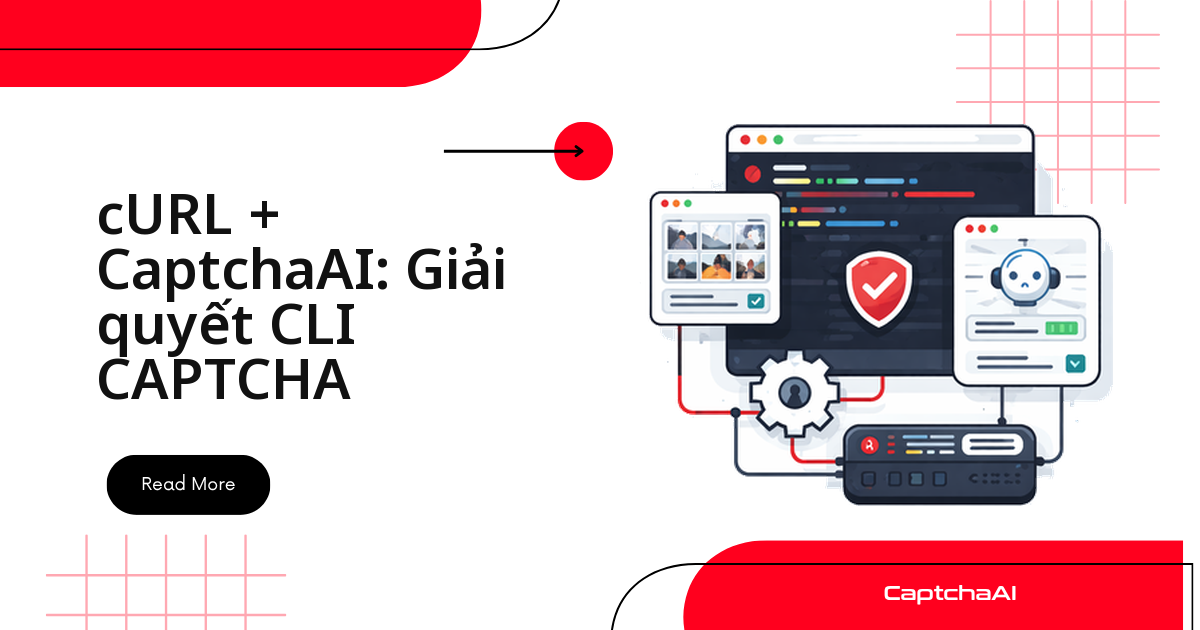
Bạn không cần cài SDK để giải CAPTCHA — chỉ một lệnh cURL gọi thẳng API REST của CaptchaAI là đủ. Cách này gọn cho thử nghiệm nhanh, pipeline CI/CD, hay script Bash automation, không kéo theo runtime Python hay Node.js. Toàn bộ luồng xử lý chỉ có bốn bước, lặp lại giống nhau cho mọi loại CAPTCHA:
- Gửi task tới
in.phpkèm thông tin CAPTCHA cần giải - Nhận
task_idtừ phản hồiOK|<id> - Polling
res.phpbằngtask_idđó cho đến khi có kết quả - Dùng token trả về để submit form hoặc vượt qua thử thách CAPTCHA
Ví dụ thực tế: một team QA outsourcing tại TP.HCM dùng đúng bốn bước trên trong bước kiểm thử staging mỗi sáng — chạy
solve_captcha.shcho hàng chục tài khoản test trước khi bộ test đăng nhập tự động chạy tiếp, không cần cài thêm SDK nào ngoài cURL sẵn có trên máy CI.
Công cụ cần chuẩn bị
- cURL — phiên bản hiện đại nào cũng được
- jq (tùy chọn) — ghi log kết quả dạng JSON
- API key CaptchaAI — lấy tại đây
Ba lệnh cURL cơ bản để giải CAPTCHA với CaptchaAI
Ba lệnh dưới đây là tất cả những gì bạn cần để thử API CaptchaAI ngay từ terminal, trước khi ghép chúng thành script hoàn chỉnh ở phần sau.
Kiểm tra số dư trước khi chạy batch
Kiểm tra trước khi chạy batch để tránh hết credit:
curl -s "https://ocr.captchaai.com/res.php?key=YOUR_API_KEY&action=getbalance"
Đầu ra: 1.234
Gửi task reCAPTCHA v2 tới in.php
Gọi in.php với method=userrecaptcha, googlekey (sitekey) và pageurl:
curl -s "https://ocr.captchaai.com/in.php?key=YOUR_API_KEY&method=userrecaptcha&googlekey=6Le-wvkS...&pageurl=https://example.com"
Đầu ra: OK|73548291
Polling kết quả từ res.php
Dùng action=get cùng id để hỏi kết quả — cách CaptchaAI trả token khi không dùng callback:
curl -s "https://ocr.captchaai.com/res.php?key=YOUR_API_KEY&action=get&id=73548291"
Đầu ra: OK|03AGdBq24PBCbw... hoặc CAPCHA_NOT_READY
Viết script Bash tự động giải CAPTCHA
Gộp ba lệnh trên thành một script: submit, polling, trả token. Tạo file solve_captcha.sh:
#!/bin/bash
set -euo pipefail

API_KEY="${CAPTCHAAI_API_KEY:?Set CAPTCHAAI_API_KEY environment variable}"
BASE_URL="https://ocr.captchaai.com"

solve_recaptcha() {
    local site_key="$1"
    local page_url="$2"
    local timeout="${3:-300}"

    # Submit
    local response
    response=$(curl -s "${BASE_URL}/in.php?key=${API_KEY}&method=userrecaptcha&googlekey=${site_key}&pageurl=${page_url}")

    if [[ ! "$response" == OK|* ]]; then
        echo "ERROR: Submit failed: $response" >&2
        return 1
    fi

    local task_id="${response#OK|}"
    echo "Submitted task: $task_id" >&2

    # Poll
    local deadline=$((SECONDS + timeout))
    while (( SECONDS < deadline )); do
        sleep 5
        local result
        result=$(curl -s "${BASE_URL}/res.php?key=${API_KEY}&action=get&id=${task_id}")

        if [[ "$result" == "CAPCHA_NOT_READY" ]]; then
            echo "Waiting..." >&2
            continue
        fi

        if [[ "$result" == OK|* ]]; then
            echo "${result#OK|}"
            return 0
        fi

        echo "ERROR: Solve failed: $result" >&2
        return 1
    done

    echo "ERROR: Timeout after ${timeout}s" >&2
    return 1
}

# Usage: ./solve_captcha.sh SITE_KEY PAGE_URL
if [[ $# -ge 2 ]]; then
    solve_recaptcha "$1" "$2"
fi
Cấp quyền thực thi:
chmod +x solve_captcha.sh
Chạy thử:
export CAPTCHAAI_API_KEY="your_key_here"
./solve_captcha.sh "6Le-wvkS..." "https://example.com"
Giải Cloudflare Turnstile bằng một dòng lệnh
Turnstile dùng sitekey thay vì googlekey, logic còn lại y hệt reCAPTCHA v2:
curl -s "https://ocr.captchaai.com/in.php?key=${CAPTCHAAI_API_KEY}&method=turnstile&sitekey=0x4AAAAA...&pageurl=https://example.com"
Giải CAPTCHA hình ảnh: base64 hoặc upload file
Encode file thành base64 rồi gửi qua tham số body:
# Encode image to base64
IMAGE_B64=$(base64 -w 0 captcha.png)

# Submit
curl -s "https://ocr.captchaai.com/in.php?key=${CAPTCHAAI_API_KEY}&method=base64&body=${IMAGE_B64}"
Ảnh lớn nên gửi bằng POST multipart thay vì nhồi base64 vào query string:
curl -s -X POST "https://ocr.captchaai.com/in.php" \
  -F "key=${CAPTCHAAI_API_KEY}" \
  -F "method=post" \
  -F "[email protected]"
Giải CAPTCHA và dùng token trong một pipeline
Kết hợp solve với submit form ngay sau đó — điển hình cho kiểm thử staging tự động:
#!/bin/bash
# Solve CAPTCHA and submit form in one pipeline

API_KEY="${CAPTCHAAI_API_KEY}"
SITE_KEY="6Le-wvkS..."
TARGET_URL="https://staging.example.com/qa-login"

# Solve
TOKEN=$(./solve_captcha.sh "$SITE_KEY" "$TARGET_URL")

if [[ -z "$TOKEN" ]]; then
    echo "Failed to solve CAPTCHA"
    exit 1
fi

# Submit form with token
curl -s -X POST "$TARGET_URL" \
  -d "username=user" \
  -d "password=pass" \
  -d "g-recaptcha-response=${TOKEN}"
Giải CAPTCHA hàng loạt từ file danh sách URL
Đọc URL từ file, ghi kết quả ra CSV — hữu ích khi test hàng loạt tài khoản staging:
#!/bin/bash
# Input file: urls.txt (one URL per line)

while IFS= read -r url; do
    echo "Processing: $url"
    TOKEN=$(./solve_captcha.sh "6Le-wvkS..." "$url")
    if [[ -n "$TOKEN" ]]; then
        echo "$url,$TOKEN" >> results.csv
        echo "  Solved ✓"
    else
        echo "  Failed ✗"
    fi
done < urls.txt
Giải song song bằng nhiều thread cho nhanh hơn
Vòng lặp tuần tự ở trên gọi từng CAPTCHA một, nhưng CaptchaAI tính phí theo thread chứ không theo số lần giải — nghĩa là bạn được phép chạy nhiều task cùng lúc trong giới hạn gói của mình. Dùng xargs -P để chạy solve_captcha.sh song song thay vì vòng lặp tuần tự:
- Pipe
urls.txtquaxargs -P 5 -I{} ./solve_captcha.sh SITE_KEY {}, với-P 5khớp số thread của gói BASIC (5 thread) - Số
-Pkhông nên vượt số thread trong gói — vượt quá không giải nhanh hơn, chỉ khiến các task xếp hàng chờ phía CaptchaAI - Với gói lớn hơn như STANDARD (15 thread) hay ADVANCE (50 thread), tăng
-Ptương ứng để tận dụng hết thread đã trả tiền - Ghi log riêng cho từng tiến trình con nếu cần debug, vì output các lệnh chạy song song sẽ xen kẽ nhau trên terminal
PowerShell (Windows)
Trên Windows, Invoke-RestMethod thay cURL, logic submit và polling giữ nguyên:
$ApiKey = $env:CAPTCHAAI_API_KEY
$BaseUrl = "https://ocr.captchaai.com"

# Submit
$response = Invoke-RestMethod "${BaseUrl}/in.php?key=${ApiKey}&method=userrecaptcha&googlekey=6Le-wvkS...&pageurl=https://example.com"

if ($response -match '^OK\|(.+)$') {
    $taskId = $Matches[1]
    Write-Host "Task: $taskId"
} else {
    Write-Error "Submit failed: $response"
    exit 1
}

# Poll
do {
    Start-Sleep -Seconds 5
    $result = Invoke-RestMethod "${BaseUrl}/res.php?key=${ApiKey}&action=get&id=${taskId}"
} while ($result -eq 'CAPCHA_NOT_READY')

if ($result -match '^OK\|(.+)$') {
    $token = $Matches[1]
    Write-Host "Token: $token"
} else {
    Write-Error "Solve failed: $result"
}
Khắc phục sự cố
curl: (6) Could not resolve host— sự cố DNS. Kiểm tra kết nối mạng.ERROR_WRONG_USER_KEY— API key sai hoặc dính ký tự thừa. Copy lại key, bỏ khoảng trắng/xuống dòng thừa.- Phản hồi trống — timeout mạng. Thêm
--connect-timeout 30vào lệnh cURL. base64: invalid input— lỗi encode file nhị phân. Dùngbase64 -w 0để không xuống dòng.
Câu hỏi thường gặp
Các câu hỏi dưới đây là những gì dev Việt Nam thường vướng khi mới ghép cURL với CaptchaAI vào script hoặc pipeline.
cURL có dùng được trong pipeline CI/CD không?
Có. Đặt CAPTCHAAI_API_KEY làm secret trong CI rồi gọi solve_captcha.sh như một bước — chạy tốt trên GitHub Actions, GitLab CI, Jenkins.
Có cần cài jq nếu chỉ dùng script mẫu ở trên không?
Không. solve_captcha.sh chỉ dùng string parsing (${result#OK|}); jq chỉ cần khi ghi log JSON.
Giải CAPTCHA hàng loạt bằng cURL có cần nhiều API key không?
Không. Một key chạy nhiều task song song, giới hạn bởi số thread trong gói (BASIC có 5 thread).
Ký tự đặc biệt trong pageurl thì xử lý thế nào?
Dùng --data-urlencode: curl -G --data-urlencode "pageurl=..." cho GET, hoặc bỏ -G khi gửi POST.
Hướng dẫn liên quan
Đọc thêm nếu bạn muốn chuyển từ cURL sang SDK đầy đủ hoặc cần hiểu sâu hơn về API: