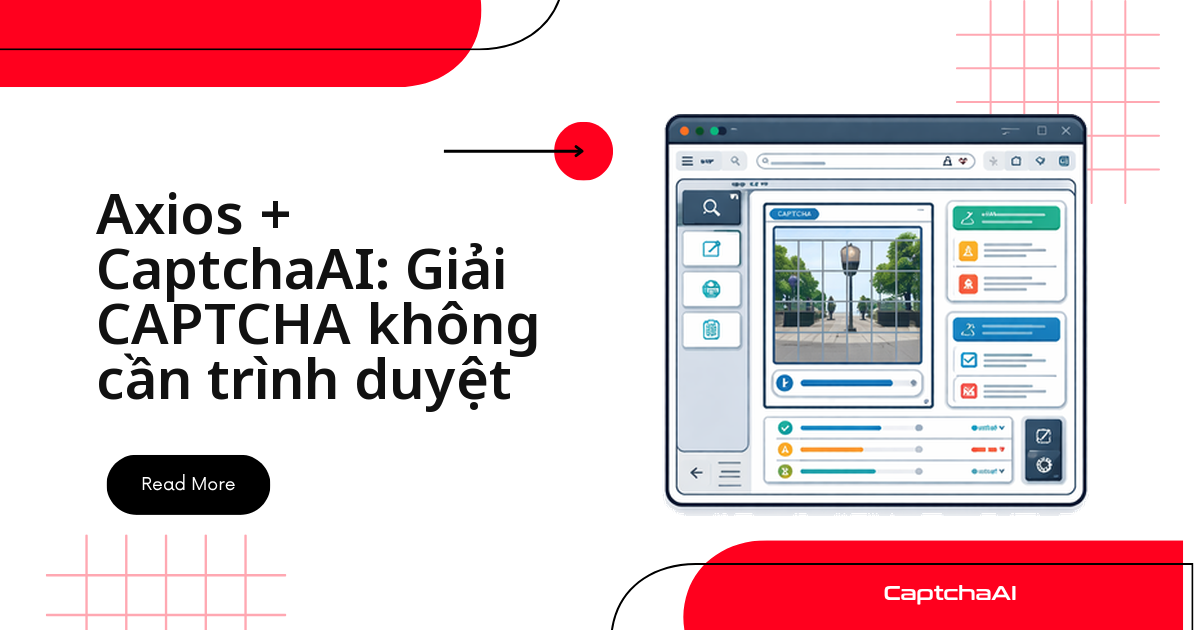
Muốn giải reCAPTCHA, Turnstile hay CAPTCHA hình ảnh từ một script Node.js chạy trên server mà không mở bất kỳ trình duyệt nào? Axios kết hợp CaptchaAI làm được đúng việc đó chỉ bằng vài request HTTP: gửi thông tin CAPTCHA tới in.php, polling res.php để lấy token, rồi đưa token vào form gốc. Không Puppeteer, không Playwright, không cụm Chrome headless ngốn RAM chạy nền trên server.
Cần chuẩn bị gì trước khi bắt đầu
| Yêu cầu | Chi tiết |
|---|---|
| Node.js | 16+ |
| axios | 1.x |
| Khóa API CaptchaAI | Nhận một cái ở đây |
npm install axios
Xây dựng client CaptchaAI cho Axios
Toàn bộ logic gọi API nằm gọn trong một class: gửi task tới in.php, polling res.php mỗi 5 giây cho đến khi có kết quả, cộng thêm một hàm tiện ích để kiểm tra số dư tài khoản.
const axios = require("axios");

class CaptchaAI {
  constructor(apiKey) {
    this.apiKey = apiKey;
    this.baseUrl = "https://ocr.captchaai.com";
  }

  async submit(params) {
    params.key = this.apiKey;
    const resp = await axios.get(`${this.baseUrl}/in.php`, { params });
    const text = resp.data;

    if (!String(text).startsWith("OK|")) {
      throw new Error(`Submit failed: ${text}`);
    }
    return String(text).split("|")[1];
  }

  async poll(taskId, timeoutMs = 300000) {
    const deadline = Date.now() + timeoutMs;
    const params = { key: this.apiKey, action: "get", id: taskId };

    while (Date.now() < deadline) {
      await new Promise((r) => setTimeout(r, 5000));

      const resp = await axios.get(`${this.baseUrl}/res.php`, { params });
      const text = String(resp.data);

      if (text === "CAPCHA_NOT_READY") continue;
      if (text.startsWith("OK|")) return text.split("|").slice(1).join("|");
      throw new Error(`Solve failed: ${text}`);
    }
    throw new Error(`Timeout after ${timeoutMs}ms for task ${taskId}`);
  }

  async solve(params, timeoutMs = 300000) {
    const taskId = await this.submit(params);
    return this.poll(taskId, timeoutMs);
  }

  async getBalance() {
    const resp = await axios.get(`${this.baseUrl}/res.php`, {
      params: { key: this.apiKey, action: "getbalance" },
    });
    return parseFloat(resp.data);
  }
}

module.exports = CaptchaAI;
Giải reCAPTCHA v2 chỉ bằng request HTTP
Import class vừa tạo, gửi googlekey cùng pageurl của trang cần xử lý, rồi lấy token về đính vào form gốc — không có bước nào cần render trang trong trình duyệt:
const CaptchaAI = require("./captchaai");

async function main() {
  const solver = new CaptchaAI(process.env.CAPTCHAAI_API_KEY);

  // Solve the CAPTCHA without opening any browser
  const token = await solver.solve({
    method: "userrecaptcha",
    googlekey: "6Le-wvkS...",
    pageurl: "https://staging.example.com/qa-login",
  });

  // Submit form with the token using Axios
  const resp = await axios.post("https://staging.example.com/qa-login", {
    username: "user",
    password: "pass",
    "g-recaptcha-response": token,
  });

  console.log(`Login response: ${resp.status}`);
}

main().catch(console.error);
Giải Cloudflare Turnstile theo cùng luồng
Turnstile dùng tham số sitekey thay cho googlekey, và token trả về phải điền vào field cf-turnstile-response — phần còn lại của luồng gửi/polling giống hệt reCAPTCHA v2:
const token = await solver.solve({
  method: "turnstile",
  sitekey: "0x4AAAAA...",
  pageurl: "https://example.com",
});

// Submit with Turnstile token
const resp = await axios.post("https://example.com/api/verify", {
  "cf-turnstile-response": token,
  data: "payload",
});
Giải CAPTCHA dạng hình ảnh / OCR
Với CAPTCHA hình ảnh, bạn gửi thẳng ảnh dưới dạng base64 thay vì sitekey — CaptchaAI trả về đoạn text đã nhận dạng để điền vào form:
const fs = require("fs");

const imageBuffer = fs.readFileSync("captcha.png");
const imageB64 = imageBuffer.toString("base64");

const text = await solver.solve({
  method: "base64",
  body: imageB64,
});

console.log(`CAPTCHA text: ${text}`);

// Submit form with solved text
const resp = await axios.post("https://example.com/verify", {
  captcha: text,
  other_data: "value",
});
Luồng thu thập dữ liệu hoàn chỉnh, không cần trình duyệt
Ghép cả bốn bước — tải trang, tách sitekey, giải CAPTCHA, gửi lại form — thành một hàm duy nhất để thu thập dữ liệu từ trang có CAPTCHA mà không cần cài Chrome trên server:
const CaptchaAI = require("./captchaai");
const axios = require("axios");
const cheerio = require("cheerio");

async function scrapeProtectedPage(url) {
  const solver = new CaptchaAI(process.env.CAPTCHAAI_API_KEY);

  // Step 1: Fetch the page
  const page = await axios.get(url);
  const $ = cheerio.load(page.data);

  // Step 2: Extract the reCAPTCHA site key
  const siteKey = $(".g-recaptcha").attr("data-sitekey");
  if (!siteKey) {
    console.log("No CAPTCHA found, returning page content");
    return page.data;
  }

  // Step 3: Solve the CAPTCHA
  console.log(`Solving CAPTCHA for ${url}...`);
  const token = await solver.solve({
    method: "userrecaptcha",
    googlekey: siteKey,
    pageurl: url,
  });

  // Step 4: Submit form with token
  const formAction = $("form").attr("action") || url;
  const formData = {};

  $("form input").each((_, el) => {
    const name = $(el).attr("name");
    const value = $(el).attr("value") || "";
    if (name) formData[name] = value;
  });
  formData["g-recaptcha-response"] = token;

  const result = await axios.post(formAction, new URLSearchParams(formData), {
    headers: { "Content-Type": "application/x-www-form-urlencoded" },
  });

  return result.data;
}

scrapeProtectedPage("https://example.com/data")
  .then((data) => console.log("Success:", typeof data))
  .catch(console.error);
Giải nhiều CAPTCHA cùng lúc
Vì mỗi lần gọi solve() chỉ là một request HTTP, bạn có thể chạy hàng chục lệnh gọi song song bằng Promise.all mà không cần mở nhiều tab hay nhiều tiến trình trình duyệt:
async function solveBatch(urls, siteKey) {
  const solver = new CaptchaAI(process.env.CAPTCHAAI_API_KEY);

  const promises = urls.map(async (url) => {
    try {
      const token = await solver.solve({
        method: "userrecaptcha",
        googlekey: siteKey,
        pageurl: url,
      });
      return { url, token, error: null };
    } catch (error) {
      return { url, token: null, error: error.message };
    }
  });

  const results = await Promise.all(promises);

  const solved = results.filter((r) => r.token);
  console.log(`Solved ${solved.length}/${urls.length}`);
  return results;
}
Giới hạn thực tế ở đây không nằm ở Axios mà ở số thread trong gói CaptchaAI bạn đang dùng — CaptchaAI tính phí theo thread đang chạy đồng thời, không theo từng lượt giải. Gói BASIC ($15/tháng, 5 thread) đủ cho một script test nhỏ; nếu bạn chạy Promise.all trên hàng chục hoặc hàng trăm URL như ví dụ trên, cân nhắc ADVANCE ($90/tháng, 50 thread) hoặc PREMIUM ($170/tháng, 100 thread) để tránh nghẽn hàng đợi.
Ứng dụng thực tế cho đội automation ở Việt Nam
Nhiều agency outsourcing và đội QA tại TP.HCM, Hà Nội chạy pipeline scraping hoặc kiểm thử tự động trên hạ tầng không có giao diện đồ họa — CI runner, container Docker, hay VPS giá rẻ không cài sẵn Chrome. Axios + CaptchaAI hợp với đúng bối cảnh này: một script Node.js theo dõi giá sản phẩm trên catalog TMĐT của chính bạn (so sánh giá giữa các sàn cho một cửa hàng bạn quản lý), hoặc kiểm thử luồng đăng ký có reCAPTCHA trên môi trường staging trước khi release, đều chạy tốt mà không cần cấp phát RAM cho trình duyệt.
Khắc phục sự cố thường gặp
| Lỗi | Nguyên nhân | Cách xử lý |
|---|---|---|
AxiosError: getaddrinfo ENOTFOUND |
Sự cố DNS | Kiểm tra kết nối mạng |
Submit failed: ERROR_WRONG_USER_KEY |
API key không hợp lệ | Xác minh lại key từ bảng điều khiển |
Submit failed: ERROR_ZERO_BALANCE |
Tài khoản hết số dư | Nạp thêm số dư vào tài khoản |
| Token bị trang web đích từ chối | Token đã hết hạn | Gửi token trong vòng 60 giây kể từ khi nhận được |
Câu hỏi thường gặp
HTTP thuần có thay được trình duyệt để giải CAPTCHA không?
Có, với CAPTCHA thì trình duyệt phần lớn là dư thừa. Trình duyệt headless tốn 200–500MB RAM mỗi phiên; luồng HTTP thuần qua Axios + CaptchaAI chỉ dùng khoảng 5MB, nghĩa là bạn chạy được nhiều instance song song hơn 40–100 lần trên cùng một server.
Axios + CaptchaAI giải được những loại CAPTCHA nào?
Cách tích hợp trong bài áp dụng cho reCAPTCHA v2/v3, Cloudflare Turnstile và CAPTCHA hình ảnh/OCR — chỉ cần đổi tham số method khi gửi task tới in.php. CaptchaAI hiện không hỗ trợ hCaptcha hay FunCaptcha.
Chạy nhiều request Axios đồng thời có bị giới hạn không?
Giới hạn nằm ở số thread trong gói CaptchaAI, không nằm ở Axios. Gói BASIC ($15/tháng, 5 thread) phù hợp cho script test; nếu chạy đồng thời trên nhiều URL như ví dụ giải nhiều CAPTCHA cùng lúc ở trên, cân nhắc ADVANCE ($90/tháng, 50 thread) trở lên.
Có thể dùng fetch thay Axios không?
Được. Node.js 18+ có sẵn fetch, và các tham số gửi tới CaptchaAI (in.php, res.php) giữ nguyên — chỉ đổi cách gọi HTTP, logic polling không đổi.
Giải CAPTCHA bằng Axios + CaptchaAI tốn bao nhiêu mỗi tháng?
CaptchaAI tính phí theo thread chứ không theo từng lượt giải, nên số lượt giải trong một thread là không giới hạn. BASIC ($15/tháng, 5 thread) là điểm khởi đầu hợp lý cho một tích hợp Axios quy mô nhỏ; xem đầy đủ các gói tại trang giá CaptchaAI.