Pipeline giải CAPTCHA đang chạy ổn định có thể dừng đột ngột chỉ vì một khóa API hết số dư, chạm rate limit hoặc bị vô hiệu hóa. Không lỗi code, không sự cố CaptchaAI — một khóa hỏng đủ chặn hàng đợi request, vì mọi thứ dồn qua một điểm lỗi duy nhất (single point of failure).
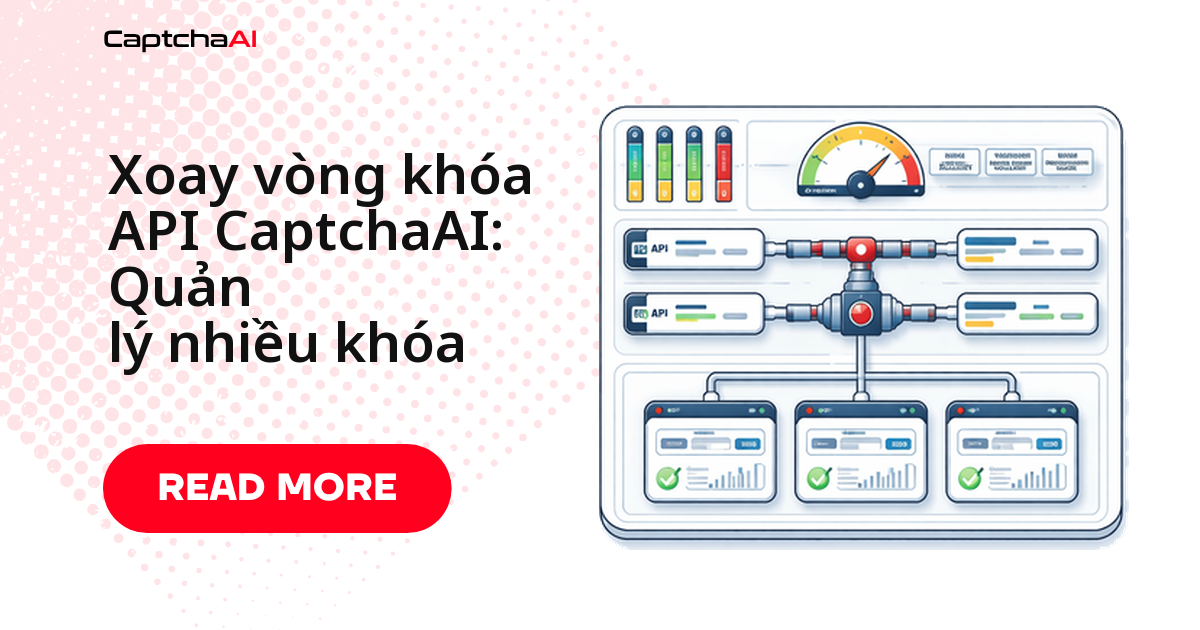
Xoay khóa API (key rotation) loại bỏ điểm lỗi đó: phân phối request qua nhiều khóa, tự động chuyển sang khóa dự phòng khi cần. Ba chiến lược dùng được ngay, đi từ đơn giản đến nâng cao:
- Round-robin — chia đều tải khi các khóa cùng gói.
- Weighted rotation — ưu tiên khóa còn nhiều số dư hơn.
- Failover — tự động chuyển sang khóa khác khi một khóa gặp lỗi.
Ví dụ thực tế: agency QA xoay khóa qua nhiều gói CaptchaAI
Một agency outsourcing ở TP.HCM chạy pipeline QA và theo dõi giá trên các sàn thương mại điện tử (Shopee, Tiki) cho nhiều khách hàng thường không dồn hết vào một gói CaptchaAI duy nhất. Cách phổ biến: khóa BASIC ($15/tháng, 5 thread) cho staging/dev, hai khóa ADVANCE ($90/tháng, 50 thread mỗi khóa) cho production — xoay theo trọng số số dư giữa hai khóa production, failover sang khóa BASIC khi cả hai khóa chính cùng gặp ERROR_ZERO_BALANCE.
Khi pipeline xử lý dữ liệu thu thập được, nên ghi log request/response và áp dụng nguyên tắc tối thiểu hóa dữ liệu theo tinh thần Nghị định 13/2023/NĐ-CP về bảo vệ dữ liệu cá nhân. Đây không phải tư vấn pháp lý — chỉ là lý do thực tế để giữ audit log rõ ràng.
Xoay khóa kiểu round-robin (tuần tự)
Chiến lược đơn giản nhất: duyệt qua danh sách khóa API theo vòng tròn, mỗi request dùng khóa tiếp theo trong danh sách.
Round-robin phù hợp khi:
- Các khóa đang dùng cùng một gói CaptchaAI (cùng số thread, cùng tốc độ nạp lại số dư).
- Bạn chỉ cần chia đều tải, chưa cần quan tâm khóa nào còn nhiều số dư hơn.
Python
import itertools
import requests

API_KEYS = [
    "KEY_ACCOUNT_1",
    "KEY_ACCOUNT_2",
    "KEY_ACCOUNT_3",
]

key_cycle = itertools.cycle(API_KEYS)

def get_next_key():
    return next(key_cycle)

def solve_captcha(sitekey, page_url):
    api_key = get_next_key()
    resp = requests.post("https://ocr.captchaai.com/in.php", data={
        "key": api_key,
        "method": "userrecaptcha",
        "googlekey": sitekey,
        "pageurl": page_url,
        "json": "1",
    })
    data = resp.json()
    if data["status"] != 1:
        raise Exception(f"[{api_key[:8]}...] {data['request']}")

    print(f"Submitted with key {api_key[:8]}...")
    return data["request"], api_key

task_id, used_key = solve_captcha("6Le-SITEKEY", "https://example.com")
Xoay theo số dư còn lại (weighted rotation)
Khi các khóa API không cùng gói — ví dụ một khóa BASIC ($15/tháng, 5 thread) chạy song song với khóa ADVANCE ($90/tháng, 50 thread) — round-robin thuần túy sẽ gửi tải đều bất kể khóa nào đang cạn số dư. Weighted rotation định tuyến nhiều request hơn tới khóa còn số dư cao:
import random
import requests
import threading

SUBMIT_URL = "https://ocr.captchaai.com/in.php"
RESULT_URL = "https://ocr.captchaai.com/res.php"

class KeyRotator:
    def __init__(self, keys):
        self.keys = {k: {"balance": 0, "failures": 0, "disabled": False} for k in keys}
        self._lock = threading.Lock()
        self.refresh_balances()

    def refresh_balances(self):
        for key in self.keys:
            try:
                resp = requests.get(RESULT_URL, params={
                    "key": key, "action": "getbalance", "json": "1"
                }, timeout=10).json()
                if resp["status"] == 1:
                    self.keys[key]["balance"] = float(resp["request"])
                    self.keys[key]["disabled"] = False
                else:
                    self.keys[key]["disabled"] = True
            except Exception:
                self.keys[key]["disabled"] = True

    def get_key(self):
        with self._lock:
            available = {
                k: v for k, v in self.keys.items()
                if not v["disabled"] and v["balance"] > 0.01
            }
            if not available:
                raise Exception("No API keys with balance available")

            # Weighted random by balance
            keys = list(available.keys())
            weights = [available[k]["balance"] for k in keys]
            return random.choices(keys, weights=weights, k=1)[0]

    def report_failure(self, key, error_code):
        with self._lock:
            self.keys[key]["failures"] += 1
            if error_code in ("ERROR_WRONG_USER_KEY", "ERROR_KEY_DOES_NOT_EXIST",
                              "ERROR_ZERO_BALANCE", "ERROR_IP_NOT_ALLOWED"):
                self.keys[key]["disabled"] = True
                print(f"[rotator] Disabled key {key[:8]}...: {error_code}")

    def report_success(self, key, cost=0.003):
        with self._lock:
            self.keys[key]["balance"] -= cost
            self.keys[key]["failures"] = 0

rotator = KeyRotator(["KEY_1", "KEY_2", "KEY_3"])

# Usage
api_key = rotator.get_key()
# ... solve captcha ...
rotator.report_success(api_key)
Logic cốt lõi của KeyRotator ở trên:
refresh_balances()gọiaction=getbalanceđịnh kỳ để cập nhật số dư từng khóa.get_key()chỉ chọn trong nhóm khóa còn số dư và chưa bị disable, dùngthreading.Lockđể an toàn khi nhiều thread gọi đồng thời.report_failure()/report_success()cập nhật trạng thái khóa sau mỗi lần gọi.
Chuyển đổi dự phòng khi một khóa gặp lỗi (failover)
Failover thử khóa tiếp theo ngay khi khóa hiện tại trả lỗi hoặc timeout, thay vì để cả request thất bại:
Python
def solve_with_failover(sitekey, page_url, max_attempts=3):
    for attempt in range(max_attempts):
        api_key = rotator.get_key()
        try:
            resp = requests.post(SUBMIT_URL, data={
                "key": api_key,
                "method": "userrecaptcha",
                "googlekey": sitekey,
                "pageurl": page_url,
                "json": "1",
            }, timeout=15)
            data = resp.json()

            if data["status"] != 1:
                rotator.report_failure(api_key, data["request"])
                continue

            rotator.report_success(api_key)
            return data["request"], api_key

        except requests.RequestException:
            rotator.report_failure(api_key, "NETWORK_ERROR")
            continue

    raise Exception(f"All {max_attempts} keys failed")
JavaScript
const axios = require('axios');

class KeyRotator {
  constructor(keys) {
    this.keys = keys.map(k => ({ key: k, disabled: false, failures: 0 }));
    this.index = 0;
  }

  getKey() {
    const available = this.keys.filter(k => !k.disabled);
    if (available.length === 0) throw new Error('No API keys available');
    const entry = available[this.index % available.length];
    this.index++;
    return entry.key;
  }

  disable(key, reason) {
    const entry = this.keys.find(k => k.key === key);
    if (entry) {
      entry.disabled = true;
      console.log(`[rotator] Disabled ${key.substring(0, 8)}...: ${reason}`);
    }
  }
}

const rotator = new KeyRotator(['KEY_1', 'KEY_2', 'KEY_3']);

async function solveWithFailover(sitekey, pageurl, maxAttempts = 3) {
  for (let i = 0; i < maxAttempts; i++) {
    const apiKey = rotator.getKey();
    try {
      const resp = await axios.post('https://ocr.captchaai.com/in.php', null, {
        params: { key: apiKey, method: 'userrecaptcha', googlekey: sitekey, pageurl, json: 1 }
      });
      if (resp.data.status !== 1) {
        rotator.disable(apiKey, resp.data.request);
        continue;
      }
      return { taskId: resp.data.request, apiKey };
    } catch (err) {
      rotator.disable(apiKey, 'NETWORK_ERROR');
    }
  }
  throw new Error('All keys failed');
}
Cả hai bản đều theo cùng một luồng xử lý:
- Lấy một khóa từ
KeyRotator. - Gửi request tới
in.php. - Nếu
statuskhác 1 hoặc gặp lỗi mạng, đánh dấu khóa lỗi và thử khóa kế tiếp. - Lặp lại tối đa
max_attempts/maxAttemptslần trước khi báo toàn bộ khóa đã hỏng.
Nạp khóa an toàn và giữ số dư luôn cập nhật
Nạp khóa từ biến môi trường, không viết cứng trong code
Đừng bao giờ viết cứng (hardcode) khóa API trực tiếp trong source code:
- Khóa lộ ra git repo là rủi ro lâu dài — lịch sử commit vẫn giữ khóa cũ dù bạn xóa sau.
- Đổi khóa khi triển khai chỉ cần đổi biến môi trường, không cần sửa code.
import os

API_KEYS = os.environ["CAPTCHAAI_KEYS"].split(",")
# Set: CAPTCHAAI_KEYS=key1,key2,key3
rotator = KeyRotator(API_KEYS)
const API_KEYS = process.env.CAPTCHAAI_KEYS.split(',');
const rotator = new KeyRotator(API_KEYS);
Tự động làm mới số dư theo lịch
Với các tiến trình chạy dài (worker, cron job xử lý hàng nghìn task/ngày), làm mới số dư định kỳ để bộ xoay vòng luôn biết khóa nào còn dùng được, thay vì đợi đến khi khóa đó báo lỗi giữa chừng:
import threading

def periodic_refresh(rotator, interval=300):
    def refresh():
        while True:
            rotator.refresh_balances()
            for key, info in rotator.keys.items():
                print(f"  {key[:8]}...: ${info['balance']:.2f} "
                      f"{'(disabled)' if info['disabled'] else '(active)'}")
            threading.Event().wait(interval)

    t = threading.Thread(target=refresh, daemon=True)
    t.start()

periodic_refresh(rotator, interval=300)  # every 5 minutes
Lỗi thường gặp khi xoay khóa API
Ba lỗi hay gặp nhất khi vận hành bộ xoay khóa:
| Vấn đề | Nguyên nhân | Cách xử lý |
|---|---|---|
| Tất cả khóa bị disable cùng lúc | Số dư về 0 trên toàn bộ tài khoản | Nạp lại số dư, kiểm tra mã lỗi ERROR_ZERO_BALANCE |
| Luôn dùng đúng một khóa | Chỉ số round-robin không tăng (bug logic hoặc race condition) | Kiểm tra lock giữa các thread khi cập nhật chỉ số |
| Khóa bị disable oan | Lỗi tạm thời bị xử lý như lỗi vĩnh viễn | Chỉ disable khi gặp ERROR_WRONG_USER_KEY, ERROR_ZERO_BALANCE, ERROR_IP_NOT_ALLOWED |
Câu hỏi thường gặp
Cần bao nhiêu khóa API CaptchaAI là đủ?
Hai khóa cho khả năng chuyển đổi dự phòng cơ bản. Từ ba khóa trở lên mới thực sự phân tải được. Với khối lượng lớn (1000+ giải/ngày), nên dùng 3–5 khóa để vừa phân tải vừa có dự phòng.
Xoay khóa API có làm chậm thời gian giải CAPTCHA không?
Không. Xoay khóa chỉ đổi khóa nào gửi request tới in.php, không ảnh hưởng tới thời gian giải của CaptchaAI cho từng loại CAPTCHA. Độ trễ tăng thêm (nếu có) đến từ việc gọi getbalance quá thường xuyên, không phải từ bản thân việc xoay khóa.
Xoay khóa từ nhiều tài khoản CaptchaAI khác nhau có hợp lệ không?
Có. Mỗi khóa API có số dư và giới hạn tần suất riêng, hoàn toàn độc lập với nhau. Bộ xoay vòng chỉ cần biết trạng thái từng khóa (còn số dư, có bị disable không) để chọn khóa phù hợp — không có ràng buộc nào giữa các tài khoản.
Khi nào nên chuyển từ round-robin sang weighted rotation?
Ngay khi các khóa không còn cùng một gói hoặc cùng tốc độ nạp lại số dư. Nếu tất cả khóa dùng chung một gói và bạn chỉ cần chia tải đều, round-robin đã đủ — weighted rotation chỉ đáng công thêm khi số dư giữa các khóa lệch nhau đáng kể.
Nên xử lý thế nào khi tất cả khóa API đều bị disable cùng lúc?
Trước tiên kiểm tra số dư từng tài khoản trên captchaai.com — nguyên nhân phổ biến nhất là toàn bộ tài khoản cùng hết tiền trong một khung giờ cao điểm. Sau khi nạp lại, gọi refresh_balances() (hoặc restart worker) để bộ xoay vòng nhận trạng thái mới thay vì tiếp tục dùng cache cũ.
Mở rộng khả năng giải CAPTCHA bằng cách xoay nhiều khóa
Lấy thêm khóa API tại captchaai.com và ghép ngay vào bộ xoay vòng đang chạy trong pipeline của bạn.
Hướng dẫn liên quan
- Danh sách trắng IP và bảo mật khóa API của CaptchaAI
- Bảo mật thông tin xác thực CaptchaAI trong biến môi trường
- Kiểm tra số dư CaptchaAI và tự động nạp lại