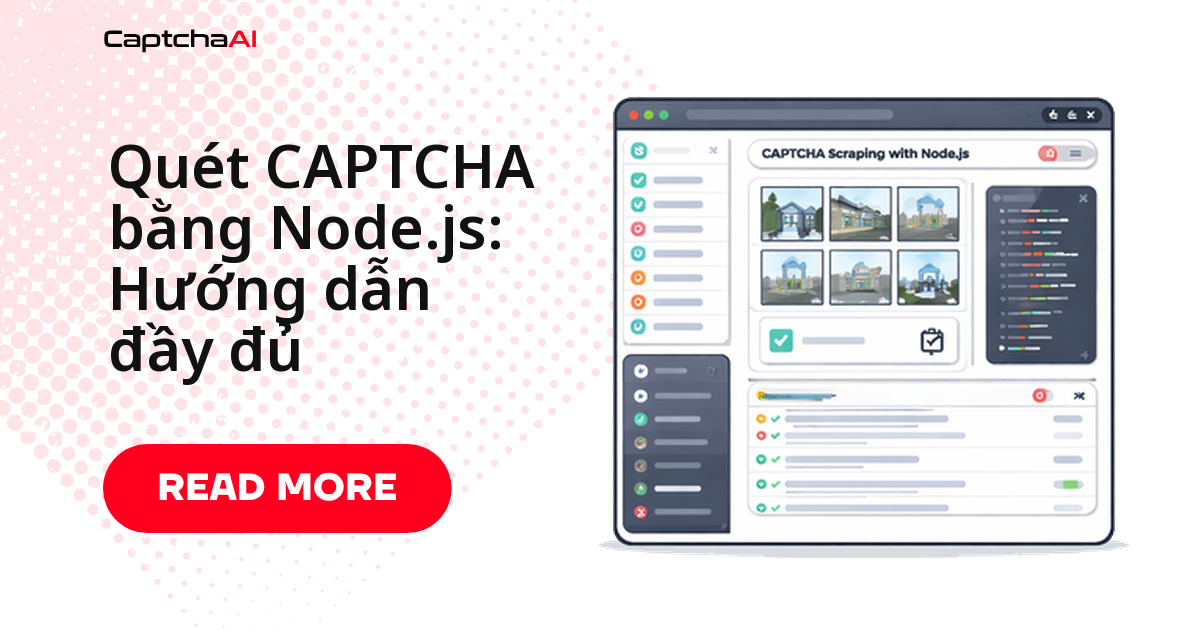
Script Node.js dùng axios đang chạy tốt cho đến khi trang mục tiêu trả về reCAPTCHA hoặc Cloudflare Turnstile — request tiếp theo chỉ nhận lỗi 403 hoặc một trang chặn trống. Cách xử lý: lấy sitekey và pageurl từ trang, gửi sang CaptchaAI, polling để nhận token, rồi gắn token đó vào request gốc trước khi gửi tiếp. Toàn bộ vòng lặp này chạy ngay trong script Node.js hiện có, không cần chuyển sang trình duyệt headless. Bài viết lắp một module giải CAPTCHA dùng chung, sau đó ghép vào scraper thực tế bằng axios và cheerio — từ thu thập dữ liệu (scraping) một trang đơn lẻ tới chạy song song nhiều worker.
Yêu cầu trước khi bắt đầu
| Yêu cầu | Chi tiết |
|---|---|
| Node.js 16+ | Kèm npm |
| axios | npm install axios |
| cheerio | npm install cheerio |
| API key CaptchaAI | Lấy tại captchaai.com |
Module giải CAPTCHA dùng chung cho các script Node.js
Class dưới đây gói gọn quy trình hai bước của CaptchaAI: gửi task tới in.php, sau đó polling res.php cho tới khi có token. Viết một lần, dùng lại cho mọi scraper trong bài.
// captcha-solver.js
const axios = require("axios");

class CaptchaSolver {
  constructor(apiKey) {
    this.apiKey = apiKey;
    this.baseUrl = "https://ocr.captchaai.com";
  }

  async _submit(params) {
    params.key = this.apiKey;
    const resp = await axios.get(`${this.baseUrl}/in.php`, { params });
    if (!resp.data.startsWith("OK|")) {
      throw new Error(`Submit error: ${resp.data}`);
    }
    return resp.data.split("|")[1];
  }

  async _poll(taskId, timeout = 300000) {
    const deadline = Date.now() + timeout;
    while (Date.now() < deadline) {
      await new Promise((r) => setTimeout(r, 5000));
      const resp = await axios.get(`${this.baseUrl}/res.php`, {
        params: { key: this.apiKey, action: "get", id: taskId },
      });
      if (resp.data === "CAPCHA_NOT_READY") continue;
      if (resp.data.startsWith("OK|")) return resp.data.split("|")[1];
      throw new Error(`Solve error: ${resp.data}`);
    }
    throw new Error("Solve timed out");
  }

  async solveRecaptchaV2(siteKey, pageUrl) {
    const taskId = await this._submit({
      method: "userrecaptcha",
      googlekey: siteKey,
      pageurl: pageUrl,
    });
    return this._poll(taskId);
  }

  async solveRecaptchaV3(siteKey, pageUrl, action = "verify") {
    const taskId = await this._submit({
      method: "userrecaptcha",
      googlekey: siteKey,
      pageurl: pageUrl,
      version: "v3",
      action,
    });
    return this._poll(taskId);
  }

  async solveTurnstile(siteKey, pageUrl) {
    const taskId = await this._submit({
      method: "turnstile",
      sitekey: siteKey,
      pageurl: pageUrl,
    });
    return this._poll(taskId);
  }
}

module.exports = CaptchaSolver;
Class hỗ trợ ba phương thức — solveRecaptchaV2, solveRecaptchaV3, solveTurnstile — đủ dùng cho phần lớn site cần vượt qua reCAPTCHA hoặc Cloudflare Turnstile trong lúc scraping. reCAPTCHA v2 thường trả token trong dưới 60 giây ở mức đồng thời cao, còn Turnstile thường xử lý xong trong dưới 10 giây, với tỷ lệ giải thành công cao trên cả hai loại.
Scraping trang có reCAPTCHA: từ tải trang đến gửi lại token
Ghép CaptchaSolver vào một hàm scrape hoàn chỉnh: tải trang, trích sitekey từ DOM bằng cheerio, gửi sang CaptchaAI, rồi POST lại kèm token nhận được.
const axios = require("axios");
const cheerio = require("cheerio");
const CaptchaSolver = require("./captcha-solver");

const solver = new CaptchaSolver("YOUR_API_KEY");

async function scrapeProtectedPage(url) {
  // Step 1: Load the page
  const { data: html } = await axios.get(url, {
    headers: {
      "User-Agent":
        "Mozilla/5.0 (Windows NT 10.0; Win64; x64) AppleWebKit/537.36",
    },
  });

  const $ = cheerio.load(html);

  // Step 2: Extract site key
  const siteKey = $(".g-recaptcha").attr("data-sitekey");
  if (!siteKey) {
    console.log("No CAPTCHA found, page loaded directly");
    return html;
  }

  console.log("Site key found:", siteKey);

  // Step 3: Solve the CAPTCHA
  const token = await solver.solveRecaptchaV2(siteKey, url);
  console.log("Token received:", token.substring(0, 50));

  // Step 4: Submit with the token
  const result = await axios.post(
    url,
    new URLSearchParams({
      "g-recaptcha-response": token,
      q: "search query",
    }),
    {
      headers: {
        "Content-Type": "application/x-www-form-urlencoded",
        "User-Agent":
          "Mozilla/5.0 (Windows NT 10.0; Win64; x64) AppleWebKit/537.36",
      },
    }
  );

  return result.data;
}
Nếu selector .g-recaptcha không khớp trang bạn đang scrape, đổi sang selector thực tế của trang đó. Hàm chỉ gọi solver khi tìm thấy site key, nên các trang không có CAPTCHA vẫn chạy thẳng qua mà không tốn thời gian gọi API thừa.
Chạy nhiều tác vụ giải CAPTCHA song song
CaptchaAI xử lý nhiều task cùng lúc, nên scraper có thể chạy nhiều worker song song thay vì giải từng CAPTCHA một cách tuần tự. Đây cũng là mẫu phổ biến ở các đội QA và data tại TP.HCM, Hà Nội khi theo dõi giá sản phẩm trên Shopee, Lazada, Tiki — chạy đúng vòng worker bên dưới theo lịch cron mỗi vài giờ, trên dữ liệu công khai của chính danh mục họ quản lý.
async function scrapePages(urls, siteKey, concurrency = 3) {
  const results = [];
  const queue = [...urls];

  const worker = async () => {
    while (queue.length > 0) {
      const url = queue.shift();
      try {
        const token = await solver.solveRecaptchaV2(siteKey, url);
        const { data } = await axios.post(
          url,
          new URLSearchParams({ "g-recaptcha-response": token }),
          {
            headers: {
              "User-Agent":
                "Mozilla/5.0 (Windows NT 10.0; Win64; x64) AppleWebKit/537.36",
            },
          }
        );
        results.push({ url, data, success: true });
        console.log(`Scraped: ${url}`);
      } catch (err) {
        results.push({ url, error: err.message, success: false });
        console.error(`Failed: ${url} - ${err.message}`);
      }
    }
  };

  // Run workers concurrently
  const workers = Array(concurrency)
    .fill(null)
    .map(() => worker());
  await Promise.all(workers);

  return results;
}

// Usage
const urls = [
  "https://example.com/page/1",
  "https://example.com/page/2",
  "https://example.com/page/3",
];
const results = await scrapePages(urls, "6Le-wvkS...", 3);
Số concurrency nên khớp với số thread khả dụng trong gói CaptchaAI, không phải khớp với sức mạnh máy chủ chạy Node.js. Gói BASIC ($15/tháng, 5 thread) đủ cho 3-4 worker như ví dụ trên; nếu cần scrape vài nghìn trang mỗi giờ, chuyển sang STANDARD ($30/tháng, 15 thread) hoặc ADVANCE ($90/tháng, 50 thread) để tránh task xếp hàng chờ ở bước polling. Vì CaptchaAI tính phí theo thread chứ không theo từng lần giải, tăng khối lượng scrape không phát sinh thêm phí trên mỗi CAPTCHA.
Giữ phiên đăng nhập xuyên suốt quá trình scraping
Nhiều trang yêu cầu cookie phiên hợp lệ trước khi chấp nhận CAPTCHA đã giải — mất cookie giữa các request là nguyên nhân phổ biến khiến submit bị từ chối dù token hoàn toàn đúng. Dùng axios kèm cookie jar để giữ phiên xuyên suốt cả quy trình.
const { wrapper } = require("axios-cookiejar-support");
const { CookieJar } = require("tough-cookie");

const jar = new CookieJar();
const client = wrapper(
  axios.create({
    jar,
    headers: {
      "User-Agent":
        "Mozilla/5.0 (Windows NT 10.0; Win64; x64) AppleWebKit/537.36",
    },
  })
);

async function scrapeWithSession(url, siteKey) {
  // Initial page load sets cookies
  await client.get(url);

  // Solve CAPTCHA
  const token = await solver.solveRecaptchaV2(siteKey, url);

  // Submit with maintained cookies
  const result = await client.post(
    url,
    new URLSearchParams({ "g-recaptcha-response": token })
  );

  return result.data;
}
Gọi client.get(url) trước để cookie phiên được thiết lập, rồi mới giải CAPTCHA và POST — đúng thứ tự này quan trọng với các trang kiểm tra cookie trước khi chấp nhận request tiếp theo.
Trích xuất dữ liệu sau khi vượt CAPTCHA với Cheerio
Sau khi vượt CAPTCHA và nhận về HTML thật, dùng cheerio để lấy đúng phần dữ liệu cần — cú pháp gần giống jQuery nên áp dụng nhanh cho hầu hết layout HTML.
function parseResults(html) {
  const $ = cheerio.load(html);
  const items = [];

  $(".result-item").each((_, el) => {
    items.push({
      title: $(el).find(".title").text().trim(),
      url: $(el).find("a").attr("href"),
      description: $(el).find(".description").text().trim(),
    });
  });

  return items;
}
Đổi các selector .result-item, .title, .description theo đúng cấu trúc DOM của trang đang scrape — hàm trên chỉ là khung mẫu.
Lỗi thường gặp khi scraping Node.js và cách xử lý
Bảng dưới liệt kê các lỗi hay gặp khi ghép CaptchaSolver vào scraper Node.js thực tế, cùng cách xử lý nhanh.
| Vấn đề | Nguyên nhân | Cách xử lý |
|---|---|---|
CAPTCHA_NOT_READY lặp vô thời hạn |
Sai site key hoặc quá trình giải chậm | Kiểm tra lại site key; tăng timeout |
403 Forbidden khi POST |
Thiếu cookie hoặc header | Dùng cookie phiên; thêm header Referer |
| cheerio không tìm thấy phần tử | Nội dung được render bằng JavaScript | Dùng Puppeteer cho trang render động |
ECONNREFUSED |
Trang mục tiêu giới hạn tần suất request | Thêm độ trễ giữa các request; đa dạng nguồn request |
Câu hỏi thường gặp
Cần cài thêm gì ngoài axios và cheerio để chạy được ví dụ trong bài?
Chỉ cần Node.js 16+, npm install axios cheerio, và một API key CaptchaAI. axios-cookiejar-support cùng tough-cookie chỉ cần khi script phải giữ cookie phiên như phần "Giữ phiên đăng nhập" ở trên.
Khi nào nên đổi từ axios sang Puppeteer?
Khi trang mục tiêu render nội dung bằng JavaScript, cần cuộn trang hoặc click trước khi dữ liệu xuất hiện trong DOM. Nếu trang chỉ trả HTML tĩnh kèm form submit thông thường, axios + cheerio nhanh và nhẹ hơn nhiều so với chạy cả trình duyệt headless.
Nên chạy bao nhiêu worker song song?
Giới hạn thực tế nằm ở số thread trong gói CaptchaAI, không phải ở Node.js. Gói BASIC (5 thread) hợp với 3-4 worker; tăng số worker vượt quá số thread chỉ khiến task xếp hàng chờ lâu hơn ở bước polling mà không tăng tốc độ.
Trang dùng Cloudflare Challenge đầy đủ thì xử lý sao?
Nếu trang chỉ hiện Turnstile, gọi solver.solveTurnstile() là đủ. Với trang thử thách Cloudflare đầy đủ, dùng Giải Cloudflare Challenge bằng API — endpoint này trả về cookie qa_session_cookie cần gắn vào các request tiếp theo.
Chi phí giải CAPTCHA cho scraping quy mô lớn tính thế nào?
CaptchaAI tính phí theo thread, không theo từng lần giải. Gói BASIC ($15/tháng, 5 thread) đã bao gồm số lần giải không giới hạn trong tháng đó, nên khối lượng scrape lớn không phát sinh thêm phí trên mỗi CAPTCHA — chi phí chỉ tăng khi bạn cần nhiều thread chạy đồng thời hơn.