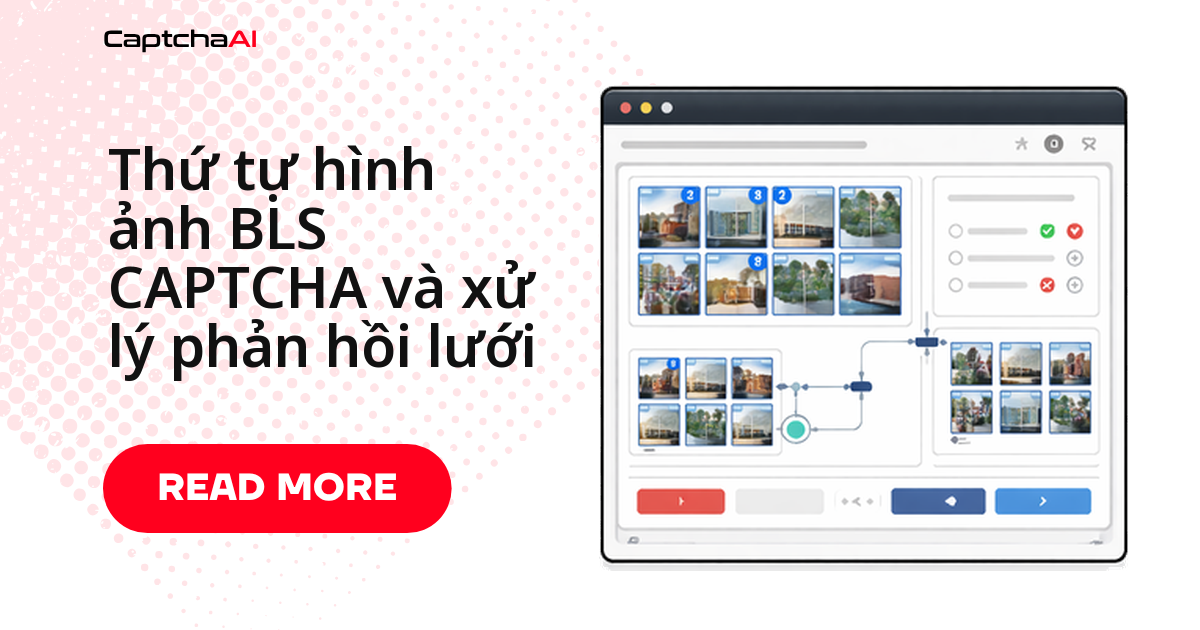
CaptchaAI trả lời giải cho lưới ảnh BLS CAPTCHA dưới dạng chỉ số ô hoặc JSON — nhưng phần khiến pipeline thất bại thường là bước sau: ánh xạ đúng ô trên lưới và định dạng lại phản hồi theo cách trang đích mong đợi. BLS xuất hiện nhiều trên các cổng đặt lịch hẹn dạng visa, nơi click nhầm ô hoặc gửi sai bitmask có thể khiến cả phiên bị từ chối.
Luồng xử lý gồm 4 bước:
- Xác định dạng thử thách và ánh xạ toạ độ lưới sang chỉ số.
- Gửi
sitekey,pageurlvàinstructionstớiin.php. - Polling
res.phpcho đến khi cósolution, rồi parse về chỉ số hoặc bitmask. - Áp lời giải vào trang bằng click hoặc input ẩn, sau đó submit.
Ba dạng thử thách lưới của BLS CAPTCHA
BLS không dùng một kiểu lưới duy nhất, mỗi biến thể cần cách gửi phản hồi khác nhau:
- Sắp xếp thứ tự ảnh — click các ô theo trình tự cụ thể (số tăng dần, bảng chữ cái); thứ tự click quan trọng hơn tập hợp ô chọn.
- Chọn ảnh theo mô tả — click các ô khớp mô tả cho trước, ví dụ "chọn tất cả ảnh có chữ"; thứ tự không quan trọng.
- Ghép mẫu ảnh — xác định ô nào khớp với mẫu hoặc ảnh tham chiếu được hiển thị sẵn.
Cả ba dạng dùng chung lưới toạ độ bên dưới, chỉ khác cách bạn diễn giải chỉ số CaptchaAI trả về.
Ánh xạ tọa độ ô lưới sang chỉ số
Lưới BLS thường là 3x3 hoặc 4x4, đánh số từ trái sang phải, trên xuống dưới. Hai hàm dưới đây quy đổi giữa chỉ số phẳng (flat index) và toạ độ hàng/cột — dùng khi debug xem CaptchaAI đang trỏ vào ô nào trên giao diện thực tế.
# grid_mapping.py

# BLS grids typically use 3x3 or 4x4 layouts
# Each cell maps to an index:

# 3x3 grid:
# [0] [1] [2]
# [3] [4] [5]
# [6] [7] [8]

# 4x4 grid:
#  [0]  [1]  [2]  [3]
#  [4]  [5]  [6]  [7]
#  [8]  [9] [10] [11]
# [12] [13] [14] [15]

def grid_position(index, cols=3):
    """Convert flat index to row, column."""
    return index // cols, index % cols

def index_from_position(row, col, cols=3):
    """Convert row, column to flat index."""
    return row * cols + col

# Example: For a 3x3 grid, position (1, 2) = index 5
print(grid_position(5, cols=3))   # (1, 2)
print(index_from_position(1, 2))  # 5
Ví dụ: lưới 3x3, ô hàng 1 cột 2 (đếm từ 0) có chỉ số 5 — dùng đối chiếu khi log không khớp ảnh chụp màn hình.
Gửi thử thách lưới BLS cho CaptchaAI giải
Gửi task tới in.php với method=bls, kèm sitekey, pageurl và tham số instructions nếu trang có hiển thị dòng hướng dẫn.
# solve_bls_grid.py
import requests
import time
import os
import json

def solve_bls_grid(sitekey, pageurl, instructions=None):
    """Solve a BLS grid CAPTCHA and get response indices."""
    api_key = os.environ["CAPTCHAAI_API_KEY"]

    payload = {
        "key": api_key,
        "method": "bls",
        "sitekey": sitekey,
        "pageurl": pageurl,
        "json": 1,
    }
    if instructions:
        payload["instructions"] = instructions

    resp = requests.post(
        "https://ocr.captchaai.com/in.php",
        data=payload,
        timeout=30,
    )
    result = resp.json()
    if result.get("status") != 1:
        raise RuntimeError(f"Submit failed: {result.get('request')}")

    task_id = result["request"]

    time.sleep(10)
    for _ in range(30):
        resp = requests.get("https://ocr.captchaai.com/res.php", params={
            "key": api_key,
            "action": "get",
            "id": task_id,
            "json": 1,
        }, timeout=15)
        data = resp.json()
        if data.get("status") == 1:
            return data["request"]
        if data["request"] != "CAPCHA_NOT_READY":
            raise RuntimeError(data["request"])
        time.sleep(5)

    raise TimeoutError("BLS grid solve timeout")
Hàm trên polling res.php mỗi 5 giây, tối đa 30 lần trước khi raise TimeoutError. Lưới 4x4 thường giải lâu hơn 3x3 — đừng rút ngắn số lần thử lại.
Phân tích phản hồi trả về từ API
CaptchaAI không trả về cùng định dạng cho mọi trang BLS: lúc là JSON, lúc là chuỗi chỉ số phân cách dấu phẩy. parse_grid_response() xử lý cả hai; format_for_submission() chuyển chỉ số thành bitmask khi cần.
# parse_response.py
import json

def parse_grid_response(solution):
    """Parse CaptchaAI BLS response into actionable grid data."""
    # Solution may be JSON or comma-separated indices
    if isinstance(solution, str):
        try:
            parsed = json.loads(solution)
            return parsed
        except json.JSONDecodeError:
            pass

        # Try comma-separated indices
        if "," in solution:
            return [int(x.strip()) for x in solution.split(",")]

        # Single value
        return [solution]

    return solution

def format_for_submission(indices, grid_size=9):
    """Format indices for form submission."""
    # Some sites expect a bitmask
    bitmask = ["0"] * grid_size
    for idx in indices:
        if isinstance(idx, int) and 0 <= idx < grid_size:
            bitmask[idx] = "1"

    return {
        "indices": indices,
        "bitmask": "".join(bitmask),
        "count": len(indices),
    }
Ghi log giá trị solution thô trước khi parse — chỗ dễ debug nhất khi một trang BLS đổi định dạng mà không báo trước.
Áp lời giải vào trang bằng Selenium
Sau khi có danh sách chỉ số, chuyển nó thành hành động trên trang: click từng ô đúng thứ tự, hoặc gán vào input ẩn nếu trang không cho click trực tiếp.
# inject_grid.py
from selenium.webdriver.common.by import By
from selenium.webdriver.support.ui import WebDriverWait
from selenium.webdriver.support import expected_conditions as EC
import time

def click_grid_cells(driver, indices):
    """Click specific grid cells based on solution indices."""
    wait = WebDriverWait(driver, 10)

    # Find all grid cells
    cells = wait.until(
        EC.presence_of_all_elements_located(
            (By.CSS_SELECTOR, ".captcha-grid .cell, .bls-grid img, .grid-item")
        )
    )

    for idx in indices:
        if isinstance(idx, int) and idx < len(cells):
            cells[idx].click()
            time.sleep(0.3)  # Brief delay between clicks

def set_order_sequence(driver, ordered_indices):
    """Click grid cells in the correct order for ordering challenges."""
    wait = WebDriverWait(driver, 10)

    cells = wait.until(
        EC.presence_of_all_elements_located(
            (By.CSS_SELECTOR, ".captcha-grid .cell, .bls-grid img")
        )
    )

    for idx in ordered_indices:
        if isinstance(idx, int) and idx < len(cells):
            cells[idx].click()
            time.sleep(0.5)  # Ordering needs pauses between clicks

def inject_hidden_response(driver, solution_value):
    """Set the solution in a hidden input field."""
    driver.execute_script("""
        var inputs = document.querySelectorAll(
            'input[name*="captcha"], input[name*="response"], #captcha-answer'
        );
        for (var i = 0; i < inputs.length; i++) {
            inputs[i].value = arguments[0];
        }
    """, str(solution_value))
click_grid_cells() dùng cho dạng chọn-theo-mô-tả; set_order_sequence() dùng cho dạng sắp-xếp, độ trễ dài hơn (500ms) vì thứ tự phải đúng. inject_hidden_response() là phương án dự phòng khi trang không lộ ô lưới dạng click được.
Luồng xử lý đầy đủ: từ phát hiện captcha đến submit
Ghép các hàm trên thành một luồng hoàn chỉnh: tìm phần tử captcha, lấy sitekey và dòng hướng dẫn, gọi CaptchaAI, rồi tự quyết định gửi phản hồi bằng click hay input ẩn.
# full_flow.py
from selenium import webdriver
from selenium.webdriver.common.by import By
from selenium.webdriver.support.ui import WebDriverWait
from selenium.webdriver.support import expected_conditions as EC

def handle_bls_grid(driver, pageurl):
    """Complete BLS grid CAPTCHA handling."""

    wait = WebDriverWait(driver, 15)

    # Wait for CAPTCHA to load
    captcha = wait.until(
        EC.presence_of_element_located(
            (By.CSS_SELECTOR, "[data-sitekey], .bls-captcha")
        )
    )
    sitekey = captcha.get_attribute("data-sitekey")

    # Get instructions
    instructions = None
    try:
        inst = driver.find_element(By.CSS_SELECTOR, ".captcha-instructions")
        instructions = inst.text.strip()
    except Exception:
        pass

    # Solve via CaptchaAI
    solution = solve_bls_grid(sitekey, pageurl, instructions)
    parsed = parse_grid_response(solution)

    # Determine response method
    grid_cells = driver.find_elements(
        By.CSS_SELECTOR, ".captcha-grid .cell, .bls-grid img"
    )

    if grid_cells:
        # Click-based response
        if isinstance(parsed, list) and all(isinstance(x, int) for x in parsed):
            click_grid_cells(driver, parsed)
        else:
            inject_hidden_response(driver, solution)
    else:
        # Hidden input response
        inject_hidden_response(driver, solution)

    # Submit
    submit = driver.find_element(
        By.CSS_SELECTOR, "button[type='submit'], .submit-btn, #verify"
    )
    submit.click()

    return True
handle_bls_grid() không giả định trước phương thức phản hồi: có ô lưới trên DOM thì ưu tiên click, không thì rơi về input ẩn — một đoạn code chạy được trên nhiều biến thể trang BLS.
Ứng dụng thực tế: kiểm thử tích hợp đặt lịch dạng BLS
Tình huống phổ biến với đội QA tại các công ty dịch vụ visa, du lịch ở Việt Nam: trước khi đưa bản cập nhật giao diện đặt lịch vào production, đội kỹ thuật chạy lại test tự động trên staging, gồm bước xử lý captcha lưới BLS. Lưới có thể xuất hiện lại sau lần xác minh đầu (xem bảng dưới), nên script QA cần gọi lại handle_bls_grid() mỗi lần. Vài trăm phiên test/ngày thì BASIC ($15/tháng, 5 thread) là đủ; nhiều hơn thì dùng STANDARD ($30/tháng, 15 thread).
Lỗi thường gặp khi xử lý lưới BLS
| Vấn đề | Nguyên nhân | Cách xử lý |
|---|---|---|
| Click nhầm ô | Selector không khớp HTML thực tế của trang | Kiểm tra lại HTML lưới và cập nhật selector |
| Thứ tự bị từ chối | Click quá nhanh, sát nhau | Thêm độ trễ 300-500ms giữa các lần click |
| Định dạng phản hồi không khớp | Trang cần bitmask nhưng code gửi mảng chỉ số | Dùng format_for_submission() để chuyển đổi |
| Giải khi lưới chưa tải xong | Ảnh trong lưới tải chậm | Đợi ảnh tải xong rồi mới gửi task |
Câu hỏi thường gặp
BLS CAPTCHA dạng lưới khác gì so với các CAPTCHA lưới ảnh khác?
Giao diện tương tự — chọn hoặc sắp xếp ảnh trong lưới. Khác biệt là định dạng phản hồi của BLS không cố định: có nơi cần chỉ số, có nơi cần bitmask, nên parse_grid_response() và format_for_submission() là bước bắt buộc.
Kiểm thử captcha lưới trên cổng đặt lịch dạng BLS có ổn không?
Có, miễn kiểm thử trên tài khoản hoặc staging của chính bạn, hoặc hệ thống được ủy quyền — ví dụ QA nội bộ chạy regression test trước khi phát hành. CaptchaAI xử lý phần giải captcha; tuân thủ điều khoản của cổng đích vẫn là trách nhiệm của bạn.
Giải một lưới BLS mất bao lâu và cần bao nhiêu thread?
Tùy độ phức tạp của lưới; code polling trong bài chờ tối đa 150 giây. Vài trăm task/ngày thì BASIC ($15/tháng, 5 thread) là đủ; chạy song song nhiều hơn thì cần STANDARD ($30/tháng, 15 thread).
Có thể dùng lại lời giải lưới BLS cho lần submit sau không?
Không. Lời giải chỉ gắn với đúng phiên thử thách sinh ra nó. Gửi lại lời giải cũ cho thử thách mới gần như chắc chắn bị từ chối; luôn gọi hàm giải mới cho mỗi lần submit.
Nên gửi chỉ số ô hay bitmask khi không chắc trang cần gì?
Thử theo thứ tự sau, ghi log định dạng nào hoạt động cho từng domain:
- Gửi chỉ số ô trước — phổ biến hơn trong form BLS.
- Lỗi định dạng thì chuyển sang bitmask bằng
format_for_submission(). - Vẫn lỗi thì kiểm tra xem trang có cần input ẩn thay vì click không.
Hướng dẫn liên quan
Xử lý lưới ảnh BLS đáng tin cậy trong pipeline QA của bạn — bắt đầu với CaptchaAI.