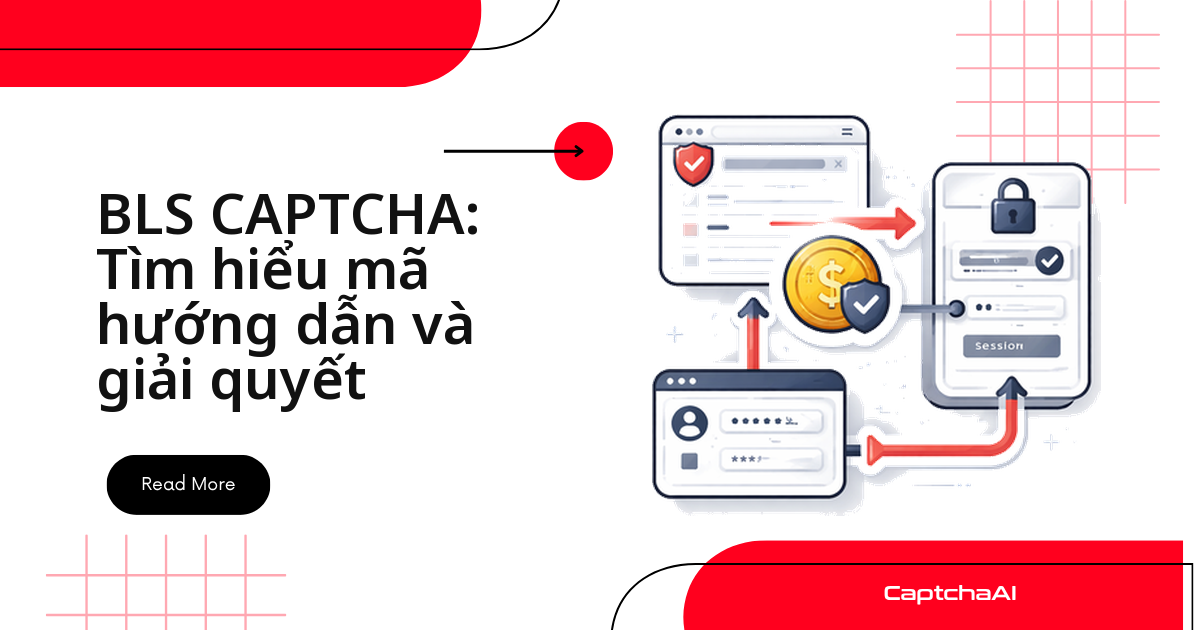
BLS CAPTCHA xuất hiện nhiều trên các cổng đặt lịch hẹn visa mà đại lý dịch vụ visa tại Việt Nam tích hợp để theo dõi trạng thái hồ sơ khách hàng — và không dùng ô nhập ký tự hay slider quen thuộc.
Thay vào đó là lưới ảnh 3×3 kèm mã hướng dẫn số (ví dụ "664"), buộc script đọc đúng mã trước khi biết chọn ô nào trước khi gửi lựa chọn lên server.
Bài này đi thẳng vào cách trích xuất lưới, đọc mã hướng dẫn và gửi dữ liệu tới API CaptchaAI để nhận lại chỉ số ô cần bấm — áp dụng cho pipeline QA và giám sát trạng thái hồ sơ trên hệ thống bạn được phép truy cập, không phải để đặt lịch hàng loạt.
Trong bài này:
- Cấu trúc lưới 3×3 và cách đọc mã hướng dẫn số
- Code Python (Selenium) và JavaScript (Puppeteer) trích xuất ảnh, gửi tới CaptchaAI và bấm ô kết quả
- Bảng lỗi thường gặp và câu hỏi thường gặp khi tích hợp
Cấu trúc lưới 3×3 và cách đọc mã hướng dẫn
BLS CAPTCHA hiển thị:
- Một lưới 3×3 chứa 9 ô hình ảnh
- Mã hướng dẫn dạng số (ví dụ: 664, 123, 546) chỉ định ô nào cần chọn
- Các ô được đánh số từ trái sang phải, từ trên xuống dưới:
1  2  3
4  5  6
7  8  9
Mã hướng dẫn cho bộ giải biết cần tìm mẫu nào; phản hồi từ CaptchaAI là một mảng chỉ số ô (1–9) khớp với mã đó.
Các selector mẫu trong bài (
.captcha-grid,.captcha-instruction,example.com/bls-protected-page) chỉ minh họa cấu trúc HTML — thay bằng selector và URL thực tế của hệ thống bạn được phép kiểm thử hoặc giám sát.
Khi nào nên dùng API thay vì tự đọc mã hướng dẫn
Tự viết logic đọc mã hướng dẫn và phân loại 9 ảnh đòi hỏi một mô hình nhận diện theo mẫu — không phải bài toán một sớm một chiều nếu BLS CAPTCHA không nằm trong phạm vi việc chính của bạn. Với pipeline QA hoặc giám sát trạng thái hồ sơ chạy định kỳ, gửi cả lưới ảnh và mã hướng dẫn tới API CaptchaAI thường nhanh hơn để đưa vào production, và ít việc bảo trì hơn khi trang nguồn đổi bố cục ảnh.
Bước 1: Trích xuất ảnh lưới và mã hướng dẫn từ trang
Cả Selenium và Puppeteer đều cần lấy đủ 9 ảnh trong lưới và mã hướng dẫn dạng số trước khi gọi API — thiếu một trong hai, CaptchaAI trả về ERROR_BAD_PARAMETERS.
Python (Selenium)
import base64
from selenium import webdriver
from selenium.webdriver.common.by import By

driver = webdriver.Chrome()
driver.get("https://example.com/bls-protected-page")

# Find the grid container
grid_cells = driver.find_elements(By.CSS_SELECTOR, ".captcha-grid img")

images = []
for cell in grid_cells:
    src = cell.get_attribute("src")
    if src.startswith("data:image"):
        images.append(src)
    else:
        # Download and convert to base64
        import requests
        img_data = requests.get(src).content
        b64 = base64.b64encode(img_data).decode()
        images.append(f"data:image/png;base64,{b64}")

# Extract the instruction code
instruction_el = driver.find_element(By.CSS_SELECTOR, ".captcha-instruction")
instruction_code = instruction_el.text.strip()
# e.g., "664" or parsed from "Select all boxes with number 664"

import re
code_match = re.search(r'(\d{3,})', instruction_code)
instruction = code_match.group(1) if code_match else instruction_code

print(f"Instruction: {instruction}")
print(f"Images extracted: {len(images)}")
JavaScript (Puppeteer)
const puppeteer = require('puppeteer');

const browser = await puppeteer.launch();
const page = await browser.newPage();
await page.goto('https://example.com/bls-protected-page');

// Extract grid images as base64
const images = await page.evaluate(() => {
  const cells = document.querySelectorAll('.captcha-grid img');
  return Array.from(cells).map(img => {
    const canvas = document.createElement('canvas');
    canvas.width = img.naturalWidth;
    canvas.height = img.naturalHeight;
    canvas.getContext('2d').drawImage(img, 0, 0);
    return canvas.toDataURL('image/png');
  });
});

// Extract instruction code
const instruction = await page.evaluate(() => {
  const el = document.querySelector('.captcha-instruction');
  const match = el.textContent.match(/(\d{3,})/);
  return match ? match[1] : el.textContent.trim();
});

console.log(`Instruction: ${instruction}, Images: ${images.length}`);
Bước 2: Gửi toàn bộ dữ liệu tới CaptchaAI
Bộ giải BLS cần method=bls, mã instructions, và cả 9 ảnh dạng image_base64_1 đến image_base64_9.
Nếu pipeline của bạn giám sát nhiều hồ sơ visa cùng lúc, tách request
in.phptheo từng hồ sơ và gắntask_idriêng — tránh việc một luồng polling đọc nhầm kết quả của hồ sơ khác.
Python
import requests
import time
import json

API_KEY = "YOUR_API_KEY"

# Prepare submission data
data = {
    "key": API_KEY,
    "method": "bls",
    "instructions": instruction,
    "json": "1",
}

# Add all 9 images
files = {}
for i, img in enumerate(images):
    files[f"image_base64_{i+1}"] = (None, img)

# Submit
resp = requests.post(
    "https://ocr.captchaai.com/in.php",
    data=data,
    files=files
).json()

if resp["status"] != 1:
    raise Exception(f"Submit error: {resp['request']}")

task_id = resp["request"]
print(f"Task ID: {task_id}")

# Poll for result
for _ in range(20):
    time.sleep(5)
    result = requests.get("https://ocr.captchaai.com/res.php", params={
        "key": API_KEY, "action": "get", "id": task_id, "json": "1"
    }).json()

    if result["status"] == 1:
        solution = json.loads(result["request"])
        print(f"Selected cells: {solution}")  # e.g., [1, 4, 7, 8]
        break
    if result["request"] != "CAPCHA_NOT_READY":
        raise Exception(f"Error: {result['request']}")
JavaScript
const axios = require('axios');
const FormData = require('form-data');

const form = new FormData();
form.append('key', 'YOUR_API_KEY');
form.append('method', 'bls');
form.append('instructions', instruction);
form.append('json', '1');

images.forEach((img, i) => {
  form.append(`image_base64_${i + 1}`, img);
});

const submit = await axios.post('https://ocr.captchaai.com/in.php', form, {
  headers: form.getHeaders(),
});
const taskId = submit.data.request;

// Poll
let solution = null;
for (let i = 0; i < 20; i++) {
  await new Promise(r => setTimeout(r, 5000));
  const poll = await axios.get('https://ocr.captchaai.com/res.php', {
    params: { key: 'YOUR_API_KEY', action: 'get', id: taskId, json: 1 }
  });
  if (poll.data.status === 1) {
    solution = JSON.parse(poll.data.request);
    break;
  }
}
console.log('Selected cells:', solution); // e.g., [2, 4, 7]
Cấu trúc data/form giống hệt nhau ở cả hai ngôn ngữ; phần khác biệt chỉ là cách gửi multipart form.
Bước 3: Bấm vào các ô theo kết quả trả về
Trước khi bấm, xác nhận:
solutionlà mảng chỉ số ô 1–9, đúng thứ tự CaptchaAI trả về- Trang nguồn chưa refresh lưới ảnh trong lúc chờ kết quả
# Selenium — click the cells returned by CaptchaAI
grid_cells = driver.find_elements(By.CSS_SELECTOR, ".captcha-grid .cell")

for cell_index in solution:
    # cell_index is 1-based
    grid_cells[cell_index - 1].click()

# Submit the form
submit_btn = driver.find_element(By.CSS_SELECTOR, ".captcha-submit")
submit_btn.click()
// Puppeteer
const cells = await page.$$('.captcha-grid .cell');
for (const idx of solution) {
  await cells[idx - 1].click();
}
await page.click('.captcha-submit');
Các lỗi thường gặp khi tích hợp BLS CAPTCHA
| Vấn đề | Nguyên nhân | Cách xử lý |
|---|---|---|
ERROR_BAD_PARAMETERS |
Thiếu ảnh hoặc không có mã hướng dẫn | Kiểm tra cả 9 ảnh đều là data URI base64 hợp lệ |
| Bấm sai ô | Ánh xạ chỉ số ô không đúng | Xác nhận các ô được đánh số 1-9 từ trái sang phải, trên xuống dưới |
| Ảnh không tải được | Giới hạn cross-origin | Tải ảnh phía server rồi chuyển sang base64 thay vì lấy trực tiếp từ trình duyệt |
| Mã hướng dẫn rỗng | Mã nằm trong ảnh thay vì text | Trích xuất text hoặc chạy OCR trên ảnh chứa mã hướng dẫn |
| Timeout khi polling | Trang nguồn trả ảnh chậm hơn 20 lần polling mặc định | Tăng số vòng lặp hoặc giãn time.sleep theo tốc độ thực tế của trang nguồn |
Gặp lỗi khác không nằm trong bảng trên? Đối chiếu mã lỗi trả về với bảng tra cứu mã lỗi CaptchaAI trước khi báo lỗi cho support.
Kết hợp thành một hàm giải BLS CAPTCHA hoàn chỉnh
Gộp ba bước trên thành một hàm giúp tái sử dụng trong pipeline QA dễ hơn:
def solve_bls_captcha(driver, api_key):
    """Extract, solve, and submit a BLS CAPTCHA."""
    import base64, requests, time, json, re

    # 1. Extract images
    grid_cells = driver.find_elements(By.CSS_SELECTOR, ".captcha-grid img")
    images = []
    for cell in grid_cells:
        src = cell.get_attribute("src")
        if src.startswith("data:image"):
            images.append(src)
        else:
            img_data = requests.get(src).content
            b64 = base64.b64encode(img_data).decode()
            images.append(f"data:image/png;base64,{b64}")

    # 2. Extract instruction
    el = driver.find_element(By.CSS_SELECTOR, ".captcha-instruction")
    match = re.search(r'(\d{3,})', el.text)
    instruction = match.group(1)

    # 3. Submit to CaptchaAI
    data = {"key": api_key, "method": "bls", "instructions": instruction, "json": "1"}
    files = {f"image_base64_{i+1}": (None, img) for i, img in enumerate(images)}
    resp = requests.post("https://ocr.captchaai.com/in.php", data=data, files=files).json()
    task_id = resp["request"]

    # 4. Poll
    for _ in range(20):
        time.sleep(5)
        result = requests.get("https://ocr.captchaai.com/res.php", params={
            "key": api_key, "action": "get", "id": task_id, "json": "1"
        }).json()
        if result["status"] == 1:
            solution = json.loads(result["request"])
            break

    # 5. Click cells
    clickable = driver.find_elements(By.CSS_SELECTOR, ".captcha-grid .cell")
    for idx in solution:
        clickable[idx - 1].click()

    return solution
Câu hỏi thường gặp
Mã hướng dẫn BLS CAPTCHA là gì?
Mã hướng dẫn (ví dụ "664") báo cho CAPTCHA biết ô nào khớp mẫu. CaptchaAI tự đọc mã này qua tham số instructions — bạn chỉ cần trích xuất đúng chuỗi số, không phải tự giải nghĩa.
BLS CAPTCHA khác gì so với CAPTCHA lưới ảnh (grid image) thông thường?
Grid image chỉ yêu cầu chọn ảnh khớp một chủ đề cho trước (ví dụ "chọn ô có đèn giao thông"). BLS CAPTCHA thêm một lớp: mã hướng dẫn số quyết định tiêu chí chọn ô — bỏ qua bước đọc mã là lý do phổ biến nhất khiến script chọn sai.
Cần bao nhiêu thread để giải BLS CAPTCHA ở quy mô lớn?
CaptchaAI thường xử lý BLS CAPTCHA dưới 1 giây/lượt, nên số thread cần phụ thuộc chủ yếu vào tốc độ trang nguồn trả ảnh, không phải tốc độ giải. Vài nghìn lượt/ngày thì gói STANDARD ($30/tháng, 15 thread) thường đủ; chạy song song nhiều pipeline giám sát hồ sơ thì cân nhắc ADVANCE ($90/tháng, 50 thread).
CaptchaAI giải BLS CAPTCHA nhanh và ổn định đến mức nào?
CaptchaAI xử lý BLS CAPTCHA với thời gian phản hồi dưới 1 giây và tỷ lệ giải thành công cao — không công bố mốc phần trăm tuyệt đối, vì tỷ lệ thực tế còn phụ thuộc chất lượng ảnh trích xuất được.
Có thể dùng BLS CAPTCHA solver để giám sát nhiều hồ sơ visa cùng lúc không?
Có — miễn là bạn chỉ theo dõi các hồ sơ mà bạn hoặc khách hàng của bạn được ủy quyền truy cập. Chạy nhiều luồng polling song song, mỗi luồng ứng với một hồ sơ, và tách task_id theo từng hồ sơ để tránh nhầm kết quả giữa các luồng.
Hướng dẫn liên quan
- Ánh xạ tọa độ trong CAPTCHA lưới ảnh
- Phát hiện CAPTCHA qua console trình duyệt
- Tra cứu mã lỗi CaptchaAI
Lấy API key và giải BLS CAPTCHA đầu tiên
Đăng ký tại captchaai.com, lấy API key và gửi request method=bls đầu tiên theo các bước ở trên.