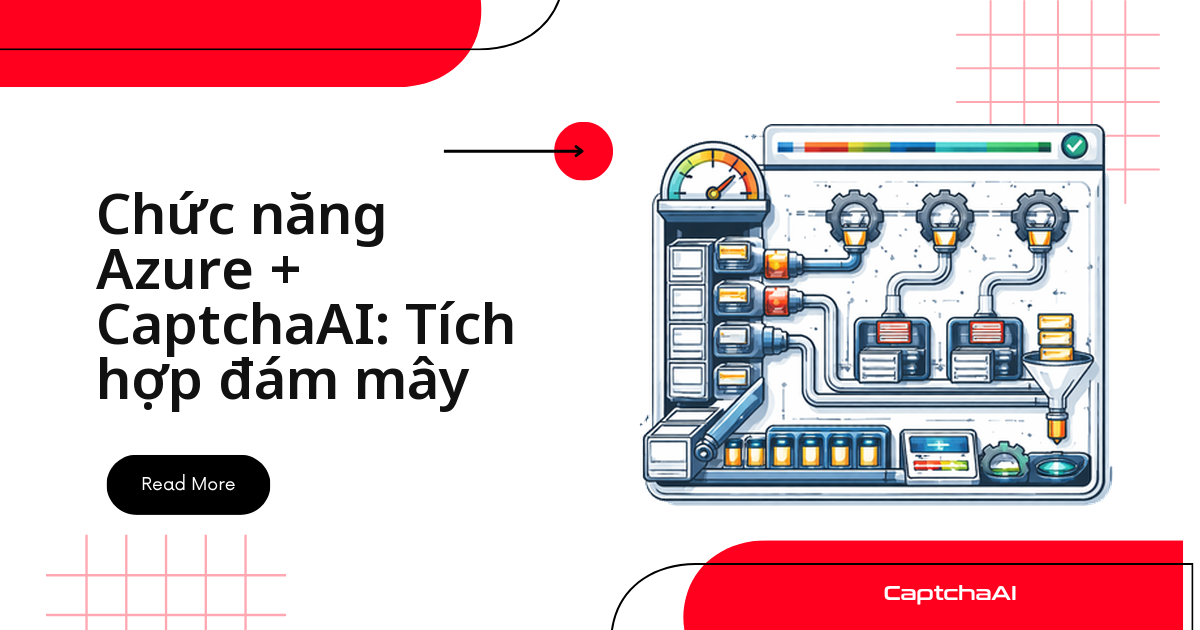
Muốn giải CAPTCHA mà không tự duy trì máy chủ? Azure Functions làm được: viết function nhận request, gọi API CaptchaAI, Azure lo phần scale. Bài này đi thẳng vào ba khối cần cho một pipeline chạy thật trong production:
- HTTP trigger — nhận request, gọi CaptchaAI, trả token ngay khi có kết quả.
- Key Vault — giữ API key an toàn, không hardcode trong code hay biến môi trường thô.
- Queue Storage — xử lý hàng loạt khi khối lượng tăng đột biến, tách rời khỏi vòng đời HTTP.
Nhiều team QA outsourcing ở TP.HCM và Hà Nội chạy hàng nghìn lượt kiểm thử checkout mỗi ngày trên staging của khách hàng bằng đúng mô hình này — không cần quản lý server riêng cho từng dự án.
Function HTTP trigger: nhận request và trả token
Function solve_captcha xử lý theo ba bước:
- Đọc
methodvàparamstừ JSON body của request POST. - Gọi
solve()để submit task tới CaptchaAI rồi polling cho đến khi có kết quả. - Trả token dạng JSON khi thành công, hoặc mã lỗi 500 kèm thông báo khi solve thất bại.
# function_app.py
import json
import time
import os
import logging
import urllib.request
import urllib.parse
import azure.functions as func

app = func.FunctionApp()

@app.route(route="solve", methods=["POST"])
def solve_captcha(req: func.HttpRequest) -> func.HttpResponse:
    """HTTP trigger for CAPTCHA solving."""
    try:
        body = req.get_json()
    except ValueError:
        return func.HttpResponse(
            json.dumps({"error": "JSON body required"}),
            status_code=400,
            mimetype="application/json",
        )

    method = body.get("method", "userrecaptcha")
    params = body.get("params", {})
    api_key = os.environ["CAPTCHAAI_KEY"]

    try:
        token = solve(api_key, method, params)
        return func.HttpResponse(
            json.dumps({"token": token}),
            mimetype="application/json",
        )
    except Exception as e:
        logging.error(f"Solve failed: {e}")
        return func.HttpResponse(
            json.dumps({"error": str(e)}),
            status_code=500,
            mimetype="application/json",
        )

def solve(api_key, method, params, timeout=90):
    """Solve CAPTCHA via CaptchaAI API."""
    submit_data = urllib.parse.urlencode({
        "key": api_key,
        "method": method,
        "json": 1,
        **params,
    }).encode()

    req = urllib.request.Request(
        "https://ocr.captchaai.com/in.php",
        data=submit_data,
    )
    with urllib.request.urlopen(req, timeout=30) as resp:
        result = json.loads(resp.read())

    if result.get("status") != 1:
        raise RuntimeError(f"Submit error: {result.get('request')}")

    task_id = result["request"]

    start = time.time()
    while time.time() - start < timeout:
        time.sleep(5)
        poll_url = (
            f"https://ocr.captchaai.com/res.php"
            f"?key={api_key}&action=get&id={task_id}&json=1"
        )
        with urllib.request.urlopen(poll_url, timeout=15) as resp:
            data = json.loads(resp.read())

        if data["request"] != "CAPCHA_NOT_READY":
            if data.get("status") == 1:
                return data["request"]
            raise RuntimeError(f"Solve error: {data['request']}")

    raise TimeoutError("Solve timeout")
solve() gửi task tới in.php, sau đó polling res.php mỗi 5 giây cho đến khi có token hoặc hết timeout.
Lưu API key an toàn với Azure Key Vault
Đừng hardcode API key trong code hay biến môi trường thô. Bốn bước để dùng managed identity thay vì secret tĩnh:
- Tạo Key Vault instance.
- Lưu API key làm secret trong vault đó.
- Bật managed identity cho function app.
- Cấp quyền
getsecret cho identity đó qua access policy.
# Create Key Vault
az keyvault create \
  --name captchaai-vault \
  --resource-group myResourceGroup

# Store secret
az keyvault secret set \
  --vault-name captchaai-vault \
  --name CaptchaAIKey \
  --value "YOUR_API_KEY"

# Grant function access
az webapp identity assign \
  --name my-captcha-function \
  --resource-group myResourceGroup

az keyvault set-policy \
  --name captchaai-vault \
  --object-id <principal-id> \
  --secret-permissions get
Tham chiếu trong application settings, không lộ secret ra log:
[email protected](SecretUri=https://captchaai-vault.vault.azure.net/secrets/CaptchaAIKey/)
Xoay vòng API key định kỳ và không bao giờ commit
YOUR_API_KEYvào git — Key Vault reference giữ giá trị thật ngoài source control.
Queue Storage: xử lý CAPTCHA theo lô
Đẩy task vào Azure Queue Storage thay vì xử lý trực tiếp qua HTTP khi:
- Lượng request tăng đột biến vượt khả năng xử lý đồng thời của plan hiện tại.
- Cần retry tự động khi CaptchaAI hoặc mạng gặp lỗi tạm thời.
- Muốn tách thời gian phản hồi HTTP khỏi thời gian giải CAPTCHA thực tế (có thể mất 10–60 giây).
@app.queue_trigger(
    arg_name="msg",
    queue_name="captcha-tasks",
    connection="AzureWebJobsStorage",
)
def process_queue_task(msg: func.QueueMessage):
    """Process CAPTCHA task from queue."""
    task = json.loads(msg.get_body().decode())
    api_key = os.environ["CAPTCHAAI_KEY"]

    try:
        token = solve(api_key, task["method"], task["params"])
        logging.info(f"Task {task['id']} solved")

        # Store result in Table Storage or return queue
        _store_result(task["id"], "success", token)

    except Exception as e:
        logging.error(f"Task {task['id']} failed: {e}")
        _store_result(task["id"], "error", str(e))

def _store_result(task_id, status, value):
    """Store result (simplified — use Table Storage in production)."""
    logging.info(f"Result: {task_id} = {status}")
Cách này giữ tốc độ ổn định thay vì để mỗi request HTTP tự chờ CaptchaAI.
Cấu trúc project
function_app.py— route HTTP và queue trigger, cùng logicsolve().requirements.txt— khai báo dependency, tối thiểu chỉ cầnazure-functions.host.json— cấu hình runtime, bao gồmfunctionTimeout.local.settings.json— biến môi trường cho local dev, không commit vào git.
captcha-function/
├── function_app.py
├── requirements.txt
├── host.json
└── local.settings.json
azure-functions
{
  "version": "2.0",
  "functionTimeout": "00:02:00",
  "logging": {
    "logLevel": {
      "default": "Information"
    }
  }
}
{
  "IsEncrypted": false,
  "Values": {
    "FUNCTIONS_WORKER_RUNTIME": "python",
    "AzureWebJobsStorage": "UseDevelopmentStorage=true",
    "CAPTCHAAI_KEY": "YOUR_API_KEY_FOR_LOCAL_DEV"
  }
}
Triển khai lên Azure
Trước khi chạy lệnh deploy, xác nhận:
CAPTCHAAI_KEYđã trỏ đúng Key Vault reference, không phải giá trị test cục bộ tronglocal.settings.json.- Region trong
--consumption-plan-locationkhớp với region của storage account chứa queuecaptcha-tasks. --runtime-versionkhớp phiên bản Python đã test ở máy local.
# Create function app
az functionapp create \
  --resource-group myResourceGroup \
  --consumption-plan-location westus2 \
  --runtime python \
  --runtime-version 3.11 \
  --functions-version 4 \
  --name my-captcha-solver \
  --storage-account mystorageaccount

# Deploy
func azure functionapp publish my-captcha-solver

# Test
curl -X POST https://my-captcha-solver.azurewebsites.net/api/solve \
  -H "Content-Type: application/json" \
  -d '{
    "method": "userrecaptcha",
    "params": {
      "googlekey": "SITE_KEY",
      "pageurl": "https://example.com"
    }
  }'
Gửi task vào hàng đợi
Gửi nhiều task vào queue thay vì gọi HTTP trigger từng cái mang lại lợi ích rõ:
- Tận dụng giới hạn thread của plan CaptchaAI hiệu quả hơn — task xếp hàng thay vì bị từ chối khi vượt ngưỡng đồng thời.
- Giảm số lần gọi HTTP tính phí trên Azure Functions Consumption plan.
- Retry được từng task riêng lẻ khi queue trigger báo lỗi, không ảnh hưởng các task khác.
from azure.storage.queue import QueueClient
import json

queue = QueueClient.from_connection_string(
    conn_str="YOUR_STORAGE_CONNECTION_STRING",
    queue_name="captcha-tasks",
)

# Submit batch
for i in range(10):
    task = {
        "id": f"task-{i}",
        "method": "userrecaptcha",
        "params": {
            "googlekey": "SITE_KEY",
            "pageurl": f"https://example.com/page{i}",
        },
    }
    queue.send_message(json.dumps(task))
    print(f"Queued task-{i}")
Giám sát pipeline CaptchaAI với Application Insights
Azure Functions tích hợp sẵn Application Insights — bật nó để theo dõi pipeline CaptchaAI mà không cần thêm dịch vụ ngoài:
- Log số lần
Solve failedtừ khốiexcepttrongsolve_captchađể tính tỷ lệ lỗi theo giờ. - Theo dõi
functionTimeouttronghost.json— nếu nhiều task chạm ngưỡng,timeouttrongsolve()cần tăng hoặc pipeline nên chuyển sang Queue Storage. - Đặt alert khi task trong queue
captcha-tasksbị retry quá 3 lần — thường là dấu hiệu API key hết hạn hoặc hết số dư.
Các lỗi thường gặp và cách xử lý
Kiểm tra Application Insights trước khi debug thủ công — phần lớn lỗi trong bảng dưới đây để lại log rõ ràng.
| Vấn đề | Nguyên nhân | Cách xử lý |
|---|---|---|
| Function timeout sau 5 phút | Timeout mặc định quá ngắn | Đặt functionTimeout trong host.json |
| Key Vault reference trả về trống | Thiếu managed identity hoặc policy | Gán managed identity và cấp policy Key Vault đúng --object-id |
| Message trong queue retry liên tục | Function ném exception không được bắt | Xử lý các lỗi đã biết, log lại rồi return thay vì để exception văng ra |
| Cold start > 10 giây | Runtime Python khởi tạo lại | Dùng gói Premium hoặc đặt FUNCTIONS_WORKER_PROCESS_COUNT |
Câu hỏi thường gặp
Consumption hay Premium plan phù hợp để chạy CaptchaAI trên Azure?
Dùng Consumption nếu khối lượng dưới 100 request/ngày — chi phí gần như bằng 0 khi không có traffic. Chuyển sang Premium khi cần instance luôn sẵn sàng (không cold start) hoặc phải kết nối VNET nội bộ.
- Dưới 100 request/ngày, traffic không đều → Consumption.
- Cần zero cold start hoặc kết nối VNET nội bộ → Premium.
Chi phí Azure Functions cộng với CaptchaAI cho 10.000 request/ngày là bao nhiêu?
Azure Functions chỉ tốn vài USD/tháng ở gói Consumption cho khối lượng này. Phần giải CAPTCHA tính theo số thread chạy đồng thời, không theo số lượt gọi — gói ADVANCE ($90/tháng, 50 thread) đủ cho phần lớn workload theo lô kiểu này.
Cold start ảnh hưởng đến thời gian giải CAPTCHA thế nào?
Cold start của runtime Python cộng thêm vài giây trước khi function nhận request đầu tiên — độ trễ riêng của Azure, tách biệt với thời gian giải phía CaptchaAI. Dùng Premium plan hoặc đặt FUNCTIONS_WORKER_PROCESS_COUNT nếu đây là vấn đề.
Có thể dùng Durable Functions để gửi nhiều CAPTCHA song song không?
Có. Durable Functions hỗ trợ mẫu fan-out/fan-in: gửi 10 CAPTCHA song song rồi gom kết quả về một chỗ khi xong — phù hợp cho xử lý theo lô hoặc kiểm thử checkout với nhiều phiên QA staging cùng lúc.
Hướng dẫn liên quan
Triển khai trên Azure — lấy API key CaptchaAI của bạn ngay hôm nay.