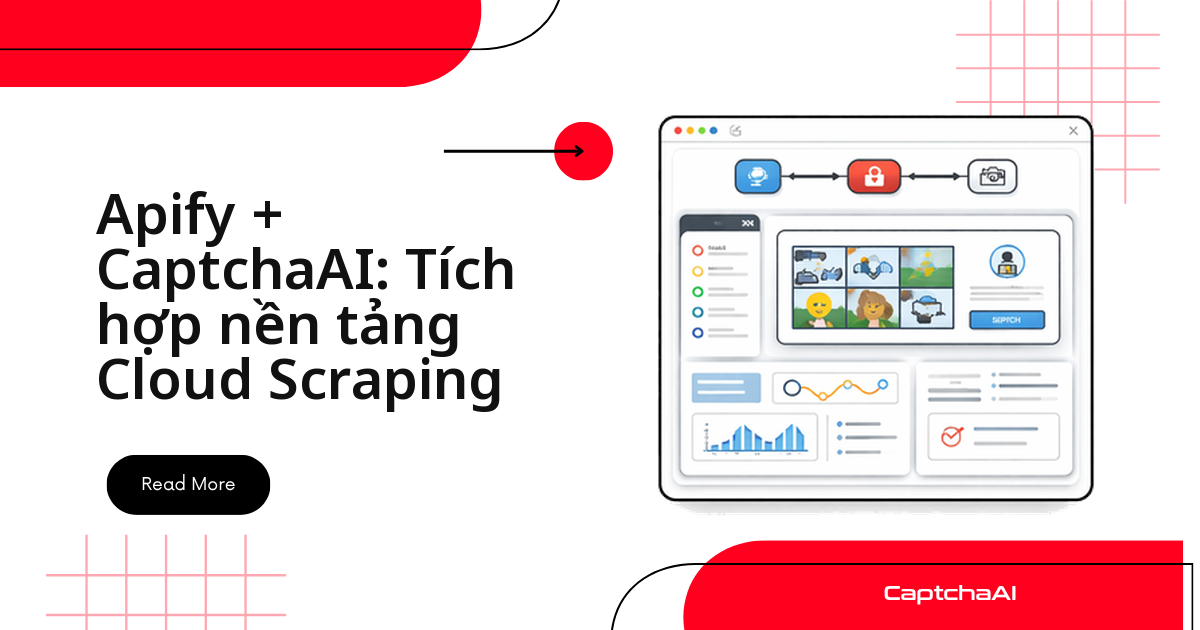
Actor Apify của bạn thu thập dữ liệu ngon lành cho đến khi gặp trang có reCAPTCHA v2 — request treo, dataset trống, log đầy lỗi timeout. Cách xử lý gọn nhất: gọi CaptchaAI ngay trong requestHandler, theo đúng bốn bước gửi task → nhận ID task → polling res.php → dùng token, rồi để actor tự chèn token và submit form như người dùng thật. Bài này dành cho dev đã có actor Apify chạy Crawlee/Playwright và cần thêm bước giải CAPTCHA vào production, không phải bài tổng quan về Apify là gì.
Vì sao actor Apify cần CaptchaAI
Nhiều trang thương mại điện tử và portal đặt lịch hẹn bật reCAPTCHA v2 ngay khi phát hiện traffic bất thường — số lượng request dồn dập từ một actor headless là dấu hiệu kinh điển để trang đích bật thử thách CAPTCHA. Khi đó form submit bị chặn: actor Apify vẫn chạy nhưng không lấy được dữ liệu, hoặc tệ hơn là bạn trả thêm phí compute cho Apify vì actor cứ retry vô ích. CaptchaAI đứng ngoài luồng scraping — actor chỉ gửi sitekey và pageurl sang endpoint in.php, chờ CaptchaAI giải xong rồi lấy token về, không cần actor tự mô phỏng hành vi người dùng để né thử thách. Cách này tách rõ hai việc — thu thập dữ liệu và giải CAPTCHA — nên actor gọn hơn và dễ bảo trì hơn mỗi khi trang đích đổi giao diện.
Thiết lập actor: input schema và code
Actor cần ba input: danh sách URL bắt đầu, API key CaptchaAI (đánh dấu isSecret) và số luồng chạy song song tối đa. Khai báo trong input schema của Apify:
{
    "title": "CAPTCHA Scraper Input",
    "type": "object",
    "properties": {
        "startUrls": {
            "title": "Start URLs",
            "type": "array",
            "editor": "requestListSources"
        },
        "captchaaiApiKey": {
            "title": "CaptchaAI API Key",
            "type": "string",
            "isSecret": true
        },
        "maxConcurrency": {
            "title": "Max Concurrency",
            "type": "integer",
            "default": 3
        }
    },
    "required": ["startUrls", "captchaaiApiKey"]
}
Actor code dùng PlaywrightCrawler của Crawlee. Với mỗi trang, actor tìm phần tử có data-sitekey; nếu có, nó gọi CaptchaAISolver, chèn token vào ô g-recaptcha-response, kích hoạt callback (nếu site dùng callback thay vì submit thường) rồi bấm nút submit:
const { Actor } = require('apify');
const { PlaywrightCrawler } = require('crawlee');

Actor.main(async () => {
    const input = await Actor.getInput();
    const { startUrls, captchaaiApiKey, maxConcurrency = 3 } = input;

    const solver = new CaptchaAISolver(captchaaiApiKey);

    const crawler = new PlaywrightCrawler({
        maxConcurrency,
        requestHandlerTimeoutSecs: 180,

        async requestHandler({ request, page, log }) {
            await page.goto(request.url, { waitUntil: 'networkidle' });

            // Check for CAPTCHA
            const sitekey = await page.evaluate(() => {
                const el = document.querySelector('[data-sitekey]');
                return el ? el.getAttribute('data-sitekey') : null;
            });

            if (sitekey) {
                log.info(`Solving CAPTCHA on ${request.url}`);
                const token = await solver.solve(sitekey, request.url);

                // Inject and submit
                await page.evaluate((t) => {
                    document.querySelector('[name="g-recaptcha-response"]').value = t;
                    const cb = document.querySelector('.g-recaptcha')?.getAttribute('data-callback');
                    if (cb && window[cb]) window[cb](t);
                }, token);

                await page.click('button[type="submit"]');
                await page.waitForNavigation({ timeout: 15000 });
            }

            // Extract data
            const title = await page.title();
            const items = await page.$$eval('.item', els =>
                els.map(el => ({
                    name: el.querySelector('.name')?.textContent?.trim(),
                    price: el.querySelector('.price')?.textContent?.trim(),
                    url: el.querySelector('a')?.href,
                }))
            );

            // Push to Apify dataset
            await Actor.pushData({
                url: request.url,
                title,
                items,
                scrapedAt: new Date().toISOString(),
            });

            log.info(`Scraped ${items.length} items from ${request.url}`);
        },
    });

    await crawler.run(startUrls);
});

class CaptchaAISolver {
    constructor(apiKey) {
        this.apiKey = apiKey;
    }

    async solve(sitekey, pageurl) {
        const params = new URLSearchParams({
            key: this.apiKey,
            method: 'userrecaptcha',
            googlekey: sitekey,
            pageurl: pageurl,
            json: '1',
        });

        const submitResp = await fetch('https://ocr.captchaai.com/in.php', {
            method: 'POST',
            body: params,
        });
        const submitResult = await submitResp.json();

        if (submitResult.status !== 1) {
            throw new Error(`Submit: ${submitResult.request}`);
        }

        const taskId = submitResult.request;
        await new Promise(r => setTimeout(r, 15000));

        for (let i = 0; i < 24; i++) {
            const pollResp = await fetch(
                `https://ocr.captchaai.com/res.php?key=${this.apiKey}&action=get&id=${taskId}&json=1`
            );
            const result = await pollResp.json();

            if (result.status === 1) return result.request;
            if (result.request !== 'CAPCHA_NOT_READY') {
                throw new Error(`Solve: ${result.request}`);
            }
            await new Promise(r => setTimeout(r, 5000));
        }

        throw new Error('Timeout');
    }
}
Hàm solve() ở trên đi đúng bốn bước chuẩn của CaptchaAI: gửi task tới in.php với method=userrecaptcha kèm googlekey (chính là sitekey) và pageurl, nhận về task ID, chờ 15 giây trước lần polling đầu (reCAPTCHA v2 hiếm khi giải xong sớm hơn), rồi polling res.php mỗi 5 giây tối đa 24 lần — đủ dư cho mức trần dưới 60 giây của reCAPTCHA v2. Trạng thái CAPCHA_NOT_READY là bình thường, không phải lỗi; actor chỉ nên throw khi res.php trả về lỗi khác. Toàn bộ logic này gói gọn trong một class riêng, requestHandler chỉ cần gọi solver.solve(sitekey, url) — dễ tái sử dụng cho actor khác mà không phải viết lại phần polling.
Cấu hình biến môi trường trên Apify
Đừng hardcode API key vào input mặc định hay commit vào actor source. Trên Apify Console:
- Vào Actor settings → Environment variables
- Thêm
CAPTCHAAI_API_KEY, đánh dấu Secret để giá trị bị ẩn trong log - Đọc bằng
process.env.CAPTCHAAI_API_KEYtrong code
Cách này tách API key khỏi input JSON — hữu ích khi actor được chia sẻ nội bộ cho nhiều người chạy mà không phải ai cũng cần thấy key thật:
// Alternative: use env var instead of input
const apiKey = input.captchaaiApiKey || process.env.CAPTCHAAI_API_KEY;
Kết hợp proxy Apify với CaptchaAI
CaptchaAI không cần proxy để giải — request tới in.php/res.php đi thẳng từ hạ tầng CaptchaAI, không qua actor của bạn. Proxy chỉ cần cho phần scraping: dùng Apify Proxy Configuration để đa dạng nguồn IP cho các request lấy dữ liệu, tách hẳn khỏi bước giải CAPTCHA:
const crawler = new PlaywrightCrawler({
    proxyConfiguration: await Actor.createProxyConfiguration({
        groups: ['RESIDENTIAL'],
    }),
    // ... rest of config
});
Gộp hai việc theo cách này — proxy Apify lo phần scraping, CaptchaAI xử lý riêng phần token — là cách tiết kiệm nhất: bạn không trả thêm phí proxy cho lưu lượng gọi CaptchaAI, vốn chỉ là vài request JSON nhỏ mỗi lần giải.
Ví dụ: giám sát giá trên sàn thương mại điện tử
Một tình huống phổ biến với các đội scraping tại Việt Nam: theo dõi giá sản phẩm trên Shopee, Tiki hoặc Lazada để phục vụ nghiên cứu thị trường hoặc so giá cho chính catalog của mình. Actor chạy định kỳ vài giờ một lần, quét hàng nghìn URL sản phẩm; một phần trong số đó bật reCAPTCHA v2 khi tần suất request tăng đột biến.
Với khối lượng khoảng 5.000–10.000 trang/ngày và maxConcurrency quanh mức 50, gói ADVANCE ($90/tháng, 50 thread) đủ để actor chạy hết công suất mà không nghẽn hàng đợi giải — mỗi thread giải không giới hạn số lần trong tháng, nên chi phí không đổi dù CAPTCHA xuất hiện nhiều hay ít trong ngày. Nếu đội của bạn ở quy mô nhỏ hơn, gói BASIC ($15/tháng, 5 thread) là điểm khởi đầu hợp lý để test actor trước khi scale lên.
Với dữ liệu thu thập được, nên ghi log thời điểm crawl và nguồn dữ liệu — vừa để debug actor khi có lỗi, vừa phù hợp tinh thần lưu vết dữ liệu của Nghị định 13/2023/NĐ-CP nếu dữ liệu thu thập có liên quan đến thông tin cá nhân.
Câu hỏi thường gặp
Actor Apify bị timeout khi đang giải CAPTCHA thì làm sao?
Tăng requestHandlerTimeoutSecs lên tối thiểu 180 giây. reCAPTCHA v2 có trần giải dưới 60 giây, cộng thời gian chờ 15 giây trước lần polling đầu và thời gian tải trang, 180 giây là mức an toàn cho phần lớn actor.
CaptchaAI có cần proxy riêng để giải CAPTCHA không?
Không. CaptchaAI giải token trực tiếp từ hạ tầng của họ, không đi qua proxy của actor. Proxy chỉ cần thiết cho phần scraping — xem mục proxy Apify ở trên.
Chạy CaptchaAI trên Apify tốn bao nhiêu chi phí?
Chi phí gồm hai phần tách biệt: gói CaptchaAI theo thread (ví dụ BASIC $15/tháng cho 5 thread) và chi phí compute của Apify theo actor. CaptchaAI không tính thêm phí theo số lần giải trong thread đã mua, nên khối lượng CAPTCHA tăng không làm chi phí solver tăng theo.
Actor này giải được những CAPTCHA nào ngoài reCAPTCHA v2?
Cùng cấu trúc gọi in.php/res.php áp dụng được cho reCAPTCHA v3, Cloudflare Turnstile và GeeTest v3 — chỉ cần đổi tham số method và các field tương ứng theo tài liệu API. CaptchaAI hiện không hỗ trợ hCaptcha hay FunCaptcha.
Chạy nhiều actor song song có ảnh hưởng đến giới hạn thread CaptchaAI không?
Có. Số thread trong gói CaptchaAI là tổng số lần giải đồng thời trên toàn tài khoản, không tính riêng theo actor. Nếu nhiều actor cùng gọi CaptchaAI một lúc, tổng maxConcurrency của chúng nên nằm trong số thread của gói đang dùng để tránh xếp hàng chờ.
Tài liệu liên quan
Lấy API key tại CaptchaAI và triển khai actor Apify giải CAPTCHA ngay hôm nay.