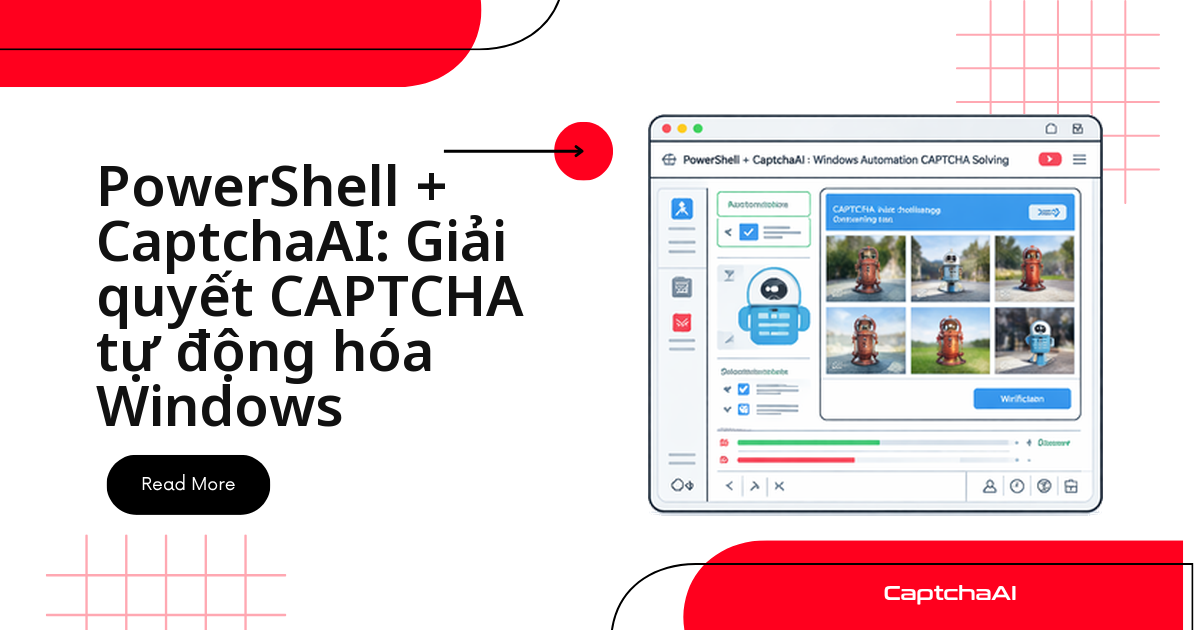
Script PowerShell dừng ngang giữa chừng vì gặp reCAPTCHA hay Cloudflare Turnstile? Không cần cài Selenium, không cần Python — chỉ một hàm gọi Invoke-RestMethod tới API của CaptchaAI là đủ, vì đây là lệnh ghép có sẵn trong mọi bản Windows.
Đây là điểm khác biệt lớn nhất so với các ngôn ngữ khác trong bộ công cụ QA/DevOps: PowerShell không cần thư viện HTTP bên thứ ba. Bài viết này đi thẳng vào các hàm giải reCAPTCHA v2/v3, Cloudflare Turnstile và CAPTCHA hình ảnh, đóng gói sẵn thành module .psm1 để dùng lại trong nhiều script.
Luồng xử lý luôn theo bốn bước: gửi → nhận task ID → polling → dùng token.
Ví dụ dưới đây dùng
staging.example.com— thay bằng URL bạn có quyền kiểm thử.
Vì sao PowerShell phù hợp để giải CAPTCHA trên Windows
- Có sẵn trong Windows — không cần cài đặt gì thêm (PowerShell 5.1 trở lên)
Invoke-RestMethod— gọi REST API và tự động parse JSON, không cần thư viện HTTP ngoài- Task Scheduler — lên lịch chạy các script phụ thuộc CAPTCHA theo đúng lịch trình của hệ thống Windows
- Pipeline-friendly — token giải xong có thể truyền thẳng sang bước tự động hóa tiếp theo qua
| - Đa nền tảng — PowerShell 7+ chạy được cả trên Linux và macOS, cùng một script
Nếu pipeline QA/CI đã dùng PowerShell, không cần dựng thêm service Python/Node.js chỉ để gọi một API HTTP.
Chuẩn bị trước khi bắt đầu
Bạn cần PowerShell 5.1 (có sẵn trên Windows) hoặc 7+ để chạy đa nền tảng, cùng một API key CaptchaAI (lấy tại đây). Không cần cài thêm module nào.
Hai hàm nền tảng: gửi task và polling kết quả
Mọi hàm giải CAPTCHA bên dưới đều dựng trên hai hàm gốc này: một hàm gửi task tới in.php, một hàm polling res.php cho tới khi có kết quả.
Gửi task tới CaptchaAI
Gói tham số của loại CAPTCHA cần giải cùng API key, POST tới in.php, trả về task ID.
function Submit-CaptchaTask {
    param(
        [Parameter(Mandatory)]
        [string]$ApiKey,

        [Parameter(Mandatory)]
        [hashtable]$TaskParams
    )

    $body = @{
        key  = $ApiKey
        json = 1
    } + $TaskParams

    $response = Invoke-RestMethod -Uri "https://ocr.captchaai.com/in.php" `
        -Method Post `
        -Body $body `
        -ContentType "application/x-www-form-urlencoded"

    if ($response.status -ne 1) {
        throw "Submit failed: $($response.request)"
    }

    return $response.request
}
Polling kết quả từ res.php
Gọi res.php mỗi PollIntervalSeconds giây tới khi request khác CAPCHA_NOT_READY, hoặc hết MaxWaitSeconds thì báo timeout.
function Get-CaptchaResult {
    param(
        [Parameter(Mandatory)]
        [string]$ApiKey,

        [Parameter(Mandatory)]
        [string]$TaskId,

        [int]$MaxWaitSeconds = 300,
        [int]$PollIntervalSeconds = 5
    )

    $deadline = (Get-Date).AddSeconds($MaxWaitSeconds)

    while ((Get-Date) -lt $deadline) {
        Start-Sleep -Seconds $PollIntervalSeconds

        $response = Invoke-RestMethod -Uri "https://ocr.captchaai.com/res.php" `
            -Method Get `
            -Body @{
                key    = $ApiKey
                action = "get"
                id     = $TaskId
                json   = 1
            }

        if ($response.request -eq "CAPCHA_NOT_READY") {
            Write-Verbose "Waiting for solution..."
            continue
        }

        if ($response.status -ne 1) {
            throw "Solve failed: $($response.request)"
        }

        return $response.request
    }

    throw "Timeout: CAPTCHA not solved within $MaxWaitSeconds seconds"
}
requestđổi nghĩa theo trạng thái: chưa xong làCAPCHA_NOT_READY, xong là token — luôn kiểm trastatustrước khi dùng.
Giải reCAPTCHA v2 bằng PowerShell
Ghép Submit-CaptchaTask và Get-CaptchaResult thành một lệnh gọi, dùng method = "userrecaptcha".
function Solve-RecaptchaV2 {
    param(
        [Parameter(Mandatory)]
        [string]$ApiKey,

        [Parameter(Mandatory)]
        [string]$SiteUrl,

        [Parameter(Mandatory)]
        [string]$SiteKey
    )

    Write-Host "Submitting reCAPTCHA v2 task..."
    $taskId = Submit-CaptchaTask -ApiKey $ApiKey -TaskParams @{
        method    = "userrecaptcha"
        googlekey = $SiteKey
        pageurl   = $SiteUrl
    }
    Write-Host "Task ID: $taskId"

    Write-Host "Polling for solution..."
    $token = Get-CaptchaResult -ApiKey $ApiKey -TaskId $taskId
    Write-Host "Solved! Token: $($token.Substring(0, [Math]::Min(50, $token.Length)))..."

    return $token
}

# Usage
$apiKey = "YOUR_API_KEY"
$token = Solve-RecaptchaV2 `
    -ApiKey $apiKey `
    -SiteUrl "https://staging.example.com/qa-login" `
    -SiteKey "6Le-wvkSAAAAAPBMRTvw0Q4Muexq9bi0DJwx_mJ-"
Giải Cloudflare Turnstile bằng PowerShell
Cùng cấu trúc, chỉ đổi method = "turnstile" và sitekey truyền qua tham số key:
function Solve-Turnstile {
    param(
        [Parameter(Mandatory)]
        [string]$ApiKey,

        [Parameter(Mandatory)]
        [string]$SiteUrl,

        [Parameter(Mandatory)]
        [string]$SiteKey
    )

    $taskId = Submit-CaptchaTask -ApiKey $ApiKey -TaskParams @{
        method  = "turnstile"
        key     = $SiteKey
        pageurl = $SiteUrl
    }

    return Get-CaptchaResult -ApiKey $ApiKey -TaskId $taskId
}

# Usage
$token = Solve-Turnstile `
    -ApiKey "YOUR_API_KEY" `
    -SiteUrl "https://example.com/form" `
    -SiteKey "0x4AAAAAAAB5..."
Giải reCAPTCHA v3
reCAPTCHA v3 không có checkbox, chỉ trả điểm rủi ro — thêm version = "v3" và action khớp phía site đích:
function Solve-RecaptchaV3 {
    param(
        [Parameter(Mandatory)]
        [string]$ApiKey,

        [Parameter(Mandatory)]
        [string]$SiteUrl,

        [Parameter(Mandatory)]
        [string]$SiteKey,

        [string]$Action = "verify",
    )

    $taskId = Submit-CaptchaTask -ApiKey $ApiKey -TaskParams @{
        method    = "userrecaptcha"
        googlekey = $SiteKey
        pageurl   = $SiteUrl
        version   = "v3"
        action    = $Action
    }

    return Get-CaptchaResult -ApiKey $ApiKey -TaskId $taskId
}
Giải CAPTCHA hình ảnh bằng PowerShell
CAPTCHA hình ảnh dùng method = "base64" — đọc file, encode base64, gửi trong body:
function Solve-ImageCaptcha {
    param(
        [Parameter(Mandatory)]
        [string]$ApiKey,

        [Parameter(Mandatory)]
        [string]$ImagePath
    )

    if (-not (Test-Path $ImagePath)) {
        throw "Image file not found: $ImagePath"
    }

    $imageBytes = [System.IO.File]::ReadAllBytes($ImagePath)
    $base64 = [Convert]::ToBase64String($imageBytes)

    $taskId = Submit-CaptchaTask -ApiKey $ApiKey -TaskParams @{
        method = "base64"
        body   = $base64
    }

    return Get-CaptchaResult -ApiKey $ApiKey -TaskId $taskId
}

# Usage
$text = Solve-ImageCaptcha -ApiKey "YOUR_API_KEY" -ImagePath "C:\captcha.png"
Write-Host "CAPTCHA text: $text"
Giải trực tiếp từ URL ảnh
Nếu ảnh nằm trên URL thay vì đã tải sẵn, dùng Invoke-WebRequest để lấy nội dung rồi encode:
function Solve-ImageCaptchaFromUrl {
    param(
        [Parameter(Mandatory)]
        [string]$ApiKey,

        [Parameter(Mandatory)]
        [string]$ImageUrl
    )

    $imageBytes = (Invoke-WebRequest -Uri $ImageUrl).Content
    $base64 = [Convert]::ToBase64String($imageBytes)

    $taskId = Submit-CaptchaTask -ApiKey $ApiKey -TaskParams @{
        method = "base64"
        body   = $base64
    }

    return Get-CaptchaResult -ApiKey $ApiKey -TaskId $taskId
}
Đóng gói thành module CaptchaAI.psm1
Gộp các hàm trên thành một class để tái dùng, không phải copy-paste giữa các script. Submit/Poll là hàm ẩn (hidden); script ngoài chỉ gọi SolveRecaptchaV2, SolveTurnstile, SolveImage, GetBalance.
Lưu dưới dạng CaptchaAI.psm1:
class CaptchaAISolver {
    [string]$ApiKey
    [string]$BaseUrl = "https://ocr.captchaai.com"
    [int]$PollInterval = 5
    [int]$MaxWait = 300

    CaptchaAISolver([string]$apiKey) {
        $this.ApiKey = $apiKey
    }

    [string] SolveRecaptchaV2([string]$siteUrl, [string]$siteKey) {
        return $this.Solve(@{
            method    = "userrecaptcha"
            googlekey = $siteKey
            pageurl   = $siteUrl
        })
    }

    [string] SolveTurnstile([string]$siteUrl, [string]$siteKey) {
        return $this.Solve(@{
            method  = "turnstile"
            key     = $siteKey
            pageurl = $siteUrl
        })
    }

    [string] SolveImage([string]$imagePath) {
        $bytes = [System.IO.File]::ReadAllBytes($imagePath)
        $base64 = [Convert]::ToBase64String($bytes)
        return $this.Solve(@{
            method = "base64"
            body   = $base64
        })
    }

    [double] GetBalance() {
        $response = Invoke-RestMethod -Uri "$($this.BaseUrl)/res.php" `
            -Body @{ key = $this.ApiKey; action = "getbalance"; json = 1 }
        return [double]$response.request
    }

    hidden [string] Solve([hashtable]$params) {
        $taskId = $this.Submit($params)
        return $this.Poll($taskId)
    }

    hidden [string] Submit([hashtable]$params) {
        $body = @{ key = $this.ApiKey; json = 1 } + $params
        $response = Invoke-RestMethod -Uri "$($this.BaseUrl)/in.php" `
            -Method Post -Body $body
        if ($response.status -ne 1) { throw "Submit: $($response.request)" }
        return $response.request
    }

    hidden [string] Poll([string]$taskId) {
        $deadline = (Get-Date).AddSeconds($this.MaxWait)
        while ((Get-Date) -lt $deadline) {
            Start-Sleep -Seconds $this.PollInterval
            $response = Invoke-RestMethod -Uri "$($this.BaseUrl)/res.php" `
                -Body @{ key = $this.ApiKey; action = "get"; id = $taskId; json = 1 }
            if ($response.request -eq "CAPCHA_NOT_READY") { continue }
            if ($response.status -ne 1) { throw "Solve: $($response.request)" }
            return $response.request
        }
        throw "Timeout"
    }
}

# Export
Export-ModuleMember
Dùng module trong script khác
Import bằng using module, khởi tạo instance với API key, rồi gọi thẳng các phương thức:
using module .\CaptchaAI.psm1

$solver = [CaptchaAISolver]::new("YOUR_API_KEY")

# Check balance
$balance = $solver.GetBalance()
Write-Host "Balance: `$$balance"

# Solve reCAPTCHA v2
$token = $solver.SolveRecaptchaV2("https://staging.example.com/qa-login", "SITEKEY")
Write-Host "Token: $($token.Substring(0, 50))..."
Gửi form với token đã giải
Đặt token vào field g-recaptcha-response của form rồi gửi request bình thường:
function Submit-FormWithToken {
    param(
        [string]$Url,
        [string]$Token,
        [hashtable]$FormData
    )

    $body = $FormData + @{
        "g-recaptcha-response" = $Token
    }

    $response = Invoke-WebRequest -Uri $Url `
        -Method Post `
        -Body $body `
        -ContentType "application/x-www-form-urlencoded"

    return $response
}

# Usage
$token = Solve-RecaptchaV2 -ApiKey "YOUR_API_KEY" `
    -SiteUrl "https://staging.example.com/qa-login" `
    -SiteKey "SITEKEY"

$result = Submit-FormWithToken `
    -Url "https://staging.example.com/qa-login" `
    -Token $token `
    -FormData @{
        username = "[email protected]"
        password = "password"
    }

Write-Host "Response: $($result.StatusCode)"
Giải song song nhiều CAPTCHA với PowerShell Jobs
Start-Job chạy mỗi task trên một background job riêng thay vì chờ tuần tự — tận dụng số thread trong gói CaptchaAI:
$apiKey = "YOUR_API_KEY"

$tasks = @(
    @{ Url = "https://site-a.com"; Key = "SITEKEY_A" },
    @{ Url = "https://site-b.com"; Key = "SITEKEY_B" },
    @{ Url = "https://site-c.com"; Key = "SITEKEY_C" }
)

$jobs = $tasks | ForEach-Object {
    $task = $_
    Start-Job -ScriptBlock {
        param($ApiKey, $Url, $SiteKey)

        $taskId = (Invoke-RestMethod -Uri "https://ocr.captchaai.com/in.php" -Method Post -Body @{
            key = $ApiKey; json = 1; method = "userrecaptcha"
            googlekey = $SiteKey; pageurl = $Url
        }).request

        $deadline = (Get-Date).AddSeconds(300)
        while ((Get-Date) -lt $deadline) {
            Start-Sleep -Seconds 5
            $result = Invoke-RestMethod -Uri "https://ocr.captchaai.com/res.php" -Body @{
                key = $ApiKey; action = "get"; id = $taskId; json = 1
            }
            if ($result.request -ne "CAPCHA_NOT_READY" -and $result.status -eq 1) {
                return @{ Url = $Url; Token = $result.request }
            }
        }
        return @{ Url = $Url; Error = "Timeout" }
    } -ArgumentList $apiKey, $task.Url, $task.Key
}

# Wait and collect results
$results = $jobs | Wait-Job | Receive-Job
$results | ForEach-Object {
    if ($_.Token) {
        Write-Host "$($_.Url): $($_.Token.Substring(0, 50))..."
    } else {
        Write-Host "$($_.Url): $($_.Error)" -ForegroundColor Red
    }
}
$jobs | Remove-Job
Số job song song không nên vượt số thread trong gói đang dùng — vượt quá chỉ xếp hàng chờ.
Thử lại tự động khi gặp lỗi tạm thời
ERROR_NO_SLOT_AVAILABLE và ERROR_CAPTCHA_UNSOLVABLE thường tự hết nếu thử lại với backoff tăng dần:
function Solve-WithRetry {
    param(
        [Parameter(Mandatory)]
        [string]$ApiKey,

        [Parameter(Mandatory)]
        [hashtable]$TaskParams,

        [int]$MaxRetries = 3
    )

    $retryableErrors = @(
        "ERROR_NO_SLOT_AVAILABLE",
        "ERROR_CAPTCHA_UNSOLVABLE"
    )

    for ($attempt = 0; $attempt -le $MaxRetries; $attempt++) {
        if ($attempt -gt 0) {
            $delay = [Math]::Pow(2, $attempt) + (Get-Random -Maximum 3)
            Write-Host "Retry $attempt/$MaxRetries after $($delay)s..."
            Start-Sleep -Seconds $delay
        }

        try {
            $taskId = Submit-CaptchaTask -ApiKey $ApiKey -TaskParams $TaskParams
            $result = Get-CaptchaResult -ApiKey $ApiKey -TaskId $taskId
            return $result
        }
        catch {
            $errorMsg = $_.Exception.Message
            $isRetryable = $retryableErrors | Where-Object { $errorMsg -like "*$_*" }

            if (-not $isRetryable -or $attempt -eq $MaxRetries) {
                throw
            }
            Write-Warning "Retryable error: $errorMsg"
        }
    }
}
Lên lịch chạy tự động với Task Scheduler
Khi script ổn định, đăng ký thành scheduled task để chạy hằng ngày, không cần mở PowerShell thủ công:
# Create a scheduled task that runs CAPTCHA automation daily
$action = New-ScheduledTaskAction `
    -Execute "powershell.exe" `
    -Argument "-ExecutionPolicy Bypass -File C:\Scripts\captcha-automation.ps1"

$trigger = New-ScheduledTaskTrigger -Daily -At "08:00"

Register-ScheduledTask `
    -TaskName "CaptchaAutomation" `
    -Action $action `
    -Trigger $trigger `
    -Description "Run daily CAPTCHA automation with CaptchaAI"
Các lỗi thường gặp và cách xử lý
Phần lớn lỗi khi gọi CaptchaAI từ PowerShell rơi vào một trong sáu nhóm:
| Lỗi | Nguyên nhân | Cách xử lý |
|---|---|---|
ERROR_WRONG_USER_KEY |
API key không hợp lệ | Kiểm tra lại key trong dashboard CaptchaAI |
ERROR_ZERO_BALANCE |
Tài khoản hết số dư | Nạp thêm tiền vào tài khoản |
Invoke-RestMethod: SSL/TLS |
Phiên bản TLS không khớp | Thêm [Net.ServicePointManager]::SecurityProtocol = [Net.SecurityProtocolType]::Tls12 |
The response content cannot be parsed |
Phản hồi trả về không phải JSON | Dùng Invoke-WebRequest rồi tự parse thủ công |
lỗi Execution policy |
Script bị Windows chặn chạy | Chạy Set-ExecutionPolicy -Scope CurrentUser RemoteSigned |
Cannot convert to double |
Lỗi parse giá trị số dư | Dùng [double]::Parse($response.request) |
Ứng dụng thực tế: QA outsourcing tại Việt Nam
Nhiều công ty outsourcing ở TP.HCM và Hà Nội chạy QA/automation cho khách nước ngoài trên hạ tầng Windows sẵn có — agent Windows trong Azure DevOps, hoặc máy CI on-prem. Với các đội này, dựng thêm một service Python/Node.js chỉ để gọi API CaptchaAI là chi phí thừa; các hàm trên chạy ngay trong pipeline hiện có.
Kịch bản thường gặp: test hồi quy chạy đêm trên staging, đăng nhập qua form có Turnstile, rồi kiểm tra luồng nghiệp vụ phía sau — không cần người trực để giải CAPTCHA thủ công.
Câu hỏi thường gặp
CaptchaAI hỗ trợ những loại CAPTCHA nào qua PowerShell?
reCAPTCHA v2/v3, Cloudflare Turnstile và CAPTCHA hình ảnh — qua method tương ứng (userrecaptcha, turnstile, base64). Không hỗ trợ hCaptcha, không hỗ trợ FunCaptcha (Arkose Labs); GeeTest v4 sắp ra mắt, chỉ GeeTest v3 dùng được ngay.
Có cần cài thêm module PowerShell nào không?
Không. Invoke-RestMethod/Invoke-WebRequest có sẵn từ PowerShell 5.1 trở lên, đủ gọi toàn bộ API CaptchaAI.
Script này chạy được trong pipeline CI/CD trên Windows không?
Có, PowerShell chạy native trong Azure DevOps, GitHub Actions và Jenkins agent Windows. Lưu API key dưới dạng secret variable.
Giải song song nhiều CAPTCHA cùng lúc bằng cách nào?
Dùng Start-Job (phần "PowerShell Jobs" ở trên) — số job song song nên khớp số thread gói CaptchaAI để tránh nghẽn hàng đợi.
Giải CAPTCHA bằng PowerShell qua CaptchaAI tốn bao nhiêu?
CaptchaAI tính phí theo thread, không theo số CAPTCHA; mỗi thread giải không giới hạn trong tháng. Gói nhỏ nhất BASIC ($15/tháng, 5 thread) đủ cho script nội bộ; cần chạy nhiều job hơn thì lên STANDARD ($30/tháng, 15 thread).
Hướng dẫn liên quan
- Tự động hóa CAPTCHA bằng Bash/cURL trên shell
- Giải CAPTCHA bằng C#
- Thiết lập API key và xác thực CaptchaAI
Tự động hóa CAPTCHA ngay từ dòng lệnh Windows — lấy API key của bạn và bắt đầu viết script.