Một đội QA tại công ty outsourcing ở TP.HCM từng mất nguyên buổi debug vì nghĩ CaptchaAI "đoán sai" ảnh CAPTCHA — hoá ra ảnh gửi lên bị cắt mất nửa ký tự cuối do tọa độ crop cố định không còn khớp layout mới.
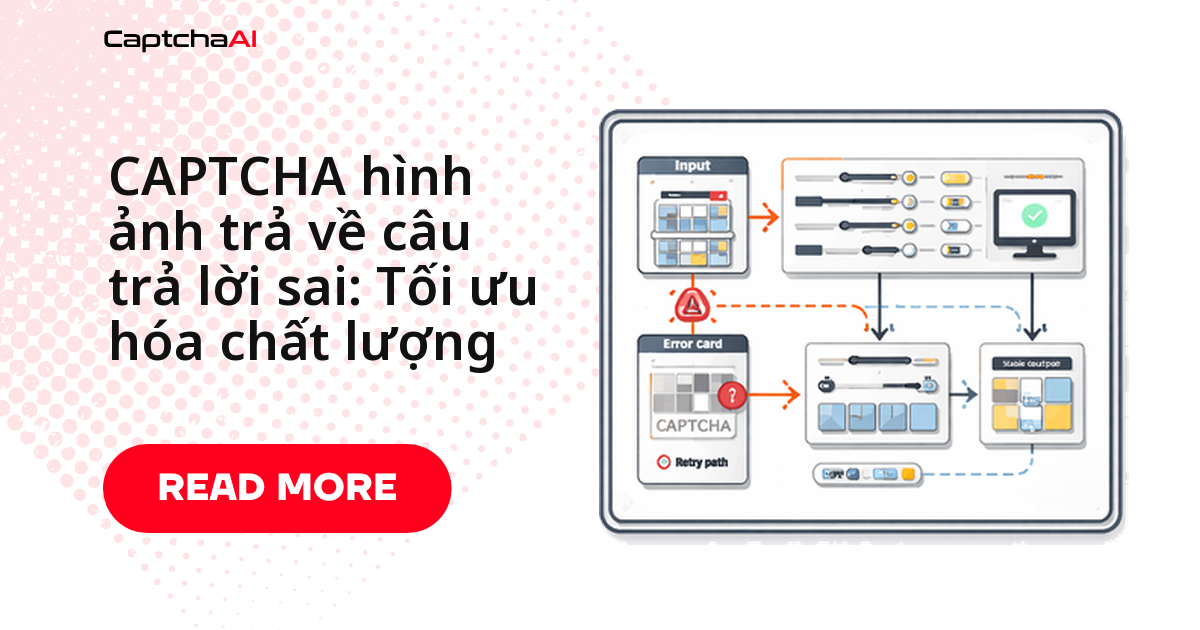
Đây là tình huống phổ biến: khi CaptchaAI trả sai đáp án cho CAPTCHA hình ảnh, nguyên nhân gần như luôn nằm ở ảnh gửi đi, không phải ở engine giải.
Trong bài này: 6 cách khắc phục theo đúng thứ tự nên kiểm tra kèm code Python, bảng nguyên nhân phổ biến, bảng đối chiếu triệu chứng → nguyên nhân, và FAQ cho các ca khó.
Vì sao CAPTCHA hình ảnh trả về đáp án sai
Trước khi sửa code, đối chiếu triệu chứng đang gặp với năm nguyên nhân phổ biến nhất:
- Ảnh bị cắt thiếu (crop sai vùng) — rất phổ biến, nhất là khi crop bằng tọa độ cố định. Sửa: chụp toàn bộ phần tử CAPTCHA.
- Độ phân giải/nén thấp — phổ biến. Sửa: gửi ảnh chất lượng cao hơn.
- Mã hóa ảnh sai — phổ biến. Sửa: kiểm tra lại mã hóa base64.
- Thiếu gợi ý ngôn ngữ/loại ký tự — thỉnh thoảng. Sửa: thêm
languagehoặctextinstructions. - Ảnh cũ/đã hết hạn — thỉnh thoảng. Sửa: chụp ảnh mới ngay trước khi giải.
Cách khắc phục 1: Kiểm tra chất lượng ảnh trước khi gửi
Trước khi gửi ảnh sang CaptchaAI, hãy tự kiểm tra ba điều: kích thước tối thiểu, ảnh có bị trắng/trống hay không, và dung lượng file có bất thường không. Script dưới đây trả về danh sách cảnh báo — chạy nó ngay trong pipeline thu thập ảnh, trước bước gửi task, để bắt lỗi sớm thay vì debug ngược từ đáp án sai.
import base64
from io import BytesIO
from PIL import Image

def validate_captcha_image(image_path):
    """Check image quality before submitting to CaptchaAI."""
    img = Image.open(image_path)
    width, height = img.size
    issues = []

    # Minimum resolution
    if width < 50 or height < 20:
        issues.append(f"Too small: {width}x{height}px (min 50x20)")

    # Check if mostly blank
    pixels = list(img.getdata())
    if img.mode == "RGB":
        white_count = sum(1 for p in pixels if p[0] > 250 and p[1] > 250 and p[2] > 250)
    else:
        white_count = sum(1 for p in pixels if p > 250)

    blank_ratio = white_count / len(pixels)
    if blank_ratio > 0.95:
        issues.append(f"Image appears blank ({blank_ratio:.0%} white)")

    # File size check
    img_bytes = BytesIO()
    img.save(img_bytes, format="PNG")
    size_kb = img_bytes.tell() / 1024
    if size_kb < 1:
        issues.append(f"File too small ({size_kb:.1f} KB) — may be empty")
    if size_kb > 600:
        issues.append(f"File too large ({size_kb:.0f} KB) — submit under 600 KB")

    return issues

issues = validate_captcha_image("captcha.png")
if issues:
    for issue in issues:
        print(f"WARNING: {issue}")
else:
    print("Image quality OK")
Cách 2: Mã hóa Base64 đúng
Lỗi hay gặp nhất ở bước này: mã hóa nhầm đường dẫn file (chuỗi tên file) thay vì nội dung ảnh thật sự. Đoạn code dưới xác minh round-trip — giải mã lại và so sánh với dữ liệu gốc — để bắt lỗi này trước khi task được gửi đi, thay vì phát hiện sau khi nhận đáp án vô nghĩa.
import base64

def encode_captcha(image_path):
    """Properly encode a CAPTCHA image to base64."""
    with open(image_path, "rb") as f:
        raw = f.read()

    encoded = base64.b64encode(raw).decode("ascii")

    # Verify round-trip
    decoded = base64.b64decode(encoded)
    assert decoded == raw, "Base64 encoding corrupted the image"

    return encoded

# WRONG — encoding a file path string
bad = base64.b64encode(b"captcha.png").decode()  # Encodes filename, not image!

# CORRECT — encoding file contents
with open("captcha.png", "rb") as f:
    good = base64.b64encode(f.read()).decode()
Cách 3: Xử lý sơ bộ ảnh
Chỉ áp dụng bước này khi ảnh gốc thực sự kém — CaptchaAI đọc tốt ảnh CAPTCHA tiêu chuẩn mà không cần tiền xử lý. Với ảnh khó (nhỏ, mờ, tương phản thấp), ba thao tác dưới đây thường đủ để cải thiện độ chính xác OCR.
from PIL import Image, ImageFilter, ImageEnhance
from io import BytesIO
import base64

def preprocess_captcha(image_path):
    """Improve image quality for better OCR accuracy."""
    img = Image.open(image_path)

    # Convert to RGB if needed
    if img.mode != "RGB":
        img = img.convert("RGB")

    # Upscale small images
    width, height = img.size
    if width < 200:
        scale = 200 / width
        img = img.resize(
            (int(width * scale), int(height * scale)),
            Image.LANCZOS,
        )

    # Increase contrast
    enhancer = ImageEnhance.Contrast(img)
    img = enhancer.enhance(1.5)

    # Sharpen
    img = img.filter(ImageFilter.SHARPEN)

    # Convert to PNG bytes
    buffer = BytesIO()
    img.save(buffer, format="PNG")
    return base64.b64encode(buffer.getvalue()).decode()
Cách 4: Thêm gợi ý về loại và ngôn ngữ
Nếu biết trước CAPTCHA chỉ gồm chữ số, chỉ gồm chữ cái, hay có độ dài cố định, hãy khai báo qua numeric, min_len, max_len, textinstructions khi gửi task. Gợi ý càng cụ thể, khả năng OCR đoán đúng càng cao.
import requests

def solve_image(api_key, image_base64, **hints):
    """Submit image CAPTCHA with quality hints."""
    data = {
        "key": api_key,
        "method": "base64",
        "body": image_base64,
        "json": 1,
    }

    # Add optional hints for better accuracy
    if "language" in hints:
        data["language"] = hints["language"]  # 0=default, 1=Cyrillic, 2=Latin
    if "textinstructions" in hints:
        data["textinstructions"] = hints["textinstructions"]
    if "numeric" in hints:
        data["numeric"] = hints["numeric"]  # 1=digits only, 2=letters only
    if "min_len" in hints:
        data["min_len"] = hints["min_len"]
    if "max_len" in hints:
        data["max_len"] = hints["max_len"]

    resp = requests.post("https://ocr.captchaai.com/in.php", data=data, timeout=30)
    return resp.json()

# Example: Digits-only CAPTCHA, 4-6 characters
result = solve_image(
    "YOUR_API_KEY",
    encoded_image,
    numeric=1,
    min_len=4,
    max_len=6,
)

# Example: Case-sensitive text
result = solve_image(
    "YOUR_API_KEY",
    encoded_image,
    textinstructions="Case-sensitive, enter exactly as shown",
)
Cách 5: Chụp đúng phần tử CAPTCHA, không chụp cả trang
Một lỗi phổ biến ở các đội làm price-monitoring trên Shopee, Lazada hay Tiki: chụp screenshot toàn trang rồi crop bằng tọa độ cố định (chính là tình huống ở đầu bài) — chỉ cần banner, popup hay kích thước cửa sổ đổi vài pixel là ảnh gửi đi lệch khỏi vùng CAPTCHA. Dấu hiệu nhận biết:
- Đáp án sai xuất hiện đúng lúc trang vừa đổi giao diện
- Lỗi chỉ xảy ra trên một vài kích thước màn hình nhất định
Selenium hỗ trợ screenshot trực tiếp trên phần tử, luôn đúng vùng bất kể layout xung quanh thay đổi thế nào:
from selenium import webdriver
from selenium.webdriver.common.by import By
import base64

def capture_captcha_element(driver, selector):
    """Screenshot only the CAPTCHA element, not the full page."""
    element = driver.find_element(By.CSS_SELECTOR, selector)

    # Element screenshot (better than page crop)
    png_bytes = element.screenshot_as_png

    # Verify it's not empty
    if len(png_bytes) < 500:
        raise ValueError("Screenshot too small — element may not be visible")

    return base64.b64encode(png_bytes).decode()

# Usage
driver = webdriver.Chrome()
driver.get("https://example.com")
image_b64 = capture_captcha_element(driver, "img#captchaImage")
Cách khắc phục 6: Xử lý CAPTCHA dynamic/rotating
CAPTCHA dạng ảnh trên một số trang tự làm mới sau vài giây. Nếu độ trễ giữa lúc chụp và lúc gửi quá lâu, ảnh gửi đi có thể đã hết hạn ở phía server dù nhìn vẫn hợp lệ trên trình duyệt — kết quả là đáp án đúng theo ảnh cũ nhưng sai theo ảnh hiện tại. Chụp và gửi ngay lập tức, sau đó polling res.php; CAPTCHA ảnh thường giải rất nhanh nên vòng lặp polling có thể ngắn:
import time

def solve_with_fresh_image(driver, api_key, captcha_selector):
    """Capture and solve CAPTCHA immediately to avoid expiry."""
    # Wait for CAPTCHA to load fully
    time.sleep(2)

    # Capture fresh
    element = driver.find_element(By.CSS_SELECTOR, captcha_selector)
    png_bytes = element.screenshot_as_png
    body = base64.b64encode(png_bytes).decode()

    # Submit immediately
    resp = requests.post("https://ocr.captchaai.com/in.php", data={
        "key": api_key,
        "method": "base64",
        "body": body,
        "json": 1,
    }, timeout=30)
    result = resp.json()

    if result.get("status") != 1:
        raise RuntimeError(result.get("request"))

    task_id = result["request"]

    # Poll — image CAPTCHAs solve fast
    time.sleep(5)
    for _ in range(12):
        resp = requests.get("https://ocr.captchaai.com/res.php", params={
            "key": api_key, "action": "get",
            "id": task_id, "json": 1,
        }, timeout=15)
        data = resp.json()

        if data.get("status") == 1:
            return data["request"]
        if data["request"] != "CAPCHA_NOT_READY":
            raise RuntimeError(data["request"])
        time.sleep(3)

    raise TimeoutError("Image solve timeout")
Triệu chứng đáp án sai: bảng chẩn đoán nhanh
Chưa chắc lỗi nằm ở đâu? Đối chiếu triệu chứng với bảng dưới để đi thẳng vào đúng phần cần sửa.
| Triệu chứng | Chẩn đoán | Cách khắc phục |
|---|---|---|
| Đáp án như chuỗi ký tự ngẫu nhiên, vô nghĩa | Mã hóa base64 sai | Xác minh mã hóa round-trip |
| Đáp án gần đúng nhưng lệch vài ký tự | Chất lượng ảnh thấp | Tiền xử lý: phóng to, làm nét, tăng tương phản |
| Đáp án thiếu hoặc thừa ký tự | Thiếu gợi ý độ dài | Thêm tham số min_len/max_len |
| Đáp án lẫn cả chữ và số dù CAPTCHA chỉ có một loại | Thiếu gợi ý loại | Thêm numeric=1 hoặc numeric=2 |
| Đáp án trả về rỗng | Ảnh trống hoặc bị hỏng | Xác thực ảnh trước khi gửi |
| Đáp án đúng nhưng trang web vẫn từ chối | Phân biệt chữ hoa/chữ thường | Thêm textinstructions ghi rõ yêu cầu |
Câu hỏi thường gặp
Vì sao cùng một ảnh, có lần CaptchaAI trả đúng, có lần trả sai?
Nhiều khả năng do độ trễ giữa lúc chụp và lúc gửi. Nếu trang tự làm mới CAPTCHA sau vài giây, ảnh chụp trước đó đã hết hạn phía server dù nhìn vẫn giống. Chụp và gửi ngay (Cách khắc phục 6) giảm hẳn tình trạng này.
Cắt ảnh CAPTCHA bằng tọa độ cố định có ổn không?
Không nên dùng lâu dài. Tọa độ cố định chỉ đúng khi layout không đổi; banner hay kích thước khung lệch vài pixel là ảnh cắt ra sai vùng. Chụp trực tiếp phần tử bằng element.screenshot_as_png (Cách khắc phục 5) ổn định hơn nhiều.
CaptchaAI hỗ trợ tối đa bao nhiêu loại CAPTCHA hình ảnh?
Hơn 27.500 biến thể, độ chính xác cao khi ảnh gửi lên đúng chuẩn. Phần lớn lỗi trả sai bắt nguồn từ chất lượng ảnh hoặc tham số thiếu, không phải từ engine giải.
Dung lượng ảnh gửi lên tối đa là bao nhiêu?
Script ở Cách khắc phục 1 cảnh báo khi ảnh vượt 600 KB — thường là dấu hiệu chưa nén đúng định dạng, không giúp tăng độ chính xác.
Báo cáo đáp án sai cho CaptchaAI ở đâu?
Gọi endpoint reportbad kèm ID task ngay sau khi phát hiện sai. Việc này giúp cải thiện độ chính xác cho các lần giải sau, có thể được ghi có lại vào số dư tài khoản.
Bài viết liên quan
Giải ảnh CAPTCHA đúng ngay từ lần gửi đầu — dùng thử CaptchaAI.