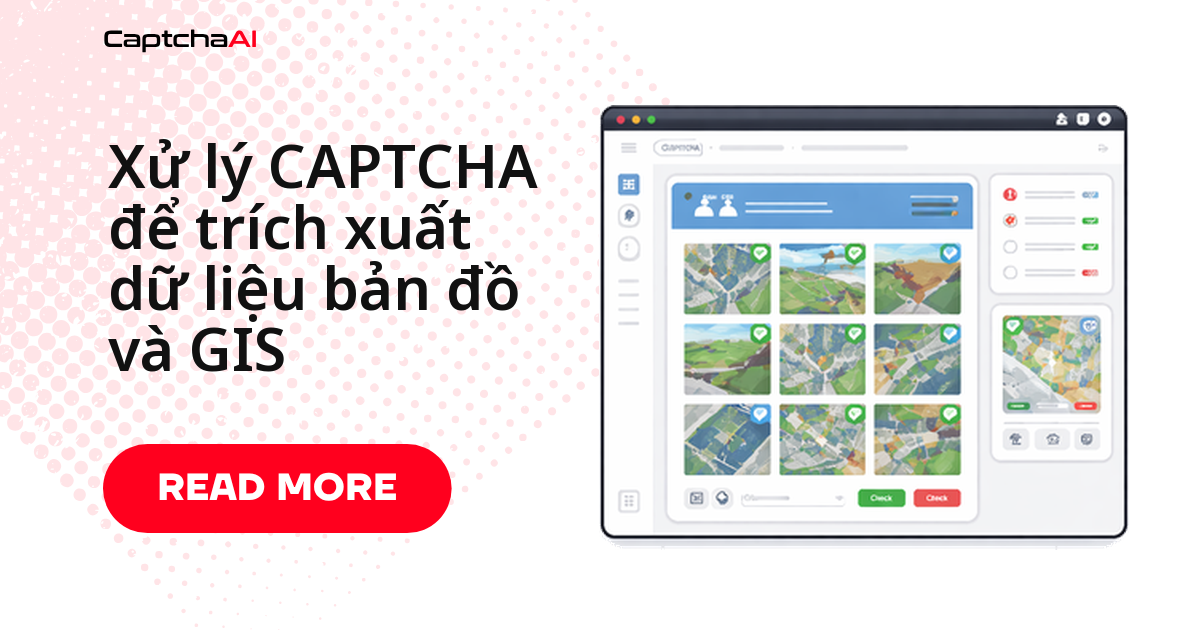
Đội phân tích bất động sản hoặc quy hoạch đô thị cần tải hàng loạt dữ liệu thửa đất, vùng lũ và bản đồ phân vùng từ cổng GIS cấp quận/bang ở Mỹ, nhưng mỗi truy vấn lại bị chặn bởi CAPTCHA ảnh kiểu cũ? Đây là tình huống quen thuộc với các đội outsourcing dữ liệu Việt Nam phục vụ khách hàng bất động sản nước ngoài: hệ thống GIS chính phủ thường chạy trên nền tảng cũ chưa tích hợp CAPTCHA hiện đại, nên cách xử lý nhanh nhất là gửi ảnh CAPTCHA lên CaptchaAI qua in.php, polling res.php rồi gửi lại form.
Checklist trước khi chạy trích xuất hàng loạt
- Kiểm tra chế độ xem bản đồ, bộ lọc vùng và điều khiển phân trang trước khi chạy job lớn.
- Lưu tọa độ/mã thửa đã chuẩn hóa lẫn phản hồi HTML gốc để sửa lỗi sau này.
- Tạm dừng lô khi mật độ CAPTCHA tăng đột biến thay vì để retry ẩn đổi hành vi phía cổng.
Cổng GIS dùng loại CAPTCHA nào và xuất hiện khi nào
Nhận diện đúng loại CAPTCHA trước khi viết code sẽ tiết kiệm thời gian debug:
| Loại cổng thông tin | Loại CAPTCHA | Thời điểm xuất hiện |
|---|---|---|
| GIS/assessor cấp quận | CAPTCHA văn bản dạng ảnh | Truy vấn tìm thửa đất |
| Cổng không gian địa lý cấp bang | CAPTCHA tùy chỉnh | Yêu cầu tải dữ liệu |
| Cổng dữ liệu USGS | reCAPTCHA v2 | Truy cập dữ liệu hàng loạt |
| Bản đồ phân vùng thành phố | CAPTCHA hình ảnh | Tra cứu thuộc tính lặp lại |
| Cơ sở dữ liệu môi trường | CAPTCHA toán học | Tạo báo cáo |
| Tra cứu vùng lũ | CAPTCHA văn bản dạng ảnh | Truy vấn theo địa chỉ |
Lỗi thường gặp khi giải CAPTCHA cổng GIS
| Vấn đề | Nguyên nhân | Cách xử lý |
|---|---|---|
| Ảnh CAPTCHA tải lên bị lỗi | Cổng yêu cầu cookie phiên | Tải trang tìm kiếm trước để lấy cookie |
| Text đã giải bị từ chối | Cổng phân biệt hoa/thường | Thêm tham số case_sensitive=1 |
| Cổng trả CAPTCHA khác nhau mỗi lần thử | CAPTCHA gắn với phiên | Tải và giải trong cùng một session |
| Không có dữ liệu thửa đất sau khi giải | Thiếu trường ẩn của form | Trích xuất toàn bộ input ẩn trước khi submit |
Class Python trích xuất dữ liệu GIS
Class dưới đây gửi CAPTCHA lên CaptchaAI, polling kết quả rồi gửi lại form kèm token — dùng chung cho tra cứu theo mã thửa, tìm theo địa chỉ và trích xuất hàng loạt.
import requests
import base64
import time
import re

class GISDataExtractor:
    def __init__(self, api_key):
        self.api_key = api_key
        self.session = requests.Session()
        self.session.headers.update({
            "User-Agent": "Mozilla/5.0 (Windows NT 10.0; Win64; x64) AppleWebKit/537.36"
        })

    def lookup_parcel(self, portal_url, parcel_id):
        """Look up parcel data by ID, solving CAPTCHAs as needed."""
        response = self.session.get(
            f"{portal_url}/parcel", params={"id": parcel_id}
        )

        if self._has_image_captcha(response.text):
            captcha_url = self._extract_captcha_url(response.text, portal_url)
            captcha_text = self._solve_captcha(captcha_url)

            # Re-submit with solved CAPTCHA
            response = self.session.post(f"{portal_url}/parcel", data={
                "id": parcel_id,
                "captcha": captcha_text,
                **self._extract_hidden_fields(response.text)
            })

        return self._parse_parcel_data(response.text)

    def search_by_address(self, portal_url, address):
        """Search GIS records by street address."""
        response = self.session.get(
            f"{portal_url}/search", params={"address": address}
        )

        if self._has_image_captcha(response.text):
            captcha_url = self._extract_captcha_url(response.text, portal_url)
            captcha_text = self._solve_captcha(captcha_url)

            response = self.session.post(f"{portal_url}/search", data={
                "address": address,
                "captcha": captcha_text,
                **self._extract_hidden_fields(response.text)
            })

        return self._parse_search_results(response.text)

    def bulk_extract(self, portal_url, parcel_ids, delay=3):
        """Extract data for multiple parcels with rate limiting."""
        results = {}

        for parcel_id in parcel_ids:
            try:
                results[parcel_id] = self.lookup_parcel(portal_url, parcel_id)
            except Exception as e:
                results[parcel_id] = {"error": str(e)}
            time.sleep(delay)

        return results

    def _has_image_captcha(self, html):
        return bool(re.search(
            r'captcha|verification.?image|security.?code',
            html, re.IGNORECASE
        ))

    def _extract_captcha_url(self, html, base_url):
        from bs4 import BeautifulSoup
        from urllib.parse import urljoin
        soup = BeautifulSoup(html, "html.parser")

        img = (
            soup.find("img", attrs={"src": lambda s: s and "captcha" in s.lower()}) or
            soup.find("img", {"id": re.compile(r"captcha", re.I)}) or
            soup.find("img", {"class": re.compile(r"captcha", re.I)})
        )

        if img and img.get("src"):
            return urljoin(base_url, img["src"])
        raise ValueError("CAPTCHA image not found")

    def _solve_captcha(self, captcha_url):
        """Download and solve image CAPTCHA."""
        img_response = self.session.get(captcha_url)
        img_base64 = base64.b64encode(img_response.content).decode("utf-8")

        resp = requests.post("https://ocr.captchaai.com/in.php", data={
            "key": self.api_key,
            "method": "base64",
            "body": img_base64,
            "json": 1
        })
        task_id = resp.json()["request"]

        for _ in range(30):
            time.sleep(3)
            result = requests.get("https://ocr.captchaai.com/res.php", params={
                "key": self.api_key,
                "action": "get",
                "id": task_id,
                "json": 1
            })
            data = result.json()
            if data["status"] == 1:
                return data["request"]

        raise TimeoutError("CAPTCHA solve timed out")

    def _extract_hidden_fields(self, html):
        from bs4 import BeautifulSoup
        soup = BeautifulSoup(html, "html.parser")
        fields = {}
        for inp in soup.select("input[type='hidden']"):
            name = inp.get("name")
            if name:
                fields[name] = inp.get("value", "")
        return fields

    def _parse_parcel_data(self, html):
        from bs4 import BeautifulSoup
        soup = BeautifulSoup(html, "html.parser")

        def text_or_none(node):
            return node.text.strip() if node and node.text else None

        return {
            "parcel_id": text_or_none(soup.select_one(".parcel-id, #parcelId")),
            "owner": text_or_none(soup.select_one(".owner, .owner-name")),
            "address": text_or_none(soup.select_one(".address, .situs")),
            "zoning": text_or_none(soup.select_one(".zoning, .zone-code")),
            "acreage": text_or_none(soup.select_one(".acreage, .area")),
            "assessed_value": text_or_none(soup.select_one(".assessed, .value")),
            "land_use": text_or_none(soup.select_one(".land-use, .use-code"))
        }

    def _parse_search_results(self, html):
        from bs4 import BeautifulSoup
        soup = BeautifulSoup(html, "html.parser")

        def text_or_none(node):
            return node.text.strip() if node and node.text else None

        results = []
        for row in soup.select(".result-row, tr.parcel"):
            results.append({
                "parcel_id": text_or_none(row.select_one(".parcel-id")),
                "address": text_or_none(row.select_one(".address")),
                "owner": text_or_none(row.select_one(".owner"))
            })
        return results

# Usage
extractor = GISDataExtractor("YOUR_API_KEY")

# Single parcel lookup
parcel = extractor.lookup_parcel(
    "https://gis.county.example.gov",
    "12-34-567-890"
)
print(f"Owner: {parcel['owner']}, Zoning: {parcel['zoning']}")

# Bulk extraction
parcels = extractor.bulk_extract(
    "https://gis.county.example.gov",
    ["12-34-567-890", "12-34-567-891", "12-34-567-892"]
)
Trích xuất theo tọa độ bằng JavaScript
Cần quét theo lưới tọa độ thay vì mã thửa? Class JavaScript bên dưới dùng cùng luồng gửi/polling nhưng nhận đầu vào là lat/lng:
class GISExtractor {
  constructor(apiKey) {
    this.apiKey = apiKey;
  }

  async extractByCoordinates(portalUrl, lat, lng) {
    const url = `${portalUrl}/identify?lat=${lat}&lng=${lng}`;
    const response = await fetch(url);
    const html = await response.text();

    if (this.hasCaptcha(html)) {
      return this.solveAndExtract(portalUrl, html, { lat, lng });
    }

    return this.parseGISData(html);
  }

  async extractRegion(portalUrl, bounds, gridSize = 0.01) {
    const results = [];
    const { north, south, east, west } = bounds;

    for (let lat = south; lat <= north; lat += gridSize) {
      for (let lng = west; lng <= east; lng += gridSize) {
        try {
          const data = await this.extractByCoordinates(portalUrl, lat, lng);
          if (data.parcelId) results.push(data);
        } catch (error) {
          console.error(`Failed at ${lat},${lng}: ${error.message}`);
        }
        // Rate limit
        await new Promise(r => setTimeout(r, 2000));
      }
    }

    return results;
  }

  hasCaptcha(html) {
    return /captcha|verification.?image|security.?code/i.test(html);
  }

  async solveAndExtract(portalUrl, html, params) {
    const imgMatch = html.match(/src="([^"]*captcha[^"]*)"/i);
    if (!imgMatch) throw new Error('CAPTCHA image not found');

    const imgUrl = new URL(imgMatch[1], portalUrl).href;
    const imgResp = await fetch(imgUrl);
    const buffer = await imgResp.arrayBuffer();
    const base64 = Buffer.from(buffer).toString('base64');

    const submitResp = await fetch('https://ocr.captchaai.com/in.php', {
      method: 'POST',
      body: new URLSearchParams({
        key: this.apiKey,
        method: 'base64',
        body: base64,
        json: '1'
      })
    });
    const { request: taskId } = await submitResp.json();

    for (let i = 0; i < 30; i++) {
      await new Promise(r => setTimeout(r, 3000));
      const result = await fetch(
        `https://ocr.captchaai.com/res.php?key=${this.apiKey}&action=get&id=${taskId}&json=1`
      );
      const data = await result.json();
      if (data.status === 1) {
        const response = await fetch(portalUrl, {
          method: 'POST',
          body: new URLSearchParams({
            ...params,
            captcha: data.request
          })
        });
        return this.parseGISData(await response.text());
      }
    }
    throw new Error('CAPTCHA solve timed out');
  }

  parseGISData(html) {
    return {
      parcelId: html.match(/parcel.?id[^>]*>([^<]+)/i)?.[1]?.trim(),
      zoning: html.match(/zon(?:e|ing)[^>]*>([^<]+)/i)?.[1]?.trim(),
      acreage: html.match(/acreage|area[^>]*>([^<]+)/i)?.[1]?.trim(),
      landUse: html.match(/land.?use[^>]*>([^<]+)/i)?.[1]?.trim()
    };
  }
}

// Usage
const gis = new GISExtractor('YOUR_API_KEY');

// Single coordinate lookup
const data = await gis.extractByCoordinates(
  'https://gis.county.example.gov',
  34.0522, -118.2437
);

// Extract entire region
const region = await gis.extractRegion('https://gis.county.example.gov', {
  north: 34.10, south: 34.00, east: -118.20, west: -118.30
});
Tham số CaptchaAI cần cấu hình cho CAPTCHA cổng GIS
Vài tham số trong request in.php giúp tăng tỷ lệ giải đúng ngay lần đầu với CAPTCHA tự chế của cổng GIS:
| Tham số | Giá trị | Trường hợp dùng |
|---|---|---|
method |
base64 |
CAPTCHA hình ảnh chuẩn |
numeric |
1 |
CAPTCHA chỉ gồm chữ số |
min_len |
4 |
Khi biết trước số ký tự |
max_len |
6 |
Khi biết trước số ký tự |
language |
0 |
Ký tự tiếng Anh/Latin |
textinstructions |
Tùy chỉnh | CAPTCHA toán học hoặc mã định dạng riêng |
Câu hỏi thường gặp
Trích xuất vài nghìn thửa đất mỗi ngày tốn bao nhiêu chi phí giải CAPTCHA?
CaptchaAI tính phí theo thread, không theo từng lần giải, nên chi phí phụ thuộc tốc độ chạy song song. Hai lựa chọn phổ biến:
- BASIC ($15/tháng, 5 thread) — đủ cho job tuần tự vài nghìn thửa/ngày.
- ADVANCE ($90/tháng, 50 thread) — khi cần crawl song song nhiều cổng cùng lúc.
Vì sao cổng GIS của chính phủ vẫn dùng CAPTCHA ảnh kiểu cũ?
Phần lớn hệ thống GIS cấp quận/bang được xây từ trước khi các dịch vụ CAPTCHA hiện đại phổ biến, và chu kỳ nâng cấp của cơ quan nhà nước thường kéo dài nhiều năm nên CAPTCHA ảnh tự chế vẫn tồn tại song song với các cổng mới hơn dùng reCAPTCHA v2.
Có nên giới hạn tốc độ khi trích xuất hàng loạt từ cổng GIS không?
Có. Hầu hết cổng GIS chính phủ không được thiết kế cho tải lớn. Giữ khoảng cách vài giây giữa các request — như tham số delay trong ví dụ Python — và tạm dừng khi mật độ CAPTCHA tăng đột biến để tránh làm gián đoạn dịch vụ công.
CaptchaAI có xử lý được CAPTCHA toán học hoặc định dạng riêng của từng quận không?
Có. Dùng tham số textinstructions để mô tả định dạng, ví dụ "5 chữ in hoa" hoặc "giải phương trình". CaptchaAI chỉ giải CAPTCHA — việc tải file Shapefile hoặc GeoJSON sau đó diễn ra bình thường qua link tải của cổng.
Bắt đầu ngay
Đăng ký CaptchaAI, lấy API key và chạy thử class Python ở trên với vài mã thửa đất thật.